






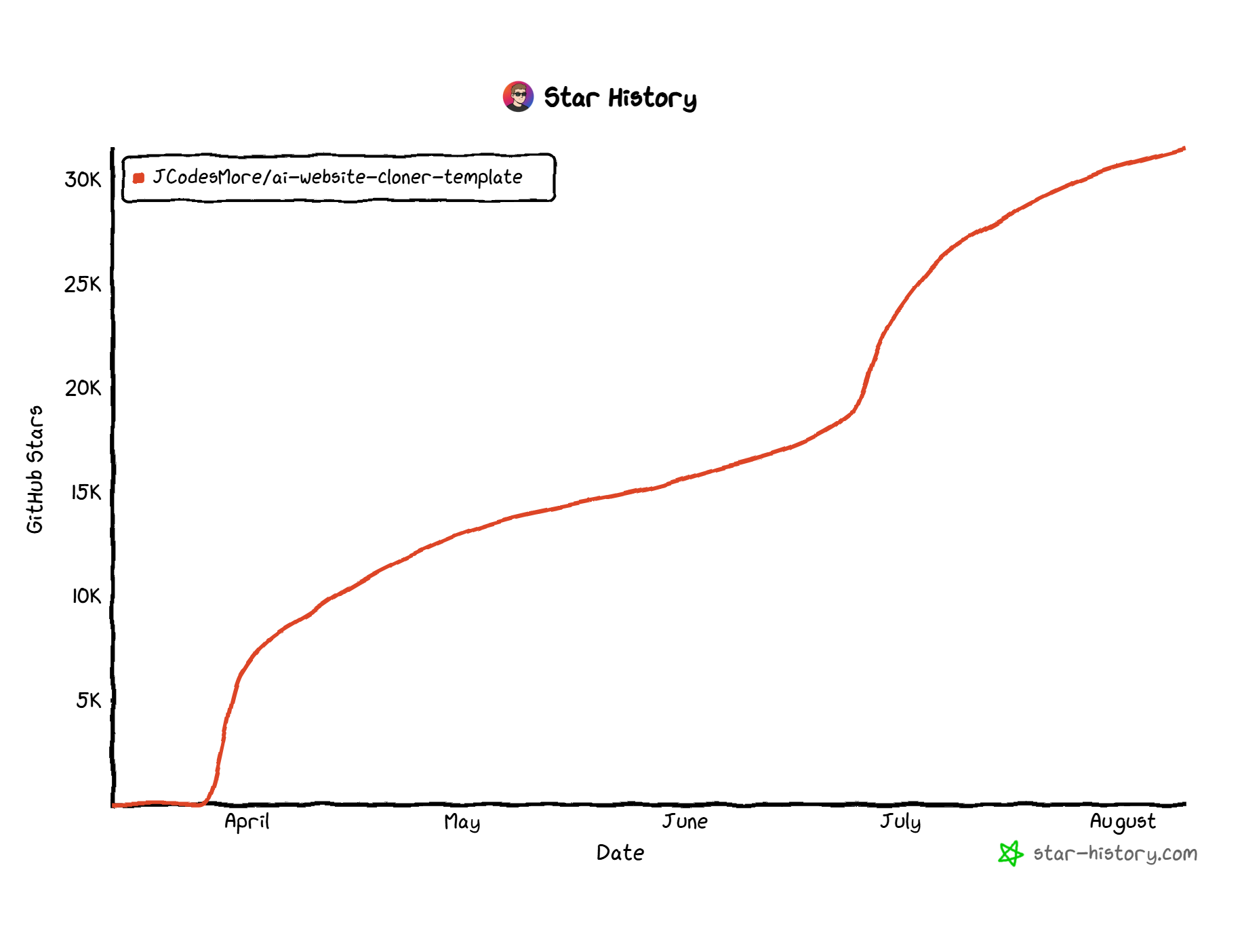
What is this?
 A GitHub template that lets an AI coding agent clone any website into a working Next.js project just by giving it the URL.
A GitHub template that lets an AI coding agent clone any website into a working Next.js project just by giving it the URL.Is this a ready-made app or a starting template I run myself?It is a GitHub template repository: you click 'Use this template' to create your own copy, then run the included skill through your AI agent to generate a real Next.js app from it.
It is a GitHub template repository: you click 'Use this template' to create your own copy, then run the included skill through your AI agent to generate a real Next.js app from it.How do I actually clone a website with this?Create your own repo from the template, open it locally, run npm install, start your AI agent (Claude Code recommended), then run the /clone-website skill which handles the rest.
Create your own repo from the template, open it locally, run npm install, start your AI agent (Claude Code recommended), then run the /clone-website skill which handles the rest.What do I need installed before I start?You need Node.js 24 or newer plus one of the supported AI coding agents (Claude Code, Codex CLI, Cursor, Gemini CLI, and many others).
You need Node.js 24 or newer plus one of the supported AI coding agents (Claude Code, Codex CLI, Cursor, Gemini CLI, and many others).Any rules I need to follow when using this?Don't work directly in this template repo for your own site, and don't open PRs here with generated clones; the project also explicitly forbids using it for phishing, impersonation, or copying someone's branding.
Don't work directly in this template repo for your own site, and don't open PRs here with generated clones; the project also explicitly forbids using it for phishing, impersonation, or copying someone's branding.What's this actually useful for?It's aimed at developers who need to migrate an old WordPress/Webflow/Squarespace site into modern code, recover a site whose source was lost, or study how a production site's layout and interactions are built.
It's aimed at developers who need to migrate an old WordPress/Webflow/Squarespace site into modern code, recover a site whose source was lost, or study how a production site's layout and interactions are built.Can I run this on Windows, or do I need a Mac?Since it's just Node.js plus whatever AI agent CLI you use, it runs the same way on Windows, macOS, and Linux.
Since it's just Node.js plus whatever AI agent CLI you use, it runs the same way on Windows, macOS, and Linux.How does the cloning pipeline actually work?It runs a multi-phase pipeline: reconnaissance (screenshots, design tokens, interaction sweep), foundation setup, detailed component spec files, parallel builder agents working in git worktrees, then assembly and a visual diff QA pass against the original site.
It runs a multi-phase pipeline: reconnaissance (screenshots, design tokens, interaction sweep), foundation setup, detailed component spec files, parallel builder agents working in git worktrees, then assembly and a visual diff QA pass against the original site.Which AI agent should I use for best results?Claude Code with Opus 5 is explicitly recommended, but Codex CLI, Cursor, Gemini CLI, GitHub Copilot, Windsurf, Cline, Roo Code, Continue, Amazon Q, and Augment Code are all supported.
Claude Code with Opus 5 is explicitly recommended, but Codex CLI, Cursor, Gemini CLI, GitHub Copilot, Windsurf, Cline, Roo Code, Continue, Amazon Q, and Augment Code are all supported.What tech stack does the generated site use?The cloned output is a Next.js 16 app using the App Router, React 19, TypeScript in strict mode, shadcn/ui with Radix primitives, and Tailwind CSS v4 with oklch design tokens.
The cloned output is a Next.js 16 app using the App Router, React 19, TypeScript in strict mode, shadcn/ui with Radix primitives, and Tailwind CSS v4 with oklch design tokens.What shouldn't I use this for?It's not meant for phishing or impersonation, for passing off someone else's logos/brand assets/copy as your own, or for scraping sites whose terms of service prohibit reproduction.
It's not meant for phishing or impersonation, for passing off someone else's logos/brand assets/copy as your own, or for scraping sites whose terms of service prohibit reproduction.What are similar projects?agentic-playwright, vicoa, app-store-screenshots, zuse, superpowers-zh, superpowers, stitch-skills, ui-ux-pro-max-skill
agentic-playwright, vicoa, app-store-screenshots, zuse, superpowers-zh, superpowers, stitch-skills, ui-ux-pro-max-skillWhich topics is it in?shadcn-ui, boilerplate, gemini-cli, github-copilot, template, ai-tools, opencode, web-scraping, tailwindcss, ci, reverse-engineering, nextjs
shadcn-ui, boilerplate, gemini-cli, github-copilot, template, ai-tools, opencode, web-scraping, tailwindcss, ci, reverse-engineering, nextjs