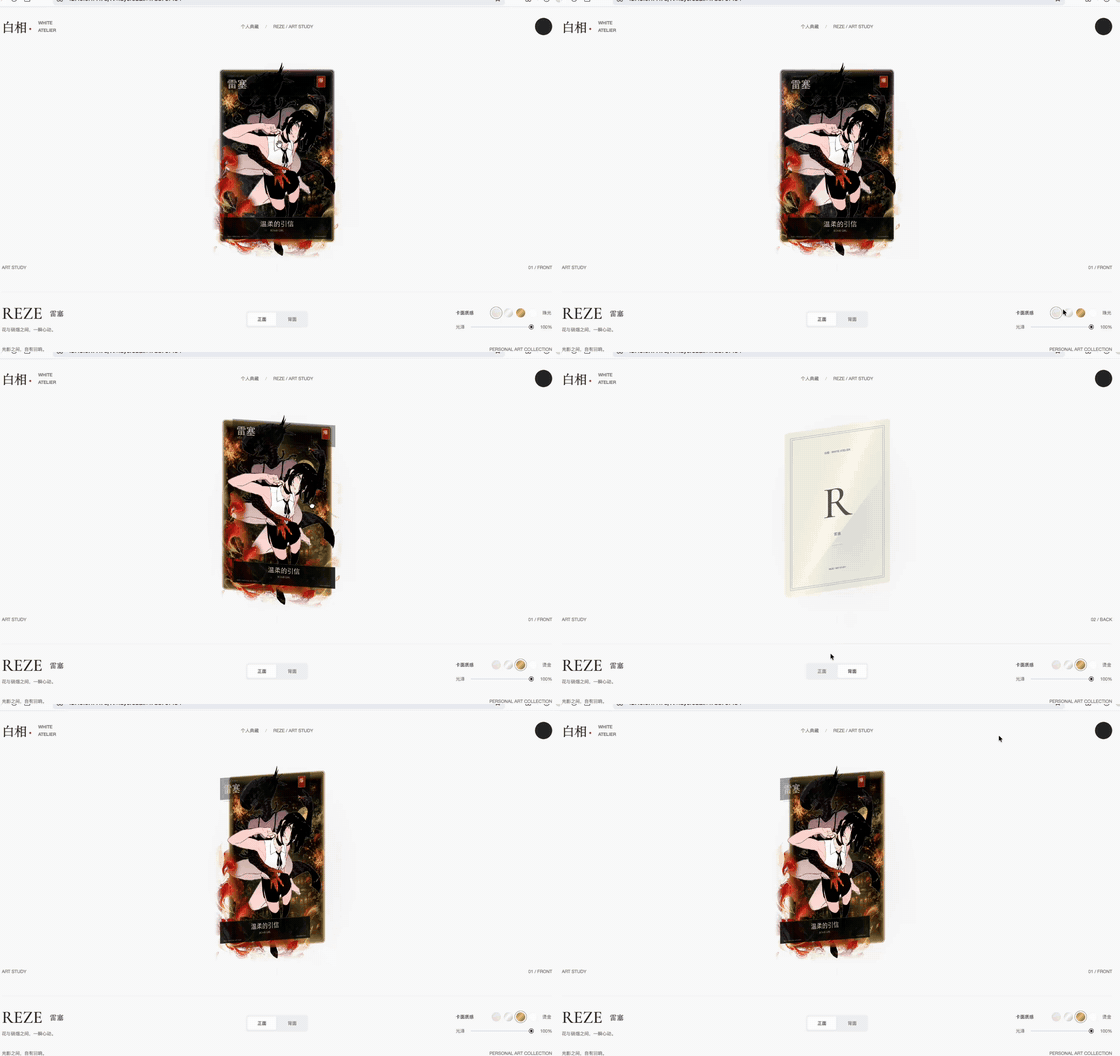
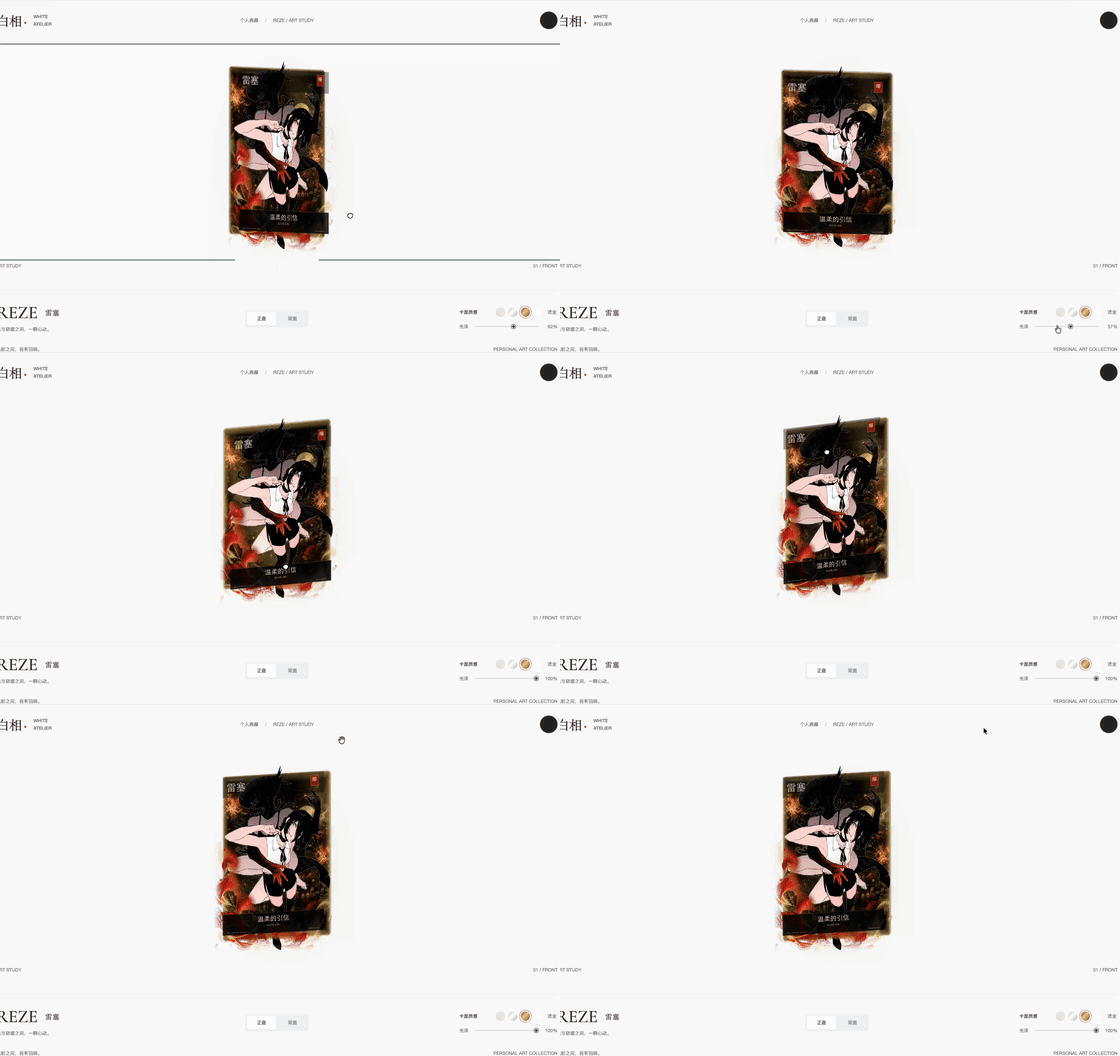

What is this?
 RuiC Card Skill is a Codex Agent Skill that turns a one-sentence description (or a reference image) into an interactive 3D holographic trading-card webpage with layered parallax depth, delivered together with an editable Blender project.
RuiC Card Skill is a Codex Agent Skill that turns a one-sentence description (or a reference image) into an interactive 3D holographic trading-card webpage with layered parallax depth, delivered together with an editable Blender project.Is this a standalone app, or something I load into an agent?It is a skill package you drop into an AI coding agent's skills folder, not a standalone app; the host agent (e.g. Codex) reads it and runs the whole image, Blender, and web pipeline for you.
It is a skill package you drop into an AI coding agent's skills folder, not a standalone app; the host agent (e.g. Codex) reads it and runs the whole image, Blender, and web pipeline for you.How do I install and use it?Copy the project folder into Codex's skills directory (the folder name becomes the skill name), then just tell the agent what card you want, e.g. a koi-fish holographic card with calligraphy text; it generates the layers, builds the scene, and serves a local webpage.
Copy the project folder into Codex's skills directory (the folder name becomes the skill name), then just tell the agent what card you want, e.g. a koi-fish holographic card with calligraphy text; it generates the layers, builds the scene, and serves a local webpage.What do I need installed to run the pipeline?You need Python 3 with Pillow and Node.js with npm; Blender itself does not need to be installed manually, since the pipeline auto-downloads an official portable build into a /tools/ folder and verifies it with SHA-256.
You need Python 3 with Pillow and Node.js with npm; Blender itself does not need to be installed manually, since the pipeline auto-downloads an official portable build into a /tools/ folder and verifies it with SHA-256.Any install pitfalls or runtime limitations?The skill ships only code and text with no binaries, credentials, or cache, and the finished viewer is packed into a single self-contained file with no external requests, so ad-blockers can't break it and it still renders (via CSS-3D fallback) even with hardware acceleration disabled.
The skill ships only code and text with no binaries, credentials, or cache, and the finished viewer is packed into a single self-contained file with no external requests, so ad-blockers can't break it and it still renders (via CSS-3D fallback) even with hardware acceleration disabled.Does it only work with Codex, or other agents and models too?It is described as host-agnostic and works with any multimodal model/agent capable of running the skill, not just Codex, though the README's examples are written for Codex.
It is described as host-agnostic and works with any multimodal model/agent capable of running the skill, not just Codex, though the README's examples are written for Codex.Is the 3D effect real depth, or just a texture overlay?It's real layered depth: the subject, background, line-art, and text layers sit at different depths in a shared coordinate system, so they visibly separate as you change the viewing angle instead of behaving like a flat printed texture.
It's real layered depth: the subject, background, line-art, and text layers sit at different depths in a shared coordinate system, so they visibly separate as you change the viewing angle instead of behaving like a flat printed texture.What exactly do I get after the pipeline finishes?You get a local webpage link to drag, flip, and tweak via sliders, the editable card.blend Blender project, the four transparent PNG layers, a card-config.json file for names/rarity, and a rendered still image.
You get a local webpage link to drag, flip, and tweak via sliders, the editable card.blend Blender project, the four transparent PNG layers, a card-config.json file for names/rarity, and a rendered still image.Can I change the card's look after it's generated?Yes — parallax strength, rainbow stripe density/twist, line-art glow intensity, and starlight density are all adjustable, and you can swap out any individual PNG layer and rerun the pipeline.
Yes — parallax strength, rainbow stripe density/twist, line-art glow intensity, and starlight density are all adjustable, and you can swap out any individual PNG layer and rerun the pipeline.How do I share a finished card skill or project with someone else?A whitelist-based packer bundles only the text files into a clean ZIP, which you can hand off directly or commit to a repository without dragging along binaries or caches.
A whitelist-based packer bundles only the text files into a clean ZIP, which you can hand off directly or commit to a repository without dragging along binaries or caches.What are similar projects?holo-card-studio, gathered-scenes-zine-skill, dream-loop, blender-production-skills, photo-abstract-editorial, travel-memory-sticker-card, muyang-illustration-skills, agent-sprite-forge
holo-card-studio, gathered-scenes-zine-skill, dream-loop, blender-production-skills, photo-abstract-editorial, travel-memory-sticker-card, muyang-illustration-skills, agent-sprite-forgeWhich topics is it in?3d-modeling, blender, creative-tools, threejs, webgl, ai-tools, agent-skill, multimodal, 3d, image-generation, design, skill
3d-modeling, blender, creative-tools, threejs, webgl, ai-tools, agent-skill, multimodal, 3d, image-generation, design, skill