Password: safepassword
Feel free to change them in the account settings.
Features
Location Tracking
Track your live location using one of the supported apps.
Location History Visualization
View your historical data on a map with customizable layers:
Heatmap
Points
Lines between points
Fog of War
Family Sharing
Share your location with family members.
View locations of family members on the map (with their consent).
Each family member can enable or disable location sharing individually.
Areas
Draw areas on the map so Dawarich could suggest your visits there.
Visits (Beta)
Dawarich can suggest places you've visited and allow you to confirm or reject them.
Statistics
Analyze your travel history: number of countries/cities visited, distance traveled, and time spent, broken down by year and month.
Insights
Get insights about your location history, like "Your most visited place is home, with 120 visits", or "You spent 30 days in Paris in 2024".
Days in country
See how many days you've spent in each country. Useful for tax residency purposes or just to see where you spend most of your time.
Trips
Create a trip to visualize your travels between two points in time. You'll be able to see the route, distance, and time spent, and also add notes to your trip. If you have Immich or Photoprism integration, you'll also be able to see photos from your trips!
Integrations
Provide credentials for Immich or Photoprism (or both!) and Dawarich will automatically import geodata from your photos.
You'll also be able to visualize your photos on the map!



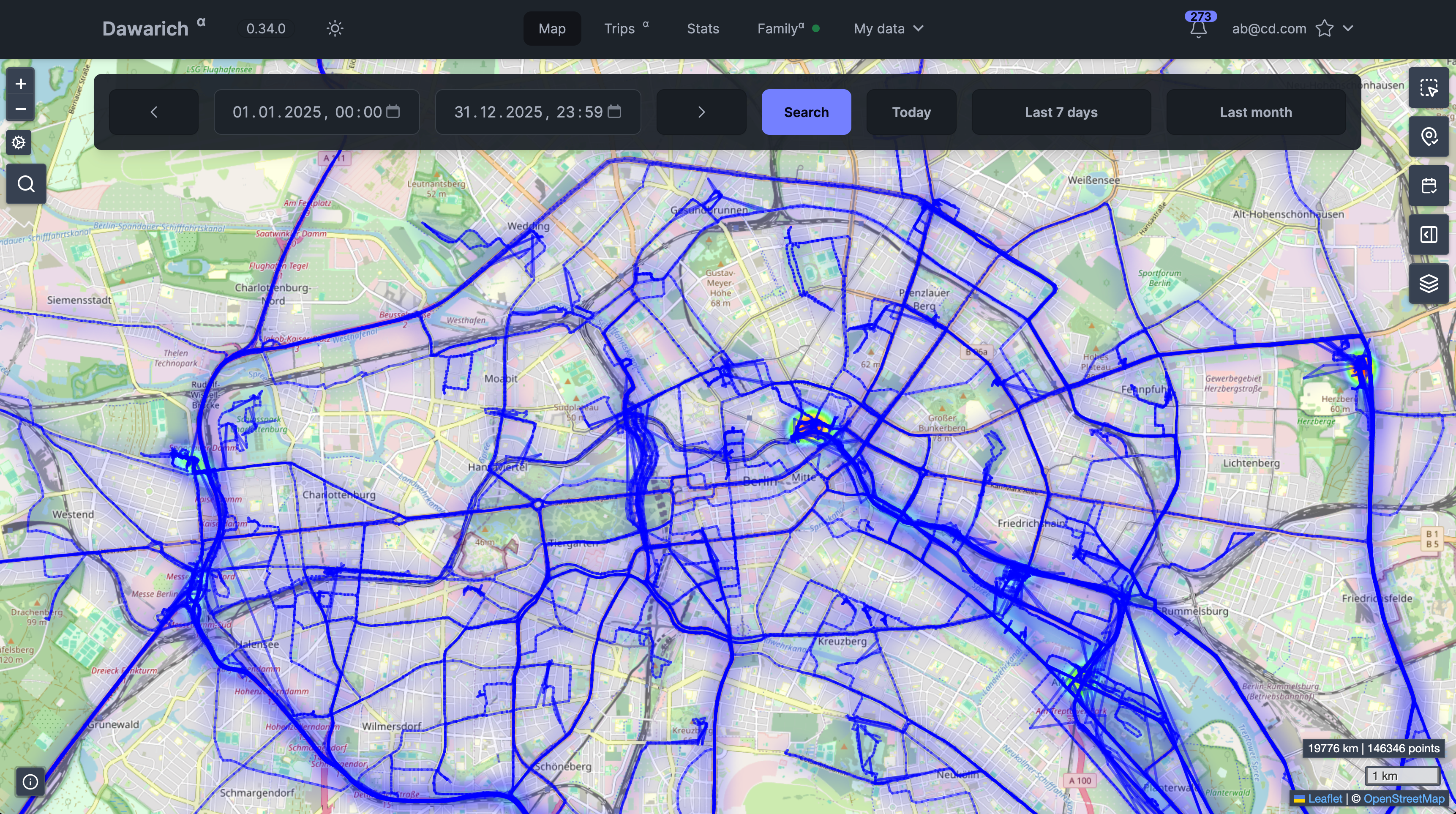 Map View
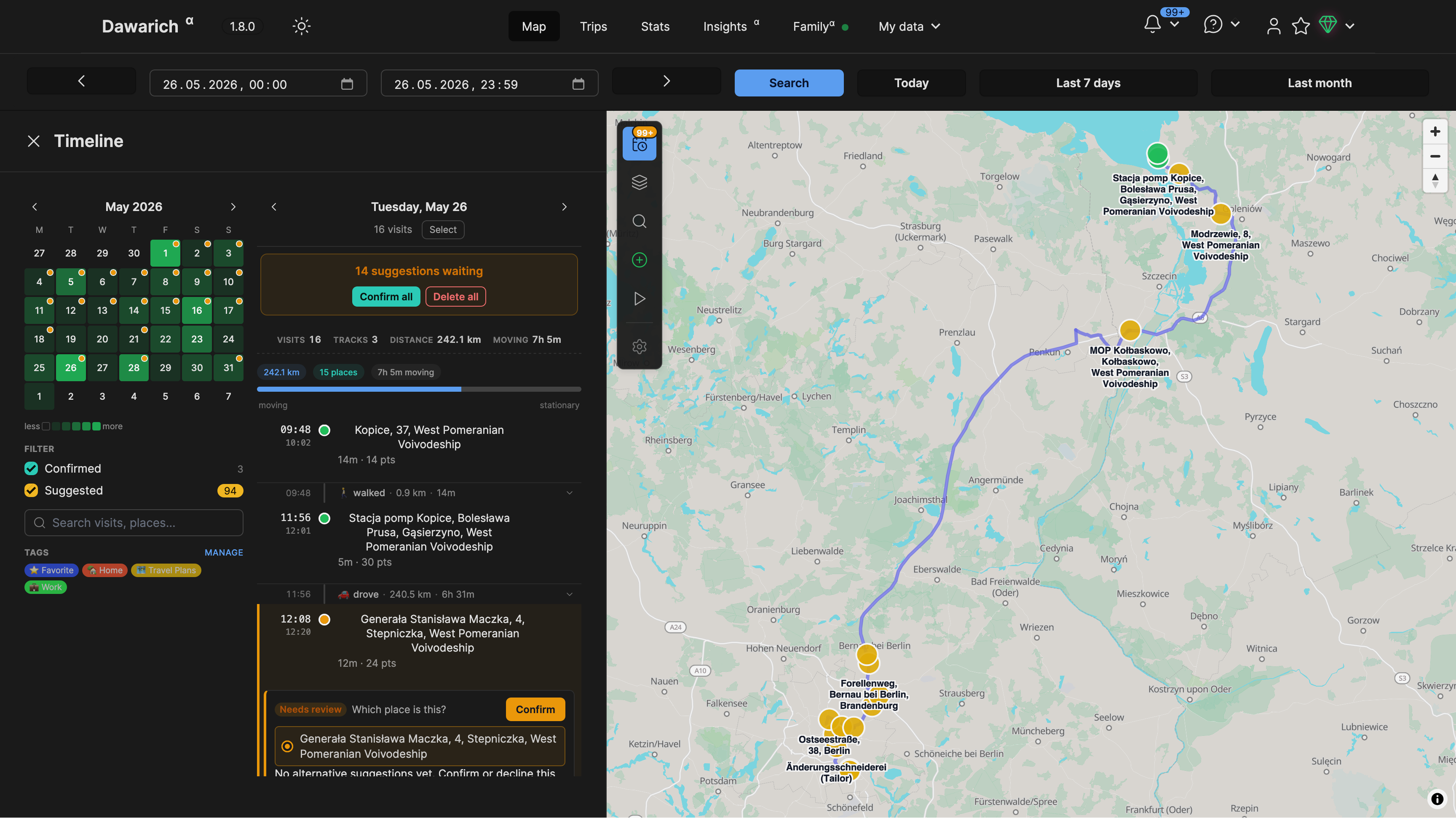 Timeline View
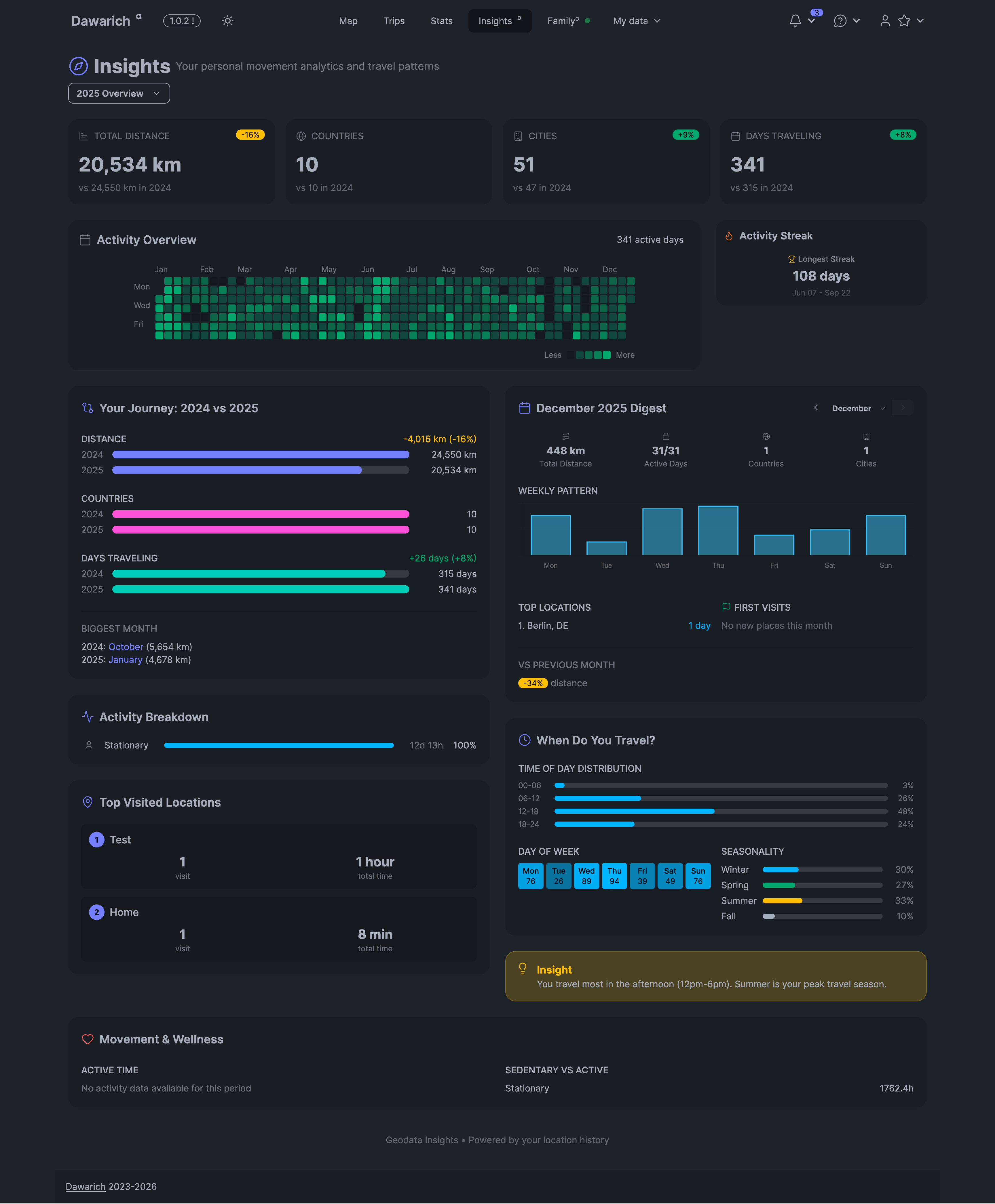 Insights Page
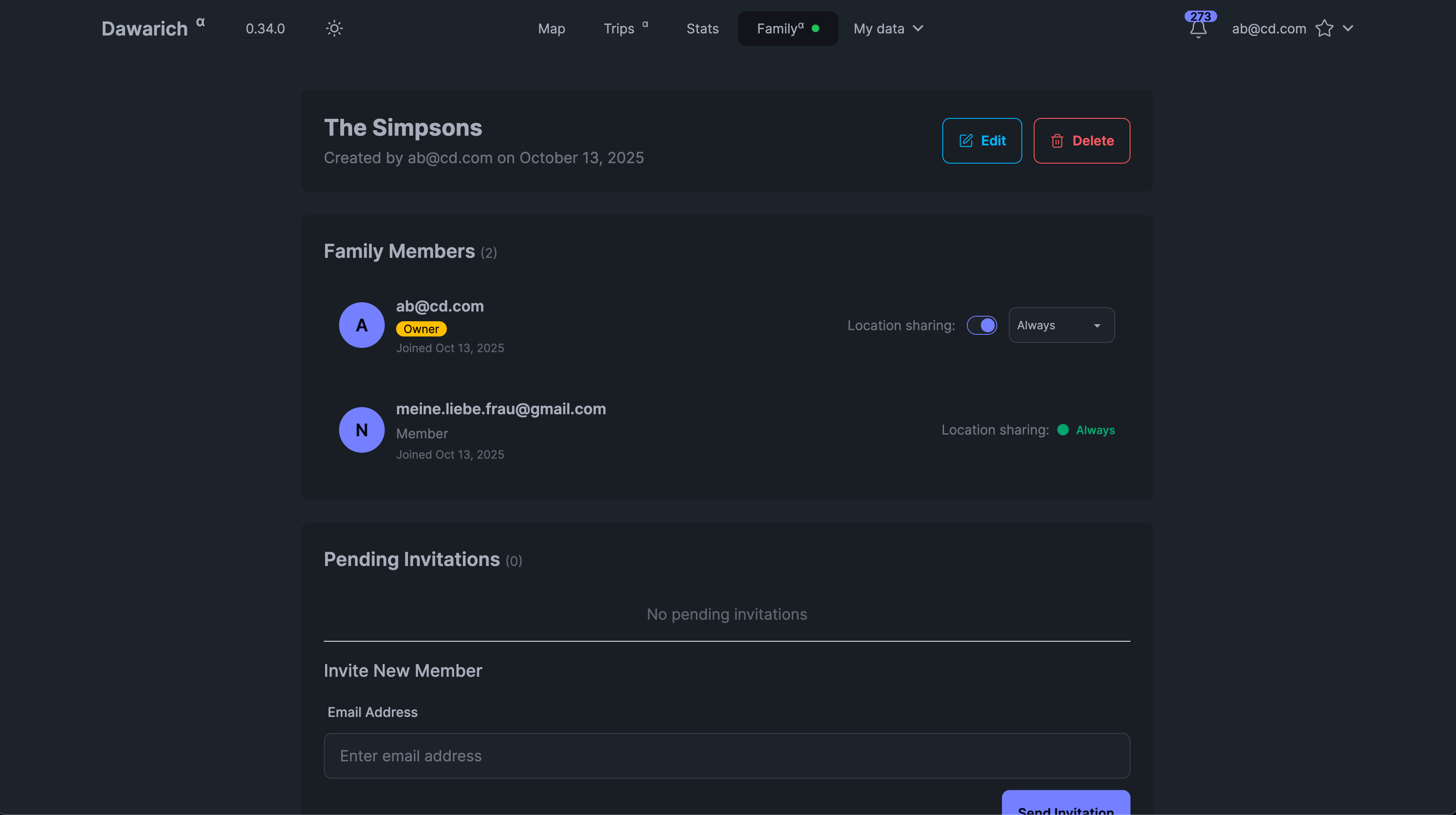 Family Page
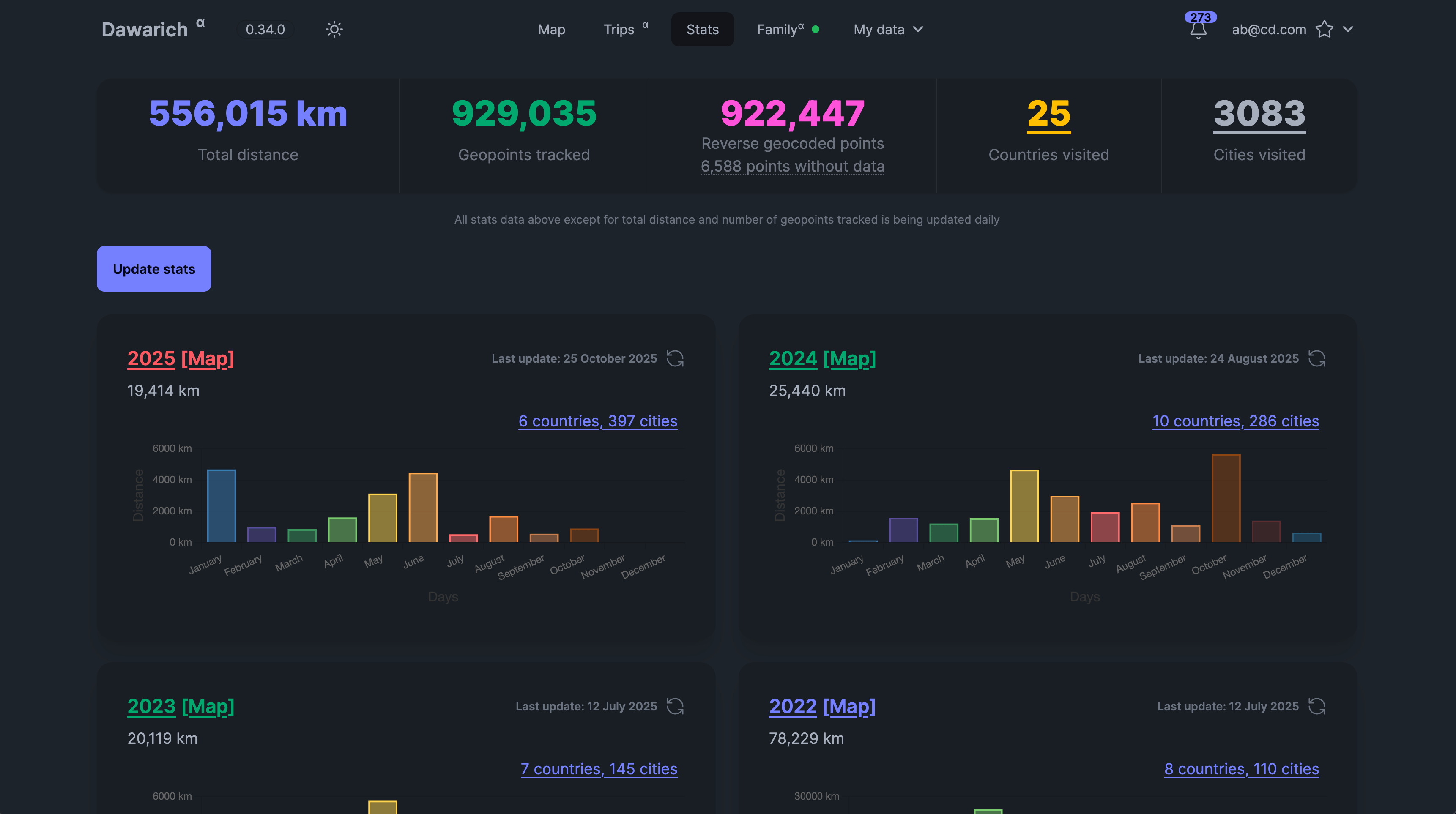 Statistics Overview
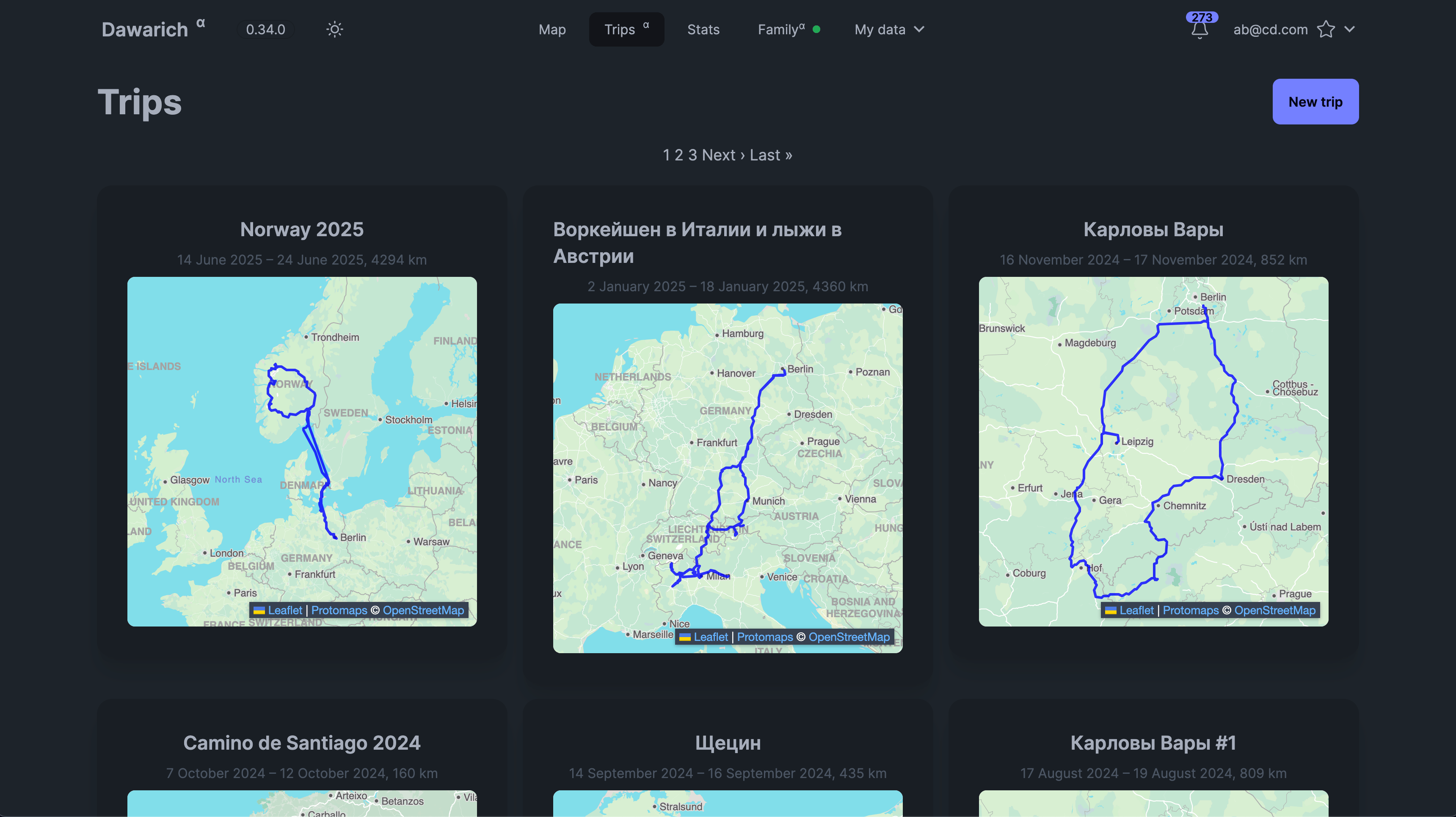 Trips page
 Dawarich 是一个可以自己部署的网络应用,用来替代 Google Timeline:它会记录你的位置历史,在交互式地图上展示,并分析你的出行。