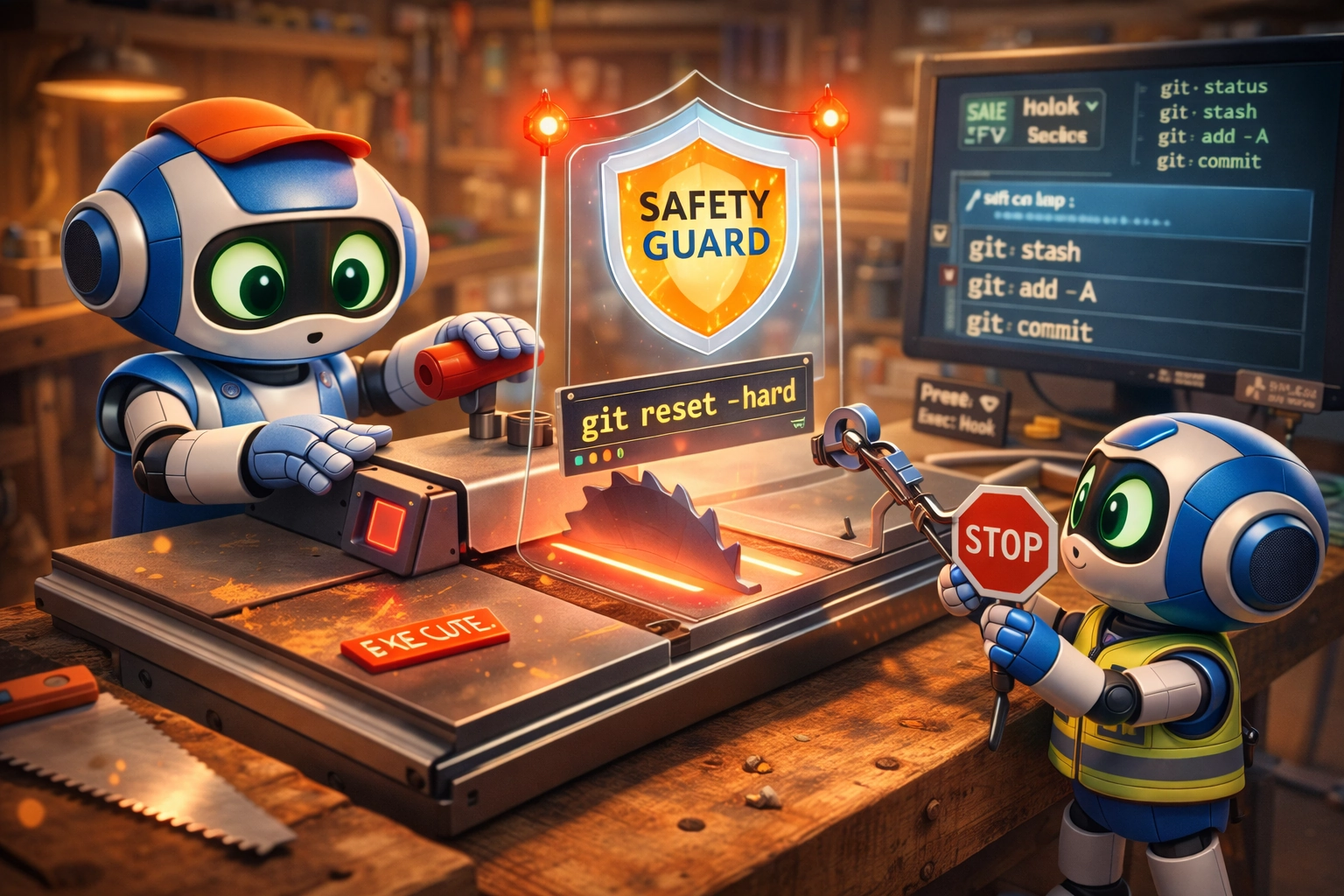
dcg (Destructive Command Guard)
A high-performance hook for AI coding agents that blocks destructive commands before they execute, protecting your work from accidental deletion across Claude Code, Codex CLI, Gemini CLI, Copilot CLI, VS Code Copilot Chat, Cursor, Hermes Agent, Grok (xAI), Posit Assistant, Oh My Pi, and related tools.
Supported: Claude Code, Codex CLI 0.125.0+, Gemini CLI, GitHub Copilot CLI, VS Code Copilot Chat, Cursor IDE, Hermes Agent, Posit Assistant (Positron/RStudio extension, standalone server, and pa terminal client), Grok (xAI) (native ~/.grok/hooks/ plus Claude compatibility layer), Antigravity CLI (agy) (native ~/.gemini/config/hooks.json via dcg install --agy), OpenCode (native tool.execute.before plugin via dcg install --opencode — see docs/opencode-integration.md), Oh My Pi (omp) (native tool_call extension via dcg install --omp), Crush (native hooks.PreToolUse entry in crush.json via dcg install --crush — see docs/crush-integration.md), Pi (via extension recipe), Aider (limited—git hooks only), Continue (detection only)
Quick Install
curl -fsSL "https://raw.githubusercontent.com/Dicklesworthstone/destructive_command_guard/main/install.sh?$(date +%s)" | bash -s -- --easy-mode
Works on Linux, macOS, and Windows via WSL. Auto-detects your platform, downloads the right binary, and configures supported agent hooks including Claude Code, Codex CLI, Gemini CLI, GitHub Copilot CLI, VS Code Copilot Chat (through VS Code's Claude-hook compatibility), Cursor IDE, Hermes Agent, Posit Assistant, Oh My Pi, and Grok (xAI) (via dcg install --grok for a native ~/.grok/hooks/dcg.json, or via the Claude compatibility layer automatically picked up by Grok). For native Windows, use the PowerShell installer below.
Windows (native, PowerShell)
& ([scriptblock]::Create((irm "https://raw.githubusercontent.com/Dicklesworthstone/destructive_command_guard/main/install.ps1"))) -EasyMode -Verify
Installs native dcg.exe, verifies the mandatory SHA256 checksum, verifies the release's long-lived minisign signature when minisign is available, and verifies Sigstore/cosign provenance when both cosign and a trusted bundle are available. It adds dcg to your User PATH (-EasyMode), runs a self-test (-Verify), and configures detected agent hooks for Claude Code, Codex CLI, Gemini CLI, GitHub Copilot CLI, Cursor IDE, Hermes Agent, Posit Assistant, and Oh My Pi. Copilot is configured at the user level under %COPILOT_HOME%\hooks (or %USERPROFILE%\.copilot\hooks) so every workspace is protected. On Windows the windows.filesystem and windows.system packs are on by default, so del /s, rd /s, Remove-Item -Recurse (with or without -Force), format, and vssadmin delete shadows are blocked out of the box. Pin a version with -Version vX.Y.Z; use -RequireMinisign to fail closed if the sidecar or verifier is unavailable.
TL;DR
The Problem: AI coding agents (Claude, Codex, Gemini, Copilot, etc.) occasionally run catastrophic commands like git reset --hard, rm -rf ./src, or DROP TABLE users—destroying hours of uncommitted work in seconds.
The Solution: dcg is a high-performance hook that intercepts destructive commands before they execute, blocking them with clear explanations and safer alternatives.
Why Use dcg?
| Feature |
What It Does |
| Zero-Config Protection |
Blocks dangerous git/filesystem commands out of the box |
| 50+ Security Packs |
Databases, Kubernetes, Docker, AWS/GCP/Azure, Terraform, and more |
| Sub-Millisecond Latency |
SIMD-accelerated filtering—you won't notice it's there |
| Heredoc/Inline Script Scanning |
Catches python -c "os.remove(...)" and embedded shell scripts |
| Smart Context Detection |
Won't block grep "rm -rf" (data) but will block rm -rf / (execution) |
| Rich Terminal Output |
Human-readable denial panels, rule context, and suggestions on stderr |
| Agent-Safe Streams |
Machine-readable hook output stays on stdout while rich UI stays on stderr |
| Native Codex Support |
Codex CLI 0.125.0+ receives a minimal stdout JSON denial that current clients enforce reliably |
| Graceful Degradation |
Plain output for CI, pipes, dumb terminals, and no-color environments |
| Scan Mode for CI |
Pre-commit hooks and CI integration to catch dangerous commands in code review |
| Bounded Failure Policy |
Analysis timeouts become explicit review/block outcomes; malformed raw hook envelopes remain auditable and configurable |
| Explain Mode |
dcg explain "command" shows exactly why something is blocked |
Quick Example
# AI agent tries to run:
$ git reset --hard HEAD~5

# dcg intercepts and blocks:
════════════════════════════════════════════════════════════════
BLOCKED  dcg
────────────────────────────────────────────────────────────────
Reason:  git reset --hard destroys uncommitted changes

Command: git reset --hard HEAD~5

Tip: Consider using 'git stash' first to save your changes.
════════════════════════════════════════════════════════════════
Enable More Protection
# ~/.config/dcg/config.toml
[packs]
enabled = [
    "database.postgresql",    # Blocks DROP TABLE, TRUNCATE
    "kubernetes.kubectl",     # Blocks kubectl delete namespace
    "cloud.aws",              # Blocks aws ec2 terminate-instances
    "containers.docker",      # Blocks docker system prune
]
Agent-Specific Profiles
dcg automatically detects which AI coding agent is invoking it and can apply
agent-specific configuration. The trust_level field is an advisory label
recorded in JSON output and logs — it does not directly change rule evaluation.
Behavioral differences come from the other profile fields:
| Option |
Effect |
disabled_packs |
Removes rule packs from evaluation |
extra_packs |
Adds rule packs to evaluation |
additional_allowlist |
Adds command patterns that bypass deny rules |
disabled_allowlist |
When true, ignores all allowlist entries |
# Trust Claude Code more — wider allowlist, fewer packs
[agents.claude-code]
trust_level = "high"
additional_allowlist = ["npm run build", "cargo test"]
disabled_packs = ["kubernetes"]

# Oh My Pi has its own canonical profile (distinct from legacy Pi)
[agents.omp]
trust_level = "medium"
extra_packs = ["strict_git"]

# Restrict unknown agents — extra rules, no allowlist bypass
[agents.unknown]
trust_level = "low"
extra_packs = ["strict_git", "database"]  # real pack / category IDs (see `dcg packs`)
disabled_allowlist = true
extra_packs/disabled_packs take the same pack and category IDs as
[packs] enabled/disabled — a category ID like "database" expands to
every database.* sub-pack. Use IDs listed by dcg packs or in
docs/packs/README.md; "paranoid" is a
graduation mode, not a pack, so enable the real
strict_git pack for stricter git rules.
See docs/agents.md for full documentation on supported agents,
trust levels, and configuration options.
Codex Support
dcg now treats Codex CLI as a first-class hook target, not just a Claude-shaped
compatibility path. The installer configures Codex CLI 0.125.0+ automatically
when it detects codex on PATH or an existing ~/.codex/ directory.
| Codex behavior |
dcg handling |
| Hook config |
Merges a PreToolUse Bash hook into ~/.codex/hooks.json |
| Denied command |
Exits 0 with a minimal hookSpecificOutput denial on stdout; human warning stays on stderr |
| Allowed command |
Exits 0 with empty stdout and stderr |
| Existing hooks |
Preserves coexisting hooks, keeps dcg first for Bash, and refuses to overwrite malformed JSON |
| Validation |
Covered by subprocess protocol tests plus an opt-in real Codex E2E harness |
Codex's hook input is intentionally close to Claude Code's, but Codex rejects
unknown fields in hook output. dcg detects Codex payloads from the non-empty
turn_id field and emits only Codex's documented denial fields so a blocked
command is reported as blocked rather than as a failed hook. See
docs/codex-integration.md for protocol details,
manual probes, and troubleshooting.
Origins & Authors
This project began as a Python script by Jeffrey Emanuel, who recognized that AI coding agents, while incredibly useful, occasionally run catastrophic commands that destroy hours of uncommitted work. The original implementation was a simple but effective hook that intercepted dangerous git and filesystem commands before execution.
- Jeffrey Emanuel - Original concept and Python implementation (source); substantially expanded the Rust version with the modular pack system (50+ security packs), heredoc/inline-script scanning, the three-tier architecture, context classification, allowlists, scan mode, and the dual regex engine
- Darin Gordon - Initial Rust port with performance optimizations
The initial Rust port by Darin maintained pattern compatibility with the original Python implementation while adding sub-millisecond execution through SIMD-accelerated filtering and lazy-compiled regex patterns. Jeffrey subsequently expanded the Rust codebase dramatically to add the features described above.
Escape Hatch / Bypass
If dcg is blocking something you genuinely need to run:
| Method |
Scope |
How |
| Env var bypass |
Single command |
DCG_BYPASS=1 <command> |
| Allow-once code |
Single command |
Copy the short code from the block message, run dcg allow-once <code> |
| Permanent allowlist |
Rule or command |
dcg allowlist add core.git:reset-hard -r "reason" |
| Remove the hook |
All commands |
Delete or comment out the dcg entry in ~/.claude/settings.json (or equivalent for your agent) |
DCG_BYPASS=1 disables all protection for that invocation. Use it sparingly and prefer allowlists for recurring needs.
Modular Pack System
dcg uses a modular "pack" system to organize destructive command patterns by category. Packs can be enabled or disabled in the configuration file.
Category IDs expand to their sub-packs. Listing a bare category in enabled
turns on every pack under it: enabled = ["database"] activates
database.postgresql, database.mysql, and the rest of that category. You can
still drop a single sub-pack with disabled = ["database.redis"]. The same
expansion applies to agent-profile extra_packs / disabled_packs. Always use
real pack or category IDs from dcg packs / docs/packs/README.md — a name like
"paranoid" is a graduation mode, not a pack.
- Full pack ID index:
docs/packs/README.md
- Canonical descriptions + pattern counts:
dcg packs --verbose
Enabled by default (no config file)
With no config file present, dcg enables only the packs that guard against the
most catastrophic, unrecoverable mistakes:
core.filesystem - Dangerous recursive rm operations and equivalent filesystem destruction outside literal temp subdirectories (always on; cannot be disabled)core.git - Destructive git commands that lose uncommitted work, rewrite history, or destroy stashes (always on; cannot be disabled)system.disk - mkfs, dd-to-device, fdisk, parted, mdadm, lvm removal, wipefs (on by default; opt out with disabled = ["system.disk"])
On Windows, two additional packs are on by default so a fresh install blocks the
catastrophic native-Windows operations with no config:
windows.filesystem - cmd del /s, rd /s, format <drive>: and PowerShell Remove-Item -Recurse (with or without -Force; aliases included), Clear-Content, Clear-RecycleBin (default-on on Windows only; opt out with disabled = ["windows.filesystem"] or ["windows"])windows.system - vssadmin delete shadows / wmic shadowcopy delete (Volume Shadow Copy destruction), diskpart, Format-Volume, Clear-Disk, Remove-Partition, cipher /w, bcdedit /delete (default-on on Windows only; opt out with disabled = ["windows.system"] or ["windows"])
The broader windows.misc (reg delete, net user /delete, wsl --unregister, robocopy /MIR) and
windows.powershell (registry/provider deletes, Remove-LocalUser, Disable-ComputerRestore, Remove-VM)
packs are opt-in on every platform. On Unix the windows.* packs are registered but off by default; enable
them (e.g. to scan committed .ps1/.cmd scripts in CI) via [packs] enabled = ["windows"].
Every other pack — including database.postgresql and containers.docker — is
opt-in and is not active until a config file enables it. Running dcg init
writes a starter ~/.config/dcg/config.toml whose [packs] enabled list turns on
database.postgresql and containers.docker as common examples, but that is a
generated starter config, not the no-config default. Enable any pack below by adding
it to [packs] enabled — see Enable More Protection.
Storage Packs
storage.s3 - Protects against destructive S3 operations like bucket removal, recursive deletes, and sync --delete.storage.gcs - Protects against destructive GCS operations like bucket removal, object deletion, and recursive deletes.storage.minio - Protects against destructive MinIO Client (mc) operations like bucket removal, object deletion, and admin operations.storage.azure_blob - Protects against destructive Azure Blob Storage operations like container deletion, blob deletion, and azcopy remove.
Remote Packs
remote.rsync - Protects against destructive rsync operations like --delete and its variants.remote.scp - Protects against destructive SCP operations like overwrites to system paths.remote.ssh - Protects against destructive SSH operations like remote command execution and key management.
Database Packs
database.postgresql - Protects against destructive PostgreSQL operations like DROP DATABASE, TRUNCATE, and dropdb.database.mysql - MySQL/MariaDB guard.database.mongodb - Protects against destructive MongoDB operations like dropDatabase, dropCollection, and remove without criteria.database.redis - Protects against destructive Redis operations like FLUSHALL, FLUSHDB, and mass key deletion.database.sqlite - Protects against destructive SQLite operations like DROP TABLE, DELETE without WHERE, and accidental data loss.database.snowflake - Protects modern snow sql inline queries, files, stdin, nested sources, destructive data operations, pipelines, warehouses, and account privileges.database.supabase - Protects against destructive Supabase CLI operations including database resets, migration rollbacks, function/secret/storage deletion, project removal, and infrastructure changes.database.databricks - Protects against destructive Databricks CLI operations like account workspace deletion, bundle destroy, recursive workspace/fs deletion, permanent cluster deletion, secret-scope removal, and arbitrary REST DELETE calls.database.bigquery - Protects the bq CLI and GoogleSQL against dataset drops (DROP SCHEMA), table overwrites, unfiltered DML (WHERE TRUE is GoogleSQL's full-table idiom), and settings that shorten the time-travel recovery window.
Container Packs
containers.docker - Protects against destructive Docker operations like system prune, volume prune, and force removal.containers.compose - Protects against destructive Docker Compose operations like down -v which removes volumes.containers.podman - Protects against destructive Podman operations like system prune, volume prune, and force removal.
Kubernetes Packs
kubernetes.kubectl - Protects against destructive kubectl operations like delete namespace, drain, and mass deletion.kubernetes.helm - Protects against destructive Helm operations like uninstall and rollback without dry-run.kubernetes.kustomize - Protects against destructive Kustomize operations when combined with kubectl delete or applied without review.
Cloud Provider Packs
cloud.aws - Protects against destructive AWS CLI operations like terminate-instances, delete-db-instance, and s3 rm --recursive.cloud.azure - Protects against destructive Azure CLI operations like vm delete, storage account delete, and resource group delete.cloud.gcp - Protects against destructive gcloud operations like instances delete, sql instances delete, and gsutil rm -r.
CDN Packs
cdn.cloudflare_workers - Protects against destructive Cloudflare Workers, KV, R2, and D1 operations via the Wrangler CLI.cdn.cloudfront - Protects against destructive AWS CloudFront operations like deleting distributions, cache policies, and functions.cdn.fastly - Protects against destructive Fastly CLI operations like service, domain, backend, and VCL deletion.
API Gateway Packs
apigateway.apigee - Protects against destructive Google Apigee CLI and apigeecli operations.apigateway.aws - Protects against destructive AWS API Gateway CLI operations for both REST APIs and HTTP APIs.apigateway.kong - Protects against destructive Kong Gateway CLI, deck CLI, and Admin API operations.
Infrastructure Packs
infrastructure.ansible - Protects against destructive Ansible operations like dangerous shell commands and unchecked playbook runs.infrastructure.atmos - Protects against destructive Atmos operations like terraform deploy (auto-approve), clean, destroy, state rm/taint, and helmfile destroy.infrastructure.pulumi - Protects against destructive Pulumi operations like destroy and up with -y (auto-approve).infrastructure.terraform - Protects against destructive Terraform operations like destroy, taint, and apply with



 dcg (Destructive Command Guard) is a high-performance Rust hook that intercepts and blocks catastrophic shell and git commands (like 'git reset --hard' or 'rm -rf') before AI coding agents can execute them, protecting uncommitted work.