



8.9K ·GitHub
What is this?
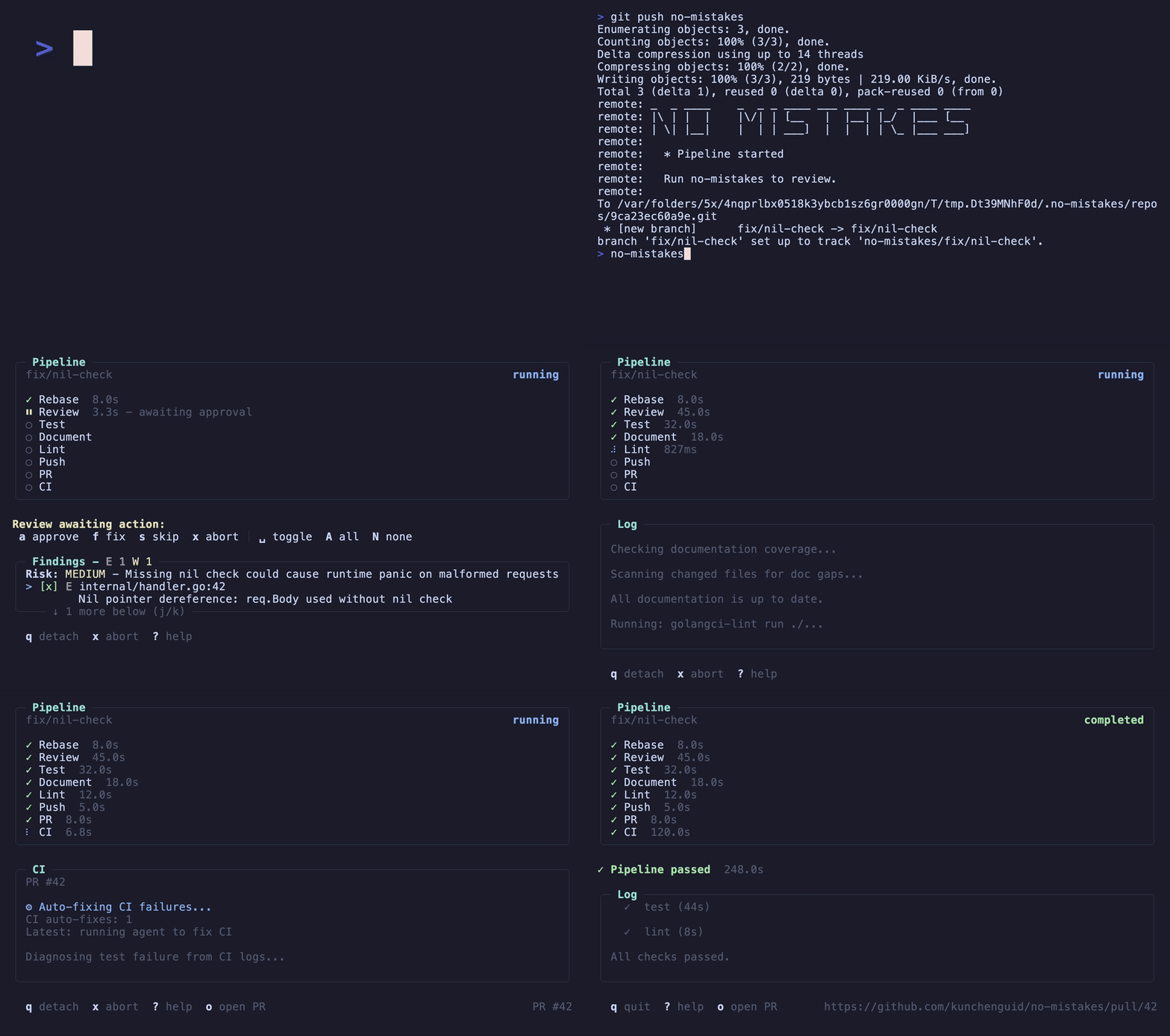
 A local git proxy that sits in front of your real git remote: you push to no-mistakes instead of origin, it spins up a disposable worktree, runs an AI-driven validation pipeline, and only forwards the branch to your real remote (opening a clean PR) once every check passes.
A local git proxy that sits in front of your real git remote: you push to no-mistakes instead of origin, it spins up a disposable worktree, runs an AI-driven validation pipeline, and only forwards the branch to your real remote (opening a clean PR) once every check passes.Is this a CLI tool or a hosted service?It is a local command-line tool and TUI written in Go that you run on your own machine; it acts as a git remote proxy rather than a hosted service.
It is a local command-line tool and TUI written in Go that you run on your own machine; it acts as a git remote proxy rather than a hosted service.How do I get it running?Run 'no-mistakes init' to install the gate and the /no-mistakes agent skill, then trigger the gate either by pushing a committed branch to the no-mistakes remote, running the no-mistakes TUI wizard, or invoking /no-mistakes from your coding agent.
Run 'no-mistakes init' to install the gate and the /no-mistakes agent skill, then trigger the gate either by pushing a committed branch to the no-mistakes remote, running the no-mistakes TUI wizard, or invoking /no-mistakes from your coding agent.Which coding agents can drive the validation pipeline?It is agent-agnostic: claude, codex, grok, rovodev, opencode, pi, copilot, antigravity, and cursor/acp via acpx are supported with ordered fallbacks, but every gate needs at least one runnable configured pipeline agent.
It is agent-agnostic: claude, codex, grok, rovodev, opencode, pi, copilot, antigravity, and cursor/acp via acpx are supported with ordered fallbacks, but every gate needs at least one runnable configured pipeline agent.Does the gate block me while it checks my code?No, the pipeline runs in an isolated worktree so it does not disrupt your ongoing work, and findings that need judgement are escalated to you rather than auto-applied.
No, the pipeline runs in an isolated worktree so it does not disrupt your ongoing work, and findings that need judgement are escalated to you rather than auto-applied.What are the three ways to trigger the gate?Push directly to the no-mistakes git remote, run the no-mistakes TUI wizard to branch/commit/push through the gate, or use the /no-mistakes agent skill to have your coding agent do a task and gate it.
Push directly to the no-mistakes git remote, run the no-mistakes TUI wizard to branch/commit/push through the gate, or use the /no-mistakes agent skill to have your coding agent do a task and gate it.What happens once every check passes?The gate forwards your branch to the configured push target and opens the PR for you automatically, so there's no manual git push to origin or hand-written PR body.
The gate forwards your branch to the configured push target and opens the PR for you automatically, so there's no manual git push to origin or hand-written PR body.Who decides how findings get fixed?You do - auto-fix findings are applied for you (or after your approval), while ask-user findings are a judgement call you approve, fix, or skip from the TUI.
You do - auto-fix findings are applied for you (or after your approval), while ask-user findings are a judgement call you approve, fix, or skip from the TUI.What is axi?no-mistakes axi is a non-interactive TOON interface to the same approval flow, used internally by the /no-mistakes skill to drive the pipeline headlessly.
no-mistakes axi is a non-interactive TOON interface to the same approval flow, used internally by the /no-mistakes skill to drive the pipeline headlessly.What are similar projects?orca, superpowers-zh, gastown, brag, gentle-ai, testsprite-cli, github-mcp-server, pstack-claude
orca, superpowers-zh, gastown, brag, gentle-ai, testsprite-cli, github-mcp-server, pstack-claudeWhich topics is it in?pull-request, copilot, antigravity, code-review, opencode, github, workflow-automation, tui, git, cursor, coding-agent, go
pull-request, copilot, antigravity, code-review, opencode, github, workflow-automation, tui, git, cursor, coding-agent, go