Osintgram 🔎📸





Osintgram is an OSINT tool on Instagram to collect, analyze, and run reconnaissance.
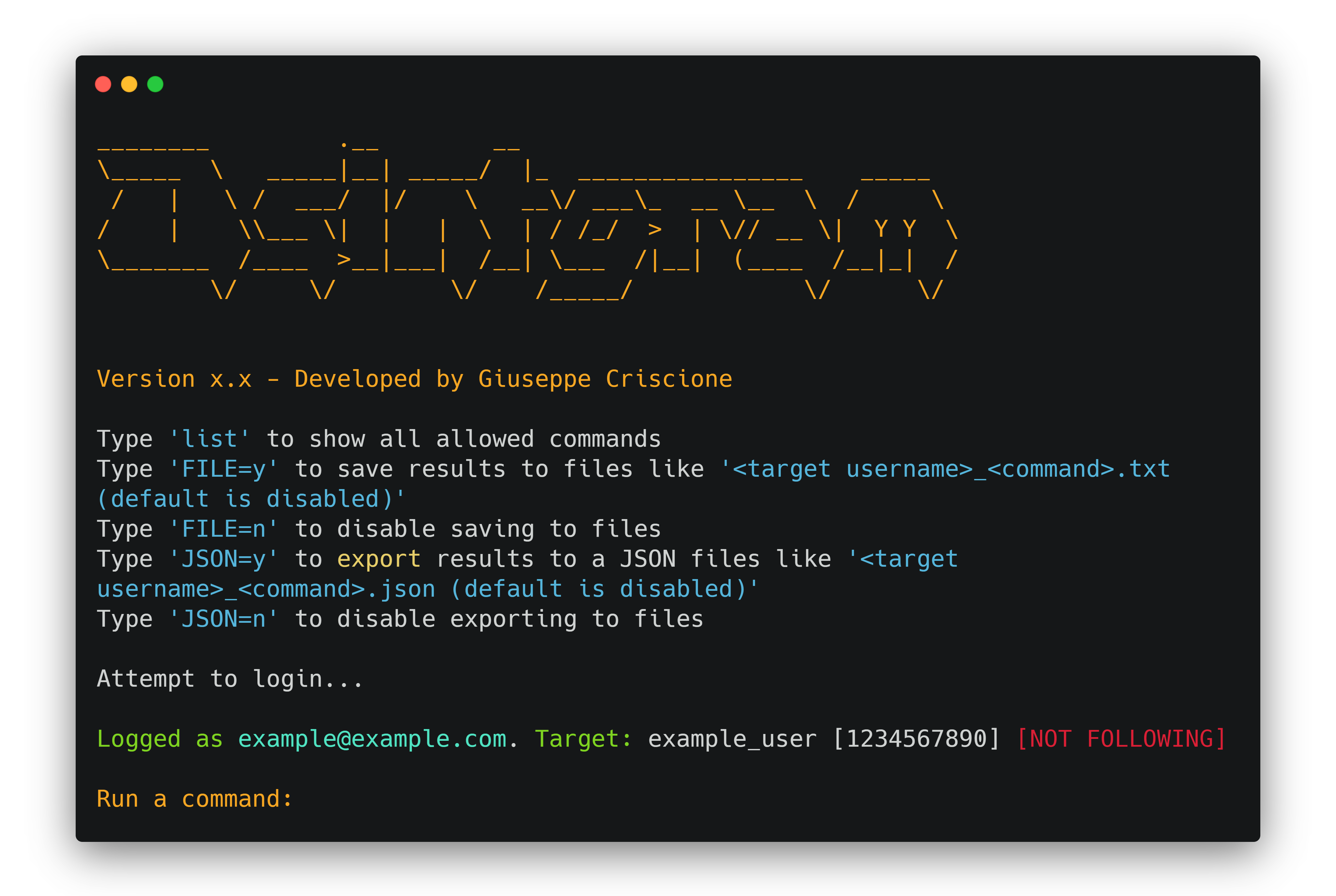
Disclaimer: FOR EDUCATIONAL PURPOSE ONLY! The contributors do not assume any responsibility for the use of this tool.
$${\color{red}Warning:}$$ It is advisable to not use your own/primary account when using this tool.
$${\color{red}Warning:}$$ If you fork the project and add your instagram credentials to you home repository do not upload them to github.
You can disable uploading a certain file by adding it to ignore list.
Osintgram offers an interactive shell to perform analysis on Instagram account of any users by its nickname. You can get:
- addrs           Get all registered addressed by target photos
- captions        Get user's photos captions
- comments        Get total comments of target's posts
- followers       Get target followers
- followings      Get users followed by target
- fwersemail      Get email of target followers
- fwingsemail     Get email of users followed by target
- fwersnumber     Get phone number of target followers
- fwingsnumber    Get phone number of users followed by target
- hashtags        Get hashtags used by target
- info            Get target info
- likes           Get total likes of target's posts
- mediatype       Get user's posts type (photo or video)
- photodes        Get description of target's photos
- photos          Download user's photos in output folder
- propic          Download user's profile picture
- stories         Download user's stories
- tagged          Get list of users tagged by target
- wcommented      Get a list of user who commented target's photos
- wtagged         Get a list of user who tagged target
You can find detailed commands usage here.
Latest version |
Commands |
CHANGELOG
FAQ
- Can I access the contents of a private profile? No, you cannot get information on private profiles. You can only get information from a public profile or a profile you follow. The tools that claim to be successful are scams!
- What is and how I can bypass the
challenge_required error? The challenge_required error means that Instagram notice a suspicious behavior on your profile, so needs to check if you are a real person or a bot. To avoid this you should follow the suggested link and complete the required operation (insert a code, confirm email, etc)
Installation ⚙️
Fork/Clone/Download this repo
git clone https://github.com/Datalux/Osintgram.git
Navigate to the directory
cd Osintgram
Create a virtual environment for this project
python3 -m venv venv
Load the virtual environment
- On Windows Powershell:
.\venv\Scripts\activate.ps1
- On Linux and Git Bash:
source venv/bin/activate
Run pip install -r requirements.txt
Open the credentials.ini file in the config folder and write your Instagram account username and password in the corresponding fields. Or use hikerapi_token from https://hikerapi.com/tokens (first 100 requests are free after registration and confirmation of your tg)
Alternatively, you can run the make setup command to populate this file for you.
Run the main.py script in one of three ways
- As an interactive prompt
python3 main.py <target username>
- Or execute your command straight away
python3 main.py <target username> --command <command>
- Or execute using HikerAPI token via env
HIKERAPI_TOKEN=<hikerapi token> python3 main.py <target username> -c <command>
Use Osintgram v2 (beta)
You can use Osintgram2 beta just switching to v2 branch.
The v2 has some improvements and is faster with a new command execution interface. Try it just running git checkout v2.
Docker Quick Start 🐳
This section will explain how you can quickly use this image with Docker or Docker-compose.
Prerequisites
Before you can use either Docker or Docker-compose, please ensure you do have the following prerequisites met.
- Docker installed - link
- Docker-composed installed (if using Docker-compose) - link
- Credentials configured - This can be done manually or by running the
make setup command from the root of this repo
Important: Your container will fail if you do not do step #3 and configure your credentials
Docker
If docker is installed you can build an image and run this as a container.
Build:
docker build -t osintgram .
Run:
docker run --rm -it -v "$PWD/output:/home/osintgram/output" osintgram <target>
- The
<target> is the Instagram account you wish to use as your target for recon.
- The required
-i flag enables an interactive terminal to use commands within the container. docs
- The required
-v flag mounts a volume between your local filesystem and the container to save to the ./output/ folder. docs
- The optional
--rm flag removes the container filesystem on completion to prevent cruft build-up. docs
- The optional
-t flag allocates a pseudo-TTY which allows colored output. docs
Using docker-compose
You can use the docker-compose.yml file this single command:
docker-compose run osintgram <target>
Where target is the Instagram target for recon.
Alternatively, you may run docker-compose with the Makefile:
make run - Builds and Runs with compose. Prompts for a target before running.
Makefile (easy mode)
For ease of use with Docker-compose, a Makefile has been provided.
Here is a sample work flow to spin up a container and run osintgram with just two commands!
make setup - Sets up your Instagram credentialsmake run - Builds and Runs a osintgram container and prompts for a target
Sample workflow for development:
make setup - Sets up your Instagram credentialsmake build-run-testing - Builds an Runs a container without invoking the main.py script. Useful for an it Docker session for developmentmake cleanup-testing - Cleans up the testing container created from build-run-testing
Development version 💻
To use the development version with the latest feature and fixes just switch to development branch using Git:
git checkout development
and update to last version using:
git pull origin development
Updating ⬇️
To update Osintgram with the stable release just pull the latest commit using Git.
- Make sure you are in the master branch running:
git checkout master
- Download the latest version:
git pull origin master
Contributing 💡
You can propose a feature request opening an issue or a pull request.
Here is a list of Osintgram's contributors:

External library 🔗
Instagram API

 Osintgram 是一款面向 Instagram 的 OSINT 工具,只需提供任意公开账号的用户名,就能通过交互式命令行收集、分析该账号的信息并进行侦察。