




Что это такое?
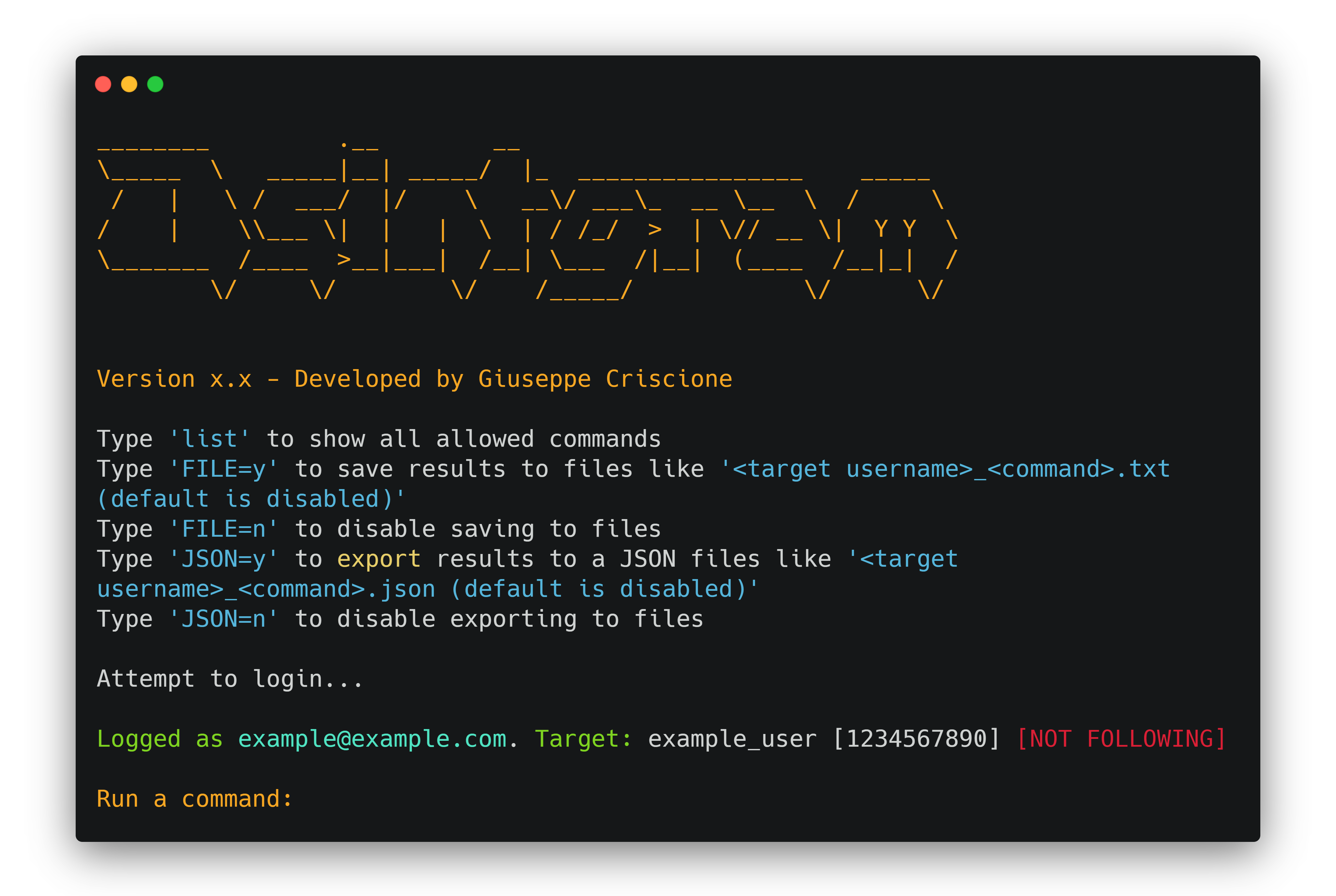
 Osintgram — это OSINT-инструмент для Instagram, который позволяет собирать, анализировать и проводить разведку по любому публичному аккаунту Instagram через интерактивную оболочку, достаточно указать его никнейм.
Osintgram — это OSINT-инструмент для Instagram, который позволяет собирать, анализировать и проводить разведку по любому публичному аккаунту Instagram через интерактивную оболочку, достаточно указать его никнейм.Это библиотека или отдельная программа, которую я запускаю?Это самостоятельная CLI-программа на Python: вы клонируете репозиторий и запускаете main.py, после чего попадаете в интерактивную оболочку с командами разведки по целевому аккаунту.
Это самостоятельная CLI-программа на Python: вы клонируете репозиторий и запускаете main.py, после чего попадаете в интерактивную оболочку с командами разведки по целевому аккаунту.Как это запустить?Клонируйте репозиторий, создайте виртуальное окружение Python, выполните pip install -r requirements.txt, заполните credentials.ini (или выполните make setup), затем запустите python3 main.py либо в режиме интерактивной строки, либо с --command для одной команды.
Клонируйте репозиторий, создайте виртуальное окружение Python, выполните pip install -r requirements.txt, заполните credentials.ini (или выполните make setup), затем запустите python3 main.py либо в режиме интерактивной строки, либо с --command для одной команды.Что нужно иметь до запуска — логин в Instagram?Нужно либо настоящее имя пользователя и пароль Instagram, указанные в credentials.ini, либо токен HikerAPI (первые 100 запросов бесплатны), переданный через конфигурацию или переменную окружения HIKERAPITOKEN.
Нужно либо настоящее имя пользователя и пароль Instagram, указанные в credentials.ini, либо токен HikerAPI (первые 100 запросов бесплатны), переданный через конфигурацию или переменную окружения HIKERAPITOKEN.Может ли он получать доступ к закрытым профилям и есть ли риск для моего аккаунта?Нет: он работает только с публичными профилями или с теми, на которые вы уже подписаны, а любой инструмент, утверждающий обратное, — мошенничество. В README также предупреждается, что использование вашего собственного основного аккаунта Instagram грозит ошибкой 'challenge required' или ограничением аккаунта.
Нет: он работает только с публичными профилями или с теми, на которые вы уже подписаны, а любой инструмент, утверждающий обратное, — мошенничество. В README также предупреждается, что использование вашего собственного основного аккаунта Instagram грозит ошибкой 'challenge required' или ограничением аккаунта.Одинаково ли он работает на Windows и Linux?Да, он работает в Windows (PowerShell), Linux и Git Bash, с немного разными командами активации виртуального окружения для каждой системы; также предусмотрены варианты установки через Docker и Docker-compose.
Да, он работает в Windows (PowerShell), Linux и Git Bash, с немного разными командами активации виртуального окружения для каждой системы; также предусмотрены варианты установки через Docker и Docker-compose.Есть ли вариант с Docker, чтобы не настраивать Python самостоятельно?Да, есть Dockerfile и docker-compose.yml, а также Makefile с целями make setup и make run, которые настраивают учетные данные и запускают контейнер в две команды.
Да, есть Dockerfile и docker-compose.yml, а также Makefile с целями make setup и make run, которые настраивают учетные данные и запускают контейнер в две команды.Есть ли более новая версия инструмента?Да, Osintgram2 (бета) доступен в ветке v2 с более быстрым и улучшенным интерфейсом выполнения команд — переключиться на нее можно командой git checkout v2.
Да, Osintgram2 (бета) доступен в ветке v2 с более быстрым и улучшенным интерфейсом выполнения команд — переключиться на нее можно командой git checkout v2.Какую информацию можно получить о целевом аккаунте?В README указан отдельный справочник команд, в котором перечислено всё, что интерактивная оболочка может получить о подписчиках, публикациях и активности целевого аккаунта, но в основном README не перечислены все команды.
В README указан отдельный справочник команд, в котором перечислено всё, что интерактивная оболочка может получить о подписчиках, публикациях и активности целевого аккаунта, но в основном README не перечислены все команды.Можно ли этим легально пользоваться?Проект прямо помечен как предназначенный только для образовательных целей, а участники проекта снимают с себя ответственность за то, как используется инструмент.
Проект прямо помечен как предназначенный только для образовательных целей, а участники проекта снимают с себя ответственность за то, как используется инструмент.What are similar projects?maigret, social-analyzer, holehe, OneForAll, theHarvester, Photon, GhostTrack, bbot
maigret, social-analyzer, holehe, OneForAll, theHarvester, Photon, GhostTrack, bbotWhich topics is it in?osint-python, instagram, analysis, information-gathering, reconnaissance, osint, python3, penetration-testing, hacking, docker-compose, gplv3, command-line-tool
osint-python, instagram, analysis, information-gathering, reconnaissance, osint, python3, penetration-testing, hacking, docker-compose, gplv3, command-line-tool