

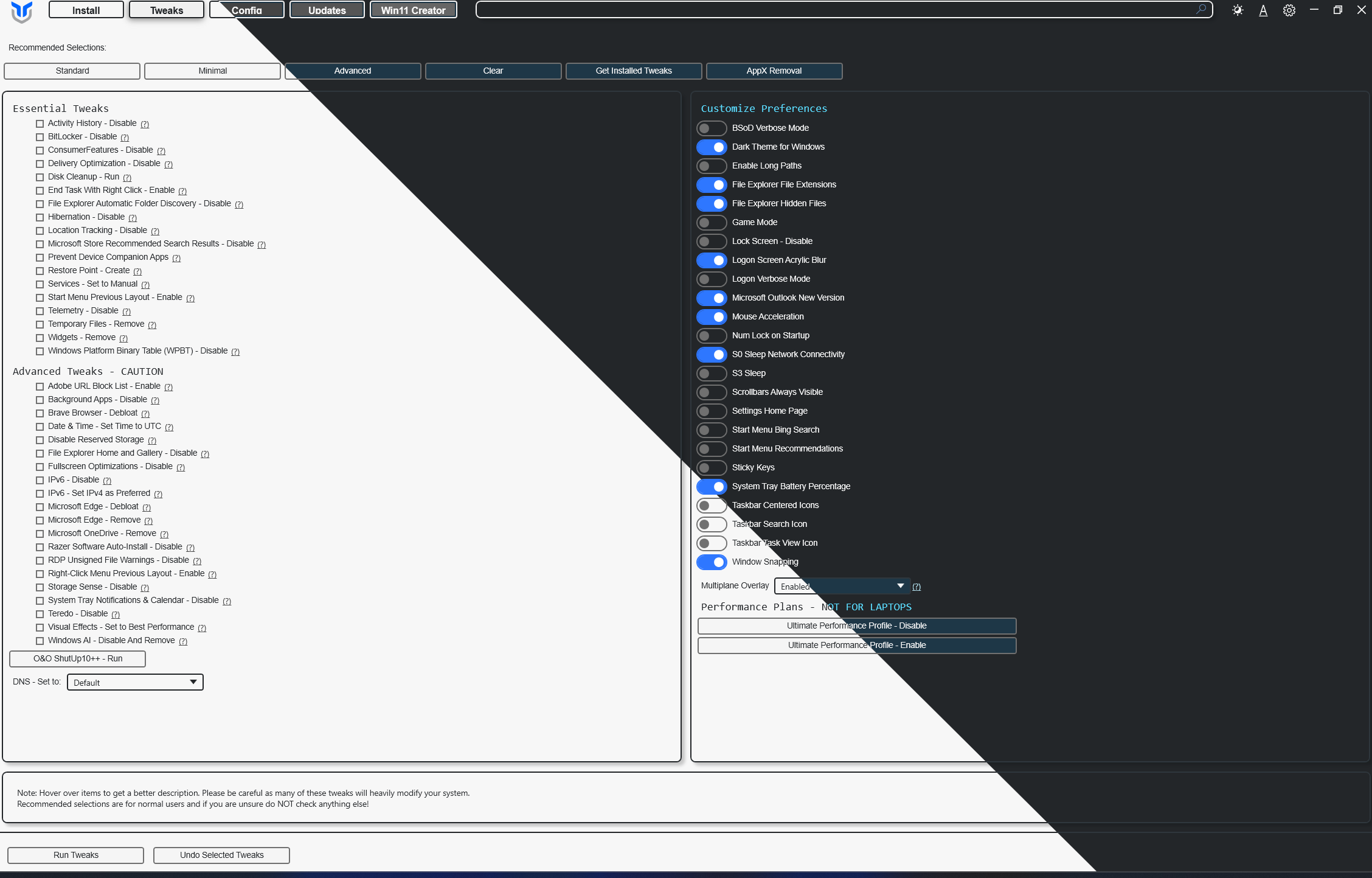


这是什么东西?
 Chris Titus Tech 的 Windows Utility(WinUtil)是一套精选的 Windows 系统任务合集:它能简化软件安装、通过各项调整给系统瘦身、排查故障,并配置 Windows 更新。
Chris Titus Tech 的 Windows Utility(WinUtil)是一套精选的 Windows 系统任务合集:它能简化软件安装、通过各项调整给系统瘦身、排查故障,并配置 Windows 更新。它是一个需要安装的应用,还是直接运行就行?它是一个从终端启动的 PowerShell 工具——每次重装 Windows 后重新运行一次即可,不需要当成程序安装。
它是一个从终端启动的 PowerShell 工具——每次重装 Windows 后重新运行一次即可,不需要当成程序安装。那我具体怎么启动它?按照 Quick Start 的说明:打开 PowerShell 或终端,运行那一条单行命令即可;推荐使用稳定版(stable)分支,另外也有开发版(development)分支。
按照 Quick Start 的说明:打开 PowerShell 或终端,运行那一条单行命令即可;推荐使用稳定版(stable)分支,另外也有开发版(development)分支。为什么它一定要用管理员终端?WinUtil 会对整个系统进行更改,所以必须以管理员身份运行才能正常工作。
WinUtil 会对整个系统进行更改,所以必须以管理员身份运行才能正常工作。这是给高级用户用的,还是普通 Windows 用户也能用?都可以:Standard 预设为大多数用户提供了均衡的默认设置,Minimal 把改动降到最少,Advanced 则为高级用户准备了深度调整选项。
都可以:Standard 预设为大多数用户提供了均衡的默认设置,Minimal 把改动降到最少,Advanced 则为高级用户准备了深度调整选项。WinUtil 有付费版吗?这里展示的 PowerShell 工具是免费开源的(根据其 GitHub 元数据,采用 MIT 许可证)。作者另外出售一个更快的 .NET 实现,订阅制的赞助者可以获得它。
这里展示的 PowerShell 工具是免费开源的(根据其 GitHub 元数据,采用 MIT 许可证)。作者另外出售一个更快的 .NET 实现,订阅制的赞助者可以获得它。What are similar projects?Winhance, Win11Debloat, Windows10Debloater, RemoveWindowsAI, Bulk-Crap-Uninstaller, tiny11builder, optimizerDuck, optimizer
Winhance, Win11Debloat, Windows10Debloater, RemoveWindowsAI, Bulk-Crap-Uninstaller, tiny11builder, optimizerDuck, optimizerWhich topics is it in?bloatware, maintenance, cleanup, troubleshooting, tweaks, debloat, system, script, powershell, optimization, configuration, dotnet
bloatware, maintenance, cleanup, troubleshooting, tweaks, debloat, system, script, powershell, optimization, configuration, dotnet