

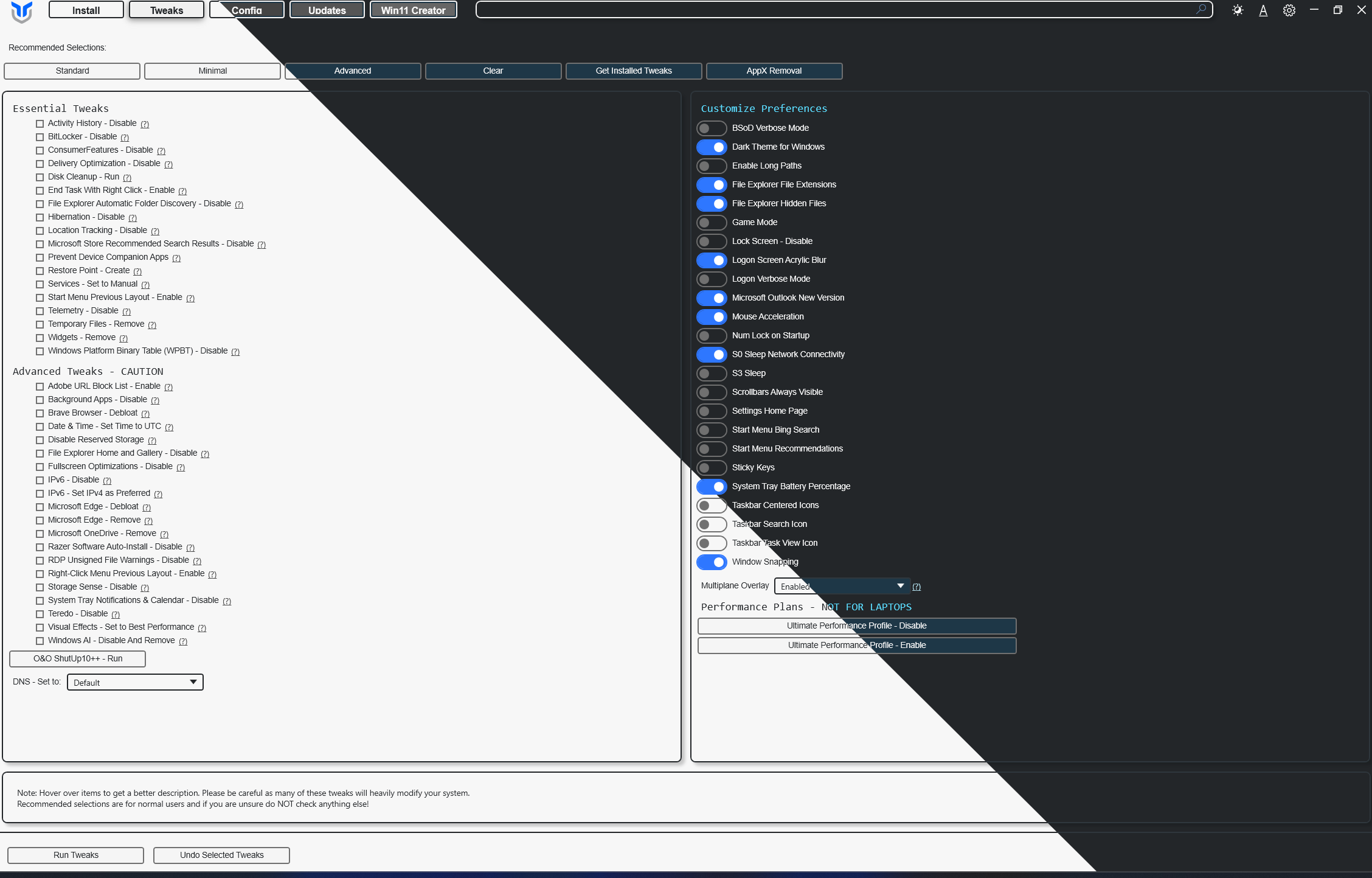


What is this?
 Chris Titus Tech's Windows Utility (WinUtil) is a curated compilation of Windows system tasks: it streamlines installs, debloats with tweaks, troubleshoots, and configures Windows updates.
Chris Titus Tech's Windows Utility (WinUtil) is a curated compilation of Windows system tasks: it streamlines installs, debloats with tweaks, troubleshoots, and configures Windows updates.Is it an app I install, or something I just run?It is a PowerShell utility you launch from a terminal — you run it fresh on every new Windows install rather than installing it as a program.
It is a PowerShell utility you launch from a terminal — you run it fresh on every new Windows install rather than installing it as a program.So how do I actually launch it?From the Quick Start: open PowerShell or Terminal and run the one-line command; the stable branch is the recommended one, and a development branch also exists.
From the Quick Start: open PowerShell or Terminal and run the one-line command; the stable branch is the recommended one, and a development branch also exists.Why does it insist on an Administrator terminal?WinUtil performs system-wide changes, so it must be run as Administrator to work at all.
WinUtil performs system-wide changes, so it must be run as Administrator to work at all.Is this built for power users, or can a casual Windows user run it too?Both: the Standard preset ships balanced defaults for most users, Minimal keeps changes to a minimum, and Advanced holds deep tweaks for power users.
Both: the Standard preset ships balanced defaults for most users, Minimal keeps changes to a minimum, and Advanced holds deep tweaks for power users.Is there a paid version of WinUtil?The PowerShell utility shown here is free and open source (MIT per its GitHub metadata). The author separately sells a faster .NET implementation, and sponsors with a recurring subscription get access to it.
The PowerShell utility shown here is free and open source (MIT per its GitHub metadata). The author separately sells a faster .NET implementation, and sponsors with a recurring subscription get access to it.What are similar projects?Winhance, Win11Debloat, Windows10Debloater, RemoveWindowsAI, Bulk-Crap-Uninstaller, tiny11builder, optimizerDuck, optimizer
Winhance, Win11Debloat, Windows10Debloater, RemoveWindowsAI, Bulk-Crap-Uninstaller, tiny11builder, optimizerDuck, optimizerWhich topics is it in?bloatware, maintenance, cleanup, troubleshooting, tweaks, debloat, system, script, powershell, optimization, configuration, dotnet
bloatware, maintenance, cleanup, troubleshooting, tweaks, debloat, system, script, powershell, optimization, configuration, dotnet