


21.9K ·GitHub
What is this?
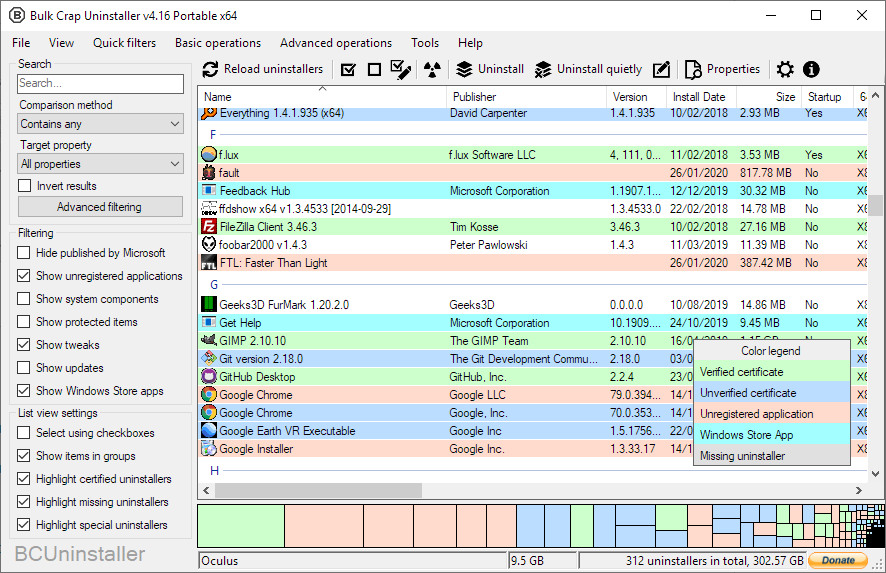
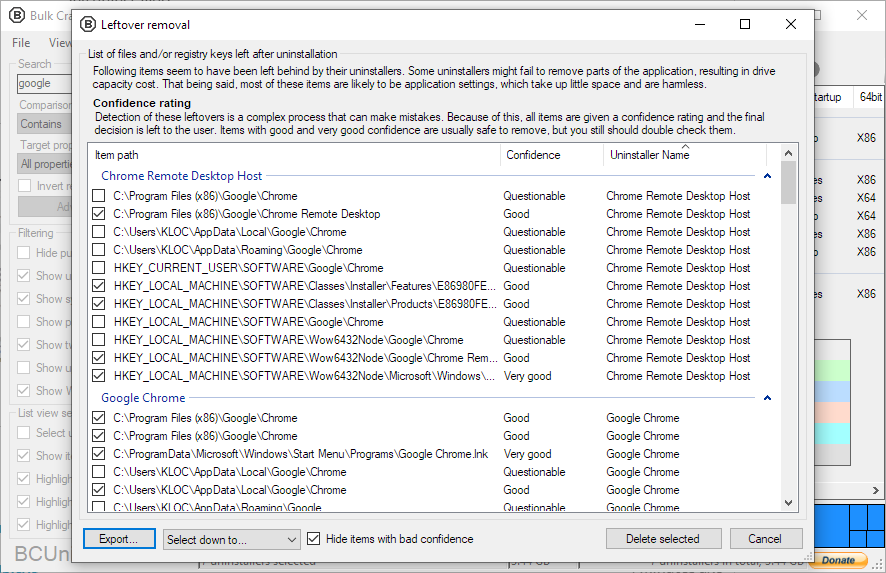
 Bulk Crap Uninstaller (BCU) is a free, open-source Windows uninstaller built for removing large amounts of applications with minimal user input. It also cleans leftovers and detects orphaned apps.
Bulk Crap Uninstaller (BCU) is a free, open-source Windows uninstaller built for removing large amounts of applications with minimal user input. It also cleans leftovers and detects orphaned apps.Is this a regular Windows program with a graphical interface, or a command-line utility?It's a Windows desktop application with a graphical interface (built with Windows Forms), not a command-line utility or a web service.
It's a Windows desktop application with a graphical interface (built with Windows Forms), not a command-line utility or a web service.Do I need to install anything else first, like .NET?Version 6 needs the .NET 8 desktop runtime, but you can skip manual setup: the installer adds it automatically, and the full Portable build ships with it (which is why it's so large).
Version 6 needs the .NET 8 desktop runtime, but you can skip manual setup: the installer adds it automatically, and the full Portable build ships with it (which is why it's so large).Will it work on older Windows versions?v6 targets Windows 10 and up and only ships 64-bit builds; for Windows 7 SP1 use the 5.x release, and the legacy v1-v4 versions even ran on Windows XP.
v6 targets Windows 10 and up and only ships 64-bit builds; for Windows 7 SP1 use the 5.x release, and the legacy v1-v4 versions even ran on Windows XP.Is it meant for IT pros or regular users?Both — it was made with IT pros in mind, but anyone with a basic understanding of how applications are installed and uninstalled in Windows can use it.
Both — it was made with IT pros in mind, but anyone with a basic understanding of how applications are installed and uninstalled in Windows can use it.Can I use it at work, or is it for personal use only?It's licensed under Apache 2.0 — free for both private and commercial use with no obligations, as long as the license conditions are respected.
It's licensed under Apache 2.0 — free for both private and commercial use with no obligations, as long as the license conditions are respected.What can it uninstall besides regular desktop programs?It fully supports Windows Store apps, Steam games and Windows Features, and has special support for many uninstalling systems like NSIS, InnoSetup and Msiexec.
It fully supports Windows Store apps, Steam games and Windows Features, and has special support for many uninstalling systems like NSIS, InnoSetup and Msiexec.Can I automate uninstalls instead of clicking through apps one by one?Yes — that's the point: BCU can run uninstallers according to premade lists, so whole batches of applications get removed with minimal user input, including unattended uninstalls.
Yes — that's the point: BCU can run uninstallers according to premade lists, so whole batches of applications get removed with minimal user input, including unattended uninstalls.Is the project still actively maintained?The README opens with a 'Looking for maintainers' warning, but nightly builds with the latest features and fixes are still published on the actions page.
The README opens with a 'Looking for maintainers' warning, but nightly builds with the latest features and fixes are still published on the actions page.What are similar projects?Winhance, Windows10Debloater, FluentCleaner, DriverStoreExplorer, Playnite, BibaYanji, FluentTweaker, winutil
Winhance, Windows10Debloater, FluentCleaner, DriverStoreExplorer, Playnite, BibaYanji, FluentTweaker, winutilWhich topics is it in?bloatware, disk-space, cleaner, debloat, windows-10, foss, dotnet, c#, app, windows-app, sysadmin, utility
bloatware, disk-space, cleaner, debloat, windows-10, foss, dotnet, c#, app, windows-app, sysadmin, utility