

44.5K ·GitHub
这是什么?
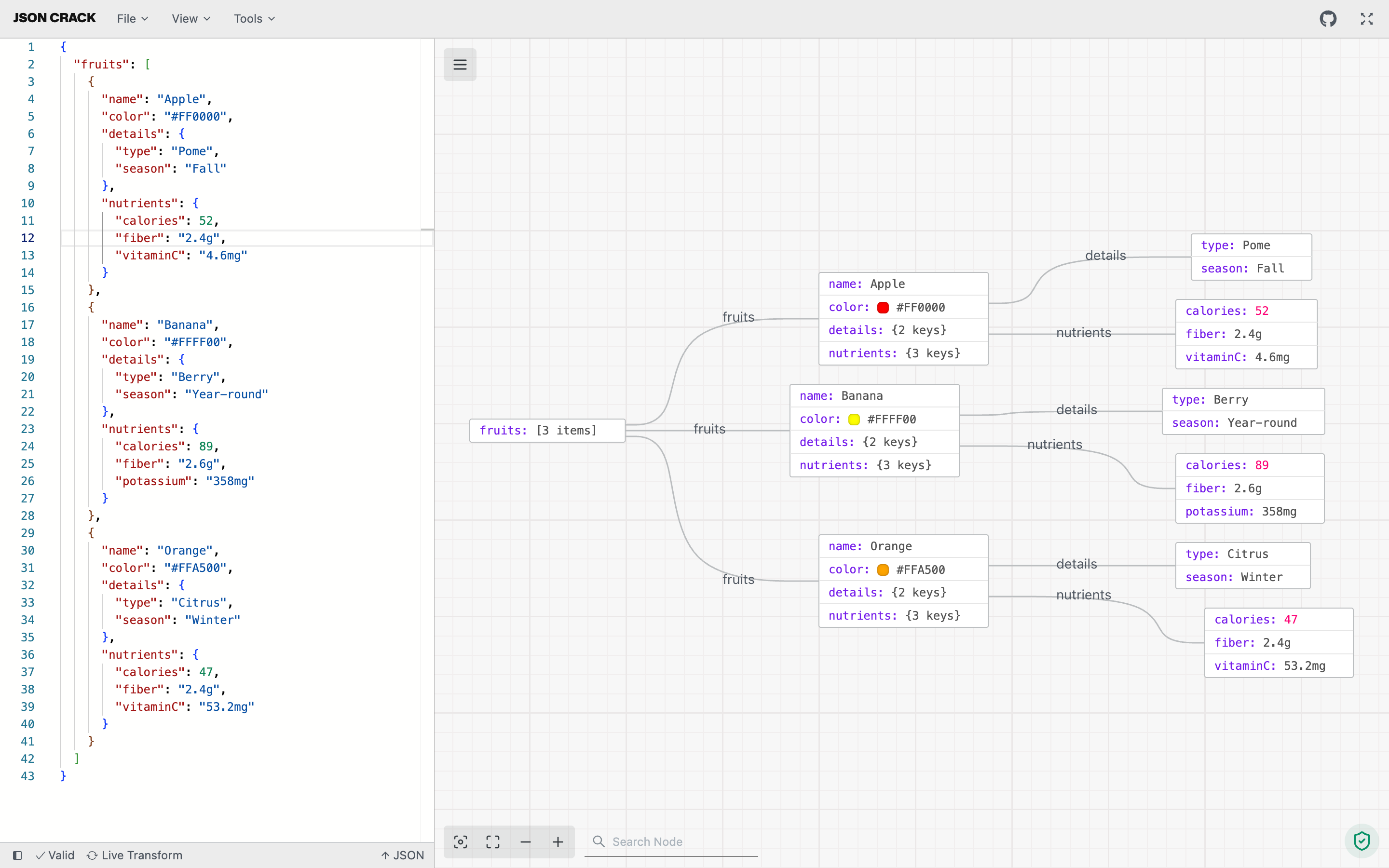
 JSON Crack 是一款开源工具,可将 JSON、YAML、XML 和 CSV 数据可视化为可交互的图形或树状结构,帮助你更轻松地浏览、格式化和校验结构化数据。
JSON Crack 是一款开源工具,可将 JSON、YAML、XML 和 CSV 数据可视化为可交互的图形或树状结构,帮助你更轻松地浏览、格式化和校验结构化数据。这是网页应用吗?我也能把它当扩展来用吗?它主要是一个网页应用(基于 Next.js 构建),但同一个可视化工具也打包成了 VS Code 扩展、Chrome 扩展和 npm 包。
它主要是一个网页应用(基于 Next.js 构建),但同一个可视化工具也打包成了 VS Code 扩展、Chrome 扩展和 npm 包。我怎样才能自己运行它,而不是使用托管网站?克隆仓库,进入项目文件夹,用 pnpm 安装依赖包,然后运行网页应用;此外还有 `turbo run dev --filter=www` 命令,以及位于 apps/www 下的 Docker 相关文件,可用于本地托管。
克隆仓库,进入项目文件夹,用 pnpm 安装依赖包,然后运行网页应用;此外还有 `turbo run dev --filter=www` 命令,以及位于 apps/www 下的 Docker 相关文件,可用于本地托管。构建之前需要先安装什么?Node.js 24 或更高版本,以及 pnpm 10 或更高版本。
Node.js 24 或更高版本,以及 pnpm 10 或更高版本。我能可视化的 JSON 文件大小有限制吗?有限制。图形的节点数量上限是可配置的,由 apps/www/.env 中的 NEXT_PUBLIC_NODE_LIMIT 环境变量控制。
有限制。图形的节点数量上限是可配置的,由 apps/www/.env 中的 NEXT_PUBLIC_NODE_LIMIT 环境变量控制。可视化时,我的数据会被上传到任何地方吗?不会。所有处理都在你的浏览器或应用中本地完成,不会存储在他们的服务器上。
不会。所有处理都在你的浏览器或应用中本地完成,不会存储在他们的服务器上。它能在格式之间转换吗,比如从 JSON 转成 CSV?可以,它能在不同格式之间无缝转换,例如 JSON 转 CSV,或 XML 转 JSON,方便分享。
可以,它能在不同格式之间无缝转换,例如 JSON 转 CSV,或 XML 转 JSON,方便分享。它能根据我的 JSON 生成代码吗?可以,它能根据你的数据生成 TypeScript 接口、Golang 结构体、Kotlin 数据类、Rust serde 类型以及 JSON Schema。
可以,它能根据你的数据生成 TypeScript 接口、Golang 结构体、Kotlin 数据类、Rust serde 类型以及 JSON Schema。我能把图形导出为图片吗?可以,你可以把可视化结果下载为 PNG、JPEG 或 SVG 格式。
可以,你可以把可视化结果下载为 PNG、JPEG 或 SVG 格式。它支持对数据进行高级查询吗?支持,它提供了高级工具,可以直接对你的数据运行 jq 和 JSON path 查询。
支持,它提供了高级工具,可以直接对你的数据运行 jq 和 JSON path 查询。What are similar projects?xyflow, beautiful-mermaid, git-history, keywordpro, gitdiagram, jsonhero-web, smart-excalidraw-next, G6
xyflow, beautiful-mermaid, git-history, keywordpro, gitdiagram, jsonhero-web, smart-excalidraw-next, G6Which topics is it in?diagrams, validation, csv, graph, vscode-extension, npm-package, yaml, chrome-extension, browser-extension, visualization, data-visualization, nextjs
diagrams, validation, csv, graph, vscode-extension, npm-package, yaml, chrome-extension, browser-extension, visualization, data-visualization, nextjs