




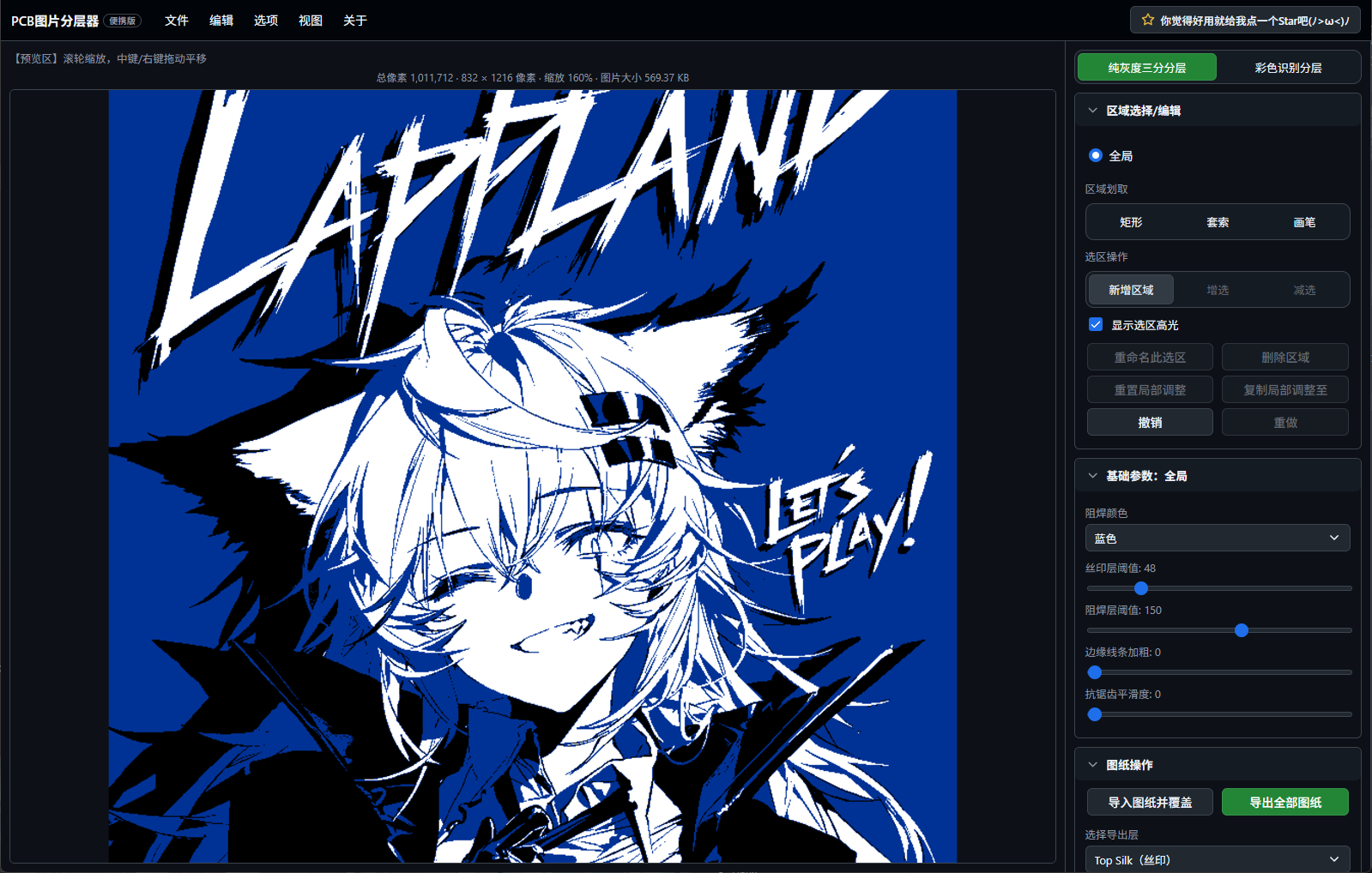

What is this?
 This is a portable, browser-based web version of PCB_lightgraph — a tool that converts 2D illustrations into layered PCB production artwork (copper traces, soldermask, silkscreen, backlight layer) for making light-up PCB art pieces.
This is a portable, browser-based web version of PCB_lightgraph — a tool that converts 2D illustrations into layered PCB production artwork (copper traces, soldermask, silkscreen, backlight layer) for making light-up PCB art pieces.Is this an app I install, or just a file I open?It is a single self-contained HTML file with the full interface and all algorithms built in — no installation or compilation, just double-click to open it in a browser.
It is a single self-contained HTML file with the full interface and all algorithms built in — no installation or compilation, just double-click to open it in a browser.How do I get it running?Double-click PCBlightgraphportable.html (Chrome or Edge recommended), then use File → Import Image to load the artwork you want to process.
Double-click PCBlightgraphportable.html (Chrome or Edge recommended), then use File → Import Image to load the artwork you want to process.Do I need to install anything first?No. It processes images locally pixel-by-pixel using Canvas ImageData and doesn't depend on any external runtime — just open the file in a modern browser.
No. It processes images locally pixel-by-pixel using Canvas ImageData and doesn't depend on any external runtime — just open the file in a modern browser.Are there limits on the images I can import?Imported images are capped at 16 megapixels due to browser limits; anything larger gets automatically scaled down and may cause lag.
Imported images are capped at 16 megapixels due to browser limits; anything larger gets automatically scaled down and may cause lag.What output layers does it generate?In color mode it separates copper traces, soldermask, silkscreen, a backlight layer, and an LED strip reference image; grayscale mode outputs a simplified three-layer version.
In color mode it separates copper traces, soldermask, silkscreen, a backlight layer, and an LED strip reference image; grayscale mode outputs a simplified three-layer version.Can projects move between the portable and installed versions?Yes, it can export .pcblg project packages fully compatible with the desktop installer version, preserving the original image, parameters, and LED strip data.
Yes, it can export .pcblg project packages fully compatible with the desktop installer version, preserving the original image, parameters, and LED strip data.What finishing options does it support?It supports ENIG gold plating, HASL tin finish, OSP rose-gold finish, exposed substrate binding, LED strip references, and edge-enhancement techniques like Laplacian sharpening and Canny edge detection.
It supports ENIG gold plating, HASL tin finish, OSP rose-gold finish, exposed substrate binding, LED strip references, and edge-enhancement techniques like Laplacian sharpening and Canny edge detection.What are similar projects?Pixelorama, lightcraft, photocraft, floorplan-3d, VibeOffice, how-to-live-better, goku-image-to-svg-tool, signature_pad
Pixelorama, lightcraft, photocraft, floorplan-3d, VibeOffice, how-to-live-better, goku-image-to-svg-tool, signature_padWhich topics is it in?html5-canvas, pcb, design-tools, art, no-dependencies, image-editing, canvas, offline-first, privacy-first, graphics, image-processing, offline
html5-canvas, pcb, design-tools, art, no-dependencies, image-editing, canvas, offline-first, privacy-first, graphics, image-processing, offline