857 ·GitHub
What is this?
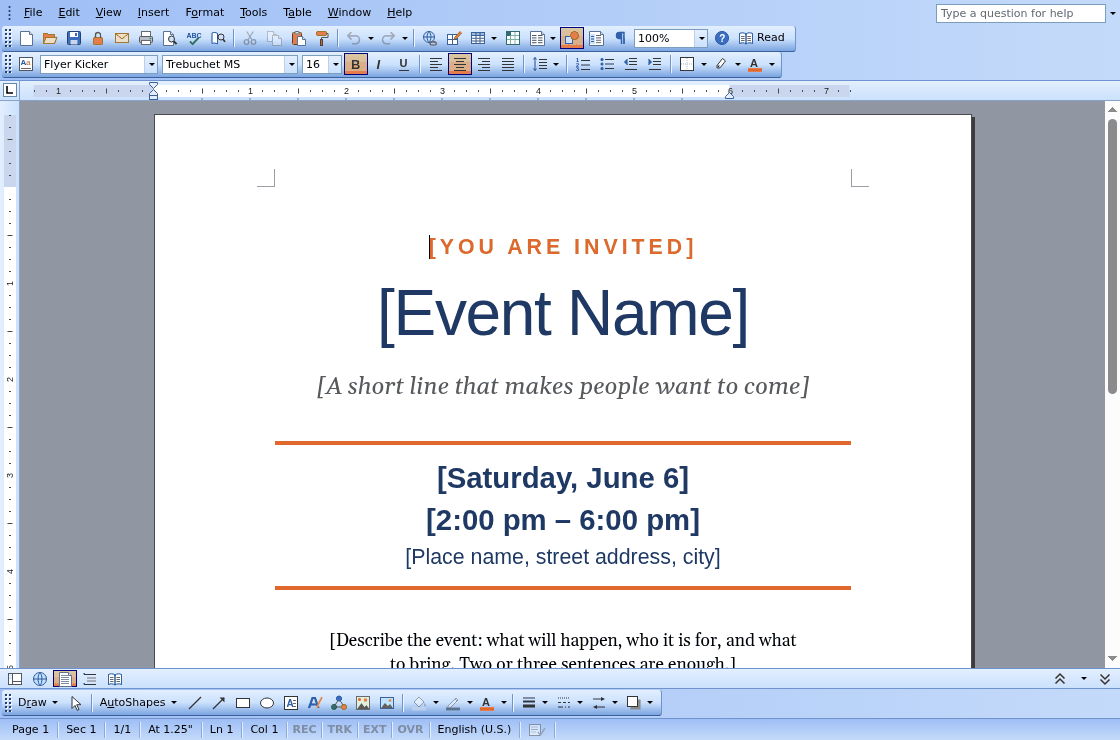
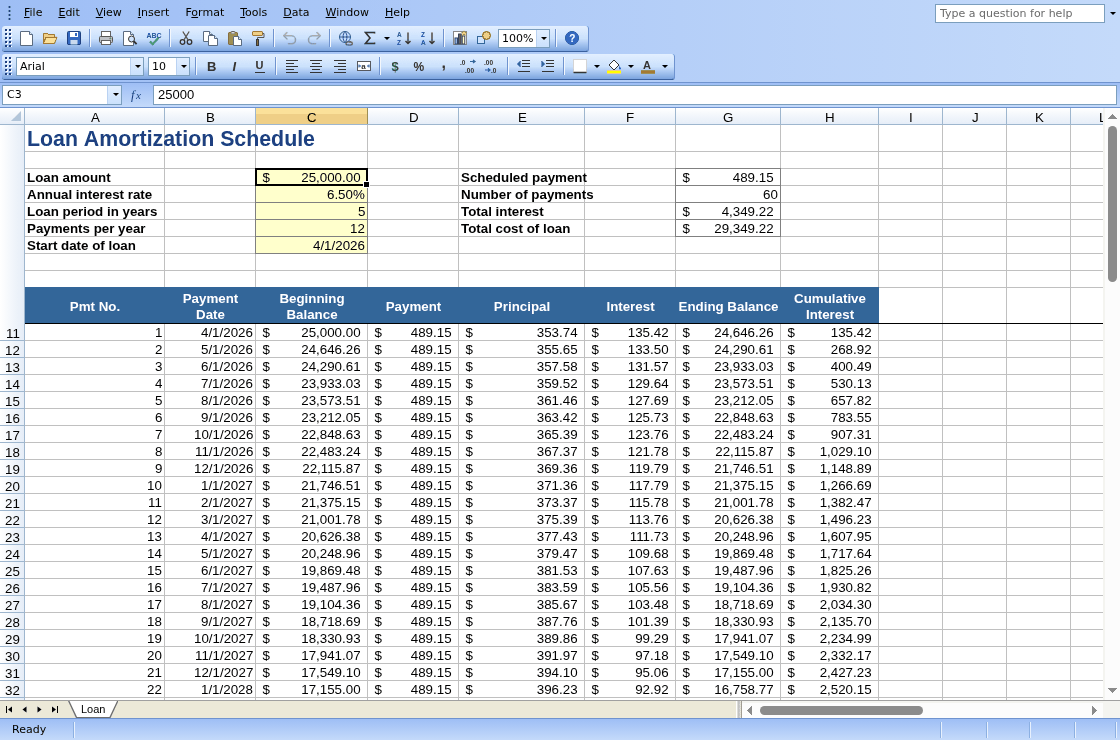
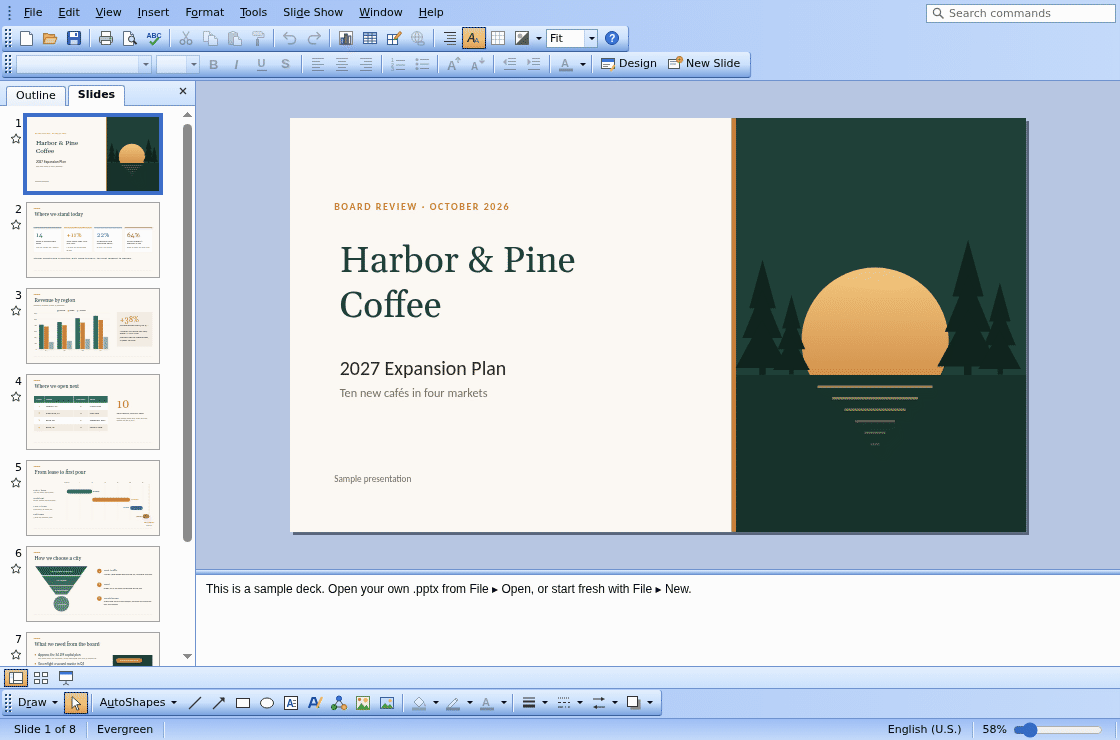
 VibeOffice is a free office suite that runs entirely in the browser, giving you a word processor, spreadsheet and presentation editor styled like Office 2003, with no install, account or server required.
VibeOffice is a free office suite that runs entirely in the browser, giving you a word processor, spreadsheet and presentation editor styled like Office 2003, with no install, account or server required.Is this one app or three separate programs?It is three apps bundled together: Quire (word processor), Ledger (spreadsheet) and Lectern (presentations), each opening and saving its own native Office file formats plus PDF.
It is three apps bundled together: Quire (word processor), Ledger (spreadsheet) and Lectern (presentations), each opening and saving its own native Office file formats plus PDF.How do I start using it?Open vibeoffice.work, the Start Center, and open a file, pick one from Recent Files, or create a new document, spreadsheet or presentation from a blank page or a template.
Open vibeoffice.work, the Start Center, and open a file, pick one from Recent Files, or create a new document, spreadsheet or presentation from a blank page or a template.Does it need a server connection or an account to edit files?No. Everything runs on your own machine with no server behind it, no upload and no sign-in required.
No. Everything runs on your own machine with no server behind it, no upload and no sign-in required.Will files I edit still open correctly in Microsoft Word or Excel afterward?Yes for the parts VibeOffice supports: edited content keeps its names, IDs and links, and anything it cannot edit yet (macros, embedded objects, SmartArt it lacks, video, ink, 3-D models) is written back byte for byte so it survives untouched. If a save would still drop something, the built-in Compatibility Checker warns you.
Yes for the parts VibeOffice supports: edited content keeps its names, IDs and links, and anything it cannot edit yet (macros, embedded objects, SmartArt it lacks, video, ink, 3-D models) is written back byte for byte so it survives untouched. If a save would still drop something, the built-in Compatibility Checker warns you.Where do my documents actually go when I open or edit them?They stay on your own computer the whole time: VibeOffice has no server and no account, so your files never leave your device.
They stay on your own computer the whole time: VibeOffice has no server and no account, so your files never leave your device.Is the whole project covered by one license?The code itself is Apache License 2.0, but the bundled proofing word lists/thesaurus and the fonts (Carlito, Caladea, Gelasio) carry their own separate licenses listed in each folder.
The code itself is Apache License 2.0, but the bundled proofing word lists/thesaurus and the fonts (Carlito, Caladea, Gelasio) carry their own separate licenses listed in each folder.Can I install it as a real desktop-like app?Yes, in Chrome or Edge you can install it from the Start Center, after which it opens .docx, .xlsx and .pptx files straight from your file manager like a native app.
Yes, in Chrome or Edge you can install it from the Start Center, after which it opens .docx, .xlsx and .pptx files straight from your file manager like a native app.How thoroughly is file compatibility actually tested?The team runs 4,697 real files from public collections (LibreOffice, Apache POI, Open XML SDK) through open, save, edit, undo and recover cycles, comparing every save against the original.
The team runs 4,697 real files from public collections (LibreOffice, Apache POI, Open XML SDK) through open, save, edit, undo and recover cycles, comparing every save against the original.Why does it use the Office 2003 look?The classic Office 2003 menus, toolbars and task panes are deliberately kept so anyone who has used Office before finds nothing new to learn.
The classic Office 2003 menus, toolbars and task panes are deliberately kept so anyone who has used Office before finds nothing new to learn.Is this built with a modern JS framework?No, VibeOffice is plain HTML and JavaScript with no build step, keeping the project simple and dependency-free.
No, VibeOffice is plain HTML and JavaScript with no build step, keeping the project simple and dependency-free.What are similar projects?PCB_lightgraph_Portable, bento, liteparse, pdfcraft, wordcraft, squoosh, convert, dashi-ppt-skill
PCB_lightgraph_Portable, bento, liteparse, pdfcraft, wordcraft, squoosh, convert, dashi-ppt-skillWhich topics is it in?office-tools, spreadsheet, vanilla-javascript, presentation, chrome, pwa, offline-first, document-processing, app, pdf, offline, browser
office-tools, spreadsheet, vanilla-javascript, presentation, chrome, pwa, offline-first, document-processing, app, pdf, offline, browser