




467 ·GitHub
What is this?
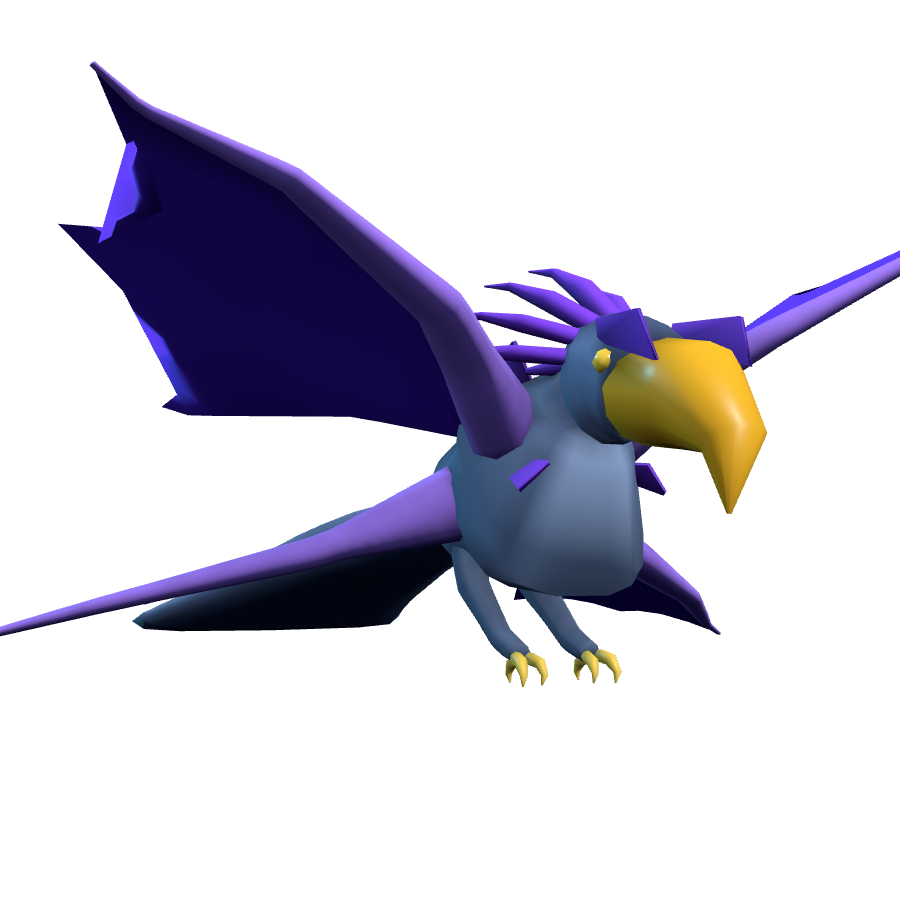
 anyCreature turns a plain-language description like 'a menacing mountain giant' into a game-ready 3D creature — a skinned, animated, vertex-coloured GLB file plus an offline viewer — produced in one AI agent session.
anyCreature turns a plain-language description like 'a menacing mountain giant' into a game-ready 3D creature — a skinned, animated, vertex-coloured GLB file plus an offline viewer — produced in one AI agent session.Is this a standalone app, or something my coding agent runs for me?It's a CLI pipeline (an engine plus a set of staged 'cards' and a harness) meant to be driven by an AI coding agent such as Claude Code or Cursor — there's no GUI, just `node engine/cli.js spec.json out.glb`.
It's a CLI pipeline (an engine plus a set of staged 'cards' and a harness) meant to be driven by an AI coding agent such as Claude Code or Cursor — there's no GUI, just `node engine/cli.js spec.json out.glb`.How do I start generating a creature?Run `bash setup.sh` (or `setup.ps1` on Windows) until it prints 'calibrate OK', then point your agent at MANUAL.md and have it follow the card pipeline for the creature you describe.
Run `bash setup.sh` (or `setup.ps1` on Windows) until it prints 'calibrate OK', then point your agent at MANUAL.md and have it follow the card pipeline for the creature you describe.What do I need installed before running it?Node 18+ and Python 3.9+. setup.sh additionally installs three.js tooling, playwright, numpy, pillow and scipy for rendering and measuring — the engine itself needs only Node.
Node 18+ and Python 3.9+. setup.sh additionally installs three.js tooling, playwright, numpy, pillow and scipy for rendering and measuring — the engine itself needs only Node.Any known failure modes to watch for?Isolated-part blind reads can misread certain heads shown alone (elephants/birds), specs written before engine version 1.2.0 may now fail new checks, and running separate short-lived subagents for each pipeline stage is slower and costlier than one agent doing it start-to-finish.
Isolated-part blind reads can misread certain heads shown alone (elephants/birds), specs written before engine version 1.2.0 may now fail new checks, and running separate short-lived subagents for each pipeline stage is slower and costlier than one agent doing it start-to-finish.Does it run on Windows, or just Mac/Linux?All three — Windows is supported via setup.ps1 in PowerShell (or setup.sh under Git Bash/WSL), alongside native macOS and Linux support.
All three — Windows is supported via setup.ps1 in PowerShell (or setup.sh under Git Bash/WSL), alongside native macOS and Linux support.Does any of this talk to a remote server?The render and measurement tools only spin up short-lived local servers bound to 127.0.0.1; the sole outward action is an optional, explicit step to publish a finished creature to the Gobkit community wall.
The render and measurement tools only spin up short-lived local servers bound to 127.0.0.1; the sole outward action is an optional, explicit step to publish a finished creature to the Gobkit community wall.What is Gobkit?Gobkit is the author's AI-native 3D-asset infrastructure/API for streaming game-ready models to agents and 'vibe coders'. anyCreature is the open-source engine behind it, and finished creatures can optionally be published to its community wall.
Gobkit is the author's AI-native 3D-asset infrastructure/API for streaming game-ready models to agents and 'vibe coders'. anyCreature is the open-source engine behind it, and finished creatures can optionally be published to its community wall.What does the embedspec option actually give me?It makes the exported GLB carry its own authored JSON spec and a parts manifest inside the file, so any agent can later extract, edit, recompile, or graft parts between creatures.
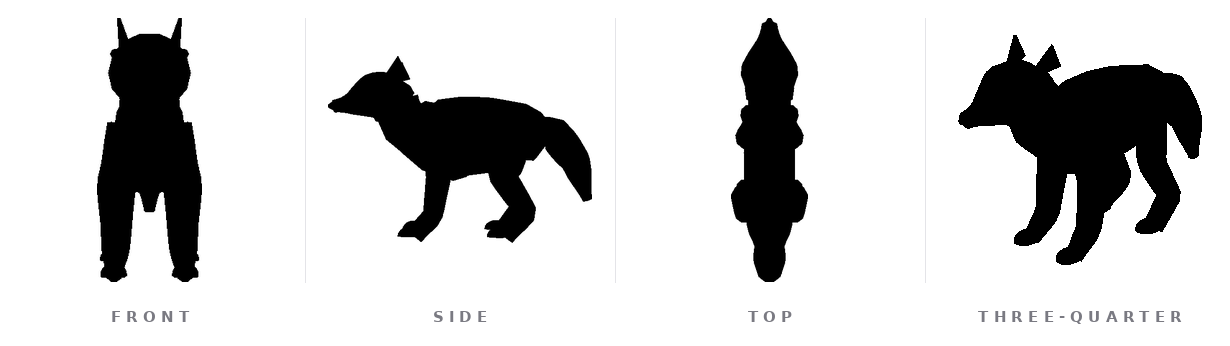
It makes the exported GLB carry its own authored JSON spec and a parts manifest inside the file, so any agent can later extract, edit, recompile, or graft parts between creatures.Why two separate quality gates instead of one?The session that designed the creature is the worst judge of its own silhouette. Gate 1 (RECOGNISED) checks a context-free reader agent can identify the creature from four views; gate 2 (PUNCHIER) blocks any revision that makes the silhouette less bold than the previous round, even if it's more 'correct'.
The session that designed the creature is the worst judge of its own silhouette. Gate 1 (RECOGNISED) checks a context-free reader agent can identify the creature from four views; gate 2 (PUNCHIER) blocks any revision that makes the silhouette less bold than the previous round, even if it's more 'correct'.What exactly does the bundled example wolf show?example/wolf.json is a 2,211-vertex, 31-joint quadruped used purely as a syntax reference — it ships only idle and move animations, not attack, and the engine actively blocks builds that are just this wolf with the numbers barely changed.
example/wolf.json is a 2,211-vertex, 31-joint quadruped used purely as a syntax reference — it ships only idle and move animations, not attack, and the engine actively blocks builds that are just this wolf with the numbers barely changed.What are similar projects?img2threejs, procedural-film, genex-desktop, Procedura, mcp-for-blender, flutter_scene, blender-production-skills, image-to-3dlab
img2threejs, procedural-film, genex-desktop, Procedura, mcp-for-blender, flutter_scene, blender-production-skills, image-to-3dlabWhich topics is it in?gltf, 3d-modeling, 3d-generation, procedural-generation, computer-graphics, game-development, 3d, cursor, animation, generative-ai, agent, claude-code
gltf, 3d-modeling, 3d-generation, procedural-generation, computer-graphics, game-development, 3d, cursor, animation, generative-ai, agent, claude-code