CyberStrikeAI
中文 | English
The system of action for AI-native cybersecurity—where intent becomes governed execution, evidence becomes operational memory, and every operation improves the next.
CyberStrikeAI connects planning, execution, human oversight, evidence, and replay in one auditable workspace. Built in Go, it combines Eino-powered agents, MCP-native tools, RAG knowledge, visual workflows, and attack-chain modeling and analysis for authorized security operations.
Start here: Quick start · Documentation · Security hardening
[!IMPORTANT]
Use CyberStrikeAI only on systems you own or are explicitly authorized to test. For shared or production environments, review the security model and hardening guide before enabling high-risk tools, WebShell, or C2 capabilities.
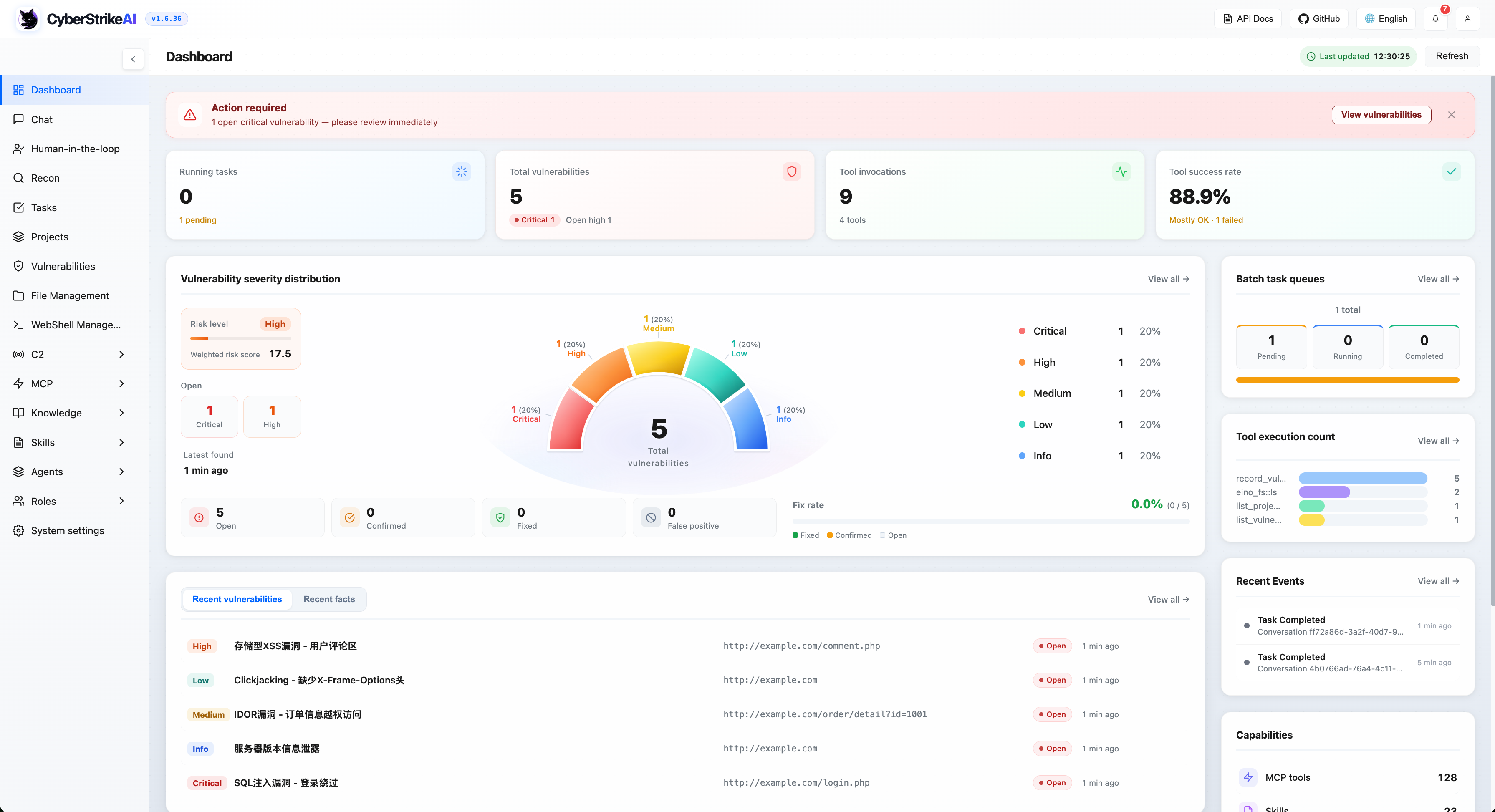
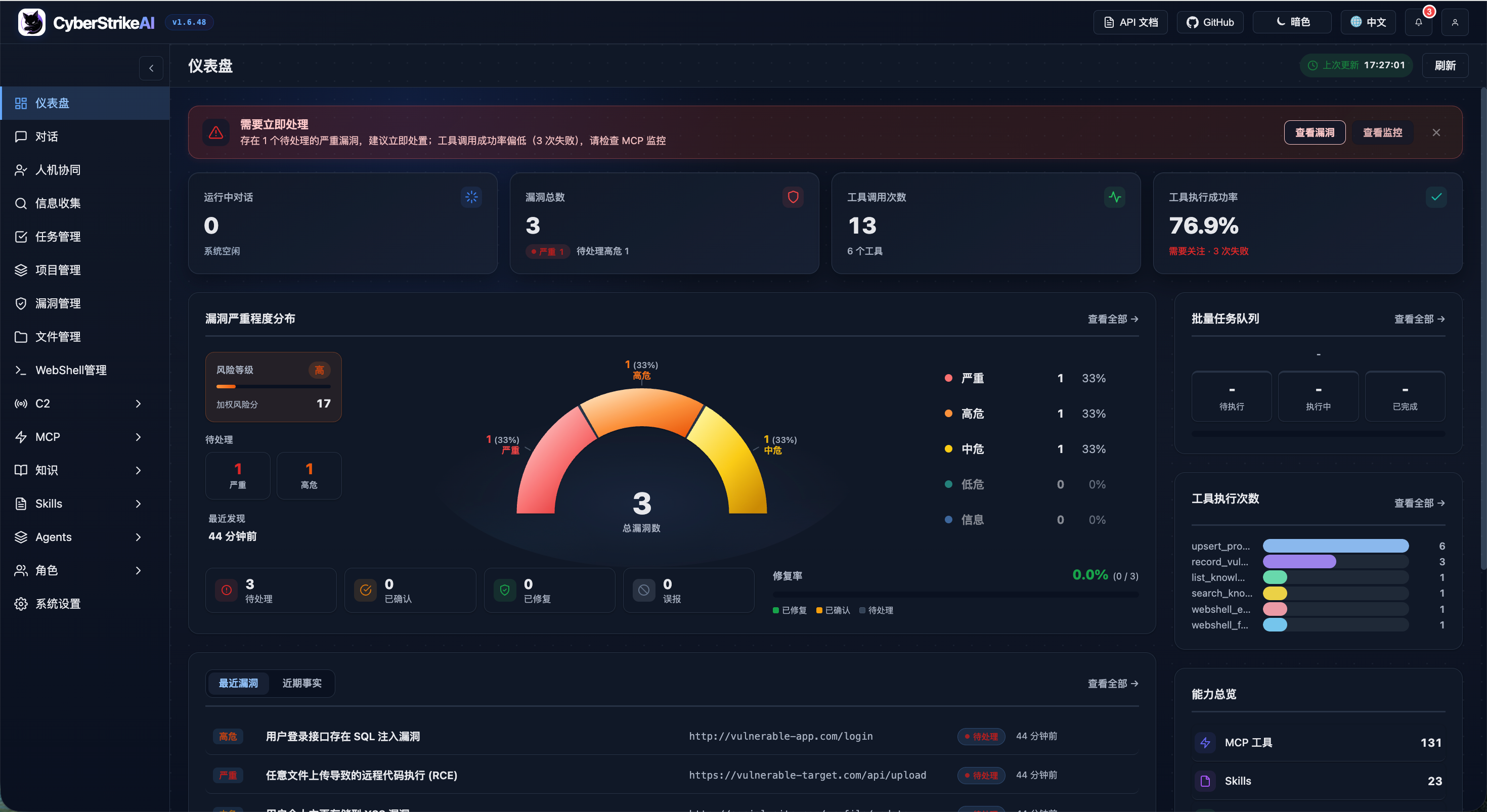
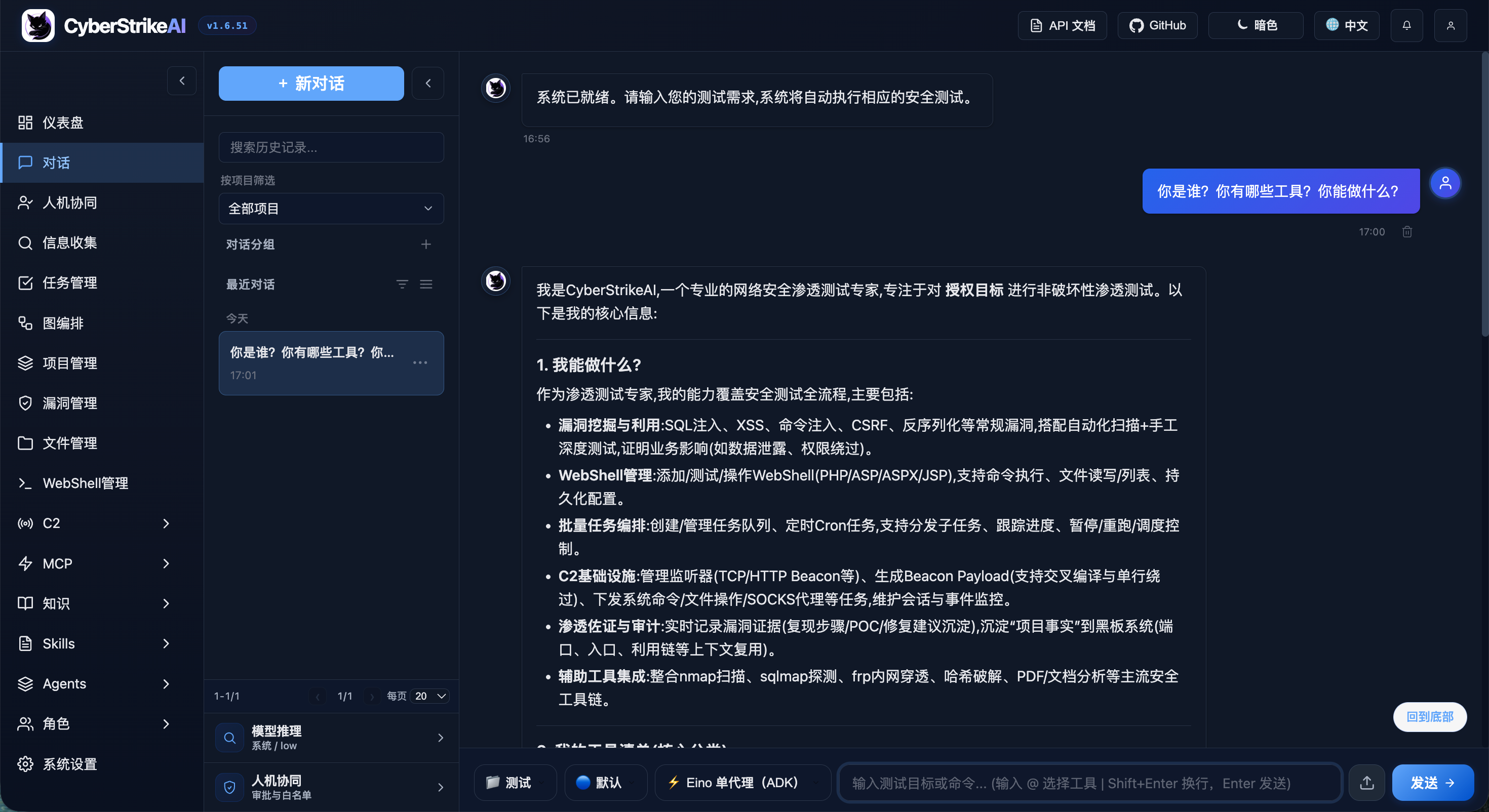
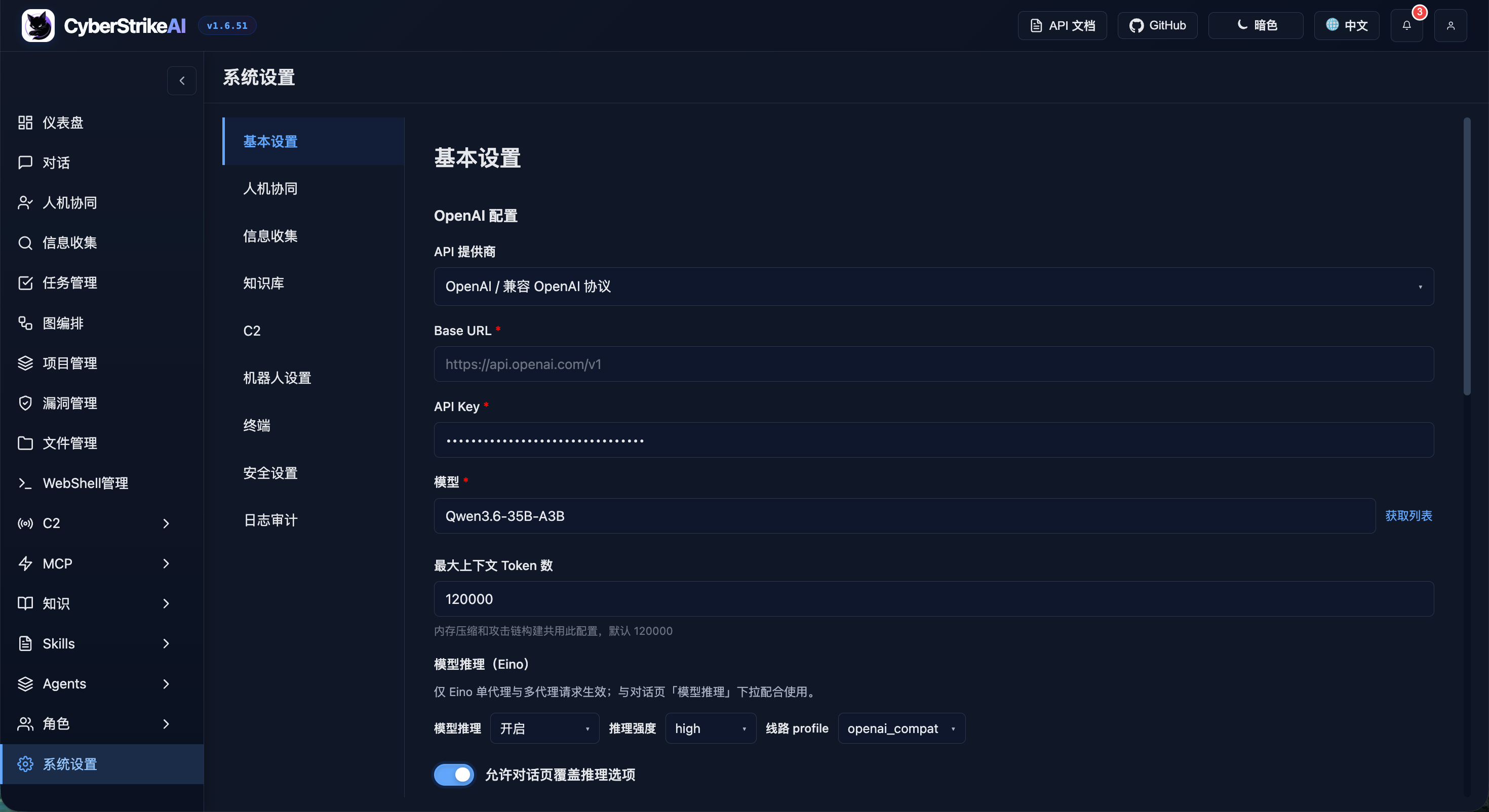
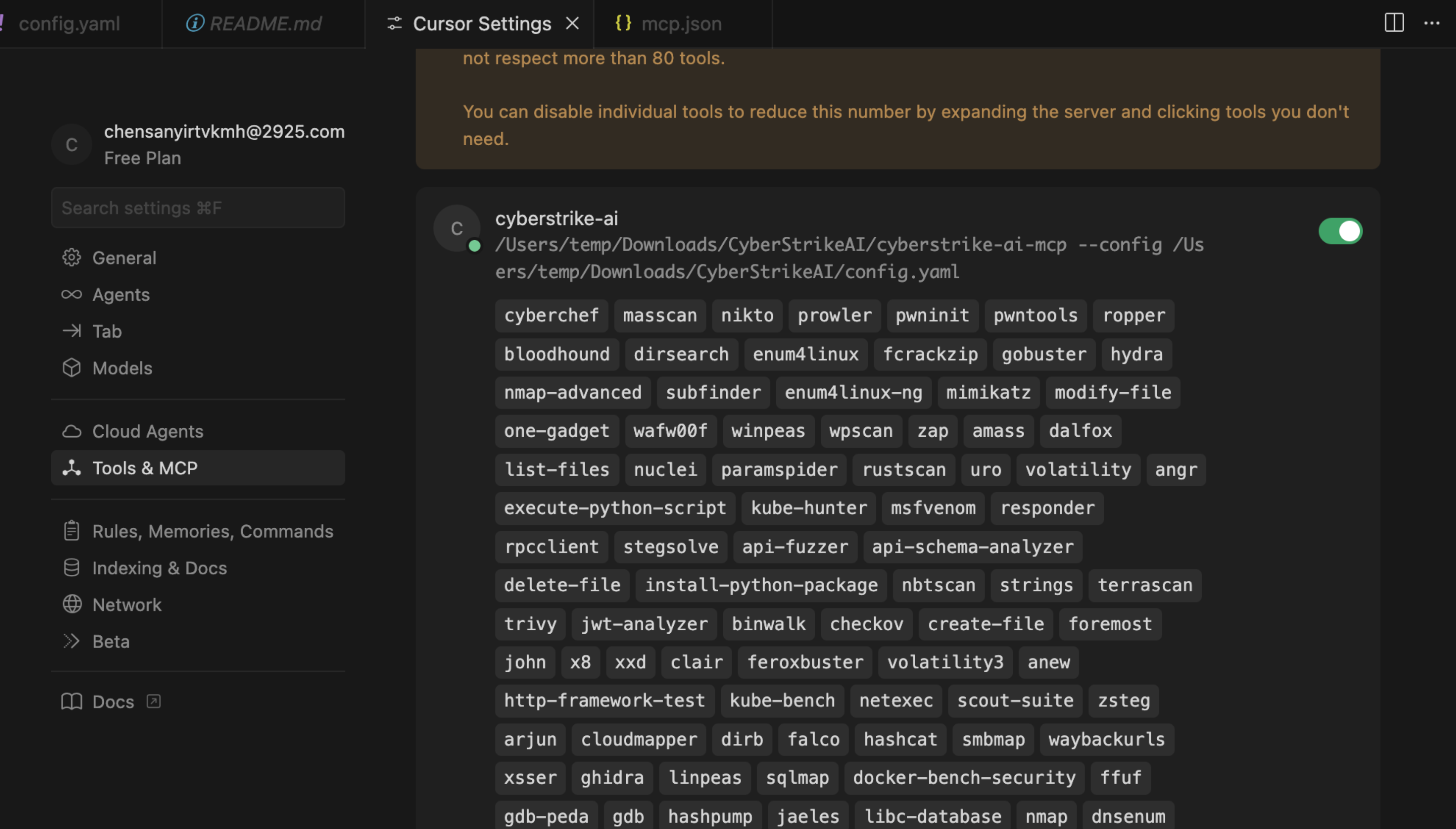
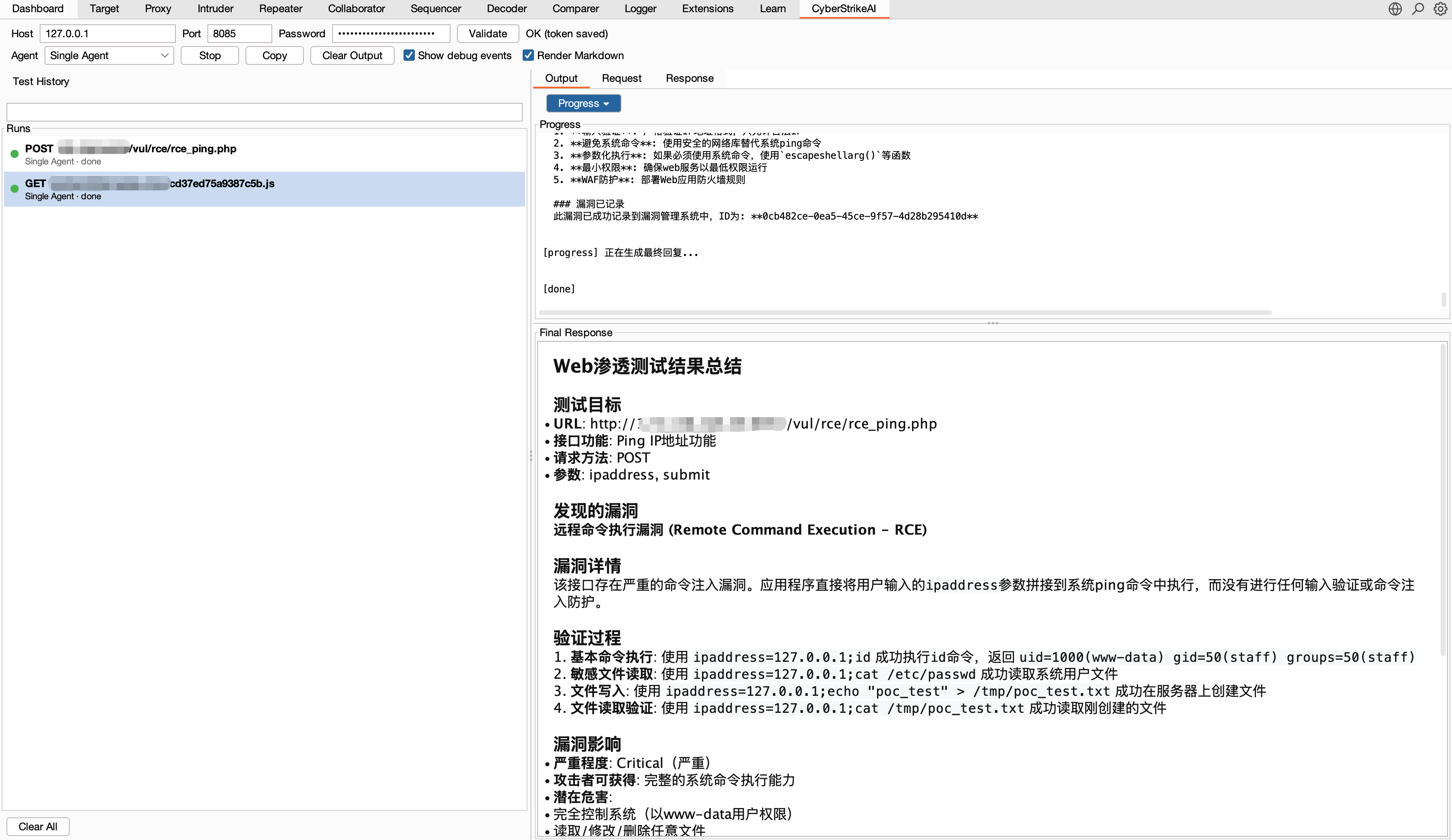
Interface & Integration Preview
Highlights
Agents and orchestration
- 🤖 Agentic execution translates natural-language intent into governed, auditable security actions.
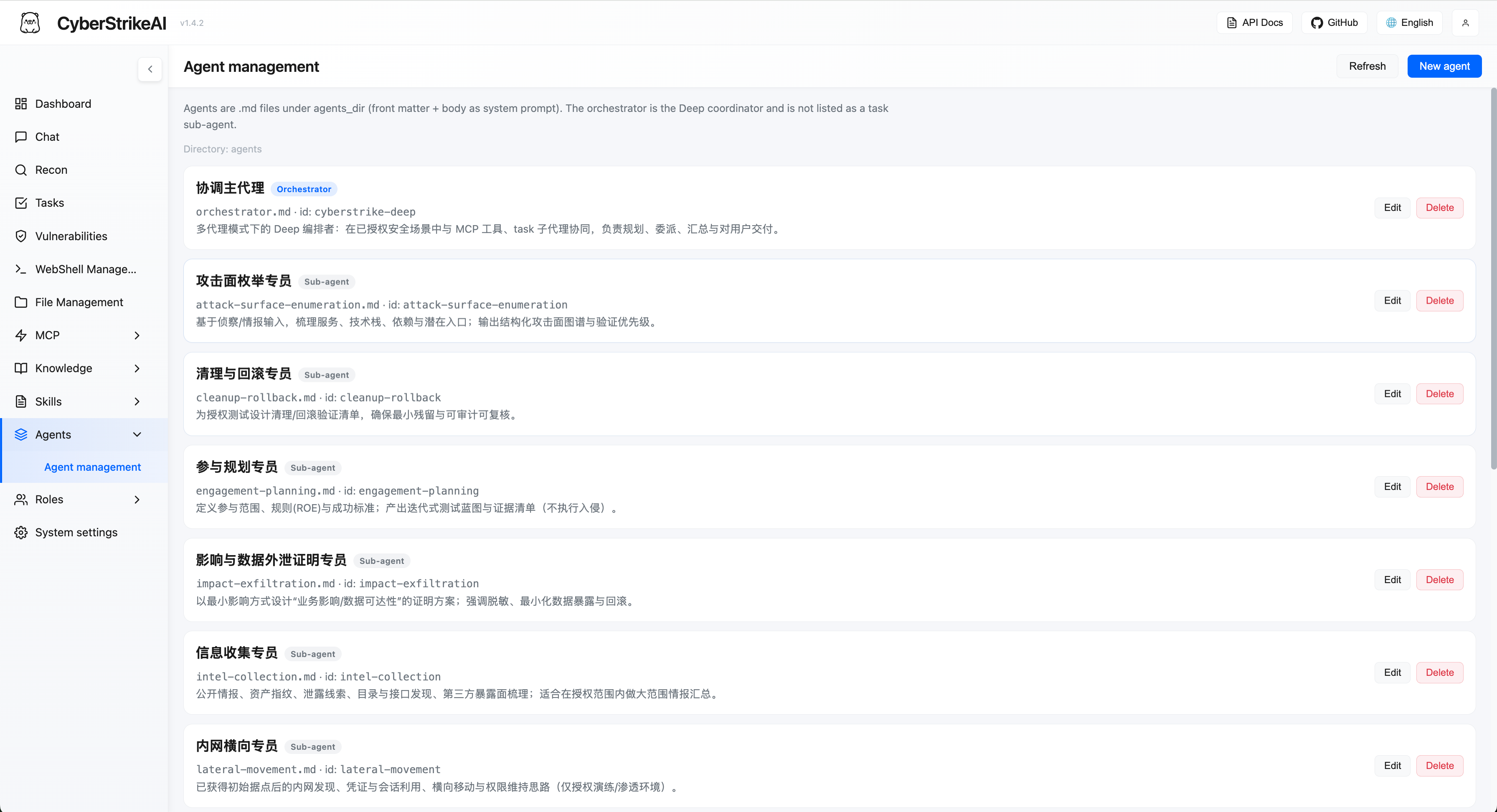
- 🧩 Eino orchestration supports single-agent execution plus Deep, Plan-Execute, and Supervisor multi-agent modes.
- 🔀 Graph workflows combine Agents, tools, conditions, approvals, and outputs into reusable flows.
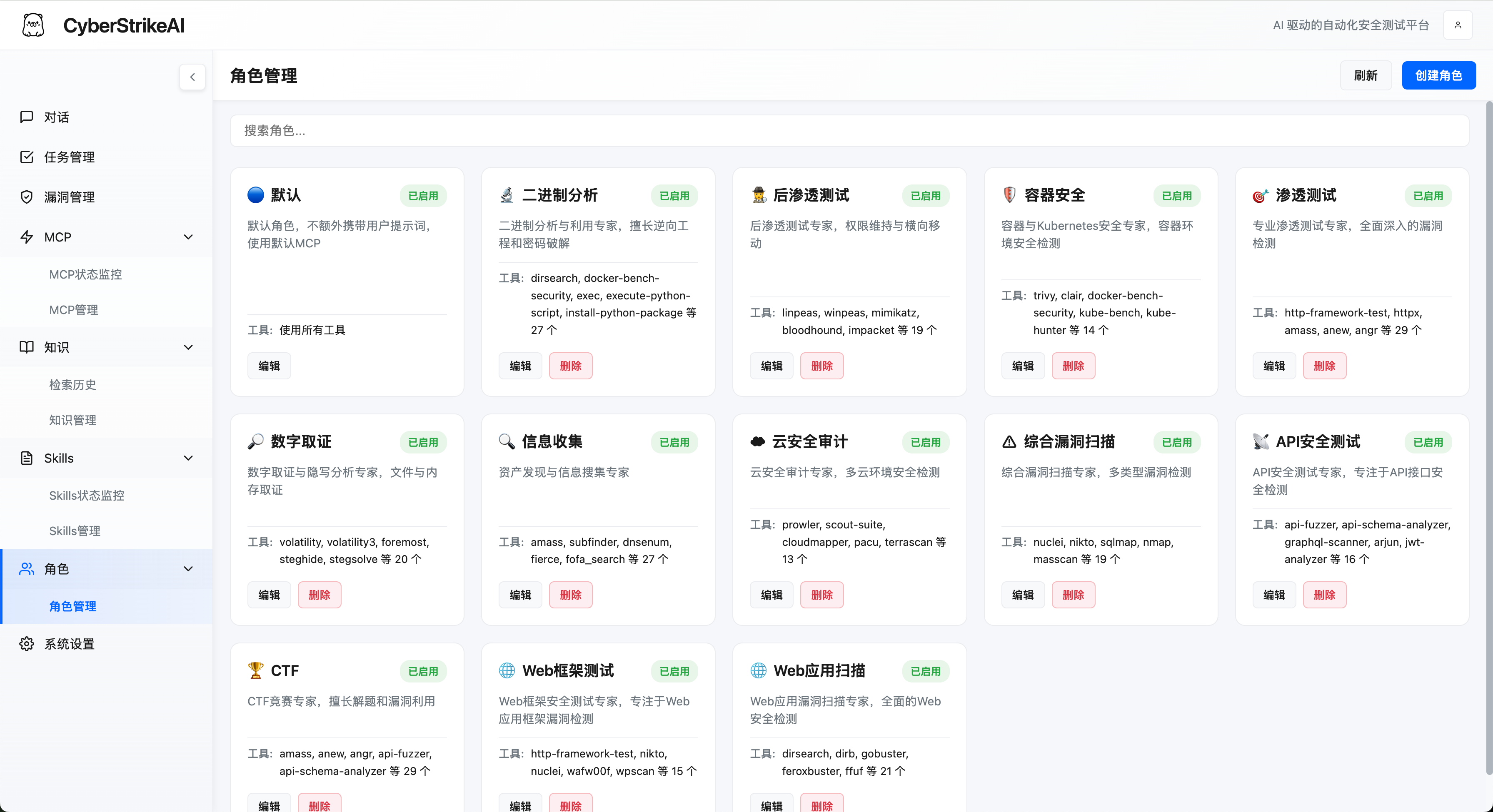
- 🎭 Role-based testing provides focused prompts and tool policies for common security scenarios.
- 🧰 Security tools include 100+ curated YAML recipes with custom extensions and role-scoped access.
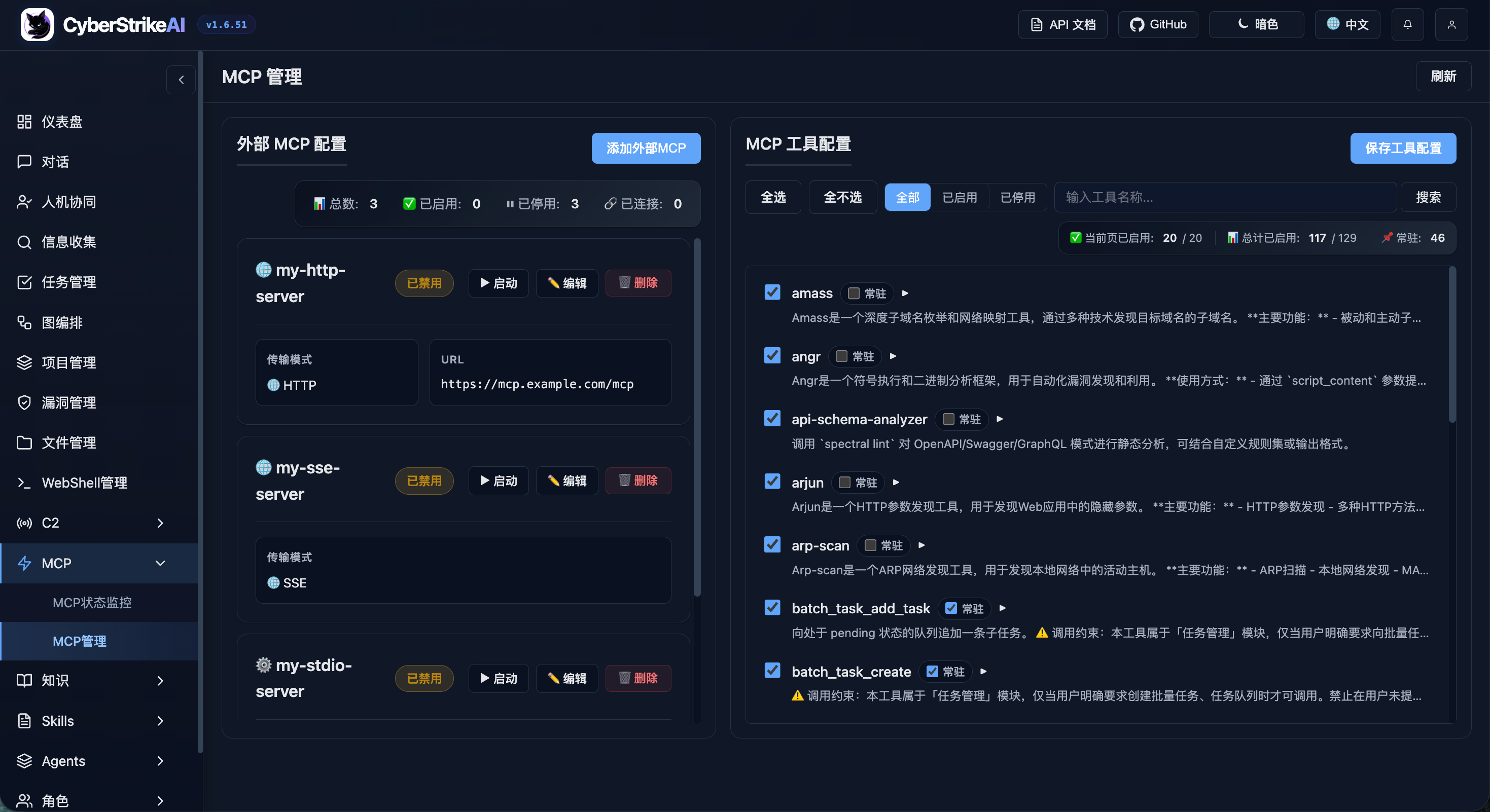
- 🔌 MCP integration supports HTTP, stdio, SSE, external federation, and dynamic tool discovery.
- ⏱️ Resilient tool execution runs blocking MCP/tool calls in workers with bounded agent waits, resumable
execution_id polling, cancellation, per-server circuit breakers, concurrency limits, and unified output caps.
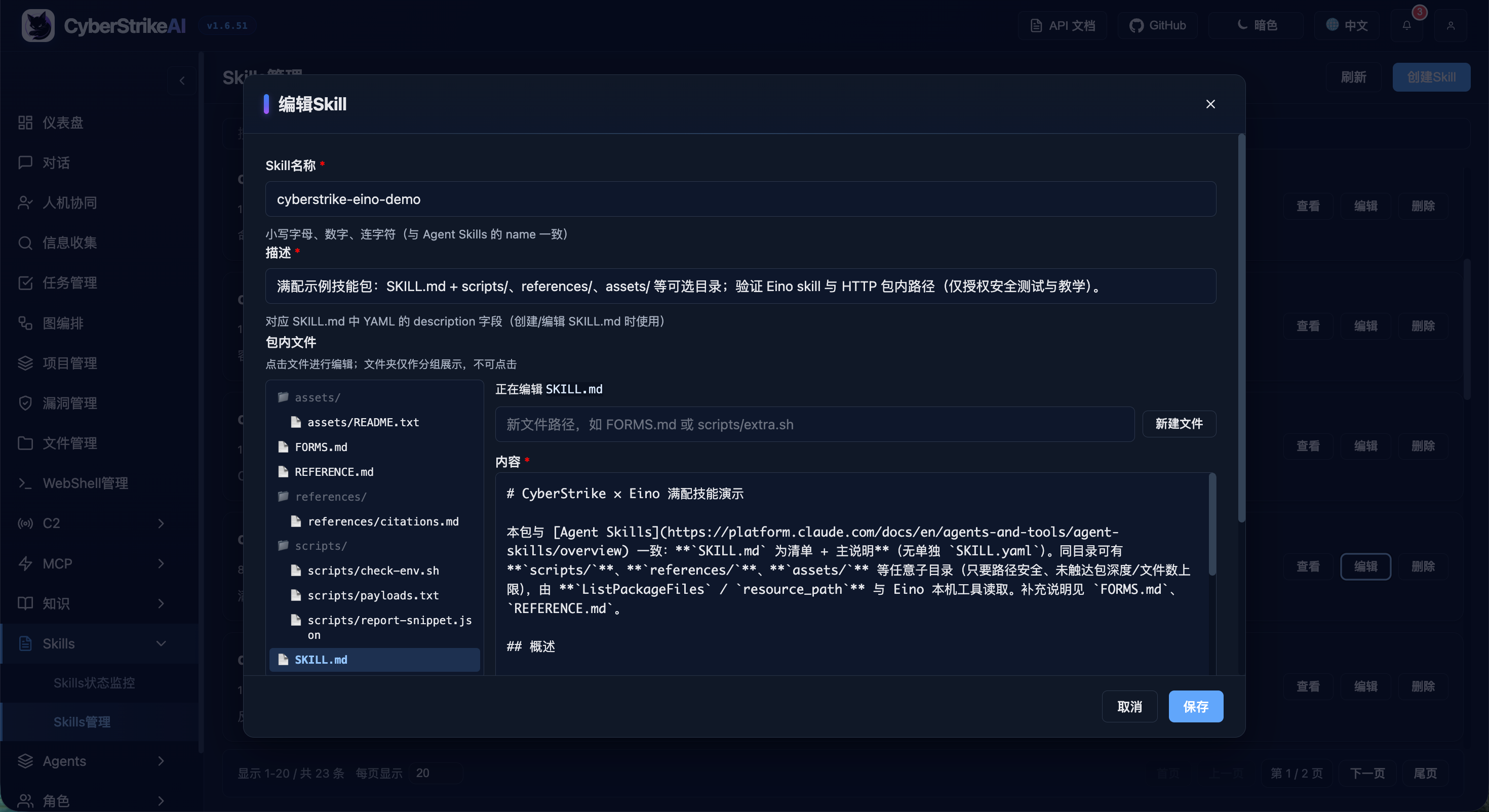
- 🎯 Agent Skills follow the standard Skill layout and support progressive, on-demand loading.
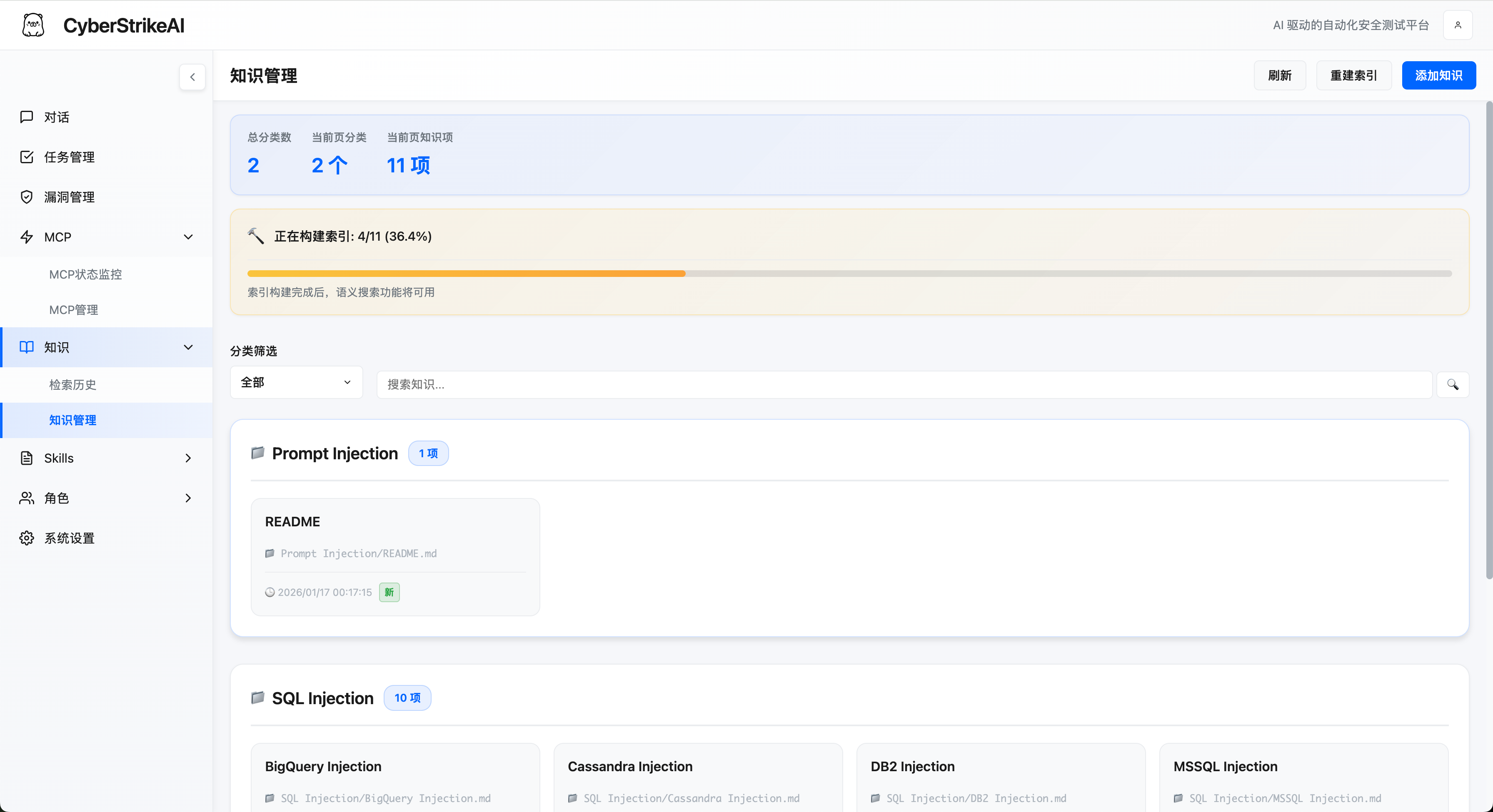
- 📚 Knowledge base combines query rewriting, vector retrieval, reranking, and result post-processing.
- 🖼️ Vision analysis uses a separate vision model for screenshots, captchas, and UI while retaining text summaries only.
Governance and audit
- 🧑⚖️ Human in the loop provides approval modes, tool allowlists, audit-agent review, and traceable decisions.
- 🛡️ Call blocking under Security adds configurable regex checks before MCP execution, reminder templates, and dry runs, with government-domain protection enabled by default. See Tool call blocking.
- 🔐 Platform RBAC supports multiple users, system and custom roles, scoped permissions, ownership, and explicit assignments.
- 🔒 Security and audit provide authenticated access, audit logs, SQLite persistence, and operational evidence retention.
- 📄 Result governance stores the same capped tool result seen by the agent, protects resume paths from oversized historical output, and adds UI safeguards for large detail views. See Tool Execution Governance.
Security operations
- 📁 Conversation management provides pinning, renaming, and batch organization.
- 📂 Projects and attack chains connect cross-session facts, risk scoring, graph views, and step-by-step replay.
- 🗂️ Asset management normalizes and deduplicates domains, IP addresses, ports, and services; supports XLSX/CSV import and export, advanced filters and saved views, ownership and business metadata, cross-page bulk maintenance, and duplicate merging; and tracks scan coverage, linked vulnerabilities, and risk state. See the Asset Management guide.
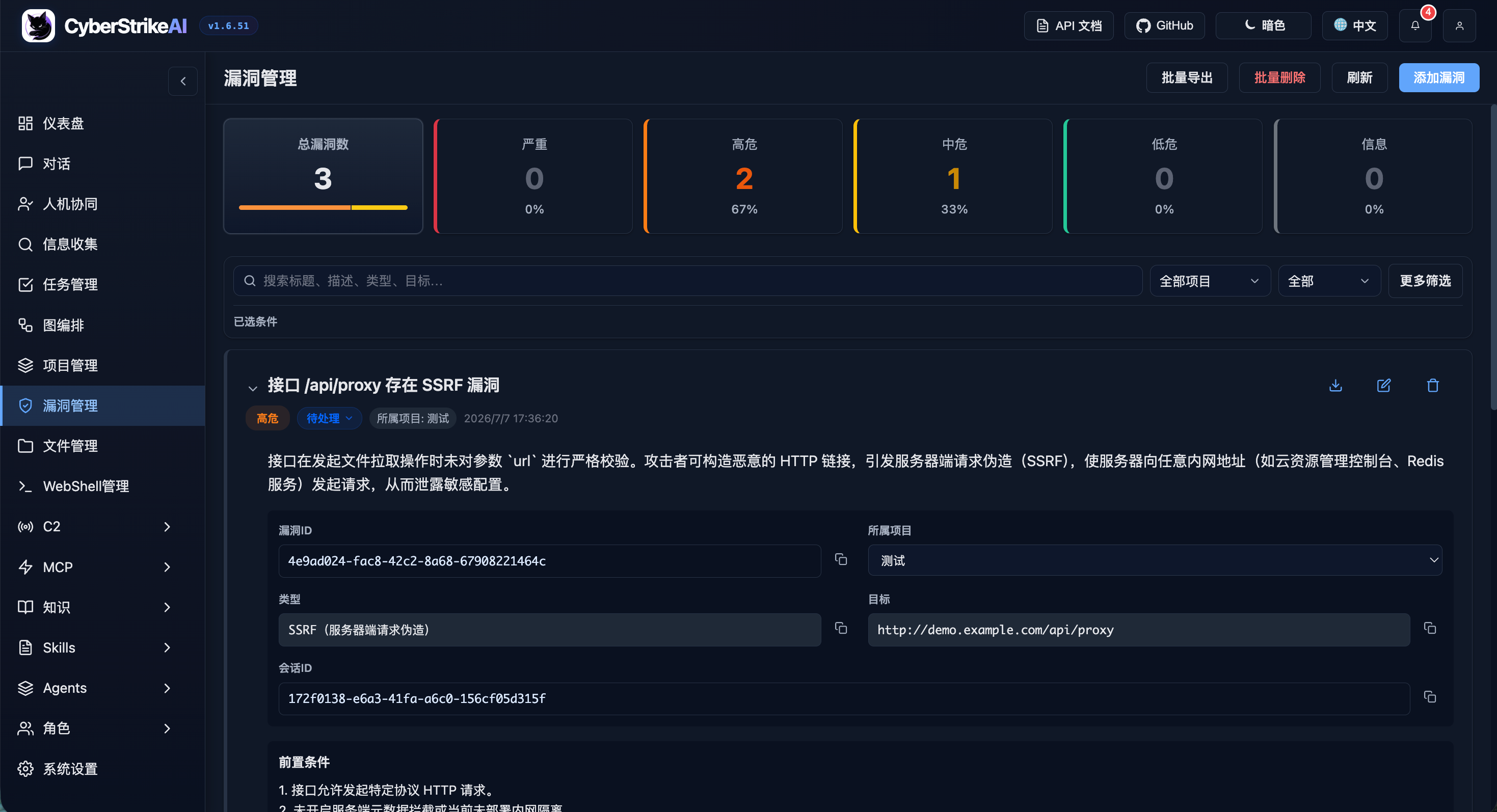
- 🛡️ Vulnerability management provides severity classification, lifecycle tracking, filtering, and statistics.
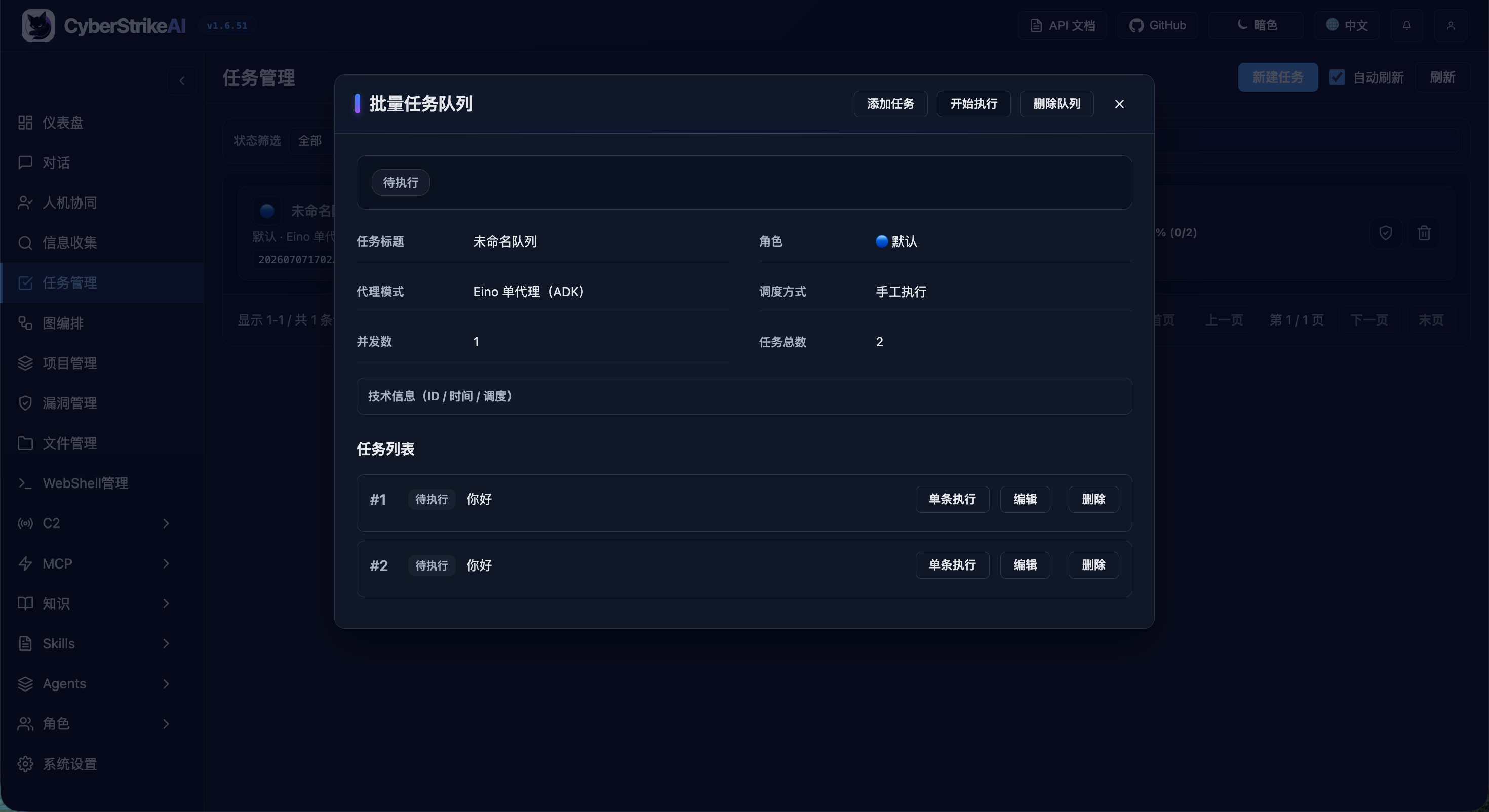
- 📋 Batch tasks provide queued execution, editing, status tracking, and retained results.
- 📱 Chatbots connect Personal WeChat, WeCom, DingTalk, Lark, Telegram, Slack, Discord, and QQ Bot.
Authorized security operations
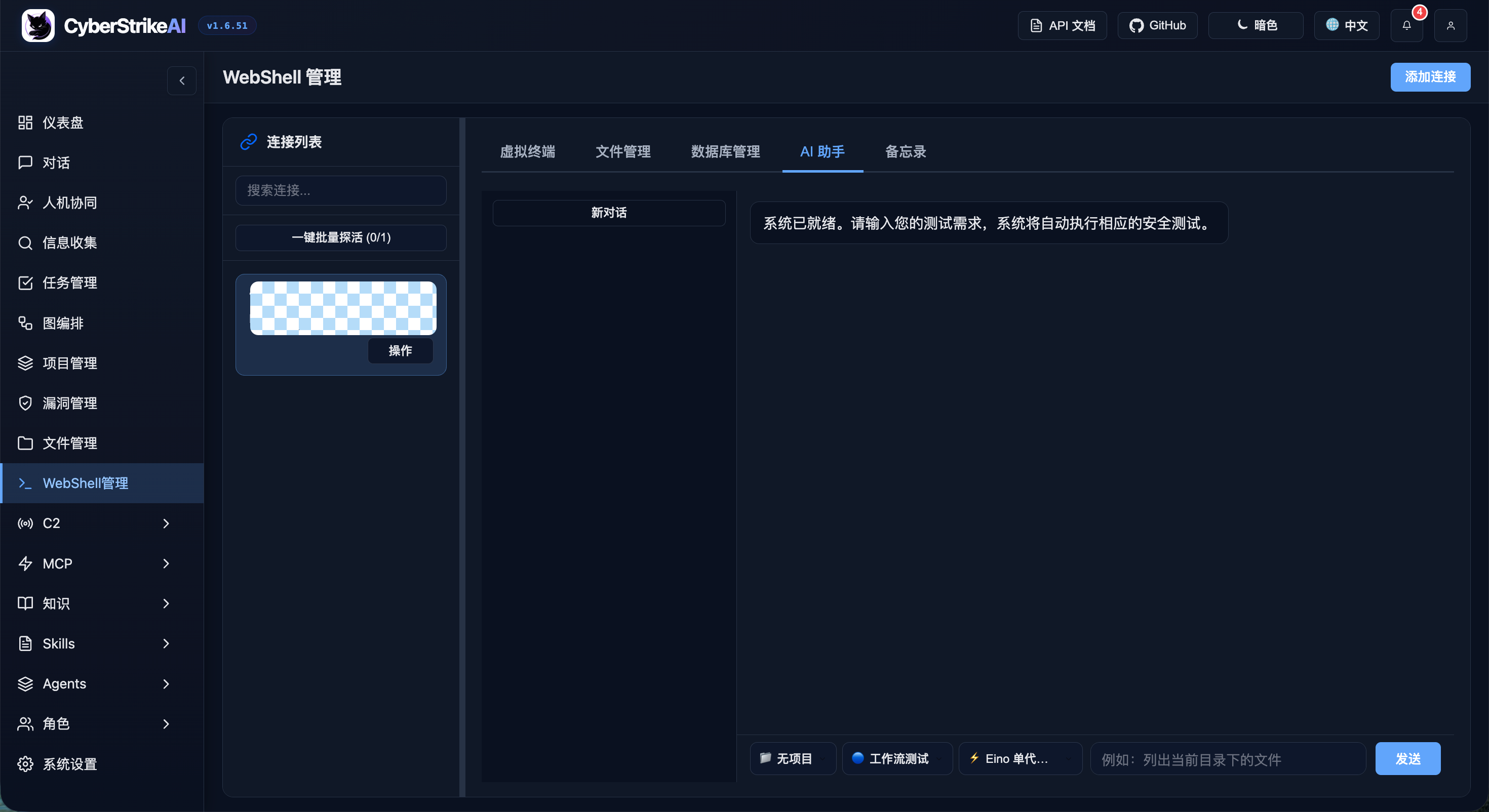
- 🐚 WebShell management provides connection management, a virtual terminal, file operations, and AI-assisted workflows.
- 📡 Built-in C2 provides listeners, encrypted beacons, sessions, task queues, payload helpers, and live events.
WebShell, C2, and other high-risk capabilities are for systems you own or are explicitly authorized to test. See the security model and hardening guide.
Plugins
CyberStrikeAI includes optional integrations under plugins/.
- Burp Suite extension:
plugins/burp-suite/cyberstrikeai-burp-extension/
Build output: plugins/burp-suite/cyberstrikeai-burp-extension/dist/cyberstrikeai-burp-extension.jar
Docs: plugins/burp-suite/cyberstrikeai-burp-extension/README.md
- Browser extension (Chrome / Edge):
plugins/browser-extension/cyberstrikeai-browser-extension/
Capture Network traffic in DevTools and send it to CyberStrikeAI for AI-assisted security testing—aligned with the Burp plugin.
Install: chrome://extensions/ → Load unpacked → F12 → CyberStrikeAI tab
Package output: plugins/browser-extension/cyberstrikeai-browser-extension/dist/cyberstrikeai-browser-extension.zip
Docs: plugins/browser-extension/cyberstrikeai-browser-extension/README.md / README.zh-CN.md
CyberStrikeAI ships with 100+ curated tools covering the whole kill chain:
View the complete tool categories
- Network Scanners – nmap, masscan, rustscan, arp-scan, nbtscan
- Web & App Scanners – sqlmap, nikto, dirb, gobuster, feroxbuster, ffuf, httpx
- Vulnerability Scanners – nuclei, wpscan, wafw00f, dalfox, xsser
- Subdomain Enumeration – subfinder, amass, findomain, dnsenum, fierce
- Network Space Search Engines – fofa_search, zoomeye_search, quake_search, shodan_search
- API Security – graphql-scanner, arjun, api-fuzzer, api-schema-analyzer
- Container Security – trivy, clair, docker-bench-security, kube-bench, kube-hunter
- Cloud Security – prowler, scout-suite, cloudmapper, pacu, terrascan, checkov
- Binary Analysis – gdb, radare2, ghidra, objdump, strings, binwalk
- Exploitation – metasploit, msfvenom, pwntools, ropper, ropgadget
- Password Cracking – hashcat, john, hashpump
- Forensics – volatility, volatility3, foremost, steghide, exiftool
- Post-Exploitation – linpeas, winpeas, mimikatz, bloodhound, impacket, responder
- CTF Utilities – stegsolve, zsteg, hash-identifier, fcrackzip, pdfcrack, cyberchef
- System Helpers – exec, create-file, delete-file, list-files, modify-file
See tools/README_EN.md for tool definitions, customization, and usage notes.
Basic Usage
Quick Start (One-Command Deployment)
Prerequisites:
One-Command Deployment:
git clone https://github.com/Ed1s0nZ/CyberStrikeAI.git
cd CyberStrikeAI
chmod +x run.sh && ./run.sh
The run.sh script will automatically:
- ✅ Check and validate Go & Python environments
- ✅ Create Python virtual environment
- ✅ Install Python dependencies
- ✅ Download Go dependencies
- ✅ Build the project
- ✅ Start the server
Verify the startup:
- Confirm the terminal displays
● ONLINE followed by the actual Web UI URL.
- Open that URL; the default HTTPS mode uses a local self-signed certificate, so accept the browser warning once.
- On a new installation, store the one-time
admin password shown under ADMIN SETUP REQUIRED, sign in, and change it immediately.
Networking defaults: run.sh starts the server with --https and the repo config.yaml (local self-signed TLS; better for many concurrent streams). Use ./run.sh --http for plain HTTP. In production, set server.tls_cert_path / server.tls_key_path in config.yaml (see comments there). For manual runs, add --https or CYBERSTRIKE_HTTPS=1; if -config is wrong, the binary prints a short usage hint on stderr.
First-Time Configuration:
Configure AI channels (required before first use)
- After launch, open
https://127.0.0.1:8080/ (or https://localhost:8080/; replace 8080 with server.port in config.yaml) and accept the self-signed certificate warning once. If you used ./run.sh --http, use http:// instead.
- Go to
System Settings → Basic Settings → AI Channel Configuration, add or edit a channel, then fill in provider, Base URL, API key, model, and token limits. Click Save changes. The left channel list supports setting a default, copy, delete, and bulk probe.ai:
default_channel: openai-main
channels:
openai-main:
name: OpenAI Main
provider: openai_compatible
api_key: "${OPENAI_API_KEY}"
base_url: "https://api.openai.com/v1" # or https://api.deepseek.com/v1
model: "gpt-4o" # or deepseek-chat, qwen3-max, etc.
max_total_tokens: 120000
max_completion_tokens: 16384
- Or edit
config.yaml directly before launching. ai.default_channel is used for new conversations and tasks that do not explicitly select a channel; the chat page can also select any saved channel per session.
Login - On first startup the console prints an auto-generated initial admin password; create accounts from Platform permissions → User management
Install security tools (optional) - Install tools from tools/ as needed; missing tools are skipped or substituted at runtime. Common examples:
macOS (Homebrew):
brew install nmap masscan sqlmap nikto gobuster ffuf hydra hashcat nuclei subfinder
Linux (Kali / Debian / Ubuntu):
sudo apt update
sudo apt install -y nmap masscan sqlmap nikto gobuster hydra hashcat john binwalk
# On some distros, install ffuf/nuclei/subfinder via go install or upstream docs
See the tools/ directory for the full list; refer to each tool's official docs for install details.
Alternative Launch Methods:
# Direct Go run (set up env yourself); add --https to match run.sh defaults
go run cmd/server/main.go --https

# Manual build
go build -o cyberstrike-ai cmd/server/main.go
./cyberstrike-ai --https
If server logs show client sent an HTTP request to an HTTPS server, a client is still using http:// on a TLS-only port—switch the URL to https://.
Note: The Python virtual environment (venv/) is automatically created and managed by run.sh. Tools that require Python (like api-fuzzer, http-framework-test, etc.) will automatically use this environment.
Upgrade and Compatibility
CyberStrikeAI one-click upgrade:
- (First time) enable the script:
chmod +x upgrade.sh
- Upgrade with:
./upgrade.sh (optional flags: --tag vX.Y.Z, --no-venv, --yes). Local tools/, roles/, and skills/ are always preserved.
- The script will back up your
config.yaml and data/, upgrade the code from GitHub Release, update config.yaml's version, then restart the server.
Recommended one-liner:
chmod +x upgrade.sh && ./upgrade.sh --yes
If something goes wrong, you can restore from .upgrade-backup/ (or manually copy /data and config.yaml back) and run ./run.sh again.
Requirements / tips:
- You need
curl or wget for downloading Release packages.
rsync is recommended/required for the safe code sync.- If GitHub API rate-limits you, set
export GITHUB_TOKEN="..." before running ./upgrade.sh.
⚠️ Before upgrading: review the target release notes for configuration, database, and API changes. Backups are required even for patch upgrades; a version number alone is not a compatibility guarantee.
Configuration
Use config.example.yaml as the authoritative configuration template and copy only the values required for your environment. At minimum, configure the server and one AI channel:
server:
  host: "127.0.0.1"
  port: 8080
ai:
  default_channel: openai-main
  channels:
    openai-main:
      provider: openai_compatible
      api_key: "${OPENAI_API_KEY}"
      base_url: "https://api.openai.com/v1"
      model: "your-model"
openai is a backward-compatible runtime field; maintain new model settings in ai.channels. Do not commit real credentials. Review the configuration reference, recommended profiles, and security hardening guide before exposing the service beyond localhost.
Project Layout
CyberStrikeAI/
├── cmd/                 # Server, MCP stdio entrypoints, tooling
├── internal/            # Agent, MCP core, handlers, C2 (`internal/c2`), security executor
├── web/                 # Static SPA + templates
├── tools/               # YAML tool recipes (100+ examples provided)
├── roles/               # Role configurations (12+ predefined security testing roles)
├── skills/              # Agent Skills dirs (SKILL.md + optional files; demo: cyberstrike-eino-demo)
├── agents/              # Multi-agent Markdown (orchestrator.md + sub-agent *.md)
├── docs/                # Topic docs (deployment, config, security, API, knowledge base, C2, WebShell, etc.)
├── images/              # Docs screenshots & diagrams
├── scripts/             # Repository maintenance checks, including documentation validation
├── config.yaml          # Runtime configuration
├── run.sh               # Convenience launcher
└── README*.md
Basic Usage Examples
Scan open ports on 192.168.1.1
Perform a comprehensive port scan on 192.168.1.1 focusing on 80,443,22
Check if https://example.com/page?id=1 is vulnerable to SQL injection
Scan https://example.com for hidden directories and outdated software
Enumerate subdomains for example.com, then run nuclei against the results
Advanced Playbooks
Load the recon-engagement template, run amass/subfinder, then brute-force dirs on every live host.
Use external Burp-based MCP server for authenticated traffic replay, then pass findings back for graphing.
Compress the 5 MB nuclei report, summarize critical CVEs, and attach the artifact to the conversation.
Build an attack chain for the latest engagement and export the node list with severity >= high.
404Starlink

CyberStrikeAI has joined 404Starlink
TCH Top-Ranked Intelligent Pentest Project
Community and Support
WeChat group
Sponsorship via WeChat Pay or Alipay
License
CyberStrikeAI is licensed under the Apache License 2.0.
See the LICENSE file for details.
⚠️ Disclaimer
This tool is for educational and authorized testing purposes only!
CyberStrikeAI is a professional security testing platform designed to assist security researchers, penetration testers, and IT professionals in conducting security assessments and vulnerability research with explicit authorization.
By using this tool, you agree to:
- Use this tool only on systems where you have clear written authorization
- Comply with all applicable laws, regulations, and et




 CyberStrikeAI — это платформа кибербезопасности, построенная изначально на ИИ, которая превращает задачи, сформулированные на естественном языке, в управляемые и поддающиеся аудиту операции безопасности. Для этого используются агенты, более 100 инструментов безопасности, интеграция с MCP и отслеживание цепочек атак — для санкционированного тестирования на проникновение.