






57.6K ·GitHub
Что это такое?
 PrivateGPT — это API-слой с открытым исходным кодом, который превращает любую локальную модель, совместимую с OpenAI, в полноценный бэкенд для ИИ-приложения, готовый к промышленной эксплуатации. Он охватывает RAG, инструменты, MCP, text-to-sql и многое другое.
PrivateGPT — это API-слой с открытым исходным кодом, который превращает любую локальную модель, совместимую с OpenAI, в полноценный бэкенд для ИИ-приложения, готовый к промышленной эксплуатации. Он охватывает RAG, инструменты, MCP, text-to-sql и многое другое.PrivateGPT — это такая же среда для запуска моделей, как Ollama, или что-то другое?Это не движок инференса: сам он модели не запускает. Он подключается к любому совместимому с OpenAI серверу инференса (например, Ollama, vLLM, LocalAI), который предоставляет /v1/chat/completions и /v1/models, и поверх этого строит API в стиле Claude.
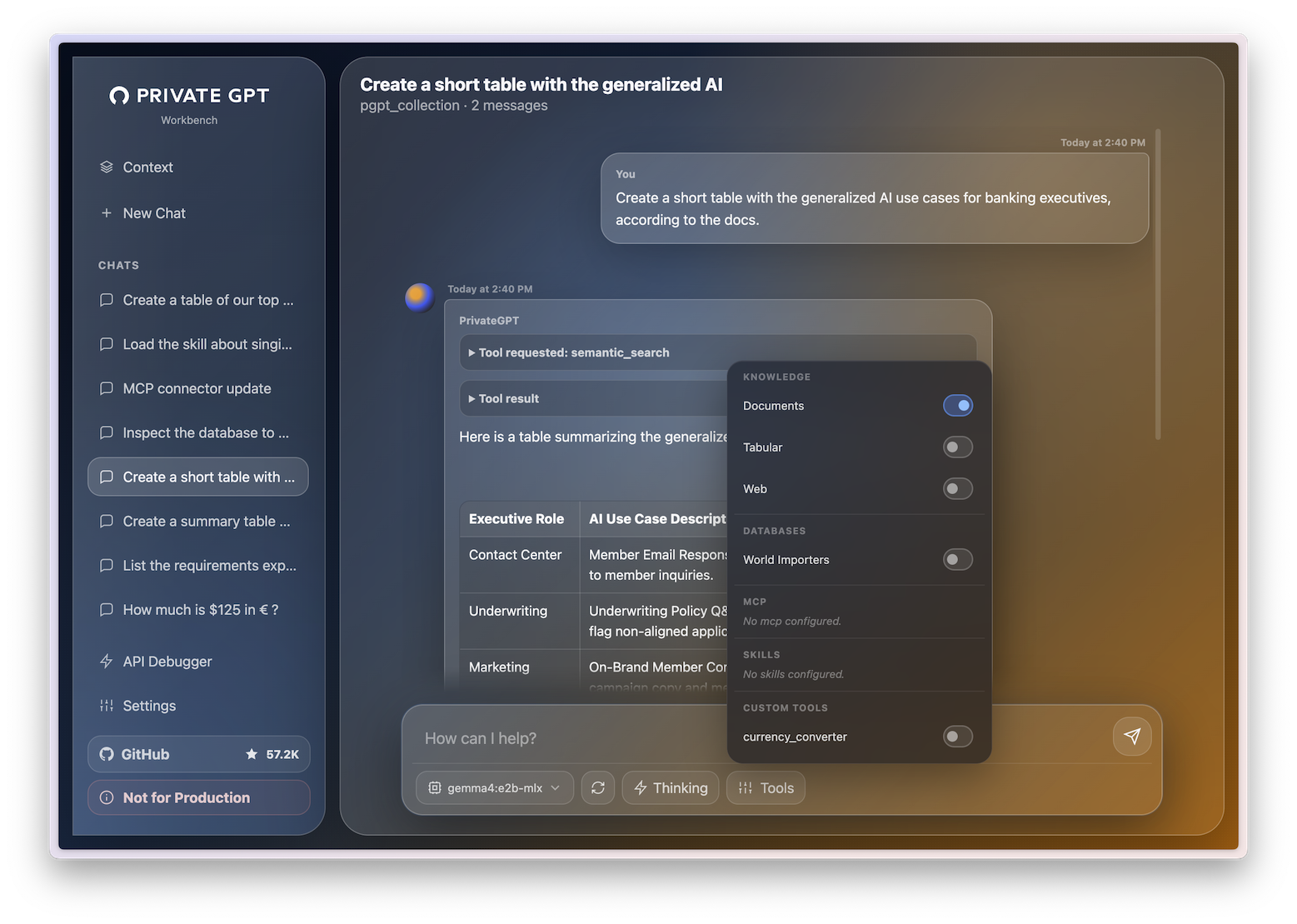
Это не движок инференса: сам он модели не запускает. Он подключается к любому совместимому с OpenAI серверу инференса (например, Ollama, vLLM, LocalAI), который предоставляет /v1/chat/completions и /v1/models, и поверх этого строит API в стиле Claude.Как мне всё это запустить?Установите PrivateGPT, запустите совместимый с OpenAI сервер LLM (проще всего начать с Ollama), затем запустите PrivateGPT и откройте встроенный интерфейс workbench по адресу /ui, чтобы отправлять сообщения, загружать документы и проверять поиск по ним.
Установите PrivateGPT, запустите совместимый с OpenAI сервер LLM (проще всего начать с Ollama), затем запустите PrivateGPT и откройте встроенный интерфейс workbench по адресу /ui, чтобы отправлять сообщения, загружать документы и проверять поиск по ним.Нужен ли мне сервер для инференса до начала работы?Да, нужен отдельно запущенный сервер LLM, совместимый с OpenAI. Для старта рекомендуется Ollama как самый простой вариант.
Да, нужен отдельно запущенный сервер LLM, совместимый с OpenAI. Для старта рекомендуется Ollama как самый простой вариант.Уже ли полностью повторён функционал Claude API?Не полностью: поддержка Skills пока базовая и находится в разработке, кэширование промптов пока не поддерживается, а OAuth и авторизации на уровне организации нет — доступна только авторизация по токенам.
Не полностью: поддержка Skills пока базовая и находится в разработке, кэширование промптов пока не поддерживается, а OAuth и авторизации на уровне организации нет — доступна только авторизация по токенам.Работает ли он на любой ОС или только на Linux-серверах?Это Python-проект с Docker-образом, поэтому его можно запустить на Linux, macOS или Windows, везде, где есть Docker или Python. Инструкции быстрого старта в README и по Docker не ограничивают работу одной ОС.
Это Python-проект с Docker-образом, поэтому его можно запустить на Linux, macOS или Windows, везде, где есть Docker или Python. Инструкции быстрого старта в README и по Docker не ограничивают работу одной ОС.Покидают ли мой компьютер какие-нибудь мои данные?Проект изначально задумывался как работающий офлайн: исходный PrivateGPT позволял общаться с вашими документами полностью офлайн, без передачи данных за пределы вашего компьютера, и этот API-слой сохраняет ту же модель локальной работы.
Проект изначально задумывался как работающий офлайн: исходный PrivateGPT позволял общаться с вашими документами полностью офлайн, без передачи данных за пределы вашего компьютера, и этот API-слой сохраняет ту же модель локальной работы.Чем PrivateGPT отличается от простого запуска Ollama или vLLM?Ollama, vLLM, LocalAI и llama.cpp отвечают на вопрос «как запустить модель?». PrivateGPT отвечает на следующий вопрос: «как построить приложение поверх этой модели?» Модель вы запускаете любым из этих инструментов, а PrivateGPT подключаете к ней.
Ollama, vLLM, LocalAI и llama.cpp отвечают на вопрос «как запустить модель?». PrivateGPT отвечает на следующий вопрос: «как построить приложение поверх этой модели?» Модель вы запускаете любым из этих инструментов, а PrivateGPT подключаете к ней.Какая связь между PrivateGPT и Zylon?PrivateGPT — это API-слой с открытым исходным кодом, который поддерживает команда Zylon. Zylon — это коммерческая сквозная корпоративная платформа, построенная на его основе. Она добавляет встроенный сервер инференса, развёртывание в Kubernetes, RBAC, журналы аудита SIEM и работу без доступа к сети (air-gapped).
PrivateGPT — это API-слой с открытым исходным кодом, который поддерживает команда Zylon. Zylon — это коммерческая сквозная корпоративная платформа, построенная на его основе. Она добавляет встроенный сервер инференса, развёртывание в Kubernetes, RBAC, журналы аудита SIEM и работу без доступа к сети (air-gapped).Чем был PrivateGPT до этой переработки?Он начинался в 2023 году как простой скрипт-прототип для общения с вашими документами полностью офлайн. Проект стал очень популярным и набрал более 50 тысяч звёзд на GitHub. Эта версия — полностью переписанная с нуля API-основа, рассчитанная на промышленную эксплуатацию.
Он начинался в 2023 году как простой скрипт-прототип для общения с вашими документами полностью офлайн. Проект стал очень популярным и набрал более 50 тысяч звёзд на GitHub. Эта версия — полностью переписанная с нуля API-основа, рассчитанная на промышленную эксплуатацию.Какие инструменты могут использовать PrivateGPT как свой локальный ИИ-бэкенд?Claude Desktop/Cowork, Claude for Microsoft 365 (Word/Excel/Outlook/PowerPoint), Claude Code, n8n, OpenCode, OpenClaw, Hermes Agent, VS Code и Cline могут использовать PrivateGPT как локальный бэкенд, совместимый с OpenAI, который подключается без доработок.
Claude Desktop/Cowork, Claude for Microsoft 365 (Word/Excel/Outlook/PowerPoint), Claude Code, n8n, OpenCode, OpenClaw, Hermes Agent, VS Code и Cline могут использовать PrivateGPT как локальный бэкенд, совместимый с OpenAI, который подключается без доработок.What are similar projects?SurfSense, OpenViking, unsloth, claude-context, DB-GPT, Baize, QAnything, LangBot
SurfSense, OpenViking, unsloth, claude-context, DB-GPT, Baize, QAnything, LangBotWhich topics is it in?on-premise, text-to-sql, agentic-rag, ai-tools, embeddings, openai-compatible, local-llm, knowledge-base, ollama, rag, mcp-server, agent
on-premise, text-to-sql, agentic-rag, ai-tools, embeddings, openai-compatible, local-llm, knowledge-base, ollama, rag, mcp-server, agent