471 ·GitHub
What is this?
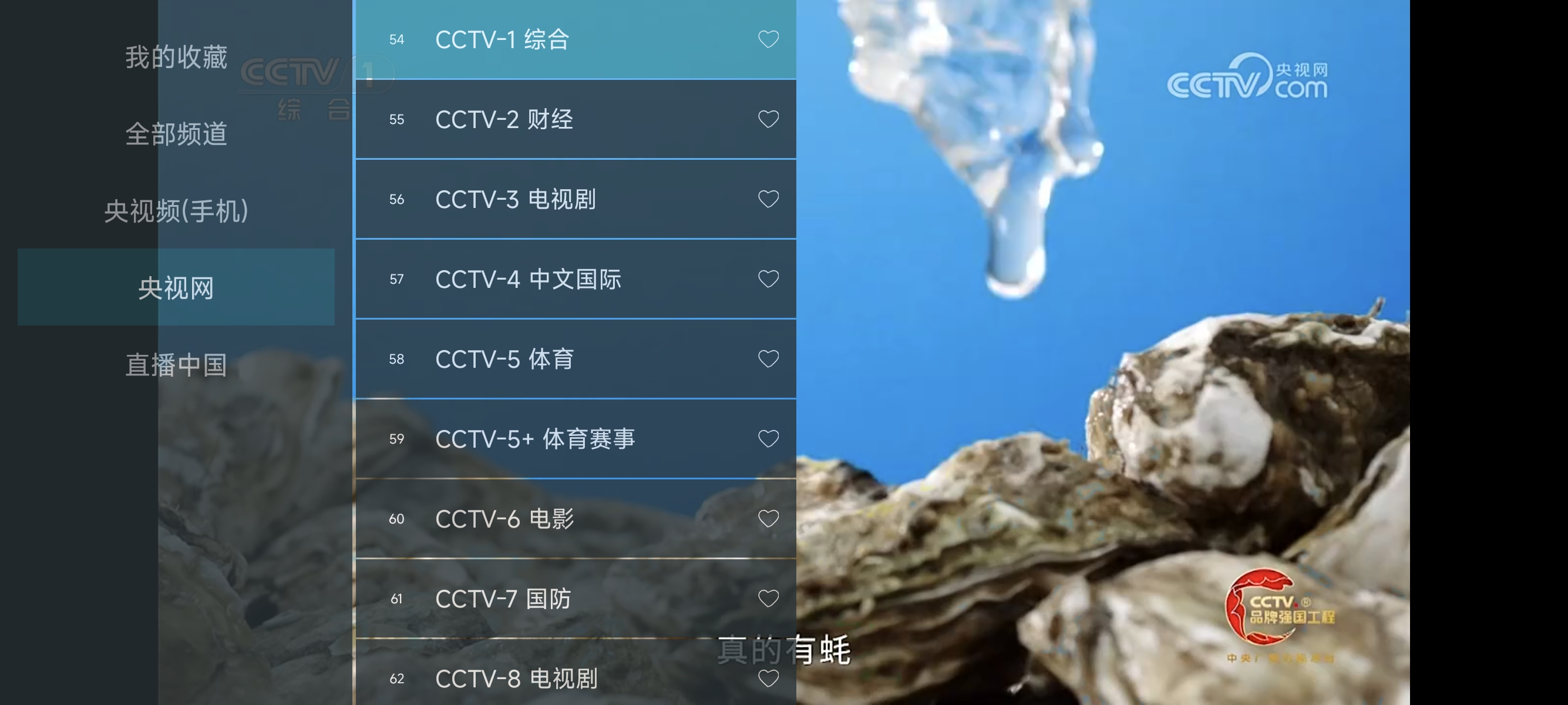
 My TV (我的电视) is a minimalist Android app for watching Chinese TV live streams on phones or Android TVs, with no visible settings, ads, or links, and an auto-updating channel list.
My TV (我的电视) is a minimalist Android app for watching Chinese TV live streams on phones or Android TVs, with no visible settings, ads, or links, and an auto-updating channel list.Is this a native video player or just a wrapper around TV station websites?It is not a traditional stream player; it embeds the official TV stations' public live-stream webpages inside a bundled Firefox-based webview, because many raw IPTV stream sources have stopped working.
It is not a traditional stream player; it embeds the official TV stations' public live-stream webpages inside a bundled Firefox-based webview, because many raw IPTV stream sources have stopped working.What Android version do I need?The app runs on Android 5.0 and above, and it includes its own Firefox v144 webview core so you don't need to manually install or upgrade the system webview or x5 kernel.
The app runs on Android 5.0 and above, and it includes its own Firefox v144 webview core so you don't need to manually install or upgrade the system webview or x5 kernel.Is there a settings menu I can tweak?No, there is intentionally no settings page at all; it's configured exactly the way the author personally uses it, and the author plans to only fix bugs and add device compatibility, not features.
No, there is intentionally no settings page at all; it's configured exactly the way the author personally uses it, and the author plans to only fix bugs and add device compatibility, not features.Does it work the same on a phone and on a TV?Yes, it's designed to work on both phones and Android TVs (and theoretically other Android devices), with remote-control-friendly navigation for TV use.
Yes, it's designed to work on both phones and Android TVs (and theoretically other Android devices), with remote-control-friendly navigation for TV use.How do I control it with a TV remote?Use the up/down keys to switch channels, the menu/center key to open the channel list, and right-click on a channel to favorite or unfavorite it.
Use the up/down keys to switch channels, the menu/center key to open the channel list, and right-click on a channel to favorite or unfavorite it.How fast does a channel actually open?On a Xiaomi 13 phone it opens in about 2 seconds, and on a TV it takes roughly 5 seconds, according to the author's own tests.
On a Xiaomi 13 phone it opens in about 2 seconds, and on a TV it takes roughly 5 seconds, according to the author's own tests.Can I add my own IPTV sources?Yes, besides the built-in sources the app already ships with, you can import a custom source list by checking the source directory in the repo.
Yes, besides the built-in sources the app already ships with, you can import a custom source list by checking the source directory in the repo.What inspired this project?The UI is modeled after the my-tv-0 project, and the playback core is based on WebViewTvLive.
The UI is modeled after the my-tv-0 project, and the playback core is based on WebViewTvLive.What are similar projects?BBLL, my-tv, cloudstream, TVAPP, hongguo-desktop-releases, tvbox, android-airplay-server, LibreTV
BBLL, my-tv, cloudstream, TVAPP, hongguo-desktop-releases, tvbox, android-airplay-server, LibreTVWhich topics is it in?m3u, livestream, android-tv, webview, iptv, tv, player, apk, remote-control, video-player, video-streaming, android-app
m3u, livestream, android-tv, webview, iptv, tv, player, apk, remote-control, video-player, video-streaming, android-app