Zephium is an open-source browser built in Rust on your operating system's own
web engine: WebKit on macOS, the engine Safari uses, and WebView2 on Windows. It
is not a fork of Chromium or Firefox. It blocks ads and trackers natively, runs
Chrome extensions, and puts tasks, notes and your time on the web one click
away. The download is about 30 MB.
One switch away is Work. Your work already happens in the browser, where
your tabs, logins and history are. Work brings agents there instead of asking
you to move somewhere else, and lets you watch them do it.
Work
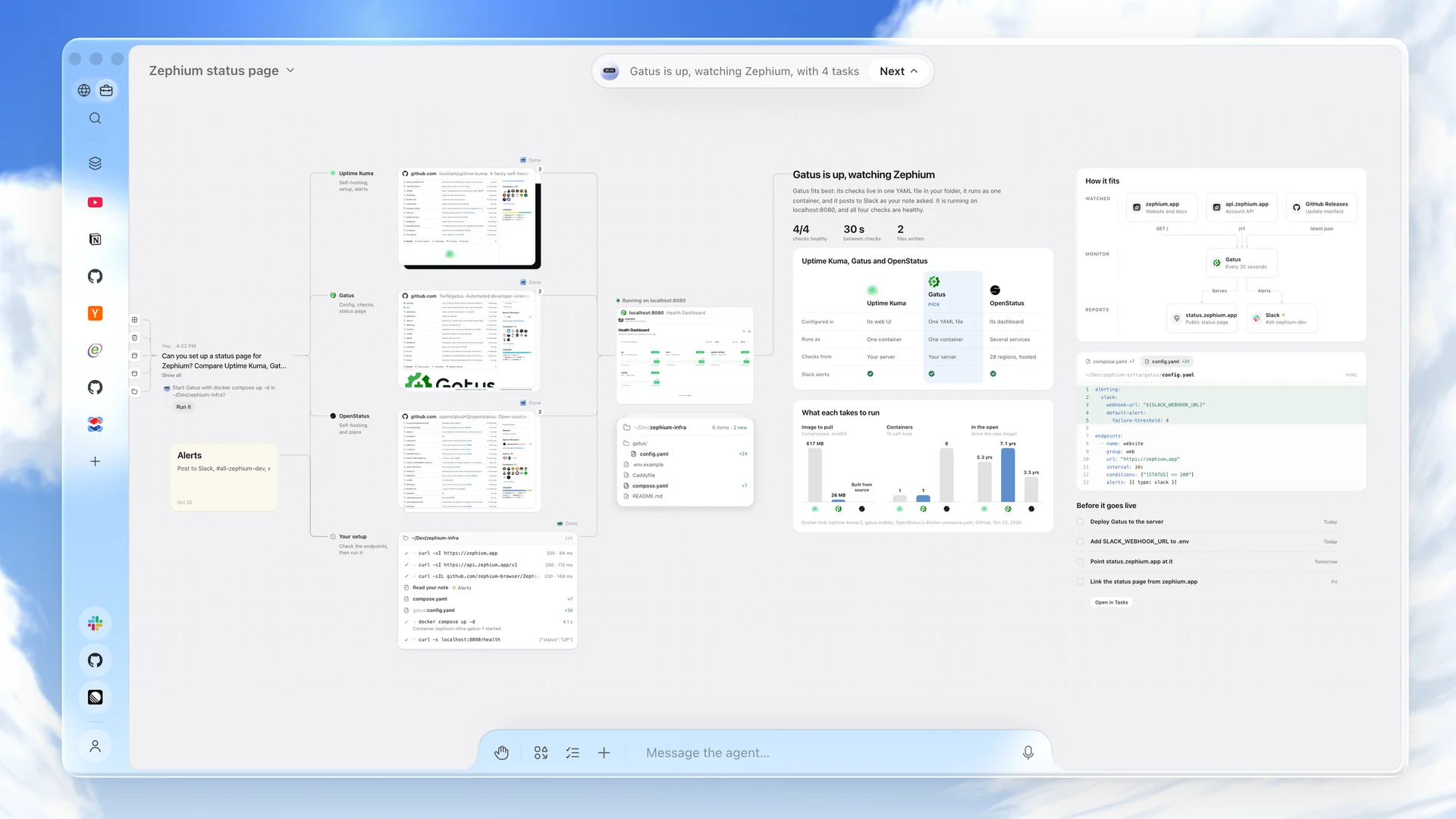
Describe an outcome in your own words: plan a trip, compare vendors, design a
system, fix a bug. Work takes it from there on a canvas, and you see every
step.
Asked for a status page, Work reads three monitors on their own sites, checks your endpoints from your machine, builds the pick, and leaves the comparison, the config and the tasks on the canvas.
It starts from what you already have. Work recalls what it knows about
you, searches your history when it helps, and loads the right skill for the
job. Each step appears on the canvas as it happens.
Helpers work in parallel, in the open. For a trip, one helper looks for
flats while another checks visas and a third compares flights. They browse
live pages you can watch, and any source opens in a pane beside the canvas.
Results stay on the canvas. Comparisons, tables, charts, diagrams, plans,
code and documents are laid out where you can read them. They are not lost in
a chat scroll.
A plan becomes your day. One click turns each step of a plan into a task
linked back to the Work. Anything worth keeping can be saved as a note.
It reaches past the browser. Work reads and edits the folders you grant,
runs commands, and hands larger coding jobs to Claude Code or Codex. It
connects to MCP servers such as Linear, Notion, Sentry, Stripe and Figma, and
to command-line tools such as gh.
You stay in charge. Anything that posts, merges or changes something
waits for your OK.
Bring any model. Use your own keys for Anthropic, OpenAI, Google Gemini,
xAI, Mistral, DeepSeek, Groq, Cerebras or OpenRouter, or run a model locally
through Ollama, LM Studio or any OpenAI-compatible server. Keys live in your
system keychain. Or sign in to Zephium AI and skip the keys: it picks the
right model for each step, and you start with free credits
(pricing).
Work ships with 25 skills, including trip planning, research, compare and
choose, plan my day, fix a bug and weekly status. You can write your own.
Ask Zephium
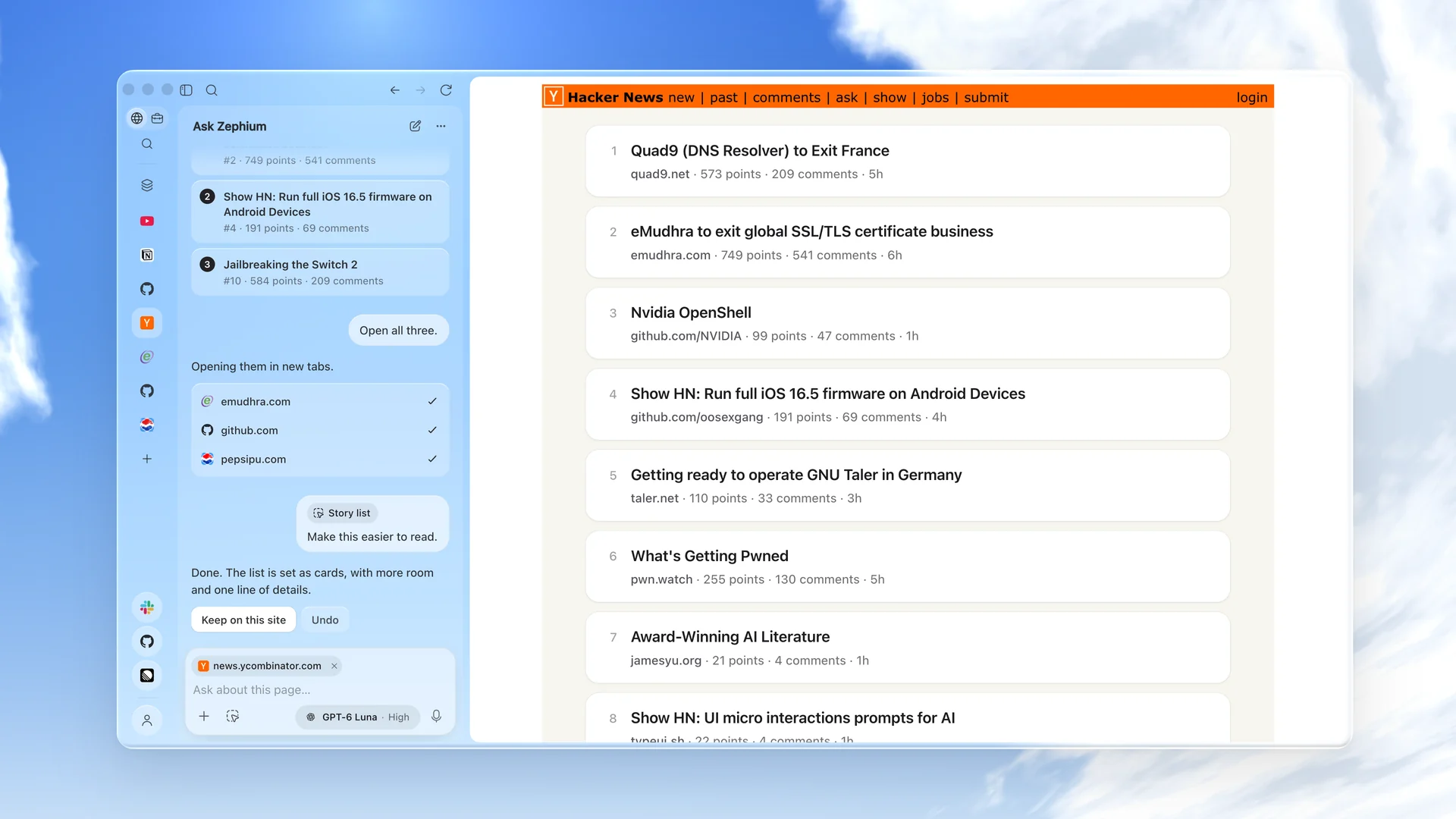
An assistant in the sidebar, on ⌘ E (Ctrl E on Windows). It reads the page
you are on and answers about it, points at what is worth your time, and opens
what you choose in new tabs. Ask it to take a few steps on the page, or to
restyle a site you visit every day, and it does it in place. When a job
outgrows a chat, Continue in Work carries it to the canvas, with the page
along.
Asked what is worth reading, it picks three stories, opens them, and re-sets the front page as calm cards.
Browse
Fast and light
Native WebKit on macOS and WebView2 on Windows, so pages run on the engine
your system already keeps up to date.
Inactive tabs go to sleep and wake when you return, so memory stays low with
many tabs open.
A native ad and tracker blocker, on by default, built on Brave's
adblock-rust with EasyList,
EasyPrivacy and uBlock Origin's filters. Requests are stopped before a page
can make them, and you can
hide anything else on a page with a click.
Designed to live in
A new tab that opens onto the sky, by day or by night with your theme, with
your time, your focus and the day's tasks along its foot.
Vertical tabs in a quiet sidebar, with spaces, profiles, pinned tabs, folders
and split view.
Liquid Glass on macOS 26 and Mica on Windows 11.
A launcher on ⌘ ⇧ Space (Ctrl Shift Space on Windows) reaches tabs,
history, notes and commands from anywhere on your desktop. Anything you type
there can become a task.
Every keyboard shortcut can be changed.
Extensions
Install extensions straight from the Chrome Web Store. Twenty popular ones are
verified to work well in Zephium and are a click away in the extension manager,
including 1Password, Bitwarden, Grammarly, DeepL, Dark Reader, Vimium,
SponsorBlock, Raindrop.io, Notion Web Clipper and Refined GitHub.
Bring everything with you
The welcome flow imports from Chrome, Safari, Arc, Zen, Firefox, Brave and
Edge.
Built in
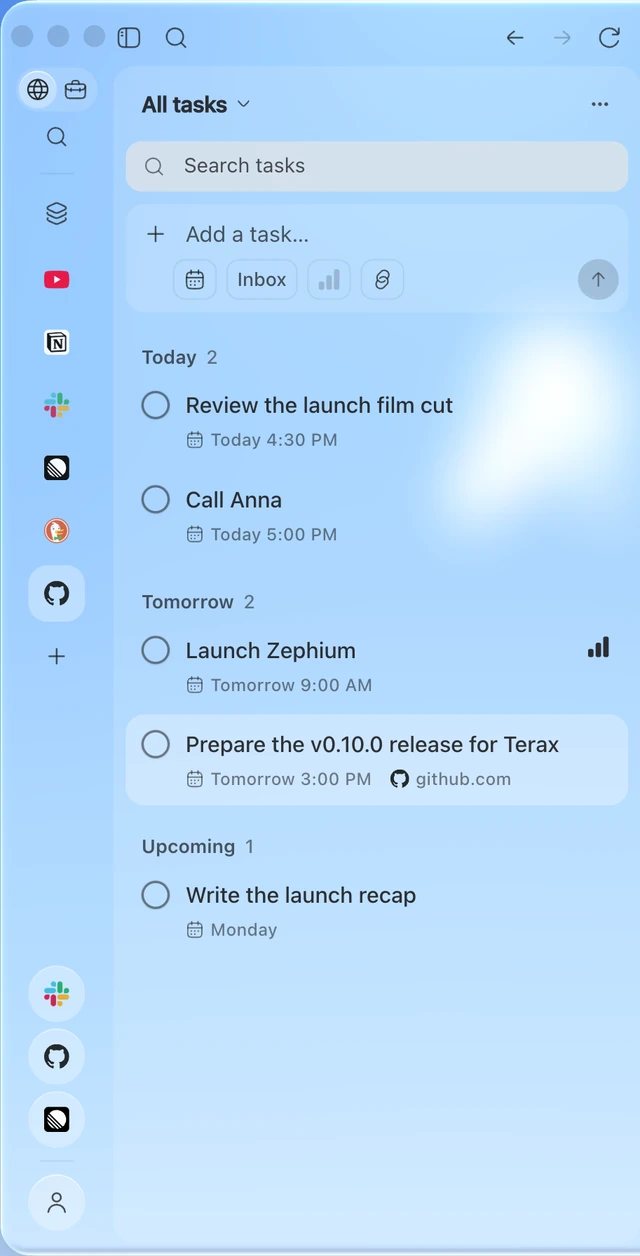
Tasks Write them the way you would say them, like "call Anna tomorrow at 3". Lists, priorities, deadlines, subtasks, and the page you were on stays linked.
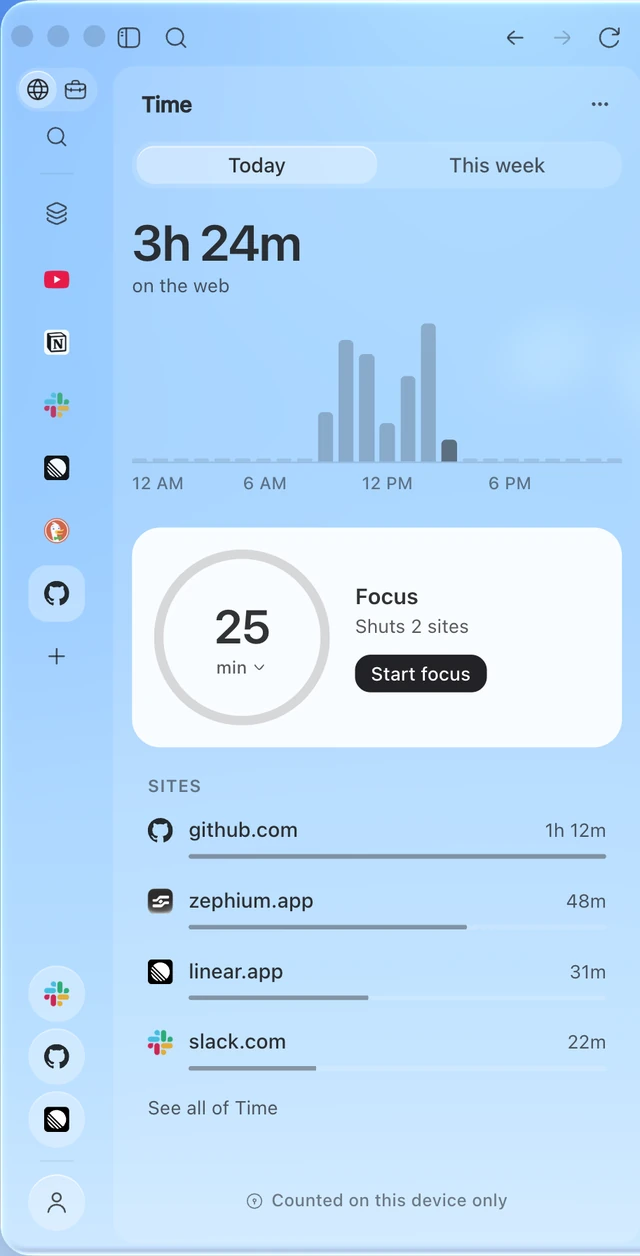
Time See where your time on the web goes, counted on this device only. Start a focus round and the sites you choose stay shut until the break.
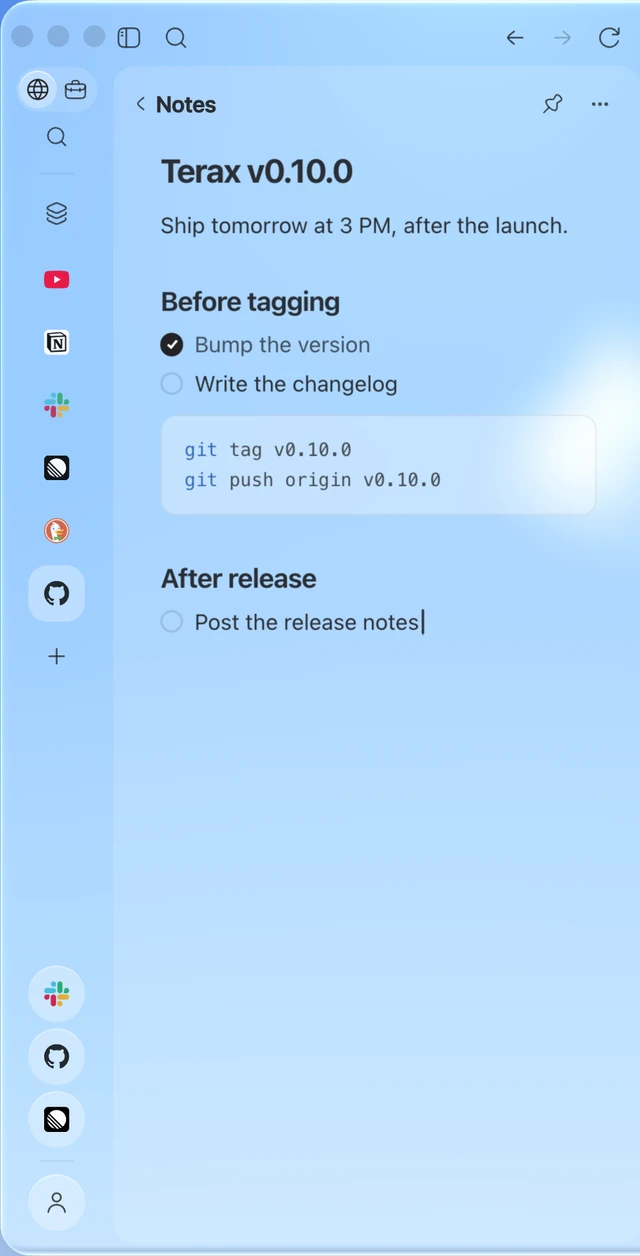
Notes Notes beside the page, each a Markdown file you own. Edits from other apps show up in Zephium.
Private by default
No Zephium telemetry. Zephium has no first-party browsing telemetry.
On Windows, Microsoft Edge WebView2 sends required diagnostic data to
Microsoft; optional diagnostics follow Windows settings. Microsoft Defender
SmartScreen is on by default and can send website addresses and download
information to Microsoft for reputation checks. Settings → Privacy offers
a SmartScreen switch (effective after restarting Zephium) and a link to
Windows diagnostic settings. If Windows cannot apply OFF, the switch is
shown as managed and the browser continues to start. An unavailable startup
preference read keeps SmartScreen on and shows that launch fallback in Settings.
Turning either optional diagnostics or SmartScreen off does not disable required
WebView2 diagnostics. See
Microsoft's WebView2 data and privacy documentation.
No account needed. History, tasks, notes, memory and time live on your
device. An account is only needed for Zephium AI. Update checks, protection
lists and extension services can contact their servers without signing in.
Zephium AI keeps no content. Requests pass through to the model that
answers them. We count usage for your plan, never store prompts, answers or
pages, and never see your card.
The Tauri prerequisites for your
platform: Xcode Command Line Tools on macOS, or the Microsoft C++ Build Tools
and WebView2 on Windows.
git clone https://github.com/zephium-browser/Zephium.git
cd Zephium
pnpm install --frozen-lockfile
pnpm dev
Development builds use their own app.zephium.dev profile, so they do not
touch the data of an installed Zephium. Linux is not supported yet. See
CONTRIBUTING.md before opening a pull request.
Architecture
Untrusted pages run in raw native WebViews, apart from the privileged Svelte
interface that draws the browser.
A Rust core owns tabs, storage, the blocker, extensions and agents.
Each profile has its own isolated website data and Zephium-owned history,
session and favicon data.
The network blocker is native and built on Brave's
adblock-rust.
Narrow in-tree adapters for Tauri and Wry handle storage policy, WebView
construction, callbacks and teardown.
Zephium is maintained by one person with a clear product direction, so please
discuss larger changes before writing them. CONTRIBUTING.md
explains what gets merged and how. Questions and ideas are welcome on
Discord.
Security
Please report vulnerabilities privately, not in a public issue. See
SECURITY.md.
The bundled EasyList and EasyPrivacy filter lists are used under
CC BY-SA 3.0, and uBlock
Origin's filters and quick fixes, unmodified, under
GPL-3.0; see
the notice for attribution.
The Zephium name and logo are not licensed under the MPL.







 Zephium 是一款用 Rust 编写的开源桌面浏览器。它将快速、尊重隐私的浏览体验与名为「Work」的画布结合在一起,让 AI 智能体在画布上公开可见地完成真实任务,例如调研、规划和写代码。