






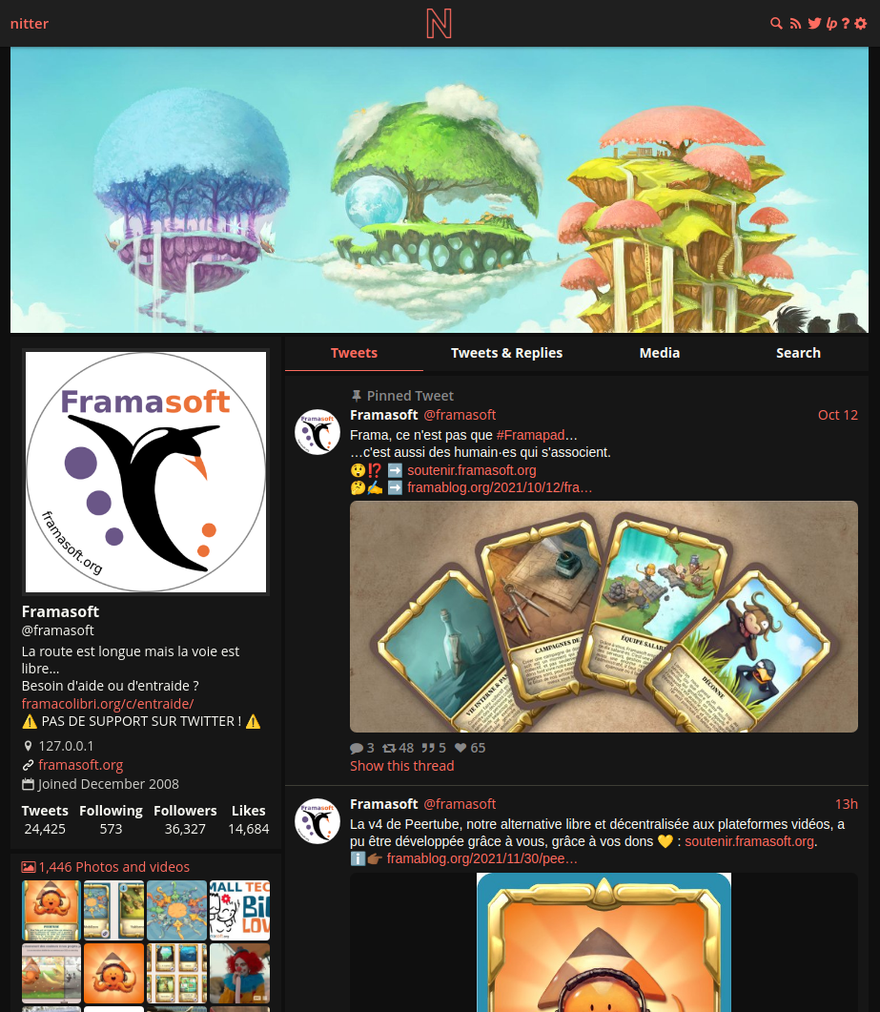
Что это такое?
 Бесплатный альтернативный фронтенд для Twitter с открытым исходным кодом, ориентированный на приватность и производительность — он вдохновлён проектом Invidious. Вы просматриваете Twitter через экземпляр Nitter, а не через twitter.com.
Бесплатный альтернативный фронтенд для Twitter с открытым исходным кодом, ориентированный на приватность и производительность — он вдохновлён проектом Invidious. Вы просматриваете Twitter через экземпляр Nitter, а не через twitter.com.Чем это лучше, чем просто зайти на twitter.com?Работает без JavaScript и без рекламы, а страницы намного легче — примерно в 15 раз легче Twitter, а ленты загружаются в 2-4 раза быстрее. К тому же с 2024 года сам twitter.com без регистрации не работает.
Работает без JavaScript и без рекламы, а страницы намного легче — примерно в 15 раз легче Twitter, а ленты загружаются в 2-4 раза быстрее. К тому же с 2024 года сам twitter.com без регистрации не работает.Как запустить свой экземпляр?Собрать из исходников с помощью Nim или запустить готовый Docker-образ zedeus/nitter:latest (нативные amd64 и arm64). Должен быть запущен Redis или Valkey, настройки хранятся в nitter.conf, а сам Nitter лучше поставить за обратным прокси вроде Nginx или Apache.
Собрать из исходников с помощью Nim или запустить готовый Docker-образ zedeus/nitter:latest (нативные amd64 и arm64). Должен быть запущен Redis или Valkey, настройки хранятся в nitter.conf, а сам Nitter лучше поставить за обратным прокси вроде Nginx или Apache.Что нужно установить заранее?libpcre, libsass (для компиляции SCSS) и Redis для кеширования — рекомендуется форк Valkey, поскольку с 2024 года Redis перестал быть открытым. Для сборки из исходников также нужна установленная Nim.
libpcre, libsass (для компиляции SCSS) и Redis для кеширования — рекомендуется форк Valkey, поскольку с 2024 года Redis перестал быть открытым. Для сборки из исходников также нужна установленная Nim.С учётом всех юридических проблем с X Corp — проект мёртв?Официально нет: репозиторий на GitHub заархивирован, а в августе 2026 года X Corp разослала письма cease-and-desist с требованием навсегда удалить экземпляры Nitter и репозиторий — но проект объявил, что продолжит работу, подробности будут позже.
Официально нет: репозиторий на GitHub заархивирован, а в августе 2026 года X Corp разослала письма cease-and-desist с требованием навсегда удалить экземпляры Nitter и репозиторий — но проект объявил, что продолжит работу, подробности будут позже.Получается, мой браузер вообще не обращается к Twitter напрямую?Нет. Каждый запрос проходит через бэкенд Nitter, поэтому клиент с Twitter не связывается — из-за этого Twitter не может отслеживать ваш IP или снимать отпечаток браузера через JavaScript.
Нет. Каждый запрос проходит через бэкенд Nitter, поэтому клиент с Twitter не связывается — из-за этого Twitter не может отслеживать ваш IP или снимать отпечаток браузера через JavaScript.Есть ли подвох в лицензии?Это AGPLv3: полностью свободная, но проприетарные экземпляры запрещены, так что любое публичное развёртывание должно оставаться открытым.
Это AGPLv3: полностью свободная, но проприетарные экземпляры запрещены, так что любое публичное развёртывание должно оставаться открытым.Мне нужен аккаунт Twitter, чтобы пользоваться Nitter?Нет — Nitter использует неофициальный API Twitter, поэтому аккаунт и учётные данные разработчика не нужны. В планах есть система аккаунтов, чтобы можно было получить чистую хронологическую ленту без регистрации в Twitter.
Нет — Nitter использует неофициальный API Twitter, поэтому аккаунт и учётные данные разработчика не нужны. В планах есть система аккаунтов, чтобы можно было получить чистую хронологическую ленту без регистрации в Twitter.Можно ли пользоваться чужим экземпляром вместо своего?Да. В вики проекта перечислены экземпляры, запущенные сообществом, а также браузерные расширения, которые автоматически перенаправляют ссылки twitter.com на Nitter.
Да. В вики проекта перечислены экземпляры, запущенные сообществом, а также браузерные расширения, которые автоматически перенаправляют ссылки twitter.com на Nitter.Что самое хитрое в настройке через Docker?Файл nitter.conf должен существовать на хосте до подключения — иначе Docker молча создаст вместо него папку, и контейнер упадёт с ошибкой 'not a directory'. При использовании docker-compose также нужно указать redisHost на nitter-redis.
Файл nitter.conf должен существовать на хосте до подключения — иначе Docker молча создаст вместо него папку, и контейнер упадёт с ошибкой 'not a directory'. При использовании docker-compose также нужно указать redisHost на nitter-redis.Есть ли в Nitter поддержка RSS?Да, он умеет отдавать контент Twitter в виде RSS-лент, но они привязаны к конкретному экземпляру, а публичные экземпляры часто отключают их из-за злоупотреблений.
Да, он умеет отдавать контент Twitter в виде RSS-лент, но они привязаны к конкретному экземпляру, а публичные экземпляры часто отключают их из-за злоупотреблений.What are similar projects?invidious, omni-tools, searxng, LibreTranslate, glance, Piped, awesome-privacy, FreshRSS
invidious, omni-tools, searxng, LibreTranslate, glance, Piped, awesome-privacy, FreshRSSWhich topics is it in?x, anti-tracking, alternative, twitter, rss, foss, lightweight, agplv3, privacy-first, proxy, docker-compose, web-app
x, anti-tracking, alternative, twitter, rss, foss, lightweight, agplv3, privacy-first, proxy, docker-compose, web-app