











What is this?
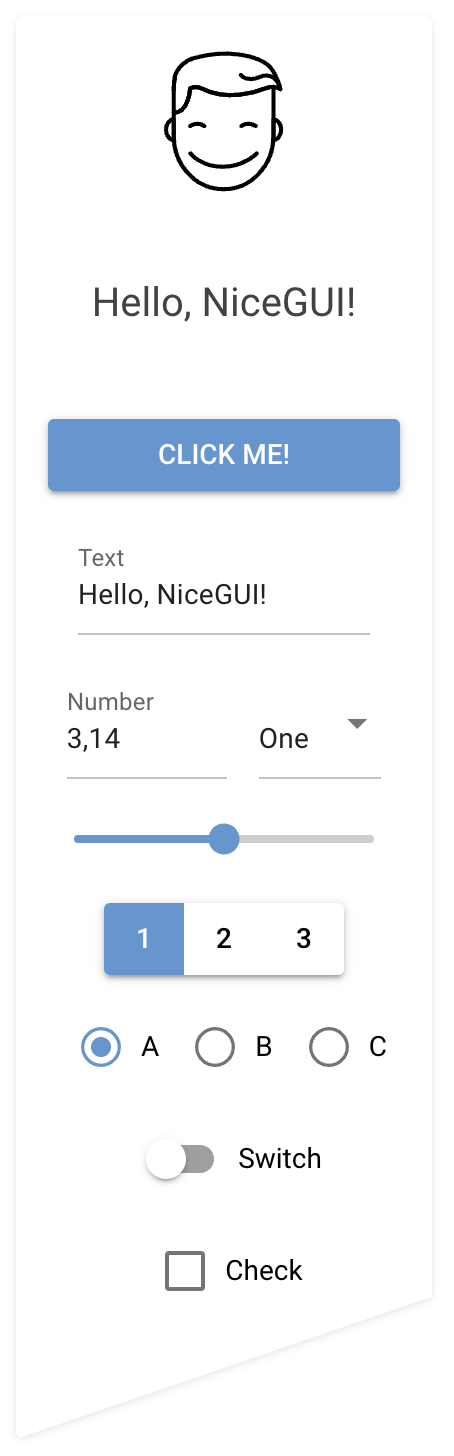
 NiceGUI is an easy-to-use, Python-based UI framework that shows up in your web browser, letting you build buttons, dialogs, 3D scenes, plots, dashboards and more without writing frontend code yourself.
NiceGUI is an easy-to-use, Python-based UI framework that shows up in your web browser, letting you build buttons, dialogs, 3D scenes, plots, dashboards and more without writing frontend code yourself.Do I need to know HTML or JavaScript to use it?No. NiceGUI is backend-first: all UI logic lives in your Python code while the framework handles the web details, running a Python/FastAPI backend with a Vue/Quasar frontend under the hood and syncing over socket.io.
No. NiceGUI is backend-first: all UI logic lives in your Python code while the framework handles the web details, running a Python/FastAPI backend with a Vue/Quasar frontend under the hood and syncing over socket.io.How do I get it running?Install the PyPI package, write your interface in a file like main.py, and launch it with ui.run(); the browser opens automatically and the page reloads whenever you edit the code.
Install the PyPI package, write your interface in a file like main.py, and launch it with ui.run(); the browser opens automatically and the page reloads whenever you edit the code.What do I need installed besides Python?Just Python itself — NiceGUI is distributed as a PyPI package, a Docker image, and on conda-forge, so you can pick whichever fits your workflow.
Just Python itself — NiceGUI is distributed as a PyPI package, a Docker image, and on conda-forge, so you can pick whichever fits your workflow.Does it scale across multiple processes for heavy traffic?NiceGUI intentionally runs on a single uvicorn worker, relying on full async support instead of multi-process synchronization — a deliberate design choice rather than a bug, but something to keep in mind for very high-concurrency deployments.
NiceGUI intentionally runs on a single uvicorn worker, relying on full async support instead of multi-process synchronization — a deliberate design choice rather than a bug, but something to keep in mind for very high-concurrency deployments.Can I turn my app into a desktop app instead of a website?Yes — the same code can run as a webserver accessed through the browser or in native mode, opening as a regular desktop window.
Yes — the same code can run as a webserver accessed through the browser or in native mode, opening as a regular desktop window.What kind of UI elements come built in?Standard elements like labels, buttons, checkboxes, sliders and file upload, plus high-level ones for plotting charts, rendering 3D scenes, virtual joysticks, image annotation, tables, foldable trees, and video/audio embedding.
Standard elements like labels, buttons, checkboxes, sliders and file upload, plus high-level ones for plotting charts, rendering 3D scenes, virtual joysticks, image annotation, tables, foldable trees, and video/audio embedding.Can I use it inside Jupyter notebooks?Yes, NiceGUI runs directly in Jupyter Notebooks and works with Python's interactive mode.
Yes, NiceGUI runs directly in Jupyter Notebooks and works with Python's interactive mode.Does the UI update automatically when my data changes?Yes, it provides straightforward data binding and refreshable functions so the interface updates with less boilerplate code.
Yes, it provides straightforward data binding and refreshable functions so the interface updates with less boilerplate code.What's it good for besides typical web apps?It's aimed at micro web apps, dashboards, robotics projects and smart-home solutions, and is also handy during development for tweaking ML algorithms or tuning motor controllers.
It's aimed at micro web apps, dashboards, robotics projects and smart-home solutions, and is also handy during development for tweaking ML algorithms or tuning motor controllers.What are similar projects?iced, dockge, TradingAgents-CN, reflex, fyne, mygo, profile-summary-for-github, omni-tools
iced, dockge, TradingAgents-CN, reflex, fyne, mygo, profile-summary-for-github, omni-toolsWhich topics is it in?interface, interaction, webapp, gui-framework, website, scripting, toolkit, jupyter-notebook, robotics, async, fastapi, websocket
interface, interaction, webapp, gui-framework, website, scripting, toolkit, jupyter-notebook, robotics, async, fastapi, websocket