




What is this?
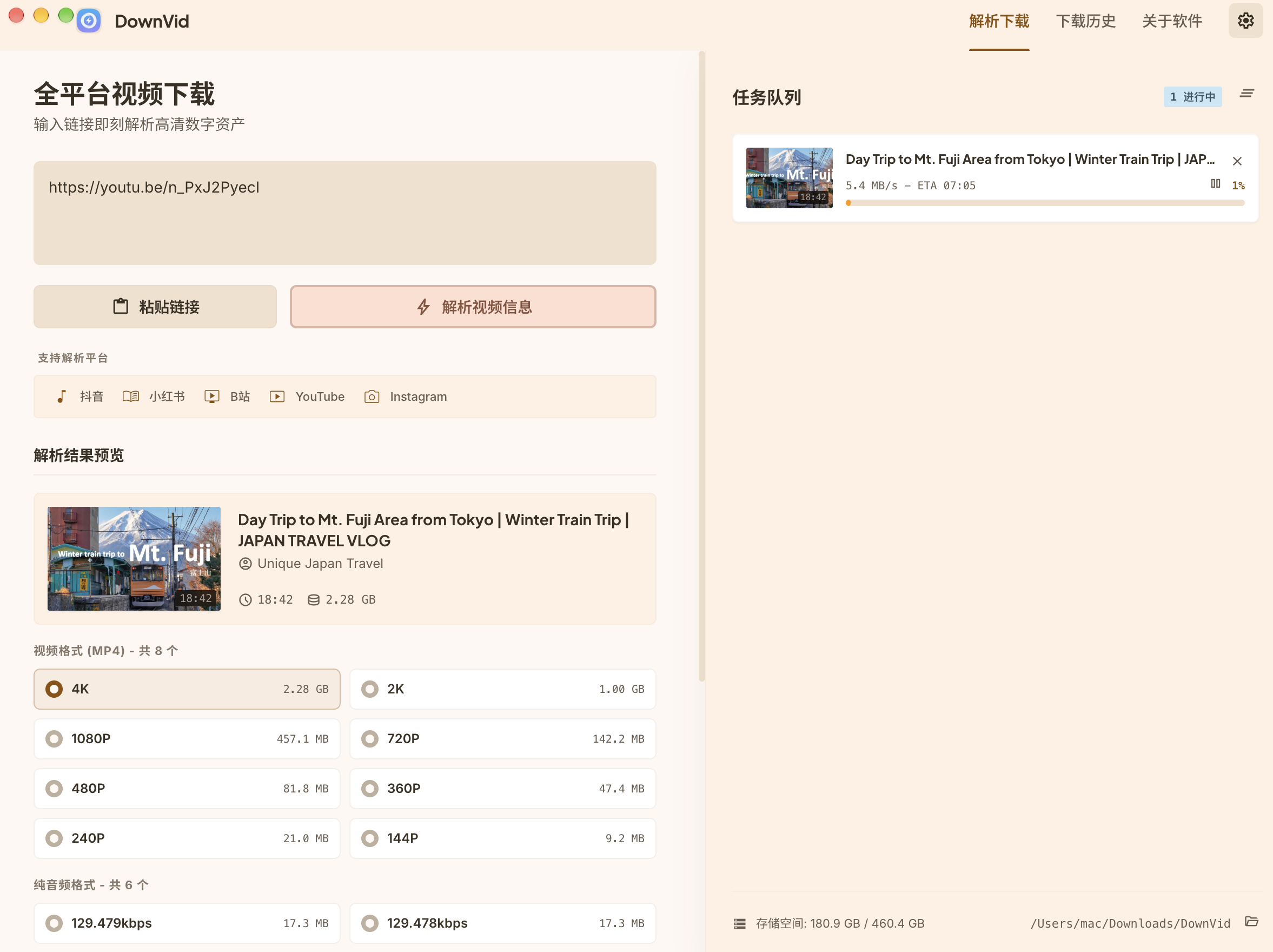
 DownVid is a modern, cross-platform open-source desktop app for downloading videos and audio from YouTube, Bilibili, Douyin, TikTok and 1000+ other sites, without watermarks or ads.
DownVid is a modern, cross-platform open-source desktop app for downloading videos and audio from YouTube, Bilibili, Douyin, TikTok and 1000+ other sites, without watermarks or ads.Is this a standalone downloader or just a GUI wrapper for yt-dlp?It is an Electron desktop GUI that wraps yt-dlp and FFmpeg so you get a clean, native app instead of using the command line directly.
It is an Electron desktop GUI that wraps yt-dlp and FFmpeg so you get a clean, native app instead of using the command line directly.Do I need yt-dlp and FFmpeg installed first?No. DownVid automatically detects copies already on your system, or it can download and manage its own isolated yt-dlp and FFmpeg binaries in-app.
No. DownVid automatically detects copies already on your system, or it can download and manage its own isolated yt-dlp and FFmpeg binaries in-app.Does video downloading always work?No. Many sites require you to be signed in, so you may need to let DownVid read your browser cookies or import a cookies.txt file, and extraction can break when a site changes.
No. Many sites require you to be signed in, so you may need to let DownVid read your browser cookies or import a cookies.txt file, and extraction can break when a site changes.Does it come with ads or tracking?No. It has no bundled third-party junk, no background telemetry and no forced watermarks, and it's fully open-source under MIT.
No. It has no bundled third-party junk, no background telemetry and no forced watermarks, and it's fully open-source under MIT.Does it support fast parallel downloads?Yes - direct downloads use a multi-threaded chunk worker queue (up to 16 threads by default), can optionally use aria2 for multi-connection transfers, and support concurrent HLS/DASH fragment downloading.
Yes - direct downloads use a multi-threaded chunk worker queue (up to 16 threads by default), can optionally use aria2 for multi-connection transfers, and support concurrent HLS/DASH fragment downloading.Which Chinese platforms does it specifically support?Douyin, Xiaohongshu, Kuaishou, Xigua and Bilibili have dedicated built-in parsers, on top of 1000+ international sites like YouTube, TikTok, Instagram, Facebook and X handled through yt-dlp.
Douyin, Xiaohongshu, Kuaishou, Xigua and Bilibili have dedicated built-in parsers, on top of 1000+ international sites like YouTube, TikTok, Instagram, Facebook and X handled through yt-dlp.Is this a brand-new project or based on something else?DownVid started from the Videdown project and has since been substantially modified, refactored and extended by the current maintainer and contributors.
DownVid started from the Videdown project and has since been substantially modified, refactored and extended by the current maintainer and contributors.Does it keep track of what I've downloaded?Yes, it keeps a download history of the last 100 downloads with queue, pause, resume and retry support.
Yes, it keeps a download history of the last 100 downloads with queue, pause, resume and retry support.What are similar projects?res-downloader, rayburst, yoinks, ytDownloader, lux, Ghost-Downloader-3, pickoo-your-favorites, linksift
res-downloader, rayburst, yoinks, ytDownloader, lux, Ghost-Downloader-3, pickoo-your-favorites, linksiftWhich topics is it in?aria2, kuaishou, media-downloader, pinia, youtube-downloader, douyin, download-manager, yt-dlp, video-downloader, bilibili, vue3, material-design
aria2, kuaishou, media-downloader, pinia, youtube-downloader, douyin, download-manager, yt-dlp, video-downloader, bilibili, vue3, material-design