English · 简体中文 · Live demos →
Turn a lesson's claim into an experiment a learner can operate. Predict a result, change a cause, read the effect, and explain a new case.
This is an agent skill, with rendering examples and verification tools. It works with a host application's lesson schema or a standalone HTML figure.
Quick install
Claude Code (available in every project):
git clone https://github.com/ywEdAi/teachable-figures.git ~/.claude/skills/teachable-figures
For one project only, clone into that project's .claude/skills/teachable-figures. Restart Claude Code, then type /teachable-figures or simply describe a teaching task.
Codex:
git clone https://github.com/ywEdAi/teachable-figures.git ~/.codex/skills/teachable-figures
Invoke it with $teachable-figures in a prompt.
Other agents or manual install: download the repository ZIP or the .skill file (a ZIP archive) from the latest release and extract it into the agent's skill directory. If the agent has no skill directory, ask it to read SKILL.md first.
For a Git installation, update with git pull in the install directory. For a ZIP or .skill installation, download the newer archive and replace the installed skill folder; preserve any local customizations first.
Two ways to use it
Guided mode (default). If your project has a learner workspace (see below), the skill reads it first and skips questions it already answers. It then asks one round of at most five questions, each with a recommended answer you can accept with "ok":
- the audience (a teacher or parent presenting, or a self-learner) and who the learner is;
- the claim and misconception;
- standalone HTML or an existing app;
- schematic, detailed or 3D fidelity;
- the planned controls.
For a self-learner it adds 2–4 short diagnostic questions about prerequisites and likely misconceptions, and can propose a small knowledge-point plan. It builds after you confirm the plan.
/teachable-figures Explain to middle-school students why an idler gear
does not change the speed-ratio magnitude.
Direct mode. Say "just build it" or "skip questions", or name the claim, learner, target, and fidelity up front. The skill applies defaults (a self-learner build unless the workspace says otherwise) and lists every assumption, including assumed prior knowledge, in its delivery note.
/teachable-figures Just build it. Explain why adding an idler gear does not
change the final speed-ratio magnitude. Misconception: every extra gear makes
the output slower. Standalone HTML with prediction, one-turn counters, native
controls, reset, and an explanation prompt.
In Codex, write $teachable-figures instead of /teachable-figures.
What it is for, and what it is not for
| Good fit |
Poor fit |
| A mechanism the learner can change and observe: gear ratios, attention masks, cross-section areas |
Data charts, dashboards, or report figures with nothing to predict |
| Structures that need cutting, separating, or rotating: a rocket cutaway, chest organs, garment pleats |
Slide decks, posters, infographics, or static illustrations |
| One claim from a text, one figure per mechanism |
A whole course in one request; pick the mechanisms worth a figure first |
| A teaching model with stated assumptions |
Clinical anatomy, engineering simulation, CAD, or physics-engine accuracy; reconstruction presented as historical fact |
A generated figure is a teaching design. It has not been evaluated with learners.
Learning, not teaching
The skill builds learning exercises and illustrations. Teaching, meaning presenting or lecturing an explanation, stays with the teacher, parent or text. The figure supports what the learner does: predict, operate a cause, notice the effect, and explain it.
Audience changes the build.
|
Teacher or parent (presenter) |
Self-learner |
| Who scaffolds |
You, live: voiceover, questions, pointing |
The artifact |
| Default build |
Large figure, little text, a class prediction prompt, a focus guide you toggle, ordered highlights to step through while talking |
Prior-knowledge probe, misconception-specific feedback, independent practice with supports removed, transfer |
Ask for a teach layer only if you want the figure itself to explain: an ordered look sequence ("look here → you see this; then there → …") tied to what the learner already knows.
Learner workspace. Three Markdown files in a teachable-figures/ folder in your project form a local lookup that any coding agent reads before each lesson and updates after it:
LESSONS.md: every lesson made.LEARNER.md: a learner or class profile, with prior knowledge and observed misconceptions, each with its evidence.LEARNING-PLAN.md: knowledge points, prerequisites and status.
Start from the templates and paste the agent snippet into AGENTS.md or CLAUDE.md. A filled sample shows a self-learner after three lessons. The files hold no names or raw audio, and you can edit or delete anything. See learner workspace.
Learning-science grounding. Every spec answers a checklist covering:
- schema: the existing schema and the change it targets;
- scaffolding and fading;
- cognitive load: one variable first, segmented steps, nothing at the predict stage that gives the answer away;
- attention and signaling: a focus guide per step and ordered highlights;
- dual coding: terms, legends and figure parts linked on hover and focus;
- misconception-targeted feedback.
The principles and sources (Sweller, Mayer, Paivio, Wood, Bruner & Ross, Kalyuga, Chi and others) are in learning design. They are design heuristics, not a guarantee of learning.
Explore fifteen complete examples
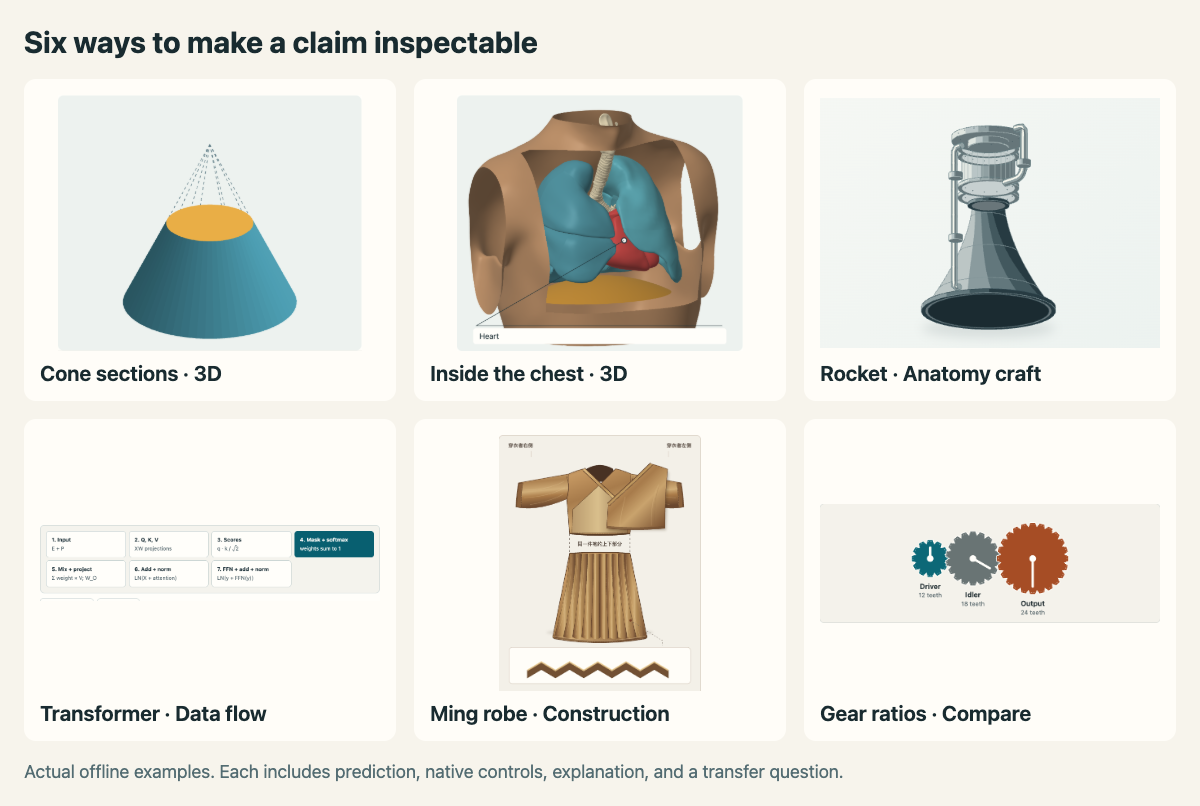
Try all fifteen examples online → No installation required. Each page also runs offline with native controls, reset, an explanation, and a transfer question. Download the example directory for local use. Every page switches between English and Chinese, with the figure on the left and the steps on the right.
New to the skill? Start with How it works: a teachable figure about the skill itself. Hand it requests, see which it declines, and remove a step to see which failures a screenshot never shows.
| Example |
What the learner can inspect |
| Cone sections in 3D |
Rotate a cut cone. Compare linear radius growth with quadratic area growth. |
| Human chest in 3D |
Rotate atlas-sourced human surfaces, open the chest window, and inspect lungs, heart, airways, and a labeled schematic diaphragm. |
| Rocket launch |
Inspect a crafted rocket cutaway and separate its assemblies; compare thrust, pad support, burnout, and coasting. |
| Transformer data flow |
Trace toy vectors through Q/K/V, masking, attention, residual normalization, and FFN stages. |
| A Ming robe |
Inspect overlapping cloth fronts, shaded fold surfaces, and a pleat section, based on a specific museum garment. |
| Gear ratios |
Add an idler and distinguish output-turn magnitude from rotation direction. |
| Ship of Theseus · philosophy |
Replace planks one by one, rebuild a ship from the old ones, and watch matter, continuity, form, and name criteria disagree; then see a copy of a copy lose design information. |
| Entropy · information theory |
Build yes/no question trees and compare average questions with entropy; bundling reports brings the average below one question each. |
| Bayes and base rates · probability |
Count the sick people among the positives in a 1,000-person grid; test again and watch the prior update. |
| Seasons · earth science |
Move the date and latitude; compare noon Sun height, day length, and daily sunlight. Turn the 3D orbit to see the axis keep its direction. Set the tilt to 0 and the seasons vanish. |
| Moon phases · astronomy, 3D |
Turn a 3D Sun–Earth–Moon model beside the view from Earth: the Moon is always half lit, the phase is an angle, and a 5° orbit tilt explains why eclipses are rare. |
| Four-stroke engine · mechanics, 3D |
Turn the crank of a 3D cutaway: valves, spark and timing belt show why the engine fires once every two turns and the camshaft runs at half speed. |
| Dynamic equilibrium · chemistry |
Watch forward and backward rates meet but never stop; isotope tags prove the reaction continues, and Le Chatelier follows from the rates. |
| Natural selection · biology |
Play the bird and watch the dark moth form spread across generations; with no variation, selection has nothing to act on. |
| Price ceiling · economics |
Drag a rent cap and see the shortage and lost surplus; compare the extra losses under highest-value, lottery, and queue rationing. |
The two spatial examples rotate world-coordinate geometry with depth ordering. The chest uses Human Reference Atlas meshes, with a separately authored schematic diaphragm and an inspection window. The rocket is a one-dimensional ideal model, the Transformer uses disclosed toy parameters, and the clothing drawing distinguishes documented facts from reconstruction. The Ship of Theseus shows the structure of each identity criterion without declaring a winner, and the entropy lesson computes every number exactly.
See the original gear-ratio teaching loop
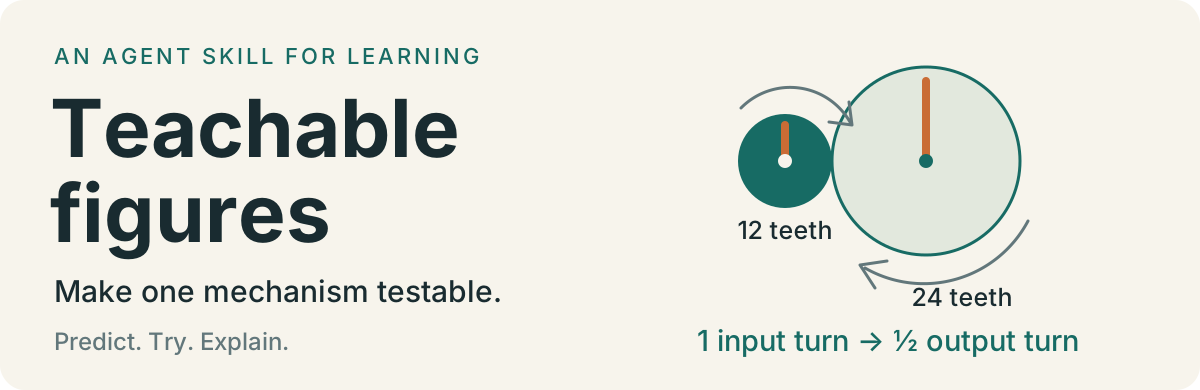
The gear-ratio lesson asks whether an extra idler gear makes the output slower. One input turn produces half an output turn with a 12-tooth driver and 24-tooth output. The idler changes direction while preserving that magnitude.
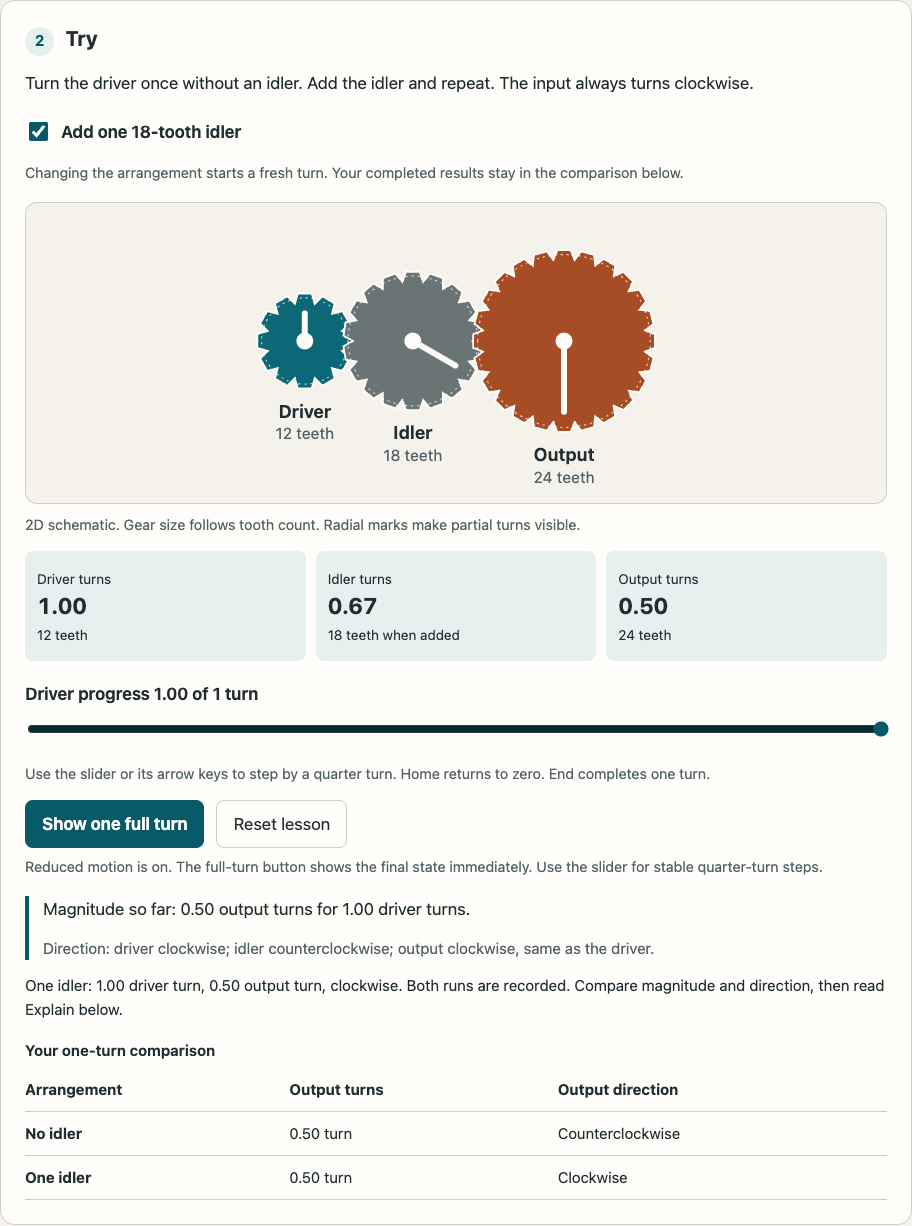
Open the HTML file locally. It runs without a server, framework, or remote assets. The gears are a schematic of an ideal model, not a physical tooth-contact simulation.
Start with the mechanism
The teaching spec names a claim, misconception, cause, observable effect, and truth model before geometry. One model drives motion, readouts, accessible summaries, and explanations.
Choose subject representation first, then the simplest renderer that meets the requested fidelity and interaction. Renderer selection routes iso-figure to functional box-like devices, Anatomy to crafted rigid mechanisms, and organic anatomy/textiles to appropriate source geometry or illustration. The upstream name Anatomy does not imply a medical atlas.
Choose a mode that preserves that representation:
| Mode |
Use it for |
| 2D SVG |
Distributions, curves, state traces, and small processes. |
| Lightweight isometric SVG |
Working keys, switches, drawers, and screens. |
| Mechanical SVG |
Supports, joints, pipes, cutaways, and exploded assemblies. |
| Turning 3D |
Rotation or changing occlusion that explains the concept. |
| Optional WebGL |
Fields such as waves, heat, or light that need it. |
Renderer and mechanism are separate choices. A gear ratio does not need a 3D renderer to teach the ratio.
Review and iteration
The rendering fusion review explains why the initial examples fell short visually and how v0.3.0 separates subject fidelity from renderer complexity. The v0.2.0 report records the earlier geometry fix and five new lessons. The historical October 27 review includes independent UI/UX feedback and pedagogical feedback.
The reviewed revision fixes writing-field shortcut interception in both lightweight examples. It adds native controls and live readouts. The synth also gains reset, mute, input ownership, and a scope that stops when idle, hidden, offscreen, or under reduced motion.
The teaching guidance now distinguishes expected probabilities from random samples, defines the meaningful observation, and asks for a causal explanation plus a transfer case. The pedagogy report contains worked temperature-sampling and idler-gear specs.
The four turning-dial crowding defects are repaired through actual socket and terminal geometry. The full configured 3D audit passes with every failure category at zero. Audit thresholds, exclusions, and the rendering engine remain unchanged. Read the raw full-audit output.
Run the checks
The skill and standalone pages have no package runtime dependencies. Node.js is needed for Anatomy builders. Playwright is a development dependency for the browser checks.
npm ci
npm test
npm run test:browser
The v0.3.0 rendering revision passes 4 model/spec checks and 21 browser cases; both new geometry preparation scripts also regenerate their embedded output. The earlier 12 upstream theme builds are recorded in the v0.2.0 review. To run the slower full turning-dial geometry audit in a temporary copy:
npm run audit:3d
The browser suite uses an installed Google Chrome. Set BROWSER_CHANNEL=chromium to use a Playwright Chromium installation. Builds run in a temporary copy and leave the bundled source unchanged.
Model tests check the ripple solver and interference behavior. Build tests generate six Anatomy examples in both themes. Browser cases check input isolation, native controls, reset, held-note ownership, the five new lessons, layout at 360px and desktop widths, both color schemes, and reduced motion. See the current review for the exact scope and remaining gaps.
Know the limits
- Upstream Anatomy examples are rendering demonstrations. Their automatic tours must be disabled before lesson integration. The fifteen complete lessons do not autoplay.
- The AI English Shift adapter describes a particular host. Inspect its current source before relying on paths, registry shape, or language requirements.
- Passing model and browser checks does not establish learning effectiveness. These figures have not been evaluated with novice learners or a screen reader in this review.
- The full mechanical audit covers the configured turning-dial fixture. The cone and atlas chest have their own checks and selected-view inspection, not an exhaustive mesh-intersection proof. A successful build is insufficient evidence of physical accuracy.
Sources and licenses
This skill fuses the existing teachable-figures teaching workflow with two upstream rendering skills. The teaching workflow contributes the claim, misconception, predict → try → explain loop, reusable configuration, and host integration.
Anatomy is the upstream skill's name; it is a toolkit for explanatory objects, not a medical atlas. This fusion adapts upstream defaults to teaching: no mandatory part count, no autoplay before prediction, readable labels, native controls, reduced motion, and a shared truth model. The repository also includes local geometry fixes, accessibility changes, fifteen complete lessons, and review tools.
See sources and fusion decisions for the contribution boundaries and the source manifest for exact revisions and local adaptations. Scientific and historical references for each lesson appear on its example page.
The README design workflow uses oil-oil/beautify-github-readme. It is documentation tooling, separate from the two bundled rendering skills.
The chest also uses Human Reference Atlas / HuBMAP reference meshes under CC BY 4.0. This is a domain data source, separate from the rendering skills. Asset provenance and alteration details record the fixed revision, source hashes, cropping, packing and recoloring; rebuild instructions accompany the derivative.
Both upstream contributions retain their MIT notices in Anatomy's license and iso-figure's license. Those licenses cover the corresponding contributions.
This repository's own work is dual-licensed: original code (scripts, tests, and the HTML/CSS/JavaScript of the lessons) under the MIT License, and original lesson content (text, illustrations, figures, preview images, and the written guidance in SKILL.md and references/) under CC BY 4.0. You may reuse and adapt both, including commercially; keep the MIT notice with the code and credit "Teachable Figures by ywEdAi" for the content. Bundled third-party material keeps its own license as listed above.
Demo hosting
GitHub Pages serves the gh-pages branch. To publish the current examples/ directory from a clean main checkout:
git subtree push --prefix examples origin gh-pages
Pages redeploys when that branch changes. The demos have no runtime package dependencies; .nojekyll keeps the published HTML unchanged.

 它是一个智能体技能,可以把课程中的一个论断变成学习者能够操作的交互式图示:预测结果、改变原因、观察效果,并解释一个新案例。