superfile is supported by the community.
Demo
Perform common operations
Content
Installation
macOS and Linux
bash -c "$(curl -sLo- https://superfile.dev/install.sh)"
If you want to inspect the script, see : install.sh
Windows
Powershell
powershell -ExecutionPolicy Bypass -Command "Invoke-Expression ((New-Object System.Net.WebClient).DownloadString('https://superfile.dev/install.ps1'))"
If you want to inspect the script, see : install.ps1
winget install --id yorukot.superfile
scoop install superfile
More installation methods
Click me to check on how to install
Build
You can build the source code yourself by using these steps:
Requirements
Build Steps
Clone this repository using the following command:
git clone https://github.com/yorukot/superfile.git --depth=1
Enter the downloaded directory:
cd superfile
For macOS/Linux
Run the build.sh file:
./build.sh
Add the binary file to your $PATH, e.g., in /usr/local/bin:
sudo mv ./bin/spf /usr/local/bin
For Windows
go build -o bin/spf.exe
Edit System Environment Variables and add superfile repo's bin directory to your PATH
Start superfile
spf
Supported Systems
[x] Linux
[x] macOS
[x] Windows (Not fully supported yet)
Tutorial
After you install superfile, you can go here to briefly understand how to use superfile!
Plugins
Click me to the plugins wiki
Themes
Click me to the theme wiki
Hotkeys
[!WARNING] If you are vim/nvim user please change your default hotkeys config to vim version!
Click me to see the hotkey wiki
Notes
We have an auto update functionality, that fetches superfile's latest released version from github (if last timestamp of last version check was less than 24 hours) and prints a prompt to user, if there is a newer version available.
You can turn this off, by setting auto_check_update to false in superfile config. Click me to see the config wiki
Troubleshooting
Click me to see common problem fix
Uninstalling
macOS and Linux
bash -c "$(curl -sLo- https://superfile.dev/uninstall.sh)"
If you want to inspect the script, see : uninstall.sh
Windows
To uninstall superfile on Windows, use this powershell script.
powershell -ExecutionPolicy Bypass -Command "Invoke-Expression ((New-Object System.Net.WebClient).DownloadString('https://superfile.dev/uninstall.ps1'))"
Contributing
If you want to contribute please follow the contribution guide
Click me to see changelog
Thanks
Support
a Star on my GitHub repository would be nice 🌟
You can buy a coffee for me 💖
Core maintainer
We welcome anyone who wants to become a core maintainer. Feel free to reach out!
Contributors
Thanks to all the contributors for making this project even greater!
Powered by
Thanks to JetBrains team for providing open-source licenses to support the maintenance of superfile.
Star History
THANKS FOR All OF YOUR STARS! Your stars are my motivation to keep updating!
༼ つ ◕_◕ ༽つ Please share.








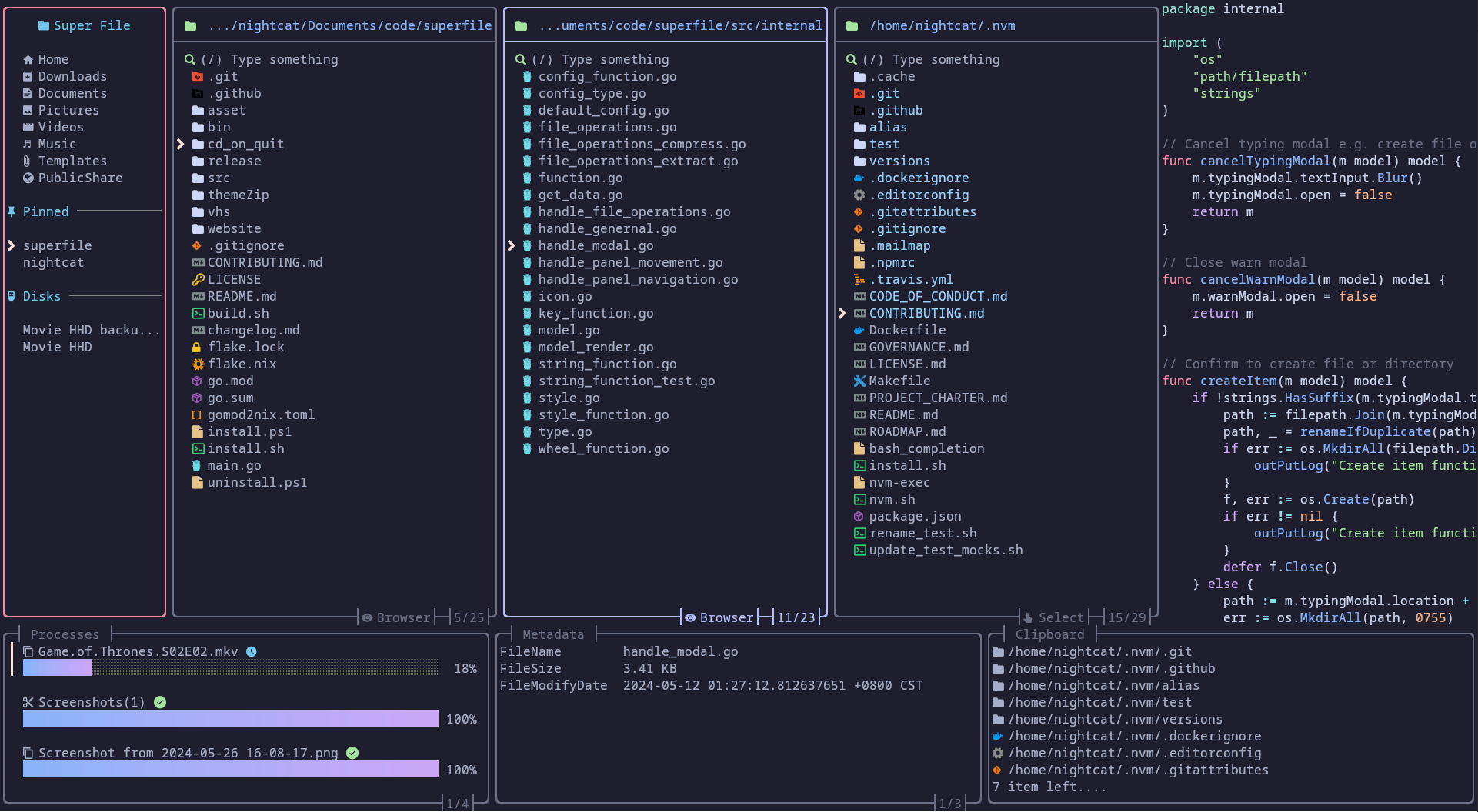



 一个美观现代的终端文件管理器——用 Go 编写的键盘驱动 TUI 应用,可以直接在终端里浏览和管理文件。