 Edit
Edit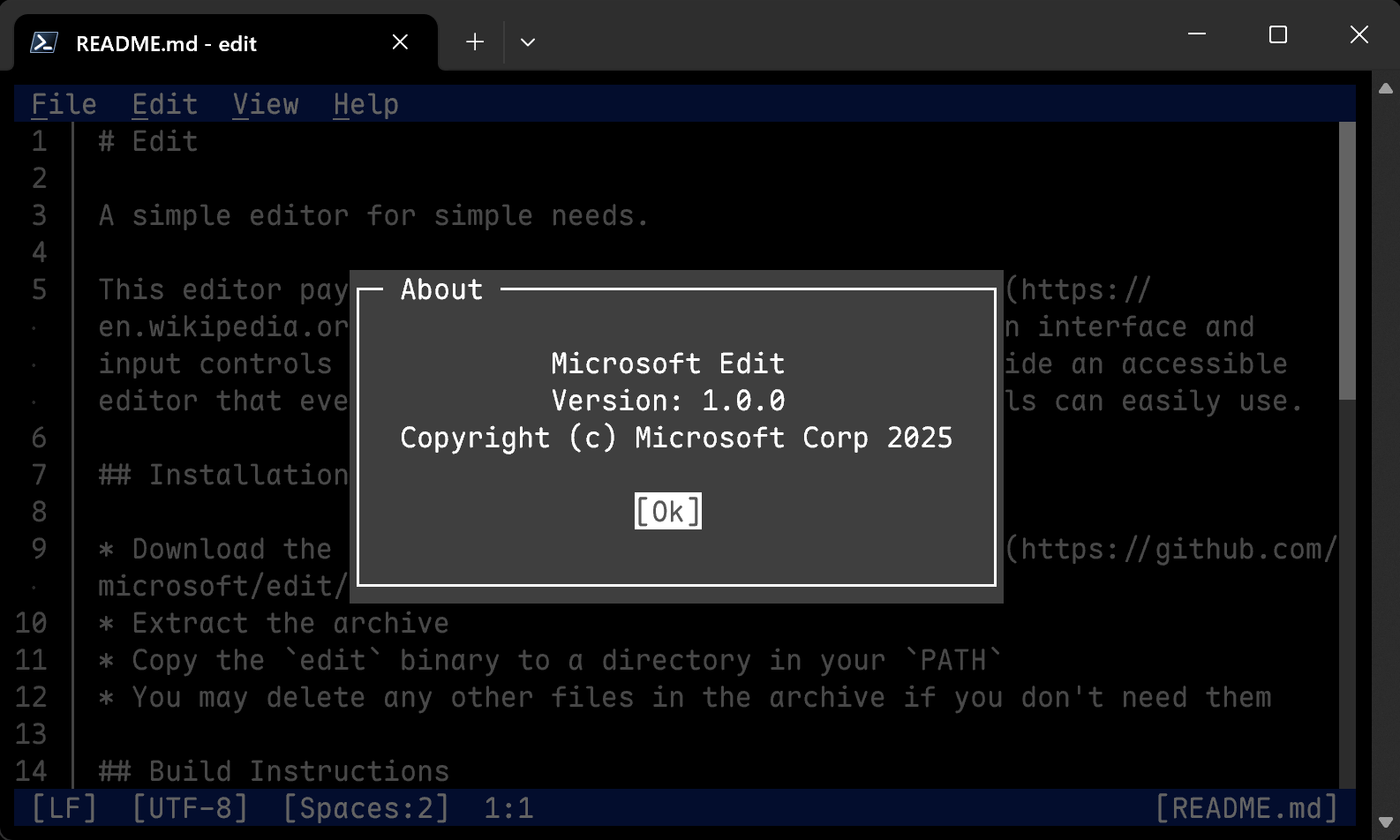

What is this?
 Edit is a small terminal text editor from Microsoft for quick, simple jobs — an homage to the classic MS-DOS Editor, rebuilt with a modern interface and input controls similar to VS Code.
Edit is a small terminal text editor from Microsoft for quick, simple jobs — an homage to the classic MS-DOS Editor, rebuilt with a modern interface and input controls similar to VS Code.Does it live in the terminal or is it a GUI app?It runs in the terminal, but it does not feel like a classic modal terminal editor — the interface and input controls are modeled on VS Code, so it plays like a modern app inside a terminal window.
It runs in the terminal, but it does not feel like a classic modal terminal editor — the interface and input controls are modeled on VS Code, so it plays like a modern app inside a terminal window.What does the Linux install script need on the machine first?Rust (via rustup), a C compiler such as gcc, ICU, plus curl/wget and tar. The script then installs msedit into ~/.local/bin, or you can pass --system to target /usr/local/bin or --dev to build from the main branch.
Rust (via rustup), a C compiler such as gcc, ICU, plus curl/wget and tar. The script then installs msedit into ~/.local/bin, or you can pass --system to target /usr/local/bin or --dev to build from the main branch.Any naming pitfalls after installing?Yes — the canonical executable name is 'edit', which can collide with existing commands, so packages are advised to ship it as 'msedit' instead (names like 'ms-edit' should be avoided) and optionally alias 'edit' to it.
Yes — the canonical executable name is 'edit', which can collide with existing commands, so packages are advised to ship it as 'msedit' instead (names like 'ms-edit' should be avoided) and optionally alias 'edit' to it.I barely know terminal editors — is this realistic for me?That is exactly who it is built for: the stated goal is an accessible editor that users largely unfamiliar with terminals can easily use, with familiar VS Code-style input controls instead of arcane key combinations.
That is exactly who it is built for: the stated goal is an accessible editor that users largely unfamiliar with terminals can easily use, with familiar VS Code-style input controls instead of arcane key combinations.Should I build with nightly Rust instead of stable?Yes — the README recommends setting RUSTCBOOTSTRAP=1 and building with nightly, because that drastically reduces the binary size and slightly improves performance. Stable Rust works fine too if you prefer.
Yes — the README recommends setting RUSTCBOOTSTRAP=1 and building with nightly, because that drastically reduces the binary size and slightly improves performance. Stable Rust works fine too if you prefer.Why does the build care about the ICU library?Search and Replace optionally depends on ICU, and distros name its libraries differently, so maintainers can point the build at the right one with variables like EDITCFGICUUCSONAME and EDITCFGICUI18NSONAME.
Search and Replace optionally depends on ICU, and distros name its libraries differently, so maintainers can point the build at the right one with variables like EDITCFGICUUCSONAME and EDITCFGICUI18NSONAME.Can I trim the build down to only some UI languages?Yes — set the EDITCFGLANGUAGES environment variable to a comma-separated list of languages at build time; the available languages are listed in i18n/edit.toml.
Yes — set the EDITCFGLANGUAGES environment variable to a comma-separated list of languages at build time; the available languages are listed in i18n/edit.toml.What are similar projects?spotify-tui, hexyl, winget-cli, fx, micro, vis, toast, lazygit
spotify-tui, hexyl, winget-cli, fx, micro, vis, toast, lazygitWhich topics is it in?terminal-app, winget, terminal-based, mit-license, text-editor, devtools, foss, microsoft, homebrew, editor, app, i18n
terminal-app, winget, terminal-based, mit-license, text-editor, devtools, foss, microsoft, homebrew, editor, app, i18n