Doll is a Mac app that help you catch up important messages!
In macOS, It feels really great when you hide the Dock, open a full screen window and focus on your task.
But we are not living in an ideal world, your teammates may need your help anytime, and when you are in focus mode, occasionally you just forgot to respond!
Message apps like Mail, Slack and Microsoft Teams don't even offer a menu bar icon at all, so if you're working in a full screen window, or looking at another extra Monitor screen which can't show the Dock, there is no way you will notice the unread messages!

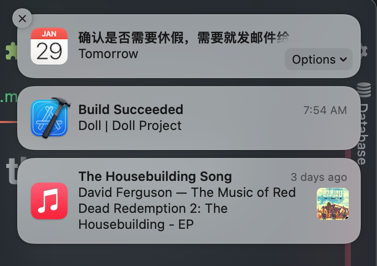
(Sorry the notification center did notice you, but they will soon dismiss after a short period, if you miss that, you miss the message)
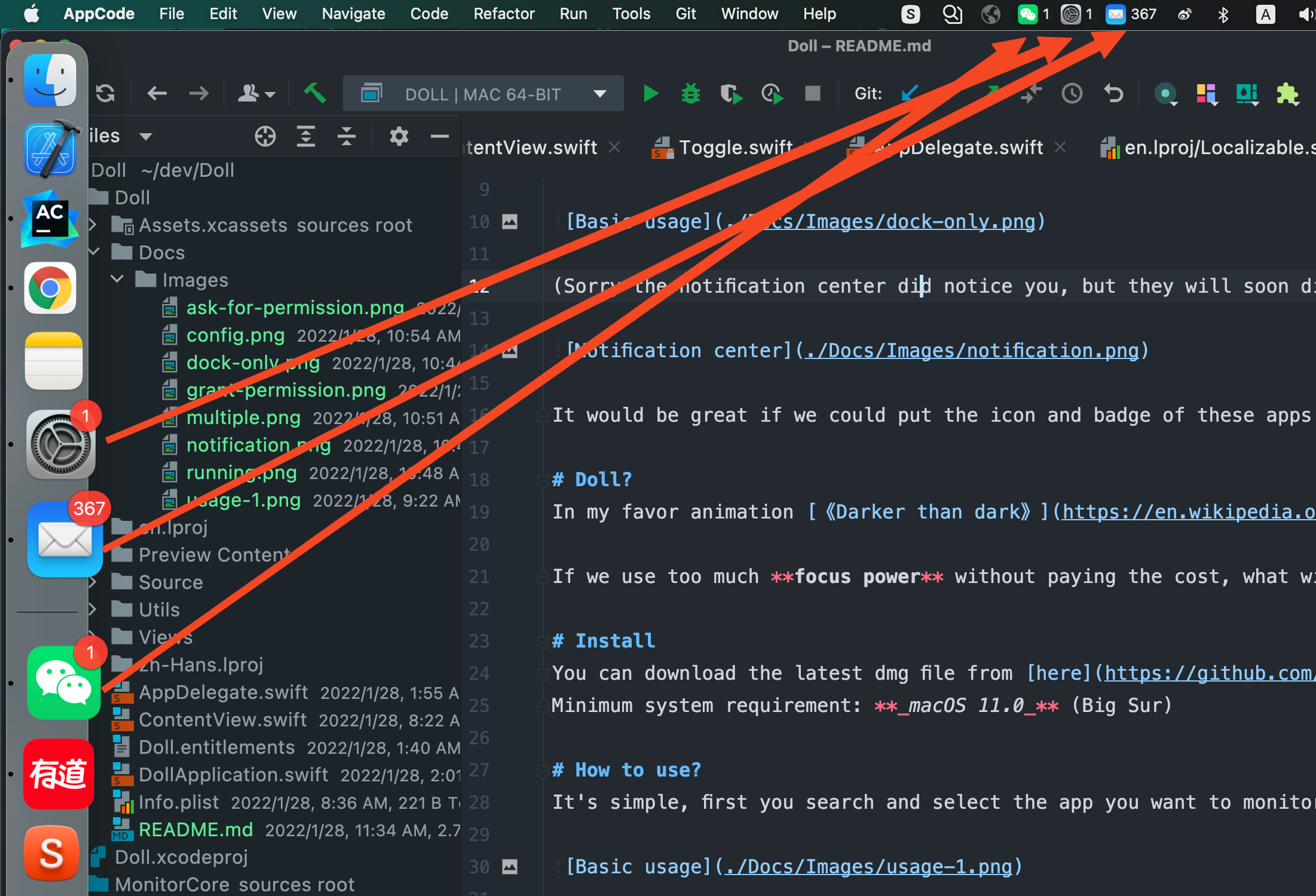
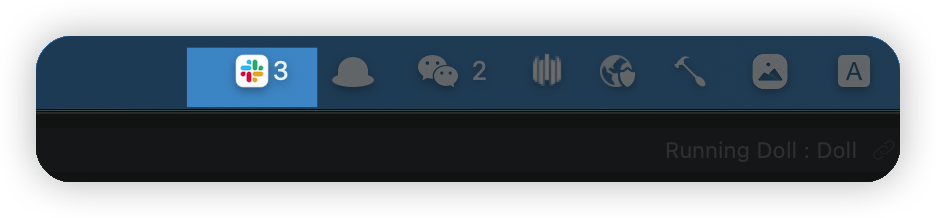
It would be great if we could put the icon and badge of these apps into the Menu bar, that way we can always easily notice new messages across screens, just like this:
Doll?
In my favor animation 《Darker than dark》, if a Contractor use his power and never willing to pay the cost, eventually he will lose control of his power, become an emotionless Doll.
If we use too much focus power without paying the cost, what will we become >>__<<.
Install
You can download the latest dmg file from here
Minimum system requirement: macOS 11.0 (Big Sur)
How to use?
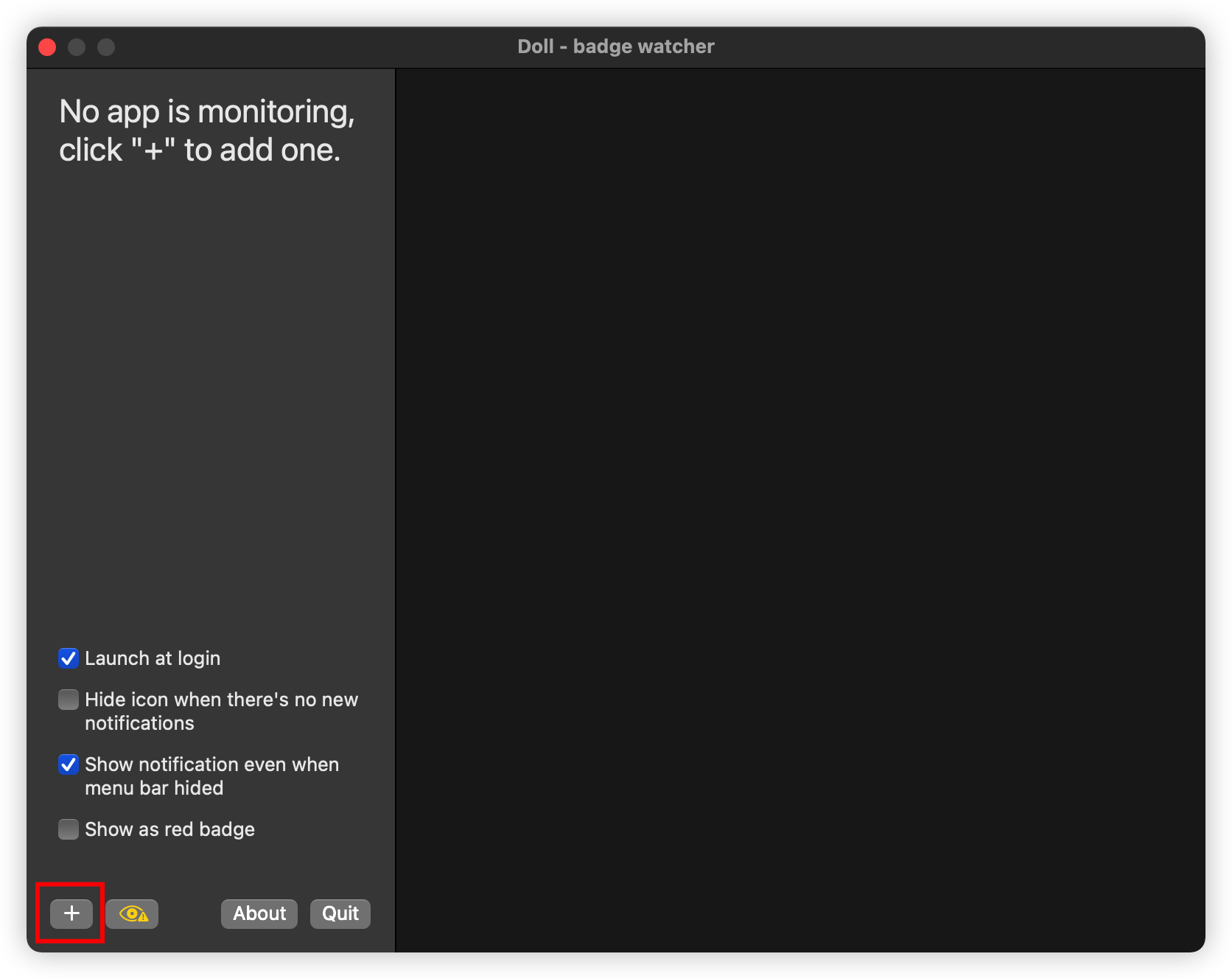
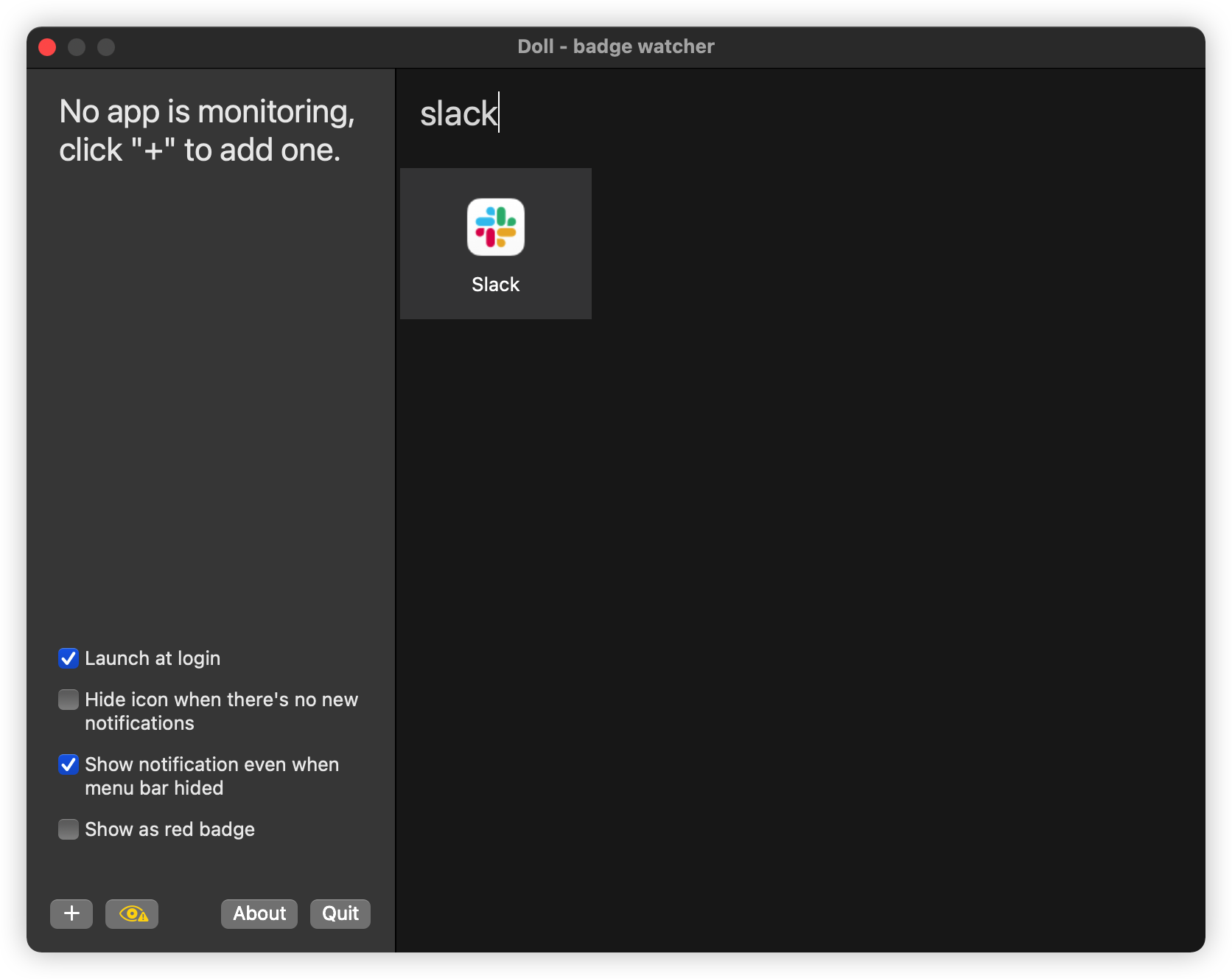
It's simple, click on "+" button at the left bottom corner, search and select the app you want to monitor:
Then Doll will ask for your permission to use the Accessibility API:
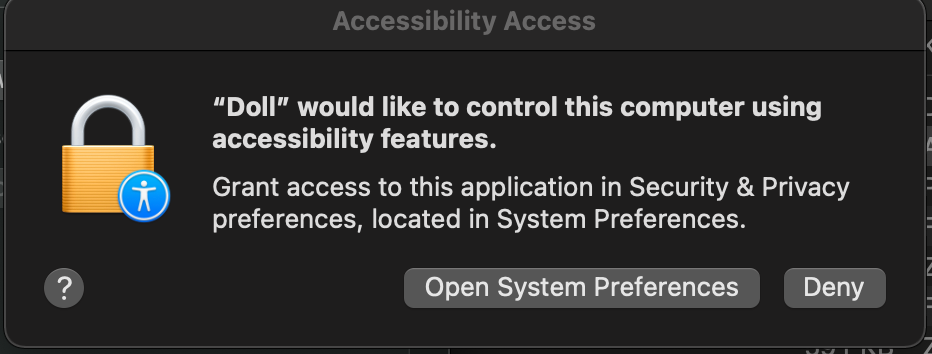
Please make sure you grant that permission to Doll.app otherwise nothing will be monitored!
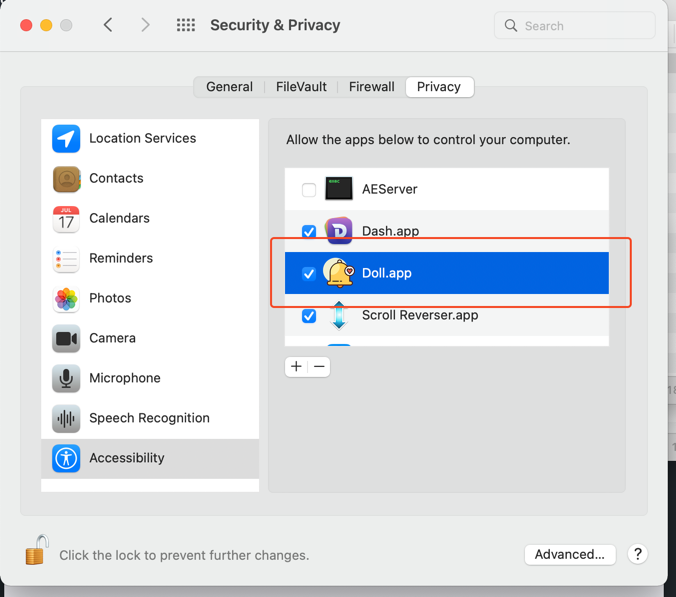
Done, you are all setup!
Doll now will monitor all the badge update in the Dock, and sync the numbers into the menu bar!
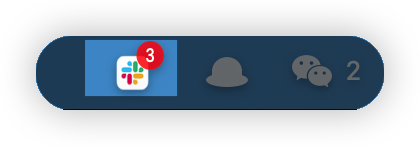
Doll also can show new notification as red badge, just like in dock!
I want to change the Monitor apps
If the monitored app is running, click on the menu bar icon will simply open that app.
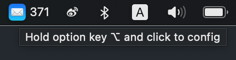
But if you want to change stuffs, use right click, or left click while holding the "Option key(⌥)".
Security concern about the permission?
Never! Ever! Trust! Anybody! in Internet!
Doll is open source, you are free to download, review, modify and compile your own version of the app, go ahead and happy coding~
How the app works?
Doll utils the macOS Accessibility API, it will sync the latest badge text to menu bar from every Monitored app in the Dock element.
Due to the limitation of Accessibility API(Can't watch for element's attribute value change), Doll has to sync badges by every second(Yep, the infamy Polling style).
But don't worry about the performance, after all the synchronization happens only 86400 times per day, and all it does is just read and set few element's text, that's an operation executed less than 1ms!
If you found any potential Bug or Performance issue, feel free to submit a PR!
Love this app?


 Doll 是一款 Mac 应用,它把 Mail、Slack、Teams 这类通讯软件的未读角标常驻显示在 macOS 菜单栏上,这样无论你在哪个屏幕,新消息都能一眼看到。