What is this?
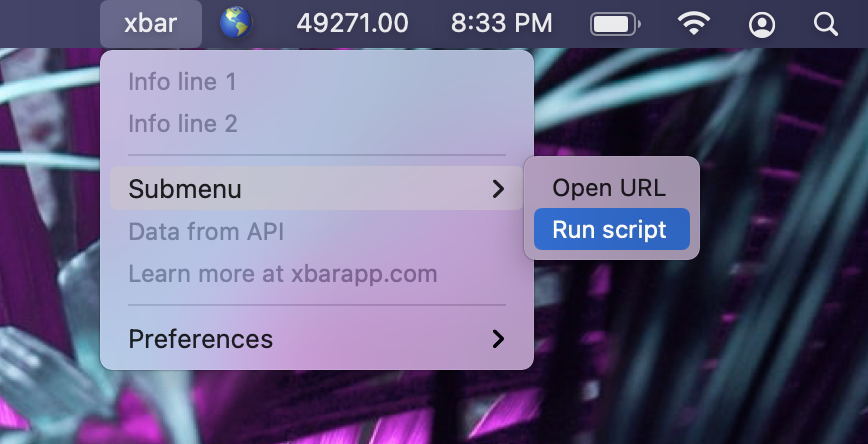
 xbar is a macOS menu bar app that puts the output of any script or program right into your menu bar. It is the reboot of BitBar, completely rewritten from the ground up in Go.
xbar is a macOS menu bar app that puts the output of any script or program right into your menu bar. It is the reboot of BitBar, completely rewritten from the ground up in Go.So is it a Mac app I install, or a command-line tool?It is a desktop app, not a CLI. The current version is a complete rewrite in Go built with Wails, a framework for making desktop apps with Go and HTML/CSS/JS.
It is a desktop app, not a CLI. The current version is a complete rewrite in Go built with Wails, a framework for making desktop apps with Go and HTML/CSS/JS.How do I get it running?Download the latest release from GitHub and run it — no build step. To add plugins, open Preferences > Plugins... in the xbar menu to discover and manage them.
Download the latest release from GitHub and run it — no build step. To add plugins, open Preferences > Plugins... in the xbar menu to discover and manage them.Do I need to install anything else to use it?No. Plugins are just your own scripts or programs in any language, and xbar simply displays whatever they print.
No. Plugins are just your own scripts or programs in any language, and xbar simply displays whatever they print.Do I need to know how to code to use it?Not for the basics: ready-made plugins can be installed straight from the online repository. Writing your own takes only basic scripting, and there is an official guide.
Not for the basics: ready-made plugins can be installed straight from the online repository. Writing your own takes only basic scripting, and there is an official guide.Which macOS versions does it support?macOS only — it lives in the menu bar — and requires Catalina (10.15) or newer.
macOS only — it lives in the menu bar — and requires Catalina (10.15) or newer.Where do plugins live on disk, and what about my old BitBar ones?Plugins are plain files in ~/Library/Application Support/xbar/plugins. If you are coming from BitBar, just move your old plugins into that folder to install them.
Plugins are plain files in ~/Library/Application Support/xbar/plugins. If you are coming from BitBar, just move your old plugins into that folder to install them.Is there a collection of ready-made plugins?Yes — there is an online plugin repository you can browse, plus an official guide to writing your own plugins if nothing there fits.
Yes — there is an online plugin repository you can browse, plus an official guide to writing your own plugins if nothing there fits.Who rebuilt BitBar as xbar?Mat Ryer (@matryer) and Lea Anthony (@leaanthony) rewrote it from the ground up in Go, using Wails — their framework for building desktop apps with Go and web technologies.
Mat Ryer (@matryer) and Lea Anthony (@leaanthony) rewrote it from the ground up in Go, using Wails — their framework for building desktop apps with Go and web technologies.What are similar projects?Doll, OpenYoink, BetterDisplay, window-sweaters, FineTune, dimble, Mouser, macos-sysdata
Doll, OpenYoink, BetterDisplay, window-sweaters, FineTune, dimble, Mouser, macos-sysdata