






What is this?
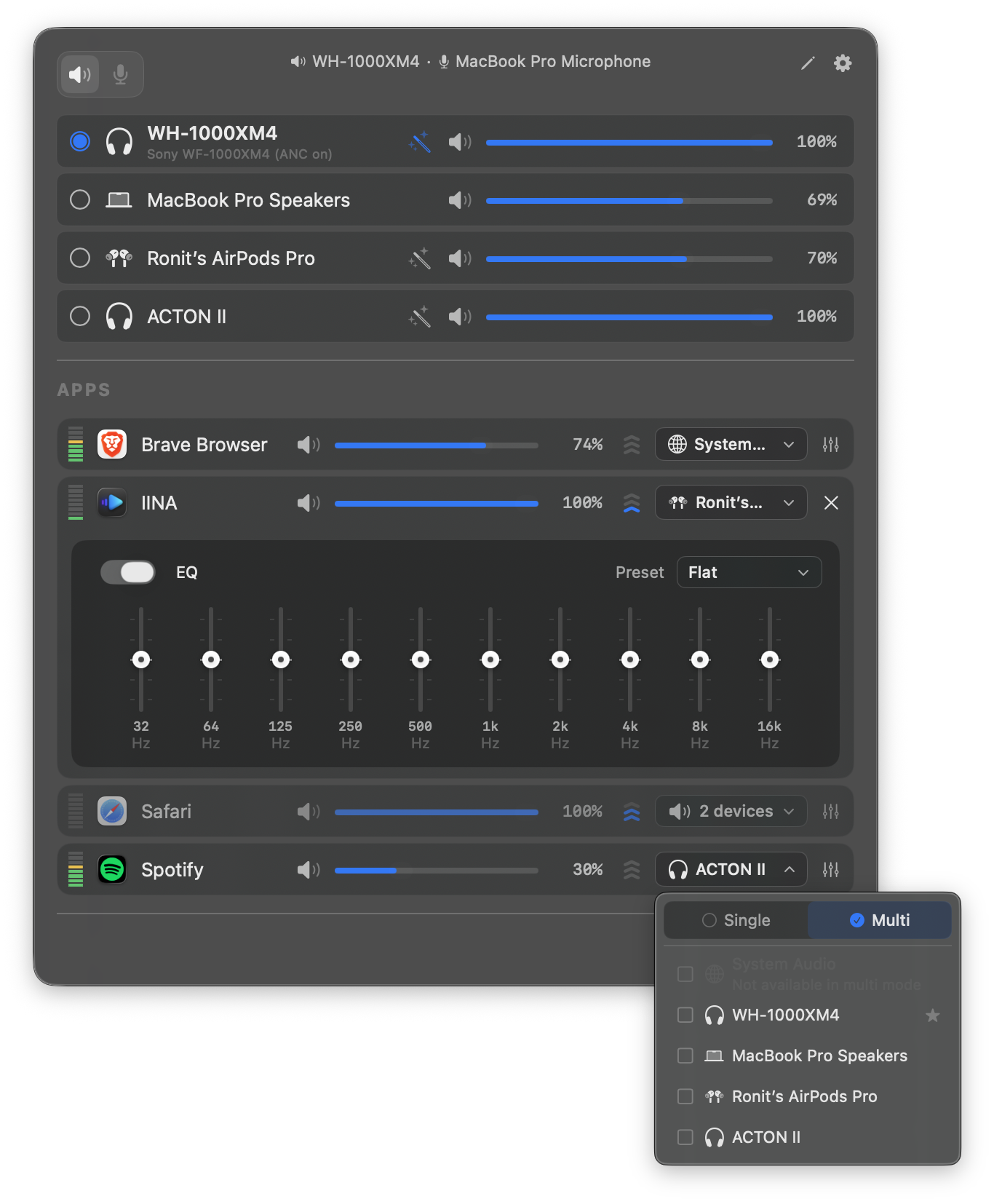
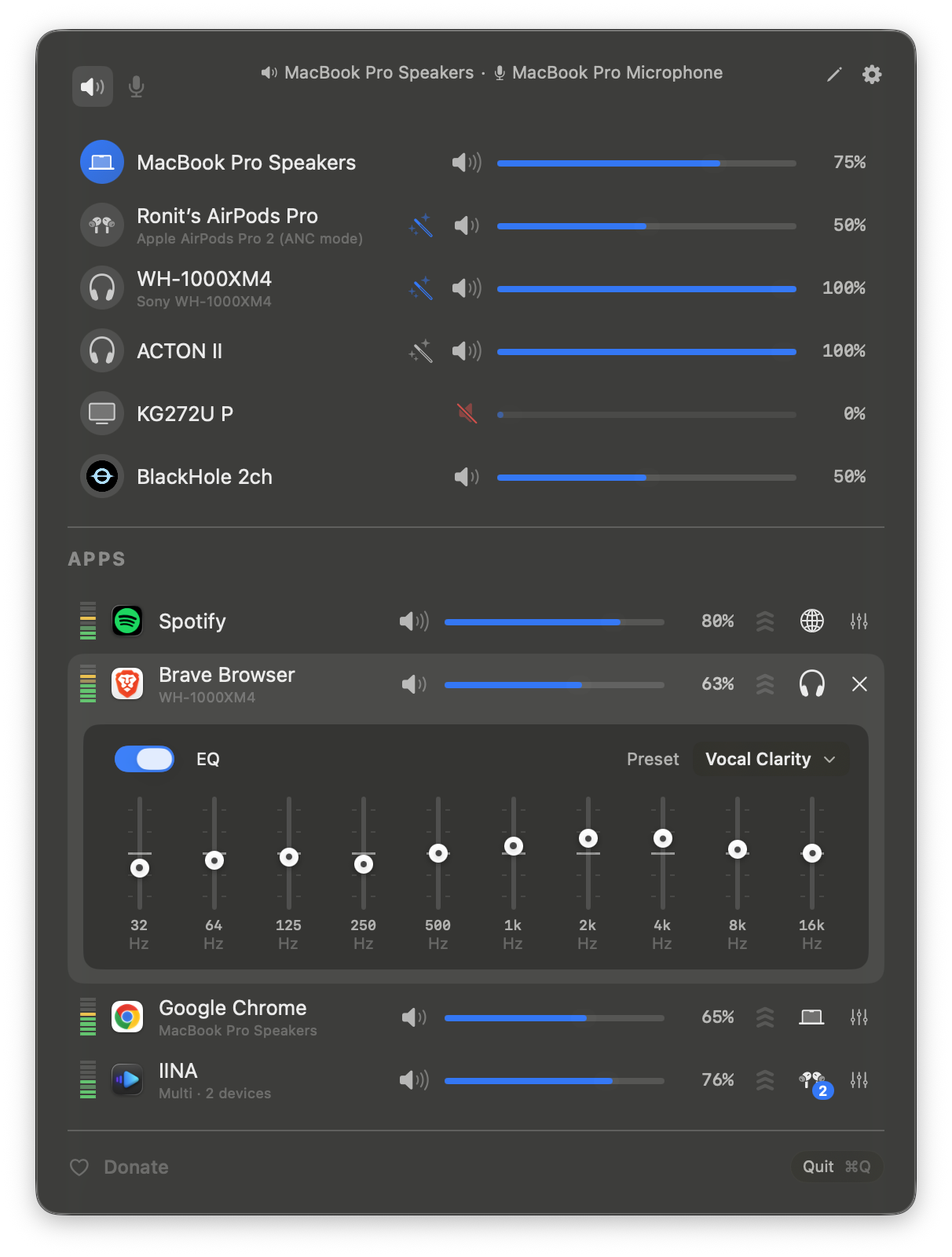
 FineTune is a free, open-source macOS menu bar app for sound control: per-app volume with up to 4x boost, audio routing to multiple output devices, and a 10-band EQ with headphone correction — pitched as an alternative to SoundSource.
FineTune is a free, open-source macOS menu bar app for sound control: per-app volume with up to 4x boost, audio routing to multiple output devices, and a 10-band EQ with headphone correction — pitched as an alternative to SoundSource.How do I get it running?Install via Homebrew (recommended) or download the latest release manually, launch it from Applications, and grant the Screen & System Audio Recording permission. Apps playing audio then appear automatically in the menu bar popup.
Install via Homebrew (recommended) or download the latest release manually, launch it from Applications, and grant the Screen & System Audio Recording permission. Apps playing audio then appear automatically in the menu bar popup.Which macOS version do I need, and anything else?macOS 15.0 (Sequoia) or later is the only stated requirement, plus the audio-capture permission it asks for on first launch. Nothing else needs to be installed.
macOS 15.0 (Sequoia) or later is the only stated requirement, plus the audio-capture permission it asks for on first launch. Nothing else needs to be installed.Does volume control actually work on every DAC and HDMI output?Mostly — FineTune auto-picks hardware, DDC, or software volume per device. If a hardware slider doesn't really change the level, a known USB DAC/HDMI problem, you can force software volume from the device inspector and it remembers per device.
Mostly — FineTune auto-picks hardware, DDC, or software volume per device. If a hardware slider doesn't really change the level, a known USB DAC/HDMI problem, you can force software volume from the device inspector and it remembers per device.Is it really free, or is there a catch?It is GPL v3, and the README promises it stays free and open source forever; the only ask is an optional buy-me-a-coffee donation.
It is GPL v3, and the README promises it stays free and open source forever; the only ask is an optional buy-me-a-coffee donation.Why does it need the Screen & System Audio Recording permission?On macOS, capturing per-app audio requires that permission, so FineTune asks once on first launch. If you do not want it touching certain apps, the Ignore apps option fully disengages them and tears down the audio tap.
On macOS, capturing per-app audio requires that permission, so FineTune asks once on first launch. If you do not want it touching certain apps, the Ignore apps option fully disengages them and tears down the audio tap.Can I automate it from scripts or Shortcuts?Yes — URL schemes cover volume, mute and device routing, and the docs mention driving FineTune from Terminal, Shortcuts, or Raycast.
Yes — URL schemes cover volume, mute and device routing, and the docs mention driving FineTune from Terminal, Shortcuts, or Raycast.Why build this when SoundSource exists?The README's own pitch: FineTune does per-app volume, multi-device routing, and EQ with headphone correction as a free, open-source GPL app living in the menu bar.
The README's own pitch: FineTune does per-app volume, multi-device routing, and EQ with headphone correction as a free, open-source GPL app living in the menu bar.What are similar projects?dimble, Ice, macos-sysdata, OpenYoink, vorssaint-utils, BetterDisplay, tendedero, rooms
dimble, Ice, macos-sysdata, OpenYoink, vorssaint-utils, BetterDisplay, tendedero, roomsWhich topics is it in?menubar-app, menubar, audio-processing, menu-bar, swiftui, macos-app, audio, swift, utility, gplv3, productivity, gui
menubar-app, menubar, audio-processing, menu-bar, swiftui, macos-app, audio, swift, utility, gplv3, productivity, gui