
27.4K ·GitHub
Что это?
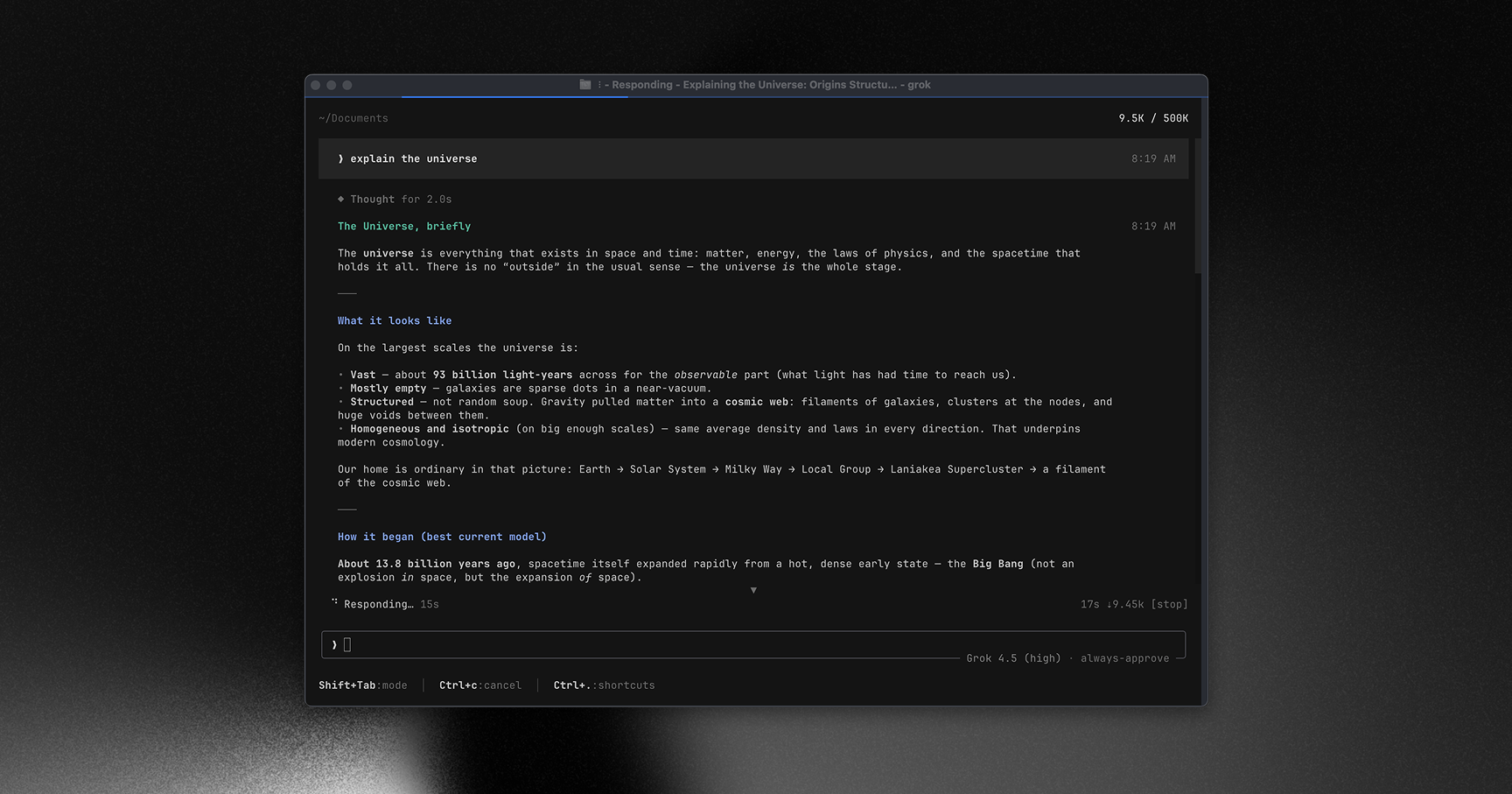
 Grok Build — это терминальный ИИ-агент для написания кода от SpaceXAI. Он работает в полноэкранном TUI, понимает вашу кодовую базу, редактирует файлы, выполняет команды оболочки, ищет информацию в интернете и управляет длительными задачами. Работать с ним можно интерактивно, в режиме без интерфейса для скриптов и CI или встроить его в редакторы через Agent Client Protocol (ACP).
Grok Build — это терминальный ИИ-агент для написания кода от SpaceXAI. Он работает в полноэкранном TUI, понимает вашу кодовую базу, редактирует файлы, выполняет команды оболочки, ищет информацию в интернете и управляет длительными задачами. Работать с ним можно интерактивно, в режиме без интерфейса для скриптов и CI или встроить его в редакторы через Agent Client Protocol (ACP).Это инструмент командной строки или то, что я встраиваю в редактор?Это и то, и другое: отдельный CLI/TUI-файл 'grok', который вы запускаете в терминале, и среда выполнения агента, которую редакторы могут встроить через Agent Client Protocol (ACP), а также режим без интерфейса для скриптов и CI.
Это и то, и другое: отдельный CLI/TUI-файл 'grok', который вы запускаете в терминале, и среда выполнения агента, которую редакторы могут встроить через Agent Client Protocol (ACP), а также режим без интерфейса для скриптов и CI.Как это запустить?Скачайте один из готовых бинарных файлов для macOS, Linux или Windows либо соберите его из исходного кода с помощью закреплённой версии Rust. При первом запуске откроется браузер для аутентификации.
Скачайте один из готовых бинарных файлов для macOS, Linux или Windows либо соберите его из исходного кода с помощью закреплённой версии Rust. При первом запуске откроется браузер для аутентификации.Полностью ли готовы сборки для Windows?Готовые бинарные файлы для Windows опубликованы, но сборка из исходного кода в Windows выполняется по принципу «по возможности» и пока не тестировалась на основе текущей версии исходного кода; официально поддерживаются для сборки только macOS и Linux.
Готовые бинарные файлы для Windows опубликованы, но сборка из исходного кода в Windows выполняется по принципу «по возможности» и пока не тестировалась на основе текущей версии исходного кода; официально поддерживаются для сборки только macOS и Linux.Для чего нужен Agent Client Protocol (ACP)?ACP позволяет встраивать Grok Build прямо в редакторы кода в качестве серверной части агента, а не только запускать его как отдельное терминальное приложение.
ACP позволяет встраивать Grok Build прямо в редакторы кода в качестве серверной части агента, а не только запускать его как отдельное терминальное приложение.Можно ли запускать его в CI-конвейерах вместо интерактивного режима?Да, помимо интерактивного TUI есть режим без интерфейса, созданный для использования в скриптах и CI.
Да, помимо интерактивного TUI есть режим без интерфейса, созданный для использования в скриптах и CI.Поддерживает ли он серверы MCP, навыки и плагины?Да, в поставляемом руководстве пользователя описаны настройка серверов MCP, навыков, плагинов, хуков, тем оформления и изоляции в песочнице.
Да, в поставляемом руководстве пользователя описаны настройка серверов MCP, навыков, плагинов, хуков, тем оформления и изоляции в песочнице.What are similar projects?kimi-code, atlas, openinterpreter, Baize, oh-my-pi, ordewell, lean-ctx, DeepSeek-Reasonix
kimi-code, atlas, openinterpreter, Baize, oh-my-pi, ordewell, lean-ctx, DeepSeek-ReasonixWhich topics is it in?xai, acp, headless, hooks, opencode, sandbox, tui, skills, command-line, mcp-server, coding-agent, plugin
xai, acp, headless, hooks, opencode, sandbox, tui, skills, command-line, mcp-server, coding-agent, plugin