Что это такое?
 Подборка заметок и скриптов под конкретные устройства для получения полного контроля над заблокированными Android-фоторамками (Skylight Calendar, BIUFRAME, PF1007L): доступ через ADB, дамп прошивки, получение root, удаление вендорского приложения и запуск собственного лаунчера, браузера или kiosk-приложения.
Подборка заметок и скриптов под конкретные устройства для получения полного контроля над заблокированными Android-фоторамками (Skylight Calendar, BIUFRAME, PF1007L): доступ через ADB, дамп прошивки, получение root, удаление вендорского приложения и запуск собственного лаунчера, браузера или kiosk-приложения.Это готовый инструмент или набор руководств по взлому?Это документационный репозиторий: руководства в Markdown для каждого устройства в паре со скриптами на Python и shell для резервного копирования, патча boot-образов и получения root, плюс небольшое примерное приложение-дашборд, показываемое через кастомный Android kiosk WebView.
Это документационный репозиторий: руководства в Markdown для каждого устройства в паре со скриптами на Python и shell для резервного копирования, патча boot-образов и получения root, плюс небольшое примерное приложение-дашборд, показываемое через кастомный Android kiosk WebView.С чего начать со своей рамкой?Посмотрите Settings → About на рамке, чтобы определить её SoC и прошивку, затем откройте соответствующее руководство (pf1007l-start-here.md, biuframe-setup-guide.md или next-session.md для Skylight) и сначала попробуйте ADB по USB, а затем по сети.
Посмотрите Settings → About на рамке, чтобы определить её SoC и прошивку, затем откройте соответствующее руководство (pf1007l-start-here.md, biuframe-setup-guide.md или next-session.md для Skylight) и сначала попробуйте ADB по USB, а затем по сети.Какое железо нужно помимо рамки?USB-кабель, который реально передаёт данные (комплектный кабель у устройств только с USB-C часто лишь заряжает, так что нужен дата-кабель с USB-A на USB-C), плюс стандартные инструменты adb/fastboot, а для некоторых моделей rkdeveloptool или SD-карта для патча boot.
USB-кабель, который реально передаёт данные (комплектный кабель у устройств только с USB-C часто лишь заряжает, так что нужен дата-кабель с USB-A на USB-C), плюс стандартные инструменты adb/fastboot, а для некоторых моделей rkdeveloptool или SD-карта для патча boot.Эти руководства универсальны для любой рамки с тем же названием?Нет, рамки, продаваемые под одним листингом, могут поставляться с разными платами и прошивками, поэтому каждое руководство описывает только один конкретный экземпляр; перед любыми шагами нужно сверить SoC и строку прошивки, а «OKAY» от fastboot не гарантирует, что запись реально прошла.
Нет, рамки, продаваемые под одним листингом, могут поставляться с разными платами и прошивками, поэтому каждое руководство описывает только один конкретный экземпляр; перед любыми шагами нужно сверить SoC и строку прошивки, а «OKAY» от fastboot не гарантирует, что запись реально прошла.Для кого этот репозиторий?Для энтузиастов и хакеров с физическим доступом к одной из таких заблокированных Android-фоторамок, которые хотят заменить штатное вендорское приложение собственным лаунчером, браузером или kiosk-дашбордом.
Для энтузиастов и хакеров с физическим доступом к одной из таких заблокированных Android-фоторамок, которые хотят заменить штатное вендорское приложение собственным лаунчером, браузером или kiosk-дашбордом.Безопасно ли коммитить бэкапы и дампы, которые создаёт этот репозиторий?Нет, полные флеш-дампы и диагностика содержат пароли Wi-Fi, токены, серийные номера, MAC-адреса и прошивку, защищённую авторскими правами, поэтому они добавлены в gitignore, и их нельзя ни коммитить, ни публиковать.
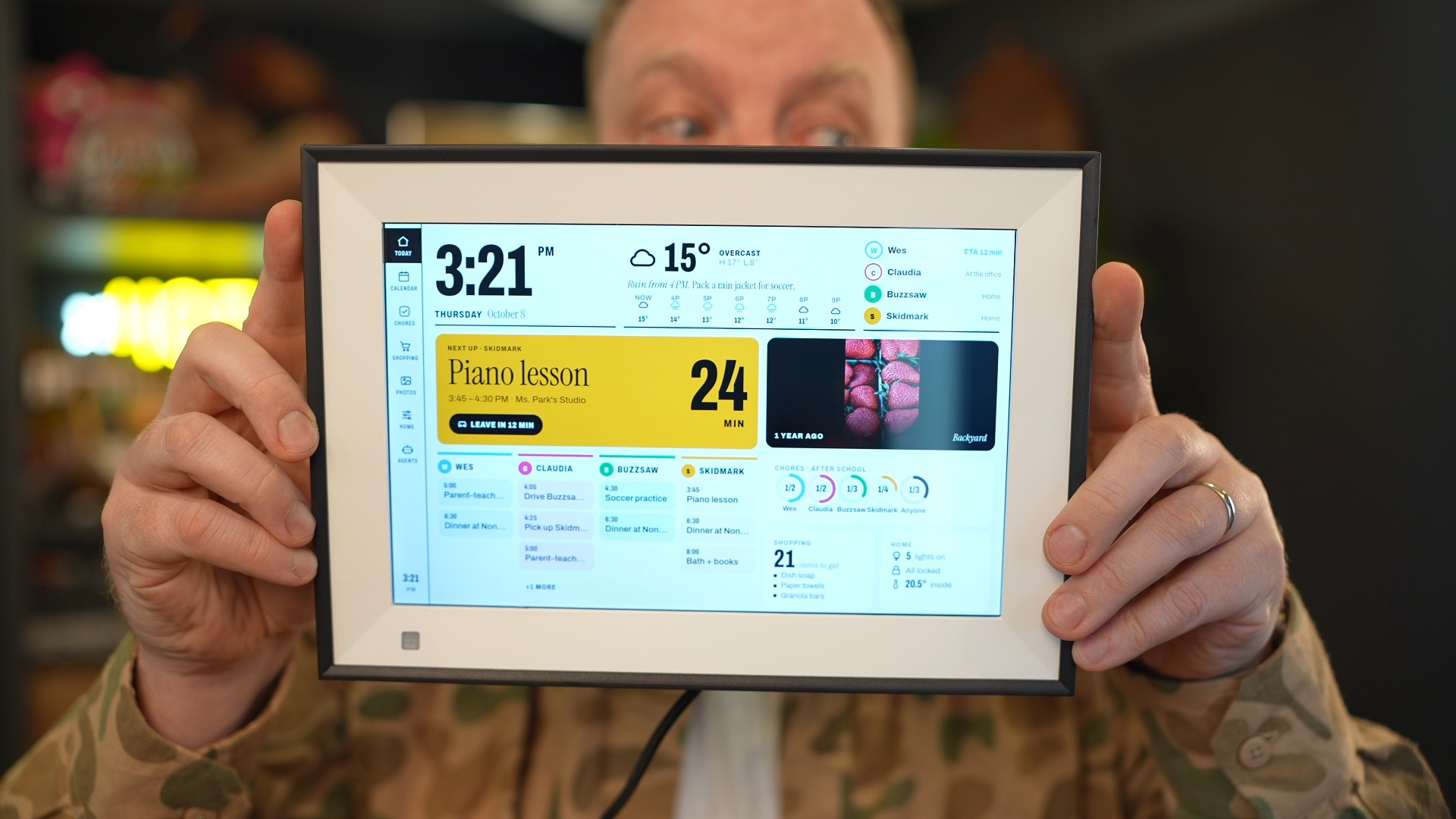
Нет, полные флеш-дампы и диагностика содержат пароли Wi-Fi, токены, серийные номера, MAC-адреса и прошивку, защищённую авторскими правами, поэтому они добавлены в gitignore, и их нельзя ни коммитить, ни публиковать.Зачем нужна папка dashboard/?Это макет семейного дашборда в виде веб-приложения на Vite, развёрнутого на Cloudflare Workers, который показывается на весь экран через кастомное Android-приложение kiosk WebView (dashboard/kiosk/), собранное без Gradle; удержание двух пальцев в течение 1,5 секунды возвращает в лаунчер.
Это макет семейного дашборда в виде веб-приложения на Vite, развёрнутого на Cloudflare Workers, который показывается на весь экран через кастомное Android-приложение kiosk WebView (dashboard/kiosk/), собранное без Gradle; удержание двух пальцев в течение 1,5 секунды возвращает в лаунчер.Может ли AI-агент для кодинга безопасно запускать эти скрипты?В README есть отдельный раздел с правилами для агентов: спрашивать владельца перед каждой записью, проверять бэкапы через SHA-256 и обратное чтение перед любой записью и вносить одно изменение за раз, сохраняя копию .bak.
В README есть отдельный раздел с правилами для агентов: спрашивать владельца перед каждой записью, проверять бэкапы через SHA-256 и обратное чтение перед любой записью и вносить одно изменение за раз, сохраняя копию .bak.Есть ли скрипт «в один клик» для каждой модели рамки?Нет. Только у BIUFRAME есть единый установочный скрипт (scripts/biuframe-setup.sh); у Skylight Calendar скрипта «всё сразу» пока нет, а PF1007L сначала прогоняет тесты в режиме только чтения, прежде чем выбирать между двумя отдельными путями получения root.
Нет. Только у BIUFRAME есть единый установочный скрипт (scripts/biuframe-setup.sh); у Skylight Calendar скрипта «всё сразу» пока нет, а PF1007L сначала прогоняет тесты в режиме только чтения, прежде чем выбирать между двумя отдельными путями получения root.What are similar projects?unleashed-firmware, kindle-wall-display, Xbox360PeerPressure, V3SP3R, ps5-webkit-autoloader, BLEhound, muse-gadget-sdk, esp8266_deauther
unleashed-firmware, kindle-wall-display, Xbox360PeerPressure, V3SP3R, ps5-webkit-autoloader, BLEhound, muse-gadget-sdk, esp8266_deauther