
12.8K ·GitHub
Что это такое?
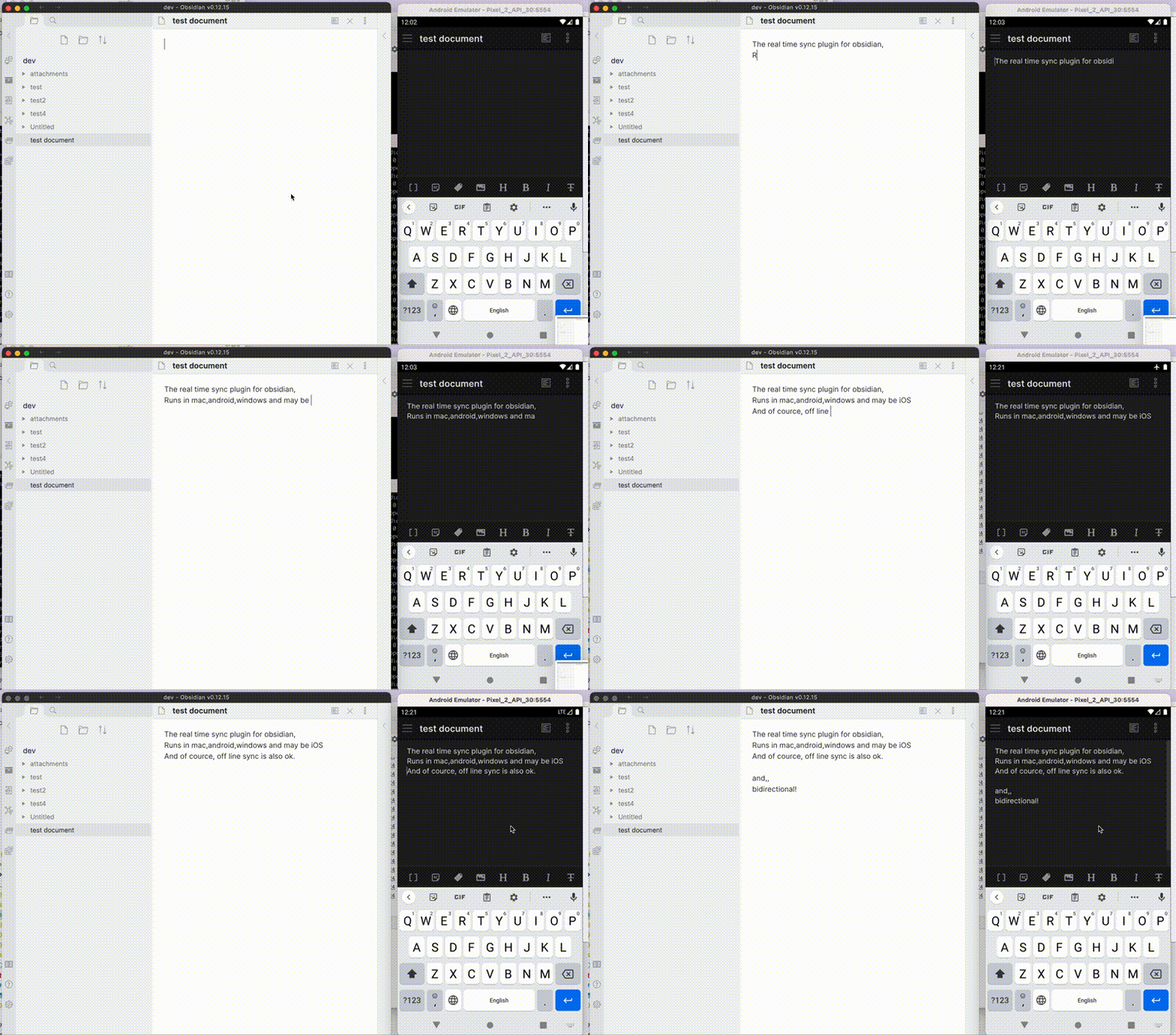
 Self-hosted LiveSync — это разработанный сообществом плагин для Obsidian, который синхронизирует ваши заметки между устройствами через ваш собственный сервер CouchDB или S3-совместимое объектное хранилище либо напрямую между устройствами по WebRTC (peer-to-peer).
Self-hosted LiveSync — это разработанный сообществом плагин для Obsidian, который синхронизирует ваши заметки между устройствами через ваш собственный сервер CouchDB или S3-совместимое объектное хранилище либо напрямую между устройствами по WebRTC (peer-to-peer).Это замена официальному сервису Obsidian Sync?Нет, это независимый плагин для Obsidian, который синхронизирует данные через сервер, которым вы управляете (CouchDB или объектное хранилище), либо напрямую между устройствами; он не взаимодействует с платным сервисом Obsidian Sync и не совместим с ним.
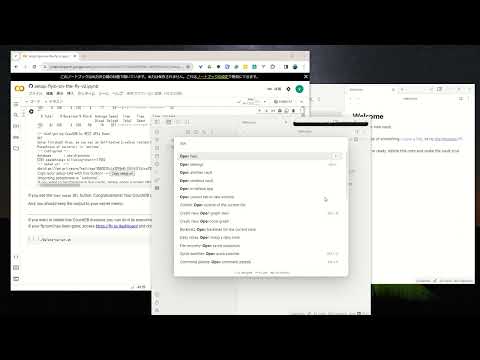
Нет, это независимый плагин для Obsidian, который синхронизирует данные через сервер, которым вы управляете (CouchDB или объектное хранилище), либо напрямую между устройствами; он не взаимодействует с платным сервисом Obsidian Sync и не совместим с ним.Как всё запустить?Рекомендуемый путь для новичков — 3-минутная настройка: разверните CouchDB на fly.io, затем настройте плагин через Quick Setup, который генерирует Setup URI для подключения остальных устройств.
Рекомендуемый путь для новичков — 3-минутная настройка: разверните CouchDB на fly.io, затем настройте плагин через Quick Setup, который генерирует Setup URI для подключения остальных устройств.Нужно ли мне самому разворачивать сервер?Да — нужен либо сервер CouchDB (свой, на fly.io или IBM Cloudant), либо S3-совместимое объектное хранилище (Cloudflare R2, MinIO), а для режима P2P — сигнальный релей для поиска других устройств.
Да — нужен либо сервер CouchDB (свой, на fly.io или IBM Cloudant), либо S3-совместимое объектное хранилище (Cloudflare R2, MinIO), а для режима P2P — сигнальный релей для поиска других устройств.Можно ли использовать это вместе с iCloud или Obsidian Sync?Нет, не стоит включать его одновременно с другим решением для синхронизации, например iCloud или Obsidian Sync, а также перед установкой или обновлением нужно сделать резервную копию хранилища.
Нет, не стоит включать его одновременно с другим решением для синхронизации, например iCloud или Obsidian Sync, а также перед установкой или обновлением нужно сделать резервную копию хранилища.Для кого в первую очередь создан этот плагин?Он рассчитан на исследователей, инженеров и разработчиков, которые хотят полностью хранить свои заметки на собственных серверах ради безопасности, а также на всех, кто хочет полной приватности своего хранилища.
Он рассчитан на исследователей, инженеров и разработчиков, которые хотят полностью хранить свои заметки на собственных серверах ради безопасности, а также на всех, кто хочет полной приватности своего хранилища.Работает ли он на мобильных устройствах, а не только на компьютерах?Да, он работает на всех платформах, совместимых с Obsidian, включая Windows, macOS, Linux, iOS и Android.
Да, он работает на всех платформах, совместимых с Obsidian, включая Windows, macOS, Linux, iOS и Android.Где фактически хранятся данные моих заметок?Ваши заметки хранятся на инфраструктуре, которую вы выбираете и контролируете (ваш собственный CouchDB или объектное хранилище, либо напрямую между устройствами через WebRTC), а не на серверах Obsidian или каких-либо третьих лиц, — если только вы сами не выберете стороннего управляемого хостинга.
Ваши заметки хранятся на инфраструктуре, которую вы выбираете и контролируете (ваш собственный CouchDB или объектное хранилище, либо напрямую между устройствами через WebRTC), а не на серверах Obsidian или каких-либо третьих лиц, — если только вы сами не выберете стороннего управляемого хостинга.Что такое Customisation Sync?Бета-функция (а также Hidden File Sync), которая синхронизирует настройки Obsidian, сниппеты, темы и плагины между устройствами, помимо заметок.
Бета-функция (а также Hidden File Sync), которая синхронизирует настройки Obsidian, сниппеты, темы и плагины между устройствами, помимо заметок.Как работает синхронизация peer-to-peer без центрального сервера?Устройства обмениваются заметками напрямую по WebRTC без центрального сервера хранения данных, но сигнальный релей всё равно нужен для поиска устройств, и по крайней мере одно устройство, на котором есть данные, должно оставаться онлайн, пока другое синхронизируется.
Устройства обмениваются заметками напрямую по WebRTC без центрального сервера хранения данных, но сигнальный релей всё равно нужен для поиска устройств, и по крайней мере одно устройство, на котором есть данные, должно оставаться онлайн, пока другое синхронизируется.Что будет, если закрыть Obsidian во время синхронизации?Вы рискуете повредить файлы и базу данных, особенно после удалений или переименований, поэтому стоит дождаться, пока в строке состояния исчезнут все индикаторы прогресса; плагин попытается продолжить, если синхронизация прервётся.
Вы рискуете повредить файлы и базу данных, особенно после удалений или переименований, поэтому стоит дождаться, пока в строке состояния исчезнут все индикаторы прогресса; плагин попытается продолжить, если синхронизация прервётся.Есть ли вариант управляемого хостинга, если я не хочу сам запускать сервер?Сторонняя компания Zenith Hosting предлагает управляемый хостинг CouchDB, совместимый с плагином, но он неофициальный и не одобрен разработчиками, а ваши данные в этом случае будут храниться на её серверах.
Сторонняя компания Zenith Hosting предлагает управляемый хостинг CouchDB, совместимый с плагином, но он неофициальный и не одобрен разработчиками, а ваши данные в этом случае будут храниться на её серверах.What are similar projects?yaos, spacedrive, EnvoyMesh, obsidian-git, rclone, ente, PrivacyNotes.app, ds-harness-remote
yaos, spacedrive, EnvoyMesh, obsidian-git, rclone, ente, PrivacyNotes.app, ds-harness-remoteWhich topics is it in?obsidian-plugin, sync, webrtc, s3, p2p, storage, backup, note-taking, encryption, database, plugin, ios
obsidian-plugin, sync, webrtc, s3, p2p, storage, backup, note-taking, encryption, database, plugin, ios