
12.1K ·GitHub
What is this?
 Obsidian Git is a community plugin that brings Git version control right into Obsidian.md, letting you commit, pull, and push your vault changes from inside the app.
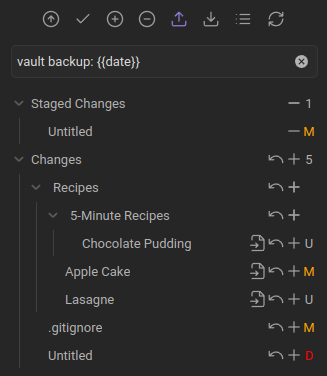
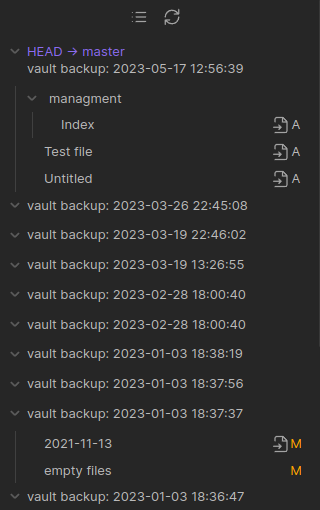
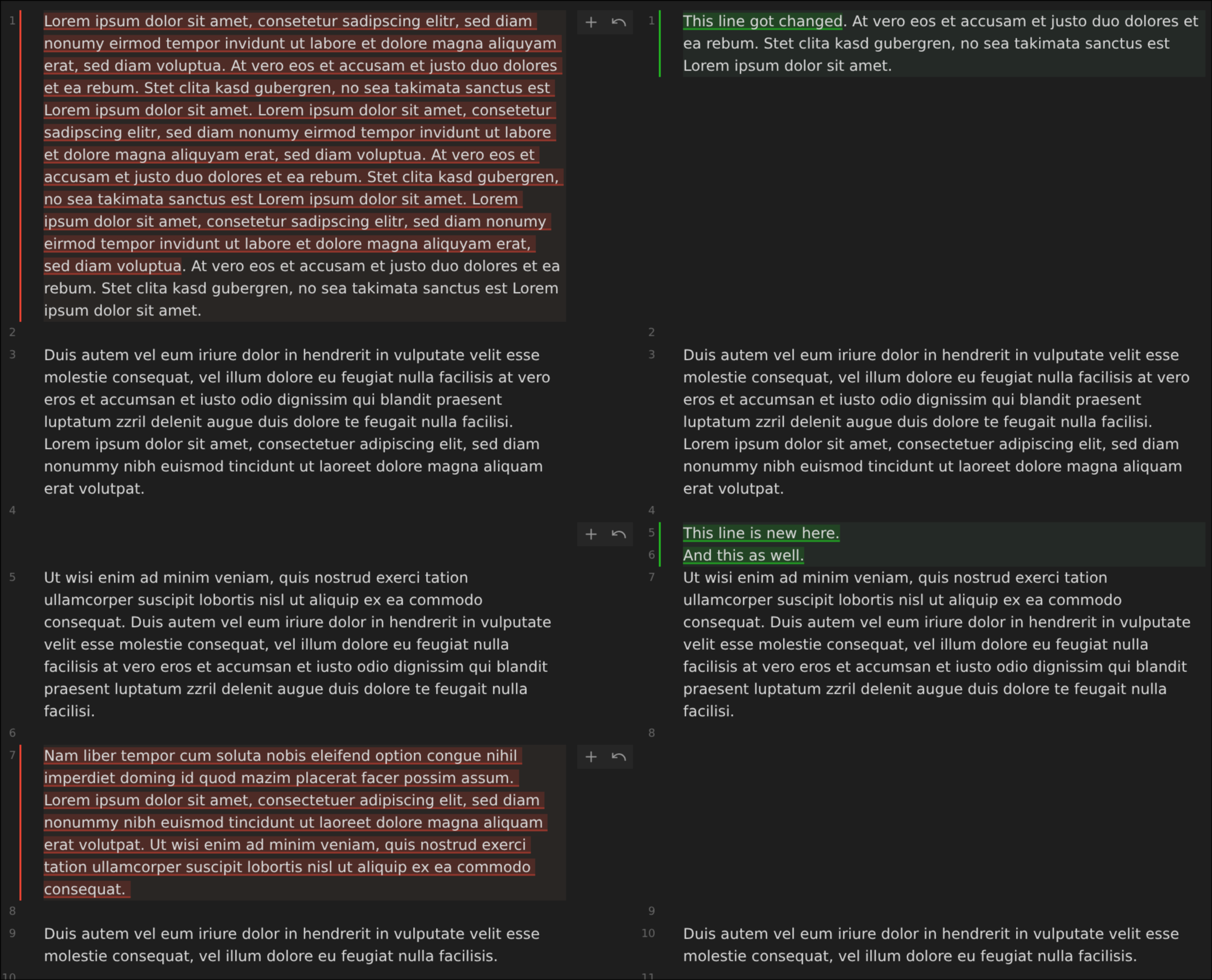
Obsidian Git is a community plugin that brings Git version control right into Obsidian.md, letting you commit, pull, and push your vault changes from inside the app.Is this a standalone app or does it run inside Obsidian?It's a plugin that runs inside the Obsidian app, adding a Source Control view, History view, Diff view, and editor gutter signs to your existing vault.
It's a plugin that runs inside the Obsidian app, adding a Source Control view, History view, Diff view, and editor gutter signs to your existing vault.How do I start using it on my vault?Install it from Obsidian's community plugins, then initialize a new repo or clone an existing remote repo using the plugin's commands; from there you can use Commit-and-sync to commit, pull, and push on a schedule.
Install it from Obsidian's community plugins, then initialize a new repo or clone an existing remote repo using the plugin's commands; from there you can use Commit-and-sync to commit, pull, and push on a schedule.Do I need Git installed separately, or does it bring its own?On desktop the plugin relies on an installed native Git; on mobile it falls back to isomorphic-git, a JS re-implementation, since a real Git binary can't run there.
On desktop the plugin relies on an installed native Git; on mobile it falls back to isomorphic-git, a JS re-implementation, since a real Git binary can't run there.Does it work well on mobile?Mobile support is experimental and the author explicitly warns it is highly unstable, with crashes on clone/pull, no SSH auth, limited repo size, no rebase, and no submodules.
Mobile support is experimental and the author explicitly warns it is highly unstable, with crashes on clone/pull, no SSH auth, limited repo size, no rebase, and no submodules.Does it work the same across Linux, macOS, and Windows?Yes on desktop, but on Linux the Snap build of Obsidian isn't supported and Flatpak is discouraged because of sandboxing restrictions; a package-manager install or AppImage is recommended instead.
Yes on desktop, but on Linux the Snap build of Obsidian isn't supported and Flatpak is discouraged because of sandboxing restrictions; a package-manager install or AppImage is recommended instead.Can I manage more than one Git repo from a single vault?Yes, it has opt-in submodule support for managing multiple repositories, but this is desktop-only.
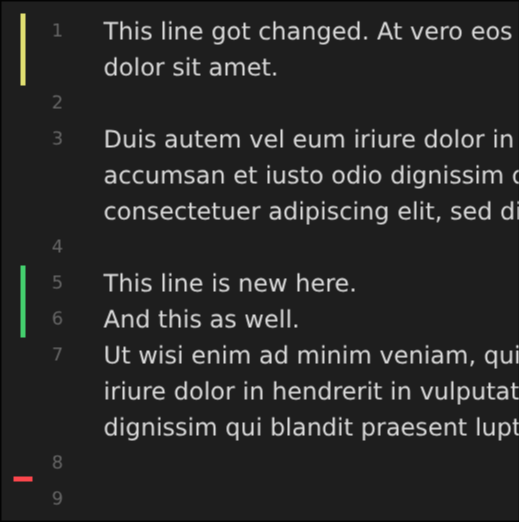
Yes, it has opt-in submodule support for managing multiple repositories, but this is desktop-only.Can I see line-by-line changes while editing a note?Yes, it can show added/modified/deleted line and hunk signs directly in the editor, with commands to stage or reset individual hunks.
Yes, it can show added/modified/deleted line and hunk signs directly in the editor, with commands to stage or reset individual hunks.Can I open a file's history on GitHub from inside Obsidian?Yes, there are commands to open the current file or its history directly on GitHub in your browser, though this only works on desktop.
Yes, there are commands to open the current file or its history directly on GitHub in your browser, though this only works on desktop.What's a good alternative if mobile sync is too unstable for me?The author suggests GitSync, a separate unaffiliated app available on both Android and iOS, as a more reliable mobile syncing option.
The author suggests GitSync, a separate unaffiliated app available on both Android and iOS, as a more reliable mobile syncing option.What are similar projects?claudian, qiaomu-book-reader-legacy, yaos, vault-graph, quartz, open-knowledge, seafile, claude-obsidian
claudian, qiaomu-book-reader-legacy, yaos, vault-graph, quartz, open-knowledge, seafile, claude-obsidianWhich topics is it in?obsidian-md, obsidian-plugin, diff, history, obsidian, sync, version-control, knowledge-management, note-taking, github, git, plugin
obsidian-md, obsidian-plugin, diff, history, obsidian, sync, version-control, knowledge-management, note-taking, github, git, plugin