
What is this?
 YAOS is a real-time sync engine for Obsidian notes, powered by a Cloudflare Worker you deploy to your own account. Notes sync live across devices with CRDT merge semantics instead of conflicted-copy workflows.
YAOS is a real-time sync engine for Obsidian notes, powered by a Cloudflare Worker you deploy to your own account. Notes sync live across devices with CRDT merge semantics instead of conflicted-copy workflows.Is this an Obsidian plugin or a separate app I have to run?Both parts, but nothing to run yourself: an Obsidian plugin plus a small server you deploy to your own Cloudflare account. You never touch a terminal or host anything locally besides Obsidian.
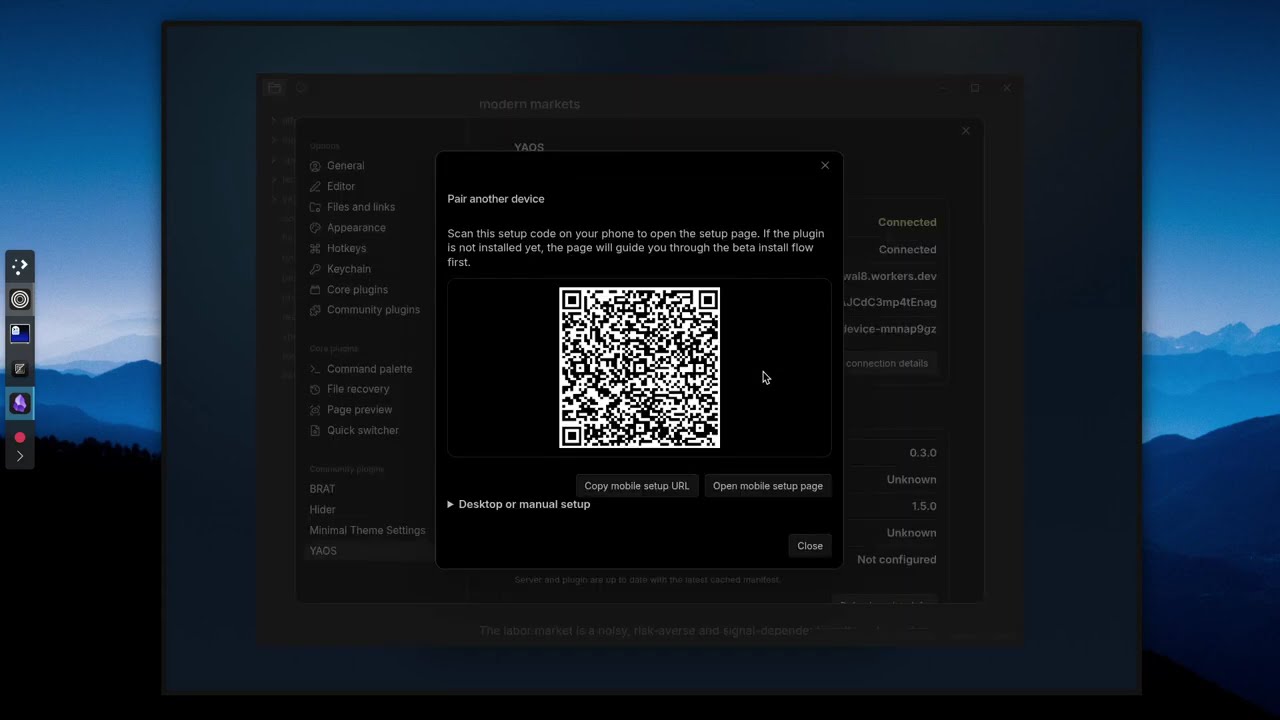
Both parts, but nothing to run yourself: an Obsidian plugin plus a small server you deploy to your own Cloudflare account. You never touch a terminal or host anything locally besides Obsidian.How do I get my vault syncing?Four steps: click Deploy to Cloudflare to create the Worker in your account, open its URL and click Claim to generate a setup token, install YAOS from the Obsidian Marketplace, then connect via the setup link or QR code — connection details fill in automatically.
Four steps: click Deploy to Cloudflare to create the Worker in your account, open its URL and click Claim to generate a setup token, install YAOS from the Obsidian Marketplace, then connect via the setup link or QR code — connection details fill in automatically.Do I need to know the terminal or set up a database first?No. That's the core pitch: no terminal, no .env files, no database setup — the deploy button, claim page and QR code handle the whole pipeline.
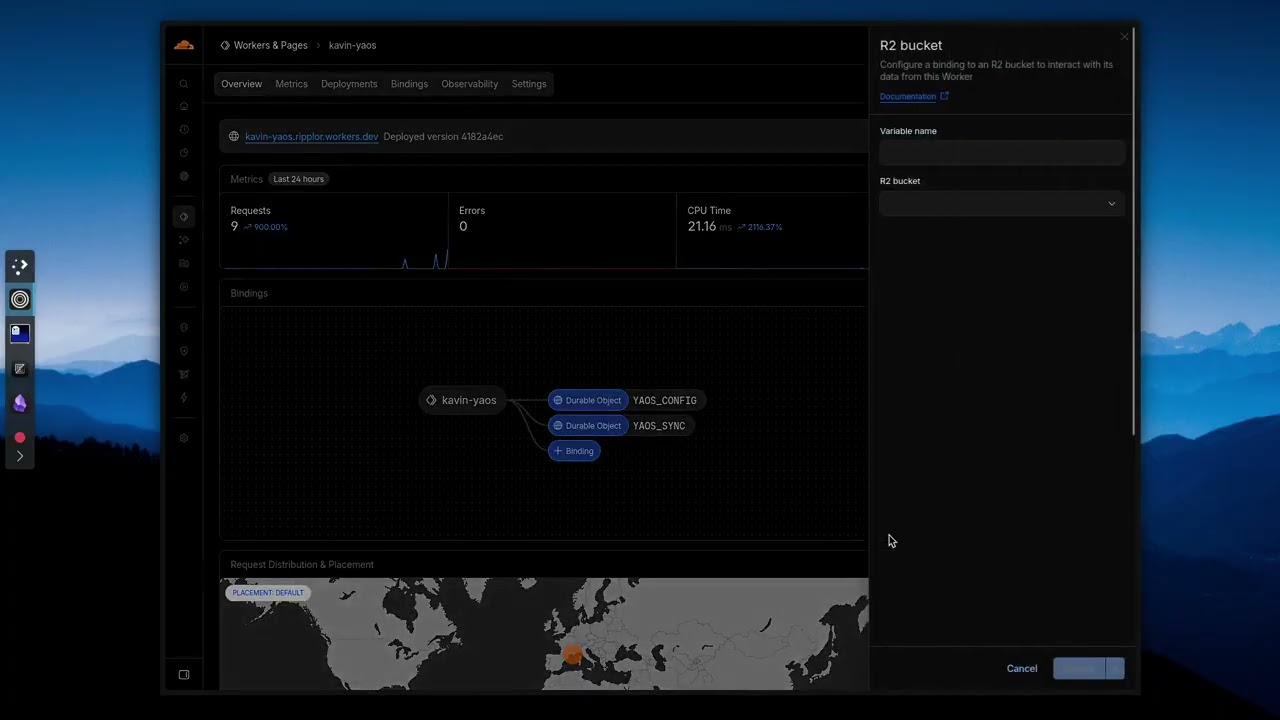
No. That's the core pitch: no terminal, no .env files, no database setup — the deploy button, claim page and QR code handle the whole pipeline.Does everything in my vault sync right away?Plain Markdown text syncs out of the box; images, PDFs and other attachments need a Cloudflare R2 bucket added first. Files over the max size are skipped, and there are explicit limits around empty folders and non-Markdown plugin files.
Plain Markdown text syncs out of the box; images, PDFs and other attachments need a Cloudflare R2 bucket added first. Files over the max size are skipped, and there are explicit limits around empty folders and non-Markdown plugin files.Does it work on my phone too, or just desktop?Mobile Obsidian is supported. If sync stops on mobile, the documented fix is the 'Reconnect to sync server' command plus a network check.
Mobile Obsidian is supported. If sync stops on mobile, the documented fix is the 'Reconnect to sync server' command plus a network check.Where do my notes actually live?On infrastructure you deploy in your own Cloudflare account, not a vendor's hosted service — that's the self-deployed, local-first idea behind the whole project.
On infrastructure you deploy in your own Cloudflare account, not a vendor's hosted service — that's the self-deployed, local-first idea behind the whole project.Is it really free, or is there a catch?Free — the comparison table lists YAOS at $0 versus Obsidian Sync's $96/yr, and the license is the ultra-permissive 0-BSD. You only need your own Cloudflare account.
Free — the comparison table lists YAOS at $0 versus Obsidian Sync's $96/yr, and the license is the ultra-permissive 0-BSD. You only need your own Cloudflare account.What happens when two devices edit the same note at once?No conflicted copies: YAOS uses Yjs CRDTs to keep one live vault state moving across devices, so edits merge automatically instead of devices taking polite turns uploading files and hoping nothing collides.
No conflicted copies: YAOS uses Yjs CRDTs to keep one live vault state moving across devices, so edits merge automatically instead of devices taking polite turns uploading files and hoping nothing collides.Can I get old versions of my notes back?Yes, if you attach an R2 bucket: it enables daily automatic snapshots and on-demand point-in-time backups. You can browse snapshots, diff them against the current state, and selectively restore individual files.
Yes, if you attach an R2 bucket: it enables daily automatic snapshots and on-demand point-in-time backups. You can browse snapshots, diff them against the current state, and selectively restore individual files.Why does the author say it plays well with AI agents?Obsidian vaults are just local Markdown files, and the CRDT state stays aligned with the filesystem. Changes from any source — git, shell scripts, agents writing to disk — propagate cleanly across devices instead of falling back to conflicted-copy workflows.
Obsidian vaults are just local Markdown files, and the CRDT state stays aligned with the filesystem. Changes from any source — git, shell scripts, agents writing to disk — propagate cleanly across devices instead of falling back to conflicted-copy workflows.How is it different from just syncing my vault with iCloud or Dropbox?Those give delayed file sync and conflicted copies when edits collide, while YAOS merges live via CRDTs. Git or LiveSync comes closer but needs terminal work; YAOS is deployable end to end without one.
Those give delayed file sync and conflicted copies when edits collide, while YAOS merges live via CRDTs. Git or LiveSync comes closer but needs terminal work; YAOS is deployable end to end without one.What are similar projects?edgeever, obsidian-livesync, obsidian-git, qiaomu-book-reader-legacy, joplin, siyuan, EnvoyMesh, claude-obsidian
edgeever, obsidian-livesync, obsidian-git, qiaomu-book-reader-legacy, joplin, siyuan, EnvoyMesh, claude-obsidianWhich topics is it in?obsidian-plugin, crdt, zero-configuration, cloudflare-r2, obsidian, sync, cloudflare-workers, backup, note-taking, real-time, local-first, ios
obsidian-plugin, crdt, zero-configuration, cloudflare-r2, obsidian, sync, cloudflare-workers, backup, note-taking, real-time, local-first, ios