VRGDG SeedVR2 TensorRT Studio
Local, GPU-accelerated video restoration and upscaling with SeedVR2, TensorRT, and a purpose-built browser interface.
VRGDG SeedVR2 TensorRT Studio turns the SeedVR2 pipeline into a practical Windows workflow: load a video, test a short preview, compare the result frame by frame, and complete long renders with resumable checkpoints. Processing stays on your machine.
Highlights
- Fast local restoration — SeedVR2 inference with TensorRT-accelerated VAE decoding on supported NVIDIA RTX GPUs.
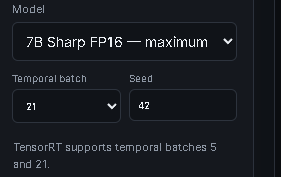
- Fast 2K upscaling — As a real-world example, an 8-second clip took approximately 8 minutes to upscale to 2K on an NVIDIA RTX 5090 using the largest 7B Sharp FP16 model. Render times vary with source resolution, frame rate, settings, and available VRAM.
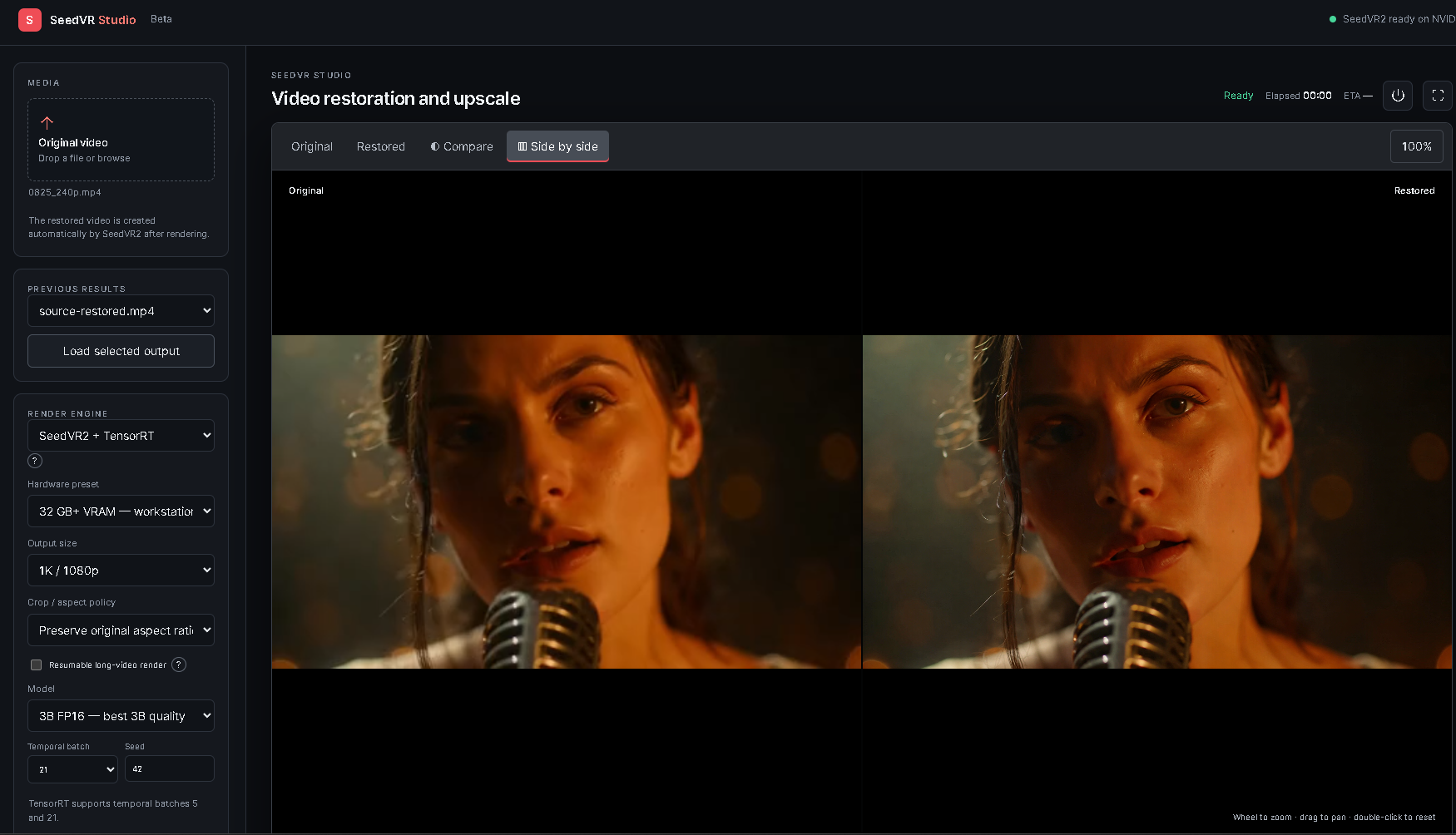
- Preview before committing — render a short segment, then inspect Original, Restored, Compare, or Side by side views.
- Long-render recovery — save completed chunks and continue from the first unfinished chunk after an interruption.
- Practical output controls — choose resolution, aspect policy, model precision, temporal batch, seed, and color correction.
- Non-destructive finishing — reprocess sharpening, grain, seam smoothing, and optional skin finishing without rerunning restoration.
- Project-based history — reopen previous outputs and keep media, manifests, and logs together under
outputs\.
Before and after examples
Each recording demonstrates the Studio's interactive comparison view, with the original footage on one side of the wipe and the restored result on the other.
Requirements
|
Recommended setup |
| Operating system |
Windows 11 |
| GPU |
NVIDIA RTX with a current driver |
| Storage |
At least 35 GB free |
| Network |
Internet connection for the first installation |
| Python |
Installed automatically when needed; the project requires Python 3.12+ |
TensorRT engines are built locally for the installed GPU and runtime. Do not copy .rtxplan files between different GPU models or TensorRT versions.
Quick start
- Download or clone this repository.
- Double-click Install SeedVR Studio.bat and leave the window open until setup completes.
- Double-click Launch SeedVR Studio Pro.bat.
- Drop a source video into the Media panel.
- Render a short preview, inspect it, and then render the full video.
The installer prepares the private Python environment, FFmpeg, CUDA PyTorch, SeedVR2, SageAttention 2, TensorRT RTX, model weights, and GPU-specific engines. Downloads and engine preparation are resumable. The Pro launcher also detects an incomplete setup and opens the installer automatically.
For repair options and troubleshooting, see the installation guide.
How to update
Update from inside Studio
If the update button (↻) is visible beside Exit Studio:
- Finish or stop any active render.
- Click ↻ to check the
main update channel.
- If an update is available, click Update and restart.
Studio closes, downloads only the changed application files, refreshes Python dependencies only when required, and then restarts automatically. Models, GPU-specific TensorRT engines, .venv, outputs, manifests, logs, and saved settings remain in place.
The safe updater requires a clean Git-backed installation on the main branch. It refuses to overwrite tracked local edits or diverged Git history. If dependency repair fails after an update, it restores the previous application revision automatically.
One-time update for existing installations
Users who do not yet see the ↻ button can install the update system with one final manual update:
- Download
Update SeedVR Studio.bat.
- Place the downloaded BAT beside
Launch SeedVR Studio Pro.bat in the existing Studio folder.
- Completely close SeedVR Studio.
- Double-click
Update SeedVR Studio.bat.
The one-time updater downloads the current application code, creates an application-code backup under outputs\, and restarts Studio. It preserves the existing .venv, downloaded models, TensorRT engines, rendered videos, browser-saved settings, and other untracked user files.
For installations originally downloaded as a ZIP, this step also converts the existing folder into a clean Git-backed main installation. After it finishes, future updates use the ↻ button inside Studio.
Workflow
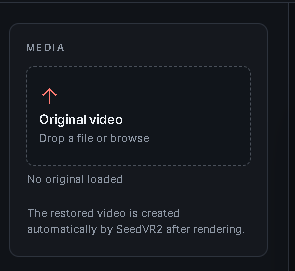
Drop a video onto the Media panel or browse for a file. After a preview or full render completes, use the viewer tabs to switch between the source and restored result.
| Load a source |
Choose a viewer mode |
 |
 |
- Original shows the uploaded source.
- Restored shows the latest rendered result.
- Compare overlays the restored video with a draggable wipe divider.
- Side by side places both videos next to each other.
The shared viewer also supports timeline scrubbing, frame stepping, synchronized playback, fullscreen, zoom, and pan.
2. Choose the render path and target
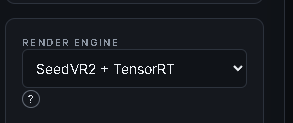
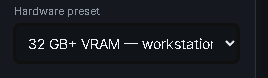
Start with SeedVR2 + TensorRT for the accelerated path, then select a hardware preset and output target. Presets provide sensible starting values; Custom / manual leaves every setting under your control.
| Render engine |
Hardware preset |
Output and aspect |
 |
 |
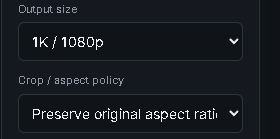 |
Output presets include original-size enhancement, 1K/1080p, 2K/1440p, and 4K/2160p. Preserve the source aspect ratio or center-crop it to 16:9.
3. Tune restoration
Choose the model, temporal batch, seed, and color-matching strategy. FP8 models use less VRAM; FP16 models prioritize quality and require more memory. Temporal batches follow SeedVR2's 4n+1 rule, while the TensorRT path currently supports batches 5 and 21.
| Model, batch, and seed |
Color correction |
Resumable rendering |
 |
 |
 |
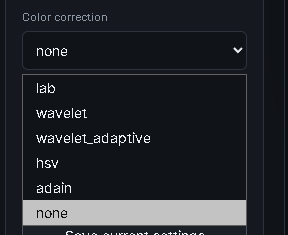
Color correction is applied during the main restoration. Use none to retain source colors; lab is a useful general-purpose matching mode. The other available modes are wavelet, wavelet_adaptive, hsv, and adain.
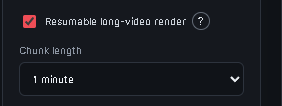
For long videos, enable resumable rendering. Auto selects a chunk length from the duration, frame count, frame rate, and temporal batch; manual choices range from 30 seconds to 30 minutes. Completed chunks remain available if a job stops, and Retry from last chunk continues at the first unfinished section.
4. Balance speed, memory, and finishing
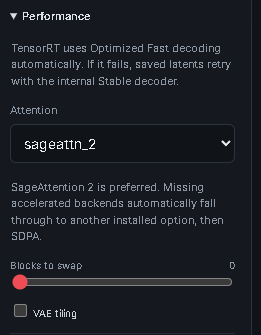
TensorRT uses Optimized Fast decoding automatically. If it fails, the Studio retries the saved latents with its internal Stable decoder, avoiding another restoration pass.
| Performance |
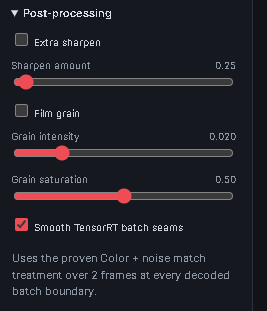
Post-processing |
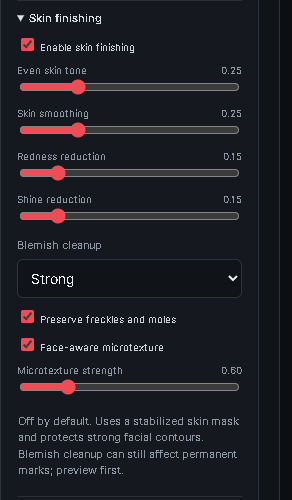
Skin finishing |
 |
 |
 |
- Attention: SageAttention 2 is the preferred default. Missing accelerated backends fall through to another installed option and finally SDPA.
- Blocks to swap: higher values reduce VRAM demand but cost speed.
- VAE tiling: reduces memory use at a speed cost; leave it off unless VRAM is insufficient.
- Smooth TensorRT batch seams: matches color and noise around decoded batch boundaries and is enabled by default.
- Skin finishing: uses a stabilized skin mask to refine existing pixels. It is non-generative and cannot recreate missing facial identity detail; preview stronger settings first.
Post-processing can be changed later with Reprocess post only, without rerunning SeedVR2.
5. Preview, render, and reopen results
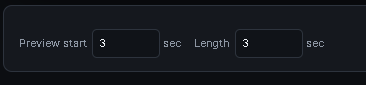
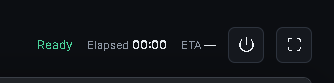
Set a short preview range, render it, and compare the result before starting the complete video. The status bar reports readiness, elapsed time, and ETA while a job runs.
| Preview range |
Render actions |
 |
 |
| Render status |
Previous results |
 |
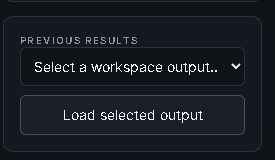 |
Every job receives its own folder under outputs\ with rendered media, manifests, and logs. Use Load selected output to reopen a result from the current workspace.
Render engines
| Engine |
Best for |
Temporal batches |
Notes |
| SeedVR2 + TensorRT |
Recommended accelerated workflow |
5, 21 |
Uses TensorRT VAE decoding and automatic fallback from saved latents. |
| SeedVR2 (Legacy) |
Compatibility and additional batch choices |
SeedVR2-compatible values |
Standard PyTorch path; can be substantially slower on long videos. |
The temporal-batch menu updates automatically when the render engine changes.
Settings that matter most
- Begin with the hardware preset closest to your VRAM capacity.
- Use a short representative preview before every long render.
- Increase temporal batch only when the selected engine and available VRAM support it.
- Use block swapping or VAE tiling when memory is the limiting factor, accepting the speed tradeoff.
- Keep skin finishing subtle and confirm faces, freckles, moles, and other permanent marks in the preview.
- Use post-only reprocessing for finishing changes; it is much faster than repeating restoration.
Files and local data
Model weights live in models\ and are not committed to GitHub. Outputs, virtual environments, TensorRT engines and caches, temporary ONNX exports, and optional runtime files also remain local.
| Path |
Purpose |
web/ |
JavaScript Studio interface |
api_server.py |
FastAPI service |
seedvr_studio/ |
Rendering pipeline and legacy Gradio integration |
tools/ |
TensorRT, assembly, post-processing, and diagnostic utilities |
tensorrt_backend/ |
Optional native TensorRT sources |
scripts/ |
Setup, launcher, download, verification, and engine-preparation scripts |
vendor/seedvr2/ |
Compatible Apache-2.0 SeedVR2 integration required by the Studio |
Documentation
License
The Studio source is released under the MIT License. SeedVR2 and bundled runtime components retain their upstream licenses; see the third-party notices.

 一个本地、GPU 加速的视频修复与超分工作室,围绕 SeedVR2 模型构建并使用 TensorRT 加速,通过基于浏览器的 JavaScript/FastAPI 界面控制,用于预览、对比和渲染视频。