 useAgent




Что это?
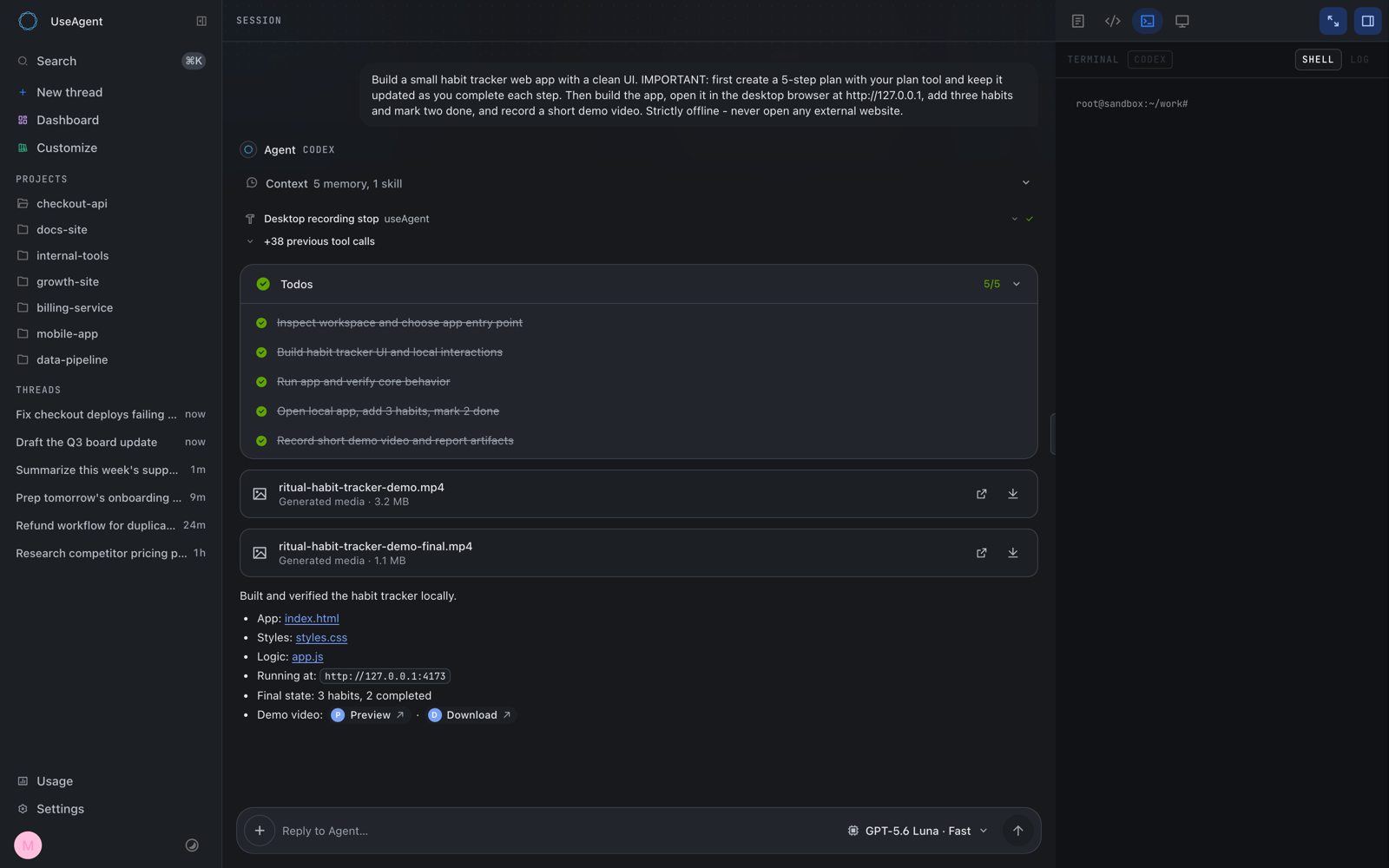
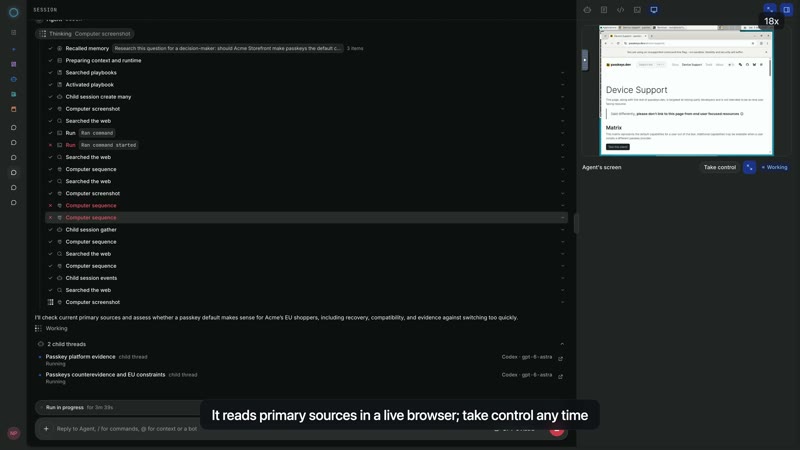
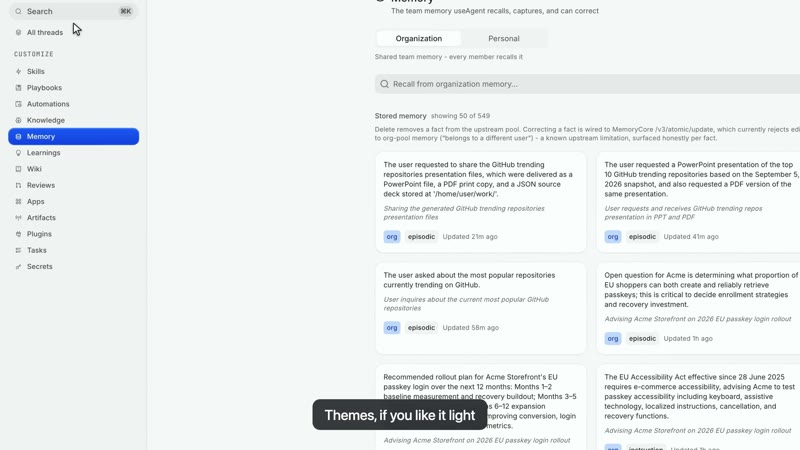
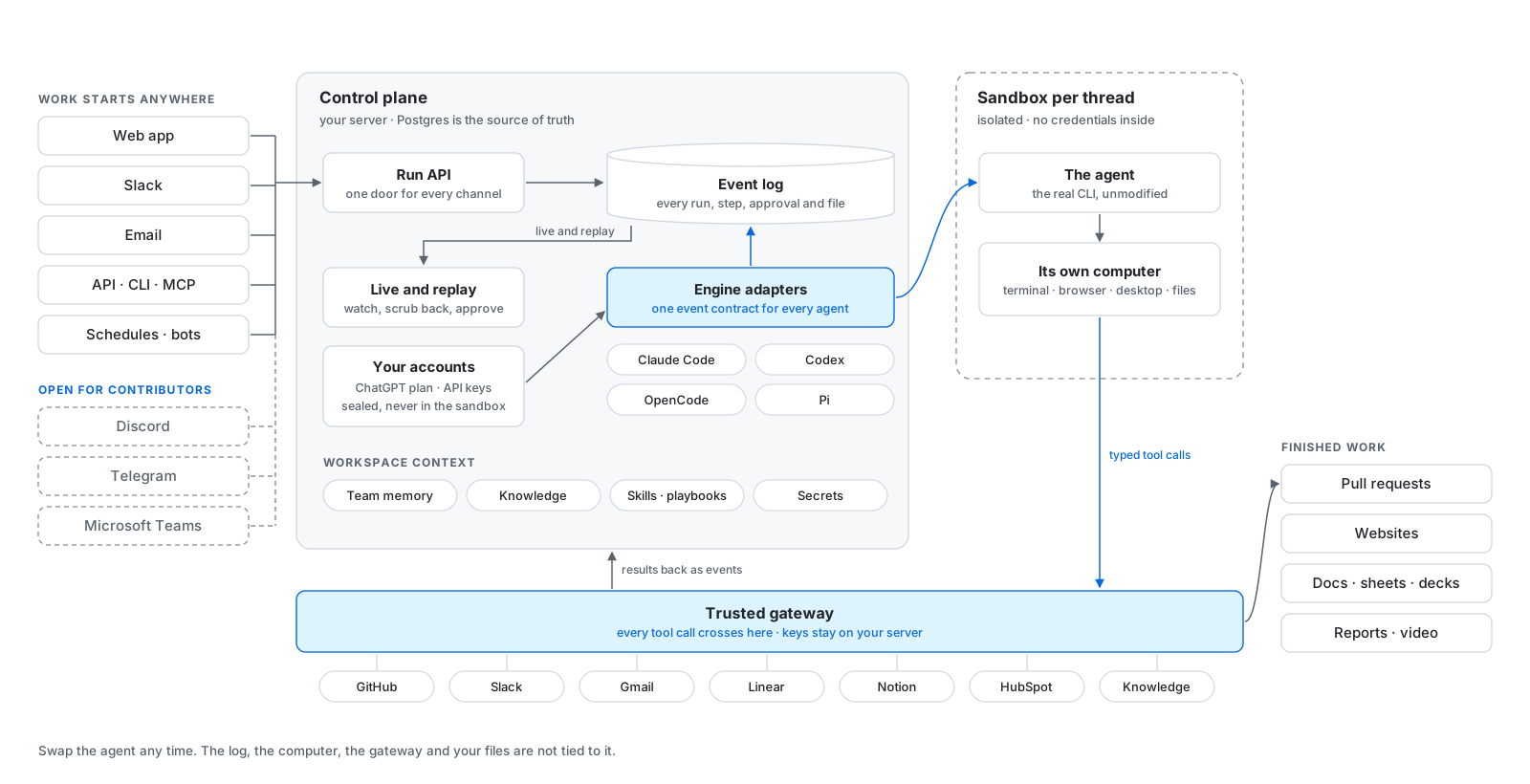
 useAgent — опенсорсная альтернатива Devin: она даёт кодинг-агентам вроде Claude Code, Codex, OpenCode и Pi общее облачное рабочее пространство с терминалом, браузером и инструментами вашей команды, чтобы они могли выполнять реальную работу — исследования, правки кода, документы.
useAgent — опенсорсная альтернатива Devin: она даёт кодинг-агентам вроде Claude Code, Codex, OpenCode и Pi общее облачное рабочее пространство с терминалом, браузером и инструментами вашей команды, чтобы они могли выполнять реальную работу — исследования, правки кода, документы.Это приложение для установки или платформа для самостоятельного хостинга?Это self-hosted платформа из веб-приложения на фронтенде, бэкенд-плоскости управления и подключаемых сандбокс-рантаймов (Daytona или CubeSandbox), которые реально запускают изолированную рабочую станцию агента; весь стек вы разворачиваете на своём Linux-хосте или облачном аккаунте.
Это self-hosted платформа из веб-приложения на фронтенде, бэкенд-плоскости управления и подключаемых сандбокс-рантаймов (Daytona или CubeSandbox), которые реально запускают изолированную рабочую станцию агента; весь стек вы разворачиваете на своём Linux-хосте или облачном аккаунте.Как это запустить?Склонируйте репозиторий, затем запустите его с bun и базой Postgres 16+ с включённым расширением pgvector; один из контейнеров может поднять такой инстанс Postgres, если его ещё нет, а bun run typecheck проверяет каждый пакет перед настоящим развёртыванием.
Склонируйте репозиторий, затем запустите его с bun и базой Postgres 16+ с включённым расширением pgvector; один из контейнеров может поднять такой инстанс Postgres, если его ещё нет, а bun run typecheck проверяет каждый пакет перед настоящим развёртыванием.Какие кодинг-агенты поддерживаются и нужны ли для них аккаунты?Поддерживаются Claude Code, Codex, OpenCode и Pi через единый общий контракт событий; каждый подключается аккаунтом провайдера или API-ключом, а доступные модели, способы входа и инструменты зависят от адаптера этого движка и вашей self-hosted-конфигурации.
Поддерживаются Claude Code, Codex, OpenCode и Pi через единый общий контракт событий; каждый подключается аккаунтом провайдера или API-ключом, а доступные модели, способы входа и инструменты зависят от адаптера этого движка и вашей self-hosted-конфигурации.Насколько это стабильно прямо сейчас?Оно помечено как альфа: ждите шероховатостей и ломающих изменений в API и схемах между релизами, хотя уже сейчас оно обрабатывает реальные ежедневные нагрузки, если вы зафиксируете тег релиза.
Оно помечено как альфа: ждите шероховатостей и ломающих изменений в API и схемах между релизами, хотя уже сейчас оно обрабатывает реальные ежедневные нагрузки, если вы зафиксируете тег релиза.Куда попадают мои учётные данные и API-ключи?Они никогда не попадают в сандбокс агента; каждый интеграционный вызов проходит через доверенный шлюз как типизированный инструмент, а ключи живут только на вашей собственной плоскости управления.
Они никогда не попадают в сандбокс агента; каждый интеграционный вызов проходит через доверенный шлюз как типизированный инструмент, а ключи живут только на вашей собственной плоскости управления.Что агент реально может создать в рабочем пространстве?Документы, таблицы, презентации, PDF, изображения и видео, называемые workpieces, с правками по версиям и нативным экспортом.
Документы, таблицы, презентации, PDF, изображения и видео, называемые workpieces, с правками по версиям и нативным экспортом.Можно запускать задачи из Slack вместо веб-приложения?Да, вы упоминаете агента в Slack, отправляете вложения и получаете готовые артефакты обратно в треде; помимо этого есть веб-приложение, REST API и расписания как точки входа.
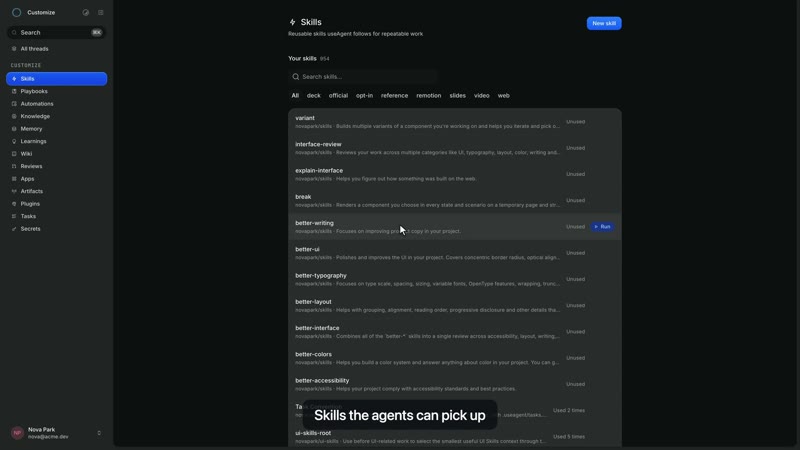
Да, вы упоминаете агента в Slack, отправляете вложения и получаете готовые артефакты обратно в треде; помимо этого есть веб-приложение, REST API и расписания как точки входа.Что такое скиллы и плейбуки?Скиллы — это процедуры, которые вы импортируете из GitHub и закрепляете за задачей; они версионированы, поэтому каждый запуск записывает, какую именно версию использовал, что позволяет команде переиспользовать то, что уже работает.
Скиллы — это процедуры, которые вы импортируете из GitHub и закрепляете за задачей; они версионированы, поэтому каждый запуск записывает, какую именно версию использовал, что позволяет команде переиспользовать то, что уже работает.С какими сторонними инструментами он умеет соединяться?Gmail, Linear, Notion и HubSpot через OAuth-коннекторы, причём брокер занимается аутентификацией и запечатыванием токенов на сервере, так что агенты никогда не видят сырых учётных данных.
Gmail, Linear, Notion и HubSpot через OAuth-коннекторы, причём брокер занимается аутентификацией и запечатыванием токенов на сервере, так что агенты никогда не видят сырых учётных данных.Which topics is it in?computer-use, slack, bun, vector-database, autonomous-agents, opencode, oauth, sandbox, github, browser-automation, agpl, postgresql
computer-use, slack, bun, vector-database, autonomous-agents, opencode, oauth, sandbox, github, browser-automation, agpl, postgresql