




11.3K ·GitHub
这是什么?
 Terminal.Gui 是一个跨平台工具包,用于在 .NET 上构建功能丰富的终端界面(TUI)应用,可在 Windows、macOS 和 Linux/Unix 上一致地运行。
Terminal.Gui 是一个跨平台工具包,用于在 .NET 上构建功能丰富的终端界面(TUI)应用,可在 Windows、macOS 和 Linux/Unix 上一致地运行。这是一个框架,还是我只需调用的库?它是一个用于 .NET 的 UI 框架/库:你先用它的项目模板创建新应用,然后用内置的视图(控件)组合界面,并由布局引擎处理尺寸和位置。
它是一个用于 .NET 的 UI 框架/库:你先用它的项目模板创建新应用,然后用内置的视图(控件)组合界面,并由布局引擎处理尺寸和位置。我该如何让 Terminal.Gui 应用跑起来?安装 Terminal.Gui.Templates 包,从模板生成一个新的 TUI 应用并运行它;你也可以运行 UI Catalog 演示,浏览所有可用控件。
安装 Terminal.Gui.Templates 包,从模板生成一个新的 TUI 应用并运行它;你也可以运行 UI Catalog 演示,浏览所有可用控件。构建它除了 .NET SDK 还需要别的东西吗?它是一个 .NET(C#)库,通过 dotnet 项目模板/NuGet 分发,所以只需安装 .NET SDK 即可;没有列出任何外部运行时或原生依赖。
它是一个 .NET(C#)库,通过 dotnet 项目模板/NuGet 分发,所以只需安装 .NET SDK 即可;没有列出任何外部运行时或原生依赖。v2 能直接替换 v1 的应用吗?不能。README 指向一份专门的迁移指南,用于从 v1 迁移到 v2,这说明 v2 引入了架构上的改动(例如基于实例的 Application 模型),并不完全向后兼容。
不能。README 指向一份专门的迁移指南,用于从 v1 迁移到 v2,这说明 v2 引入了架构上的改动(例如基于实例的 Application 模型),并不完全向后兼容。谁会用它?适合做哪类应用?适合用 .NET 开发命令行/控制台工具、并希望有丰富交互界面的开发者,例如类似 Claude Code、Copilot、Codex CLI 那样的行内滚动式工具,或带文本编辑器、文件浏览器和向导的全屏终端应用。
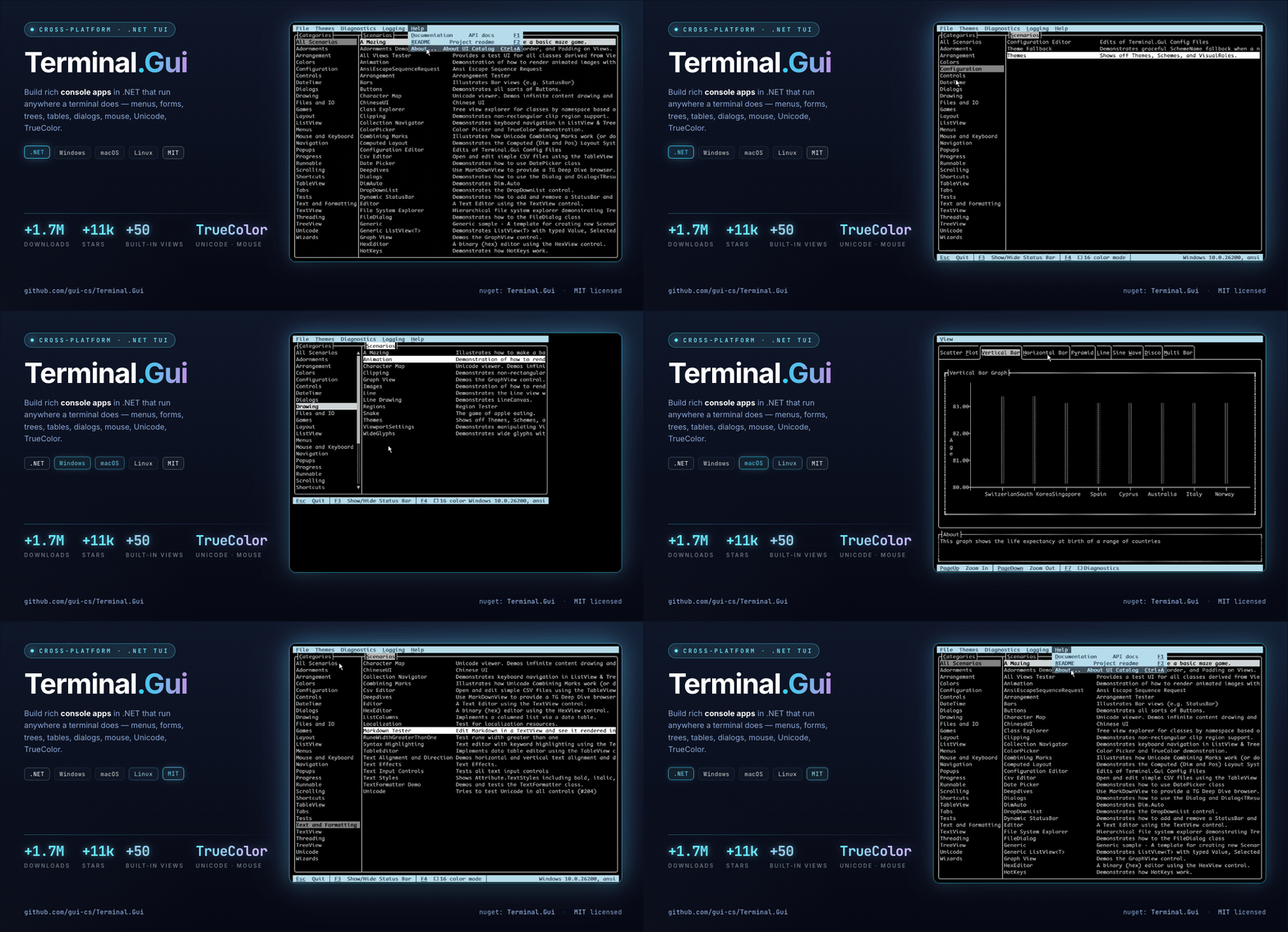
适合用 .NET 开发命令行/控制台工具、并希望有丰富交互界面的开发者,例如类似 Claude Code、Copilot、Codex CLI 那样的行内滚动式工具,或带文本编辑器、文件浏览器和向导的全屏终端应用。内置了哪些控件?文本编辑器、按钮、复选框、树形视图、表格、Markdown 渲染、菜单、选择器、图表、图形、进度指示器、支持 TrueColor 的颜色选择器,以及支持 Nerd Font 的文件/目录浏览器。
文本编辑器、按钮、复选框、树形视图、表格、Markdown 渲染、菜单、选择器、图表、图形、进度指示器、支持 TrueColor 的颜色选择器,以及支持 Nerd Font 的文件/目录浏览器。它支持鼠标输入还是只支持键盘?两者都支持——它针对纯键盘操作做了优化,同时也提供完整的鼠标支持。
两者都支持——它针对纯键盘操作做了优化,同时也提供完整的鼠标支持。我能自定义外观吗?可以,主题、颜色、按键绑定和设置都可以完全配置,并且可以保存下来。
可以,主题、颜色、按键绑定和设置都可以完全配置,并且可以保存下来。在哪里能看到用它构建的真实应用?README 中链接到一个 Showcase 页面,列出了使用 Terminal.Gui 构建的应用。
README 中链接到一个 Showcase 页面,列出了使用 Terminal.Gui 构建的应用。What are similar projects?spectre.console, kakoune, spotatui, ratatui, bubbletea, runtime, MonoGame, Avalonia
spectre.console, kakoune, spotatui, ratatui, bubbletea, runtime, MonoGame, AvaloniaWhich topics is it in?terminal-based, terminal-ui, console, dotnet, c#, csharp, tui, framework, gui, terminal, library, cross-platform
terminal-based, terminal-ui, console, dotnet, c#, csharp, tui, framework, gui, terminal, library, cross-platform