
11.7K ·GitHub
What is this?
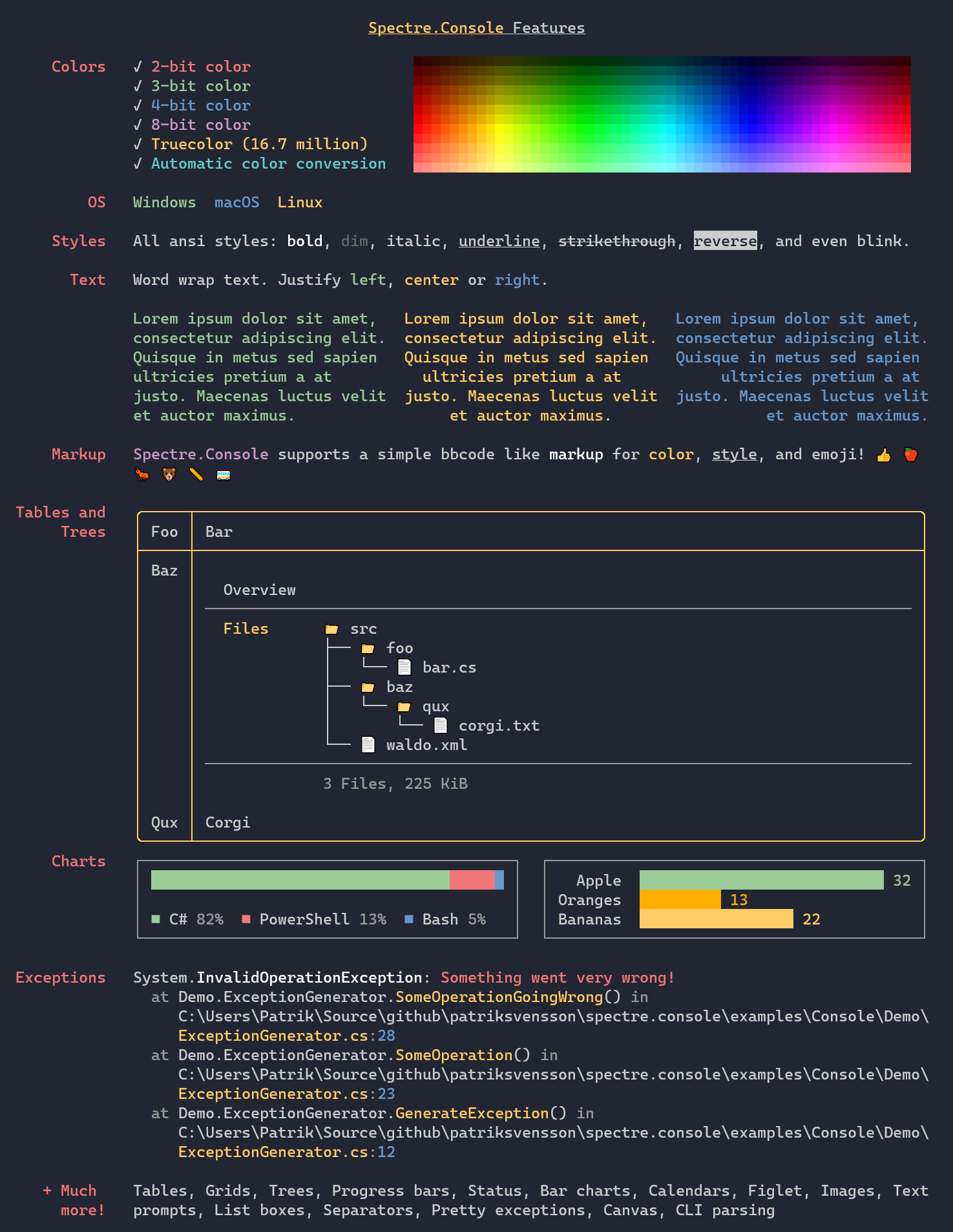
 Spectre.Console is a .NET library that makes it easier to build beautiful, cross-platform console applications, with tables, panels, markup, and rich text styling.
Spectre.Console is a .NET library that makes it easier to build beautiful, cross-platform console applications, with tables, panels, markup, and rich text styling.Is it a framework or a library?It is a library you add to your own .NET console app, not a standalone application or full framework.
It is a library you add to your own .NET console app, not a standalone application or full framework.How do I add it to a project?Install the Spectre.Console NuGet package into your .NET project; that's the fastest way to get started.
Install the Spectre.Console NuGet package into your .NET project; that's the fastest way to get started.Do I need anything besides the .NET SDK?No extra tools are required beyond the NuGet package itself; it does pull in SixLabors.ImageSharp internally for certain features.
No extra tools are required beyond the NuGet package itself; it does pull in SixLabors.ImageSharp internally for certain features.Will my colors look right in any terminal?The library auto-detects your terminal's capabilities and downgrades colors as needed, so output adapts to 3/4/8/24-bit color support rather than guaranteeing full fidelity everywhere.
The library auto-detects your terminal's capabilities and downgrades colors as needed, so output adapts to 3/4/8/24-bit color support rather than guaranteeing full fidelity everywhere.Does it work the same on Windows, macOS, and Linux?Yes, it's designed to be cross-platform for console apps on any OS that runs .NET.
Yes, it's designed to be cross-platform for console apps on any OS that runs .NET.What inspired Spectre.Console's design?It was heavily inspired by the popular Python library Rich, bringing a similar rich-text markup and layout approach to .NET console apps.
It was heavily inspired by the popular Python library Rich, bringing a similar rich-text markup and layout approach to .NET console apps.What UI elements can I build with it?Tables, grids, panels, and other visual components, plus a Rich-inspired markup language for styling text with bold, italic, underline, strikethrough, and blinking effects.
Tables, grids, panels, and other visual components, plus a Rich-inspired markup language for styling text with bold, italic, underline, strikethrough, and blinking effects.Where can I see it in action before using it?There's a separate examples repository showcasing Spectre.Console features in real console applications.
There's a separate examples repository showcasing Spectre.Console features in real console applications.Is the project actively maintained?Yes, it's supported by the .NET Foundation and uses a Top Issues Dashboard to track community-requested features and fixes.
Yes, it's supported by the .NET Foundation and uses a Top Issues Dashboard to track community-requested features and fixes.