saas-motion-kit
Promo and motion videos for software products, made with HyperFrames and Claude Code.
The one rule: no two films should feel like the same film. Don't repeat effects, transitions or components. Invent a new component for every film. Decide the message and the tone before you pick a single effect.
This kit trains that creative muscle. It combines a staged process, a component strategy, 100 visual themes, a 24-transition atlas and a variety audit that catches repetition in your storyboard before you build it.
Türkçe README → · Theme gallery → · Transition atlas → · Creative muscle → · Six films → · Example →
New: start from a real prompt. The exact prompt behind a finished 35 s mascot promo, plus a fill-in template and what happened at each gate.
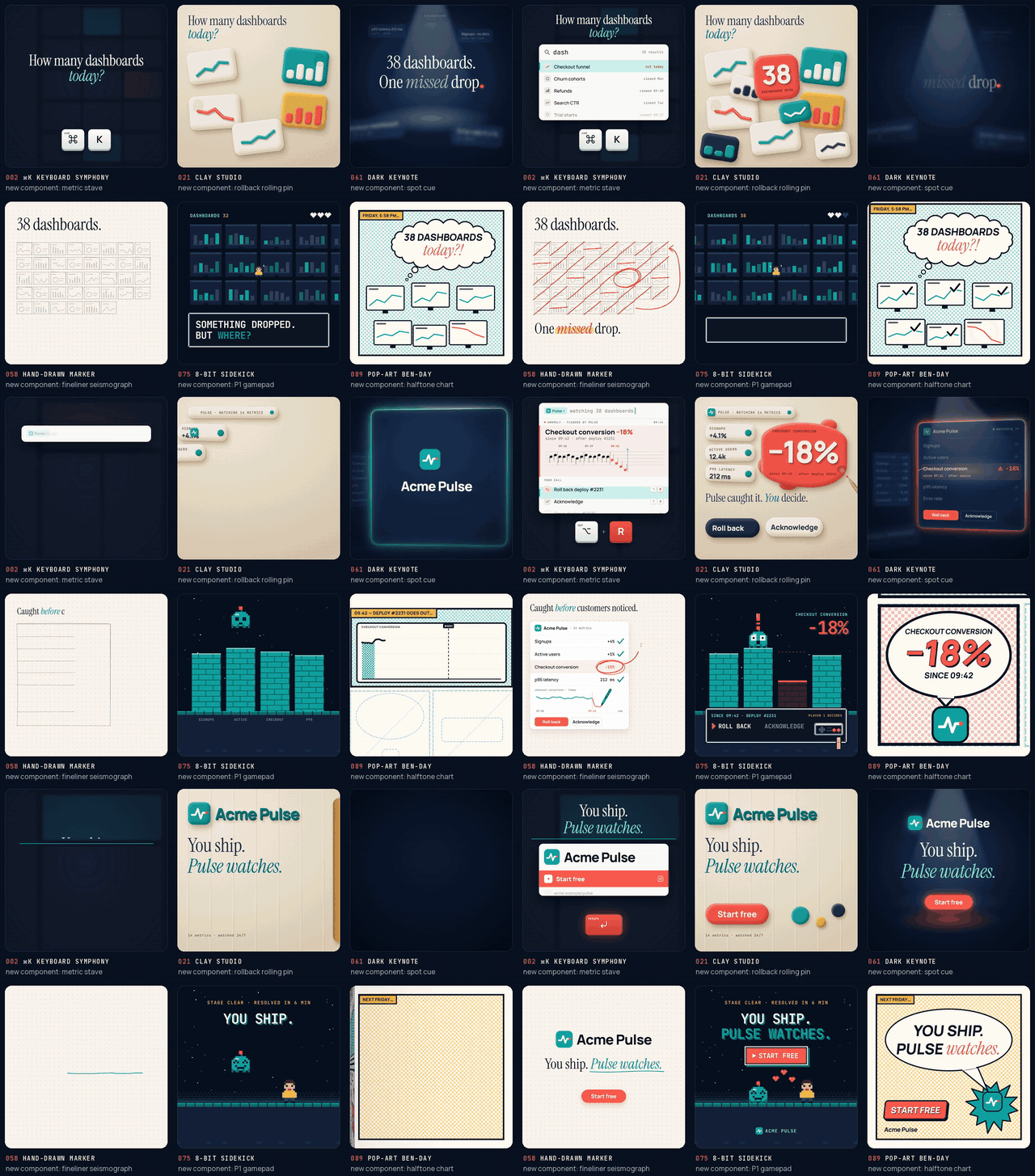
What's new in v1.2: same story, six films
What was new in v1.1: the creative muscle
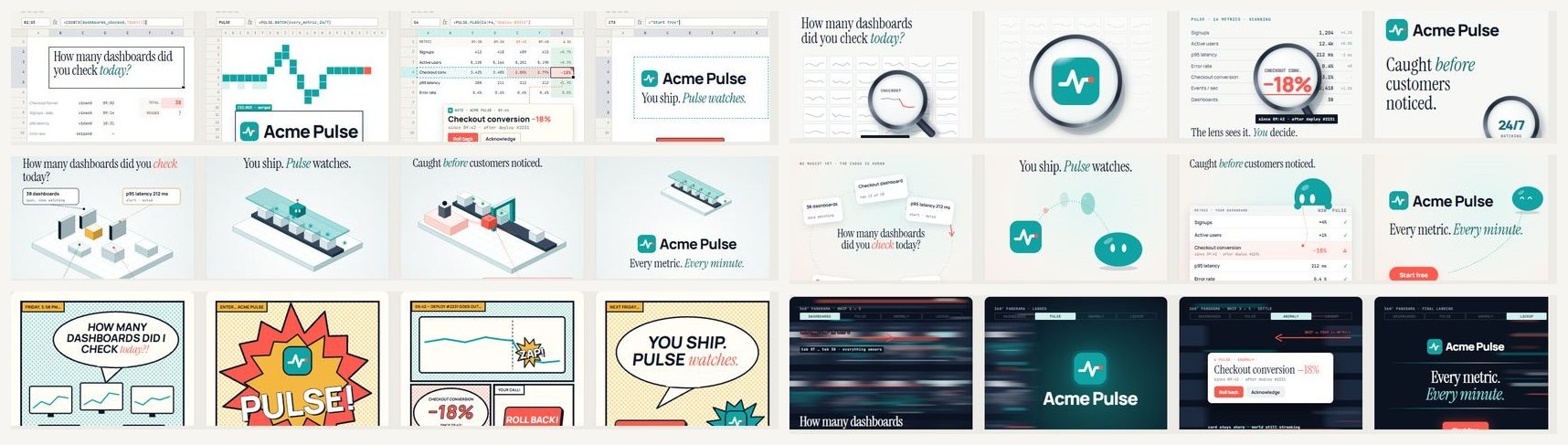
creative/ is the new heart of the kit: seven questions to ask at every storyboard, a tone matrix ("I want to say ___ in a ___ tone") that maps tone to speed, eases, camera, colour, type, transitions and sound, the variety rules, and a component forge for inventing a new component in 15 minutes.- Transition atlas: 24 narrative transitions (match cuts, carries, camera moves, masks, materials, time), each with a live demo, the tone it fits and what not to pair it with.
tools/variety_audit.py reads the storyboard ledger and flags repeated transitions, entrances, eases, directions, uniform shot lengths, missing surprises, accent overuse, tone mismatches and missing new components. With --history it remembers your previous films, so you don't repeat your last three.- The Acme example, rebuilt as a lesson. We ran the audit on our own first draft. It caught 11 repetitions: the same turntable turn five times, the same title entrance, one ease everywhere, equal shot lengths and no surprise. v2 gives every product its own entrance (letters out of blur, mask wipe, a word carried between shots, drop from above), varies the turns (whip with motion blur, slow sine), uneven shot lengths, and one surprise where Forecast floods teal while the camera dollies in. Before and after are in
examples/acme-suite-loop, and the new render is on the v1.1 release.
- The storyboard template now opens with a Message & tone sentence and a one-row-per-shot ledger, and the
/saas-motion-video skill runs a creative pass gate before any build.
Every example in this repo uses Acme, a fictional company, and its fictional products. All numbers are invented.
What's inside
| Path |
What it is |
creative/ |
The creative muscle: the seven questions, tone matrix, variety rules, component forge and transition atlas |
playbook/ |
A 7-stage production playbook with a review gate at each stage |
components/ |
The clean-or-imaginary component rule: use the product's real UI when it is clean, otherwise design imaginary UI |
docs/ |
GitHub Pages: the 100-theme gallery (4 key frames, component kit, motion notes and references per theme) and the live transition atlas |
examples/six-films/ |
Same story, six films: one 12 s script built in six themes, each with its storyboard, ledger and new component, plus the shared brief |
examples/acme-suite-loop/ |
A complete HyperFrames project: a silent, seamless 40 s 3D booth loop, with its v1 → v2 variety-audit lesson |
.claude/skills/saas-motion-video/ |
A Claude Code skill that runs the whole process with you |
templates/ |
BRIEF.md, STORYBOARD.md and the theme-sheet template |
examples/prompts/ |
Real prompts that produced finished films, each with a fill-in template |
tools/ |
Variety audit, theme picker, history report, delivery (4K → 1080p/2K), loop-seam check, warm UI SFX synth, gallery builders |
.github/workflows/ |
The variety audit as a GitHub Action: every storyboard is checked on push and pull request |
The process in one picture
1 Brief ──▶ 2 Components ──▶ 3 Theme ──▶ 4 Storyboard ──▶ 5 Build ──▶ 6 Sound ──▶ 7 Deliver
   ▲ gate      ▲ gate          ▲ gate      ▲ gate           ▲ gate      ▲ gate      ▲ gate
Each stage ends with a human decision. The agent does the production work; you bring taste at the gates. That split is what makes the result feel made by a person. See playbook/.
At stage 4 the creative pass is mandatory: write the message-and-tone sentence, fill the ledger, run python tools/variety_audit.py STORYBOARD.md, then fix the repeats or mark them as deliberate motif:s.
Clean components, or imaginary ones
Promo videos for software live or die on the UI you show. The rule:
- The product has clean UI (consistent, uncluttered, current): capture it and animate the real components. Cards, tables, charts and toasts are rebuilt in HTML from your design tokens, not pasted in as screenshots.
- It doesn't (legacy screens, dense admin panels, nothing designed yet): design imaginary components. These are simplified, idealised pieces of UI that tell the truth about what the product does, drawn in the brand's tokens.
- Never fake capabilities, numbers or customers. An imaginary component may simplify the product but must not claim anything it doesn't do.
Details, a decision checklist and examples: components/.
100 themes, one story
The same 45-second story about the fictional Acme Pulse, an AI that watches product metrics and flags anomalies, is drawn in 100 different visual languages across 10 families:
| Family |
Themes |
| Product UI as the stage |
001–010 |
| Typography & graphic systems |
011–020 |
| Material & 3D |
021–030 |
| Light, optics & texture |
031–040 |
| Metaphor concepts |
041–050 |
| Signature directions |
051–062 |
| Data storytelling |
063–072 |
| Characters & mascots |
073–082 |
| Art movements & eras |
083–092 |
| Camera & edit grammar |
093–100 |
Each sheet shows Hook → Reveal → Proof moment → CTA. It also lists six components, three motion techniques with timings, the risk to watch for, how to adapt the theme to your own product, and references. Open the gallery, pick two or three themes, and put them in your brief.
Quick start
Requirements: Node.js 22+, ffmpeg, Claude Code. HyperFrames downloads its own headless Chrome.
Click Use this template on GitHub to start your own film repo with the audit Action already wired in, or clone the kit:
# 1. get the kit
git clone https://github.com/tugrawork-creator/saas-motion-kit && cd saas-motion-kit

# 2. install the HyperFrames skills for Claude Code (not vendored here)
npx skills add heygen-com/hyperframes

# 3. try the example
cd examples/acme-suite-loop
npx hyperframes preview          # live preview in the Studio
npx hyperframes render --quality delivery --resolution landscape-4k --output renders/loop-2160.mp4
Then open Claude Code in the repo root and start a video:
/saas-motion-video Make a 45 s LinkedIn promo for https://your-product.com — theme 055 (Bento Grid), music-driven, no voiceover.
The skill walks you through the seven stages and stops at each gate.
Rendered examples
Rendered MP4s are attached to the Releases page, so the repository stays small. The v1.2 release has the six films, their synced grid and the Acme v1/v2 comparison.
Lessons that save hours
- Render at 4K, deliver smaller. Render
landscape-4k or square-4k, then downscale with Lanczos (tools/deliver.sh). Edges, text and 3D come out visibly cleaner than a native 1080p render.
- Seek-safe or it breaks. Every frame must be a pure function of time: one paused GSAP timeline, Three.js driven from
hf-seek, no Date.now(), no unseeded random.
- Loops: give every ambient motion a whole number of cycles per loop (
sin(2π·n·t/LOOP)), and verify the seam with tools/loop_check.py.
- Fonts with non-Latin characters: ship
latin-ext subsets locally. Built-in fallbacks silently lose glyphs such as ş, ğ and İ.
- Uppercase text: in some languages (for example Turkish) CSS
text-transform: uppercase changes "i" into "İ". Type display text in uppercase yourself and set lang per word.
- Sound: pure sine blips sound thin and eerie. Warm tuned timbres (marimba or wood block in one key, short room reverb) feel friendly (
tools/warm_sfx.py).
- Less text. If a viewer needs to read to follow the story, the visuals aren't doing their job. Keep on-screen words to labels and one line per beat.
- No progress bars. A timeline bar at the bottom makes a brand film look like a screen recording.
Credits and licenses
- Code and docs: MIT.
- Fonts in
docs/assets/fonts and examples/*/assets/fonts (Manrope, Instrument Serif, JetBrains Mono): SIL Open Font License 1.1, see LICENSES.
- HyperFrames is by HeyGen. Install its skills with
npx skills add heygen-com/hyperframes.
- If you generate music locally with Meta's MusicGen, note that its weights are CC-BY-NC 4.0 (non-commercial). Use licensed music for commercial work.
- Acme, Acme Pulse and Acme Suite are fictional. Any resemblance to real products is coincidental.

 一个用 HyperFrames 和 Claude Code 为软件产品制作宣传与动效视频的生产工具包,围绕一条规则构建:任何两部影片都不该看起来一样。它提供 7 阶段操作手册、24 种转场图鉴、100 个分镜主题,以及一个能在你动手前就标记重复特效的多样性审计脚本。