Что это?
 Продакшн-набор для создания промо- и моушн-видео для программных продуктов с помощью HyperFrames и Claude Code, построенный вокруг одного правила: никакие два фильма не должны выглядеть одинаково. Он даёт плейбук из 7 этапов, атлас из 24 переходов, 100 тем раскадровок и скрипт variety-audit, который отмечает повторяющиеся эффекты ещё до сборки.
Продакшн-набор для создания промо- и моушн-видео для программных продуктов с помощью HyperFrames и Claude Code, построенный вокруг одного правила: никакие два фильма не должны выглядеть одинаково. Он даёт плейбук из 7 этапов, атлас из 24 переходов, 100 тем раскадровок и скрипт variety-audit, который отмечает повторяющиеся эффекты ещё до сборки.Это приложение или скорее набор инструментов, который я кладу в репозиторий?Это репозиторий-шаблон: навык Claude Code плюс инструменты на Python (variety audit, выбор тем, отчёт по истории, скрипты поставки), плейбук, галерея тем и атлас переходов — его клонируют или используют как шаблон GitHub для собственного кино-проекта.
Это репозиторий-шаблон: навык Claude Code плюс инструменты на Python (variety audit, выбор тем, отчёт по истории, скрипты поставки), плейбук, галерея тем и атлас переходов — его клонируют или используют как шаблон GitHub для собственного кино-проекта.Как начать с этим новый видео-проект?Нажмите 'Use this template' на GitHub, чтобы развернуть свой репозиторий фильма с уже подключённым GitHub Action для variety-audit, или просто клонируйте набор. Затем откройте Claude Code в корне репозитория и запустите навык /saas-motion-video — он проведёт вас через все семь этапов и будет останавливаться на каждом этапе ревью.
Нажмите 'Use this template' на GitHub, чтобы развернуть свой репозиторий фильма с уже подключённым GitHub Action для variety-audit, или просто клонируйте набор. Затем откройте Claude Code в корне репозитория и запустите навык /saas-motion-video — он проведёт вас через все семь этапов и будет останавливаться на каждом этапе ревью.Что нужно установить перед началом?Node.js 22+, ffmpeg и Claude Code. HyperFrames (от HeyGen) устанавливается как навык Claude Code через npx и сам скачивает headless Chrome, так что отдельно его настраивать не нужно.
Node.js 22+, ffmpeg и Claude Code. HyperFrames (от HeyGen) устанавливается как навык Claude Code через npx и сам скачивает headless Chrome, так что отдельно его настраивать не нужно.В чём подвох с рендерингом и компонентами?Каждый кадр должен быть чистой функцией времени (никаких Date.now(), никакого случайного random без seed, одна приостановленная таймлайн-анимация GSAP), иначе ломается прокрутка, а фоновые циклы должны содержать целое число повторений, иначе будет виден шов. К компонентам тоже строгое правило: либо анимировать настоящий, чистый UI продукта, либо нарисовать явно упрощённый вымышленный UI — никогда нельзя подделывать возможности, цифры или клиентов.
Каждый кадр должен быть чистой функцией времени (никаких Date.now(), никакого случайного random без seed, одна приостановленная таймлайн-анимация GSAP), иначе ломается прокрутка, а фоновые циклы должны содержать целое число повторений, иначе будет виден шов. К компонентам тоже строгое правило: либо анимировать настоящий, чистый UI продукта, либо нарисовать явно упрощённый вымышленный UI — никогда нельзя подделывать возможности, цифры или клиентов.Что такое HyperFrames?HyperFrames — это инструмент рендеринга от HeyGen на основе Three.js и GSAP, безопасный при перемотке (seek-safe); этот набор использует его для покадрово точного моушн-видео, управляемого таймлайном, а не воспроизведением в реальном времени.
HyperFrames — это инструмент рендеринга от HeyGen на основе Three.js и GSAP, безопасный при перемотке (seek-safe); этот набор использует его для покадрово точного моушн-видео, управляемого таймлайном, а не воспроизведением в реальном времени.Что именно проверяет variety audit?tools/varietyaudit.py читает реестр кадров вашей раскадровки и отмечает повторяющиеся переходы, появления, easing, направления, одинаковую длину кадров, отсутствие сюрпризов, чрезмерное использование акцентов и несовпадения тона; при желании сравнивает с историей ваших прошлых фильмов.
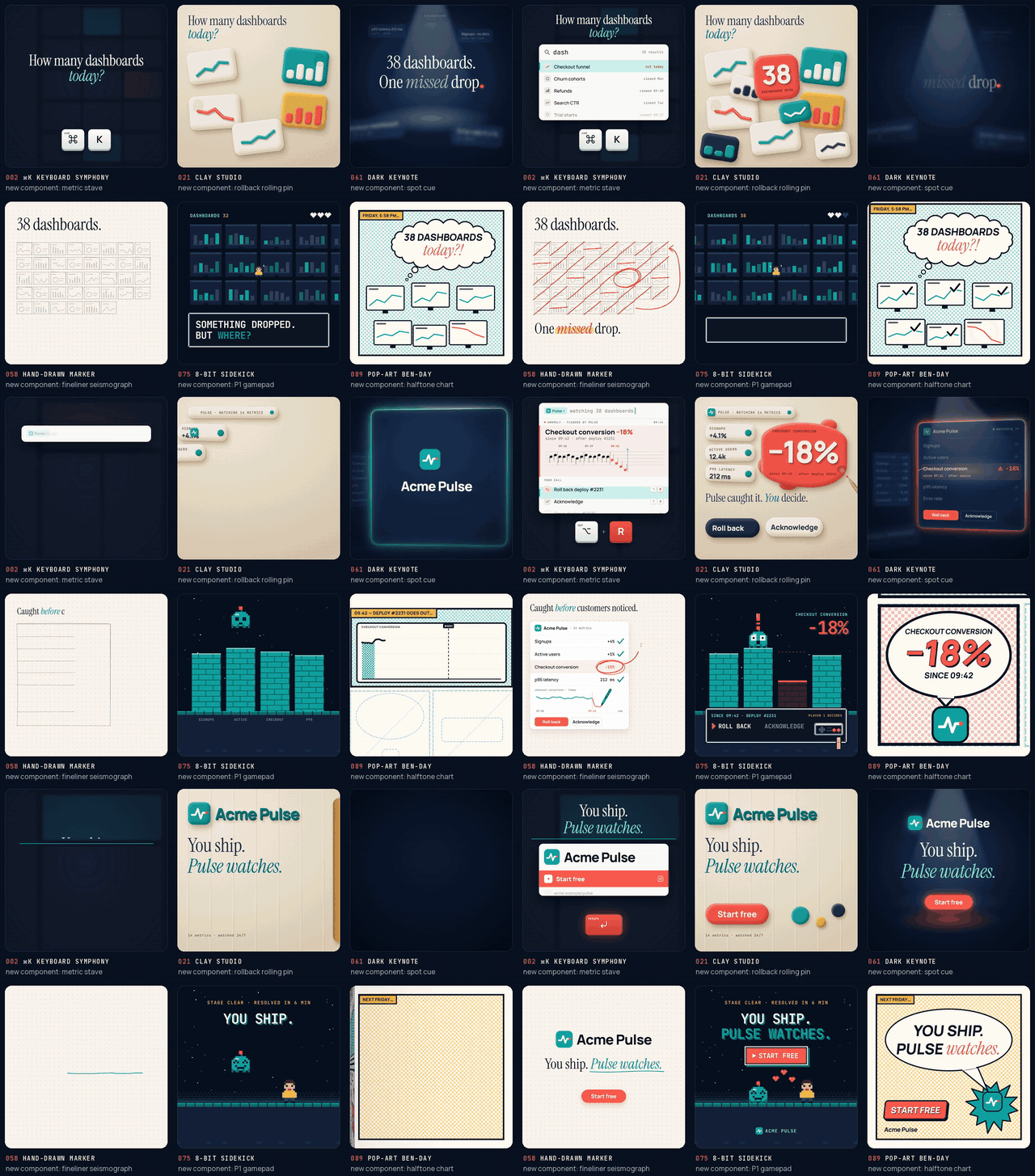
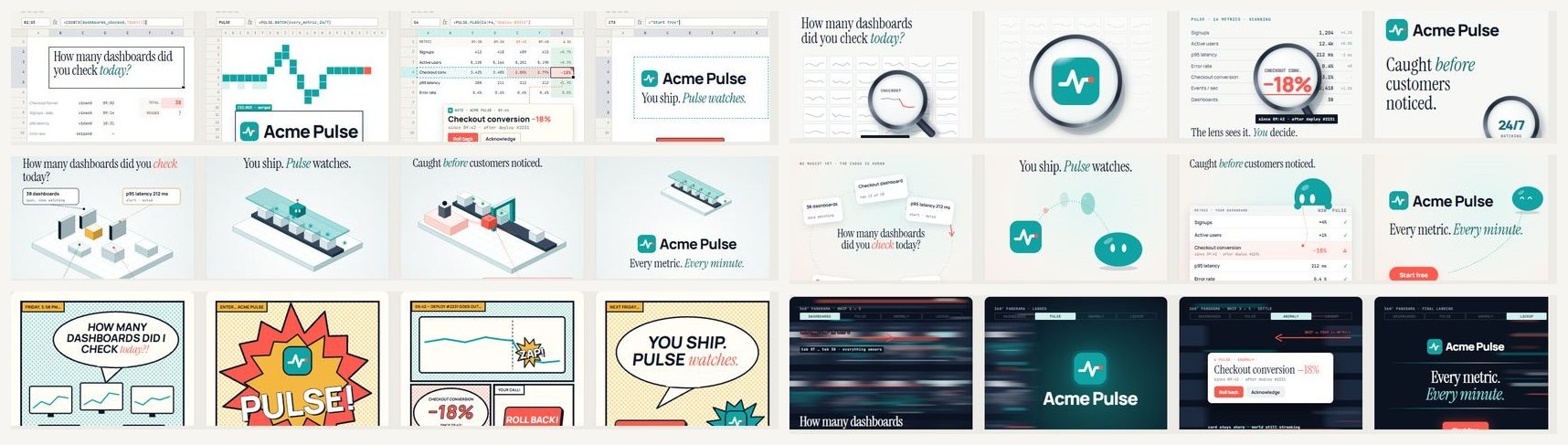
tools/varietyaudit.py читает реестр кадров вашей раскадровки и отмечает повторяющиеся переходы, появления, easing, направления, одинаковую длину кадров, отсутствие сюрпризов, чрезмерное использование акцентов и несовпадения тона; при желании сравнивает с историей ваших прошлых фильмов.Для чего нужны 100 тем раскадровок?Это галерея визуальных языков (продуктовый UI, типографика, 3D, свет, метафора, данные, маскоты, художественные направления, грамматика камеры) в 10 семействах; каждый лист показывает структуру hook-reveal-proof-CTA, шесть компонентов и техники моушна — их выбирают и комбинируют в вашем брифе.
Это галерея визуальных языков (продуктовый UI, типографика, 3D, свет, метафора, данные, маскоты, художественные направления, грамматика камеры) в 10 семействах; каждый лист показывает структуру hook-reveal-proof-CTA, шесть компонентов и техники моушна — их выбирают и комбинируют в вашем брифе.Почему набор настаивает на придумывании нового компонента для каждого фильма?Автор обнаружил, что переиспользованные эффекты и компоненты делают все промо-фильмы одинаковыми; принуждение каждый раз выбирать свежий компонент и переход, проверяемое variety audit, должно тренировать эту творческую мышцу и сохранять ощущение, что фильмы сделаны человеком.
Автор обнаружил, что переиспользованные эффекты и компоненты делают все промо-фильмы одинаковыми; принуждение каждый раз выбирать свежий компонент и переход, проверяемое variety audit, должно тренировать эту творческую мышцу и сохранять ощущение, что фильмы сделаны человеком.What are similar projects?motion-video-kit, herk-edit-kit, guizang-product-video-skill, lemo-opuscar, huashu-art-motion, onetake, eian-riso-broll, procedural-film
motion-video-kit, herk-edit-kit, guizang-product-video-skill, lemo-opuscar, huashu-art-motion, onetake, eian-riso-broll, procedural-filmWhich topics is it in?hyperframes, storyboarding, storyboard, motion-design, video-production, motion-graphics, creative-coding, marketing, threejs, webgl, claude-code-skill, template
hyperframes, storyboarding, storyboard, motion-design, video-production, motion-graphics, creative-coding, marketing, threejs, webgl, claude-code-skill, template