
Flea
The fastest GUI file manager on Linux.
Keyboard-first. Built for Omarchy.
Install ·
Views ·
Performance ·
Keyboard ·
Releases

Flea combines a Rust backend with a Quickshell interface that follows your Omarchy theme.
Large directories stay responsive: the window loads rows and requests thumbnails as you need them.
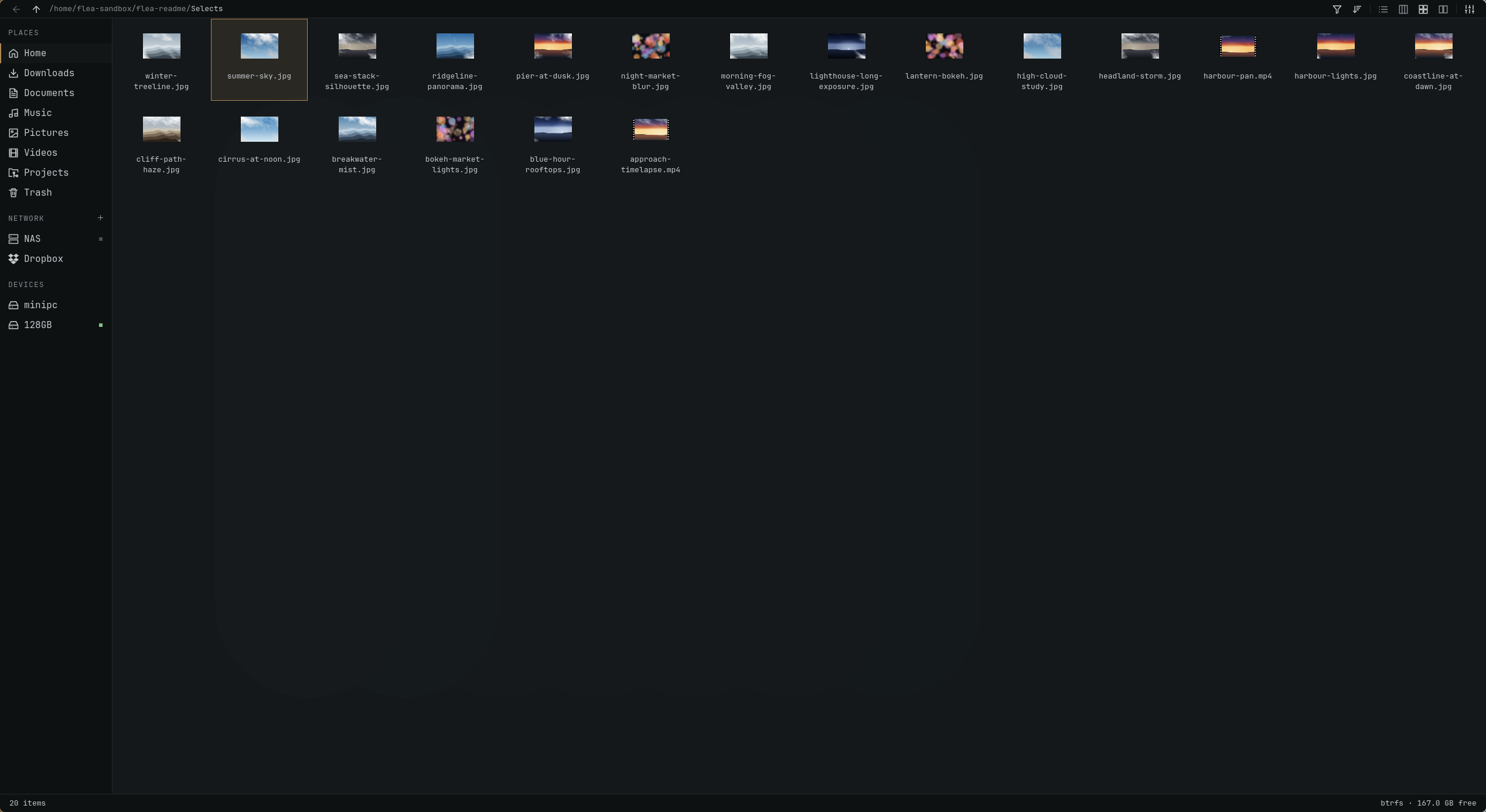
- Three views. List, columns and grid, with tabs and natural filename sorting.
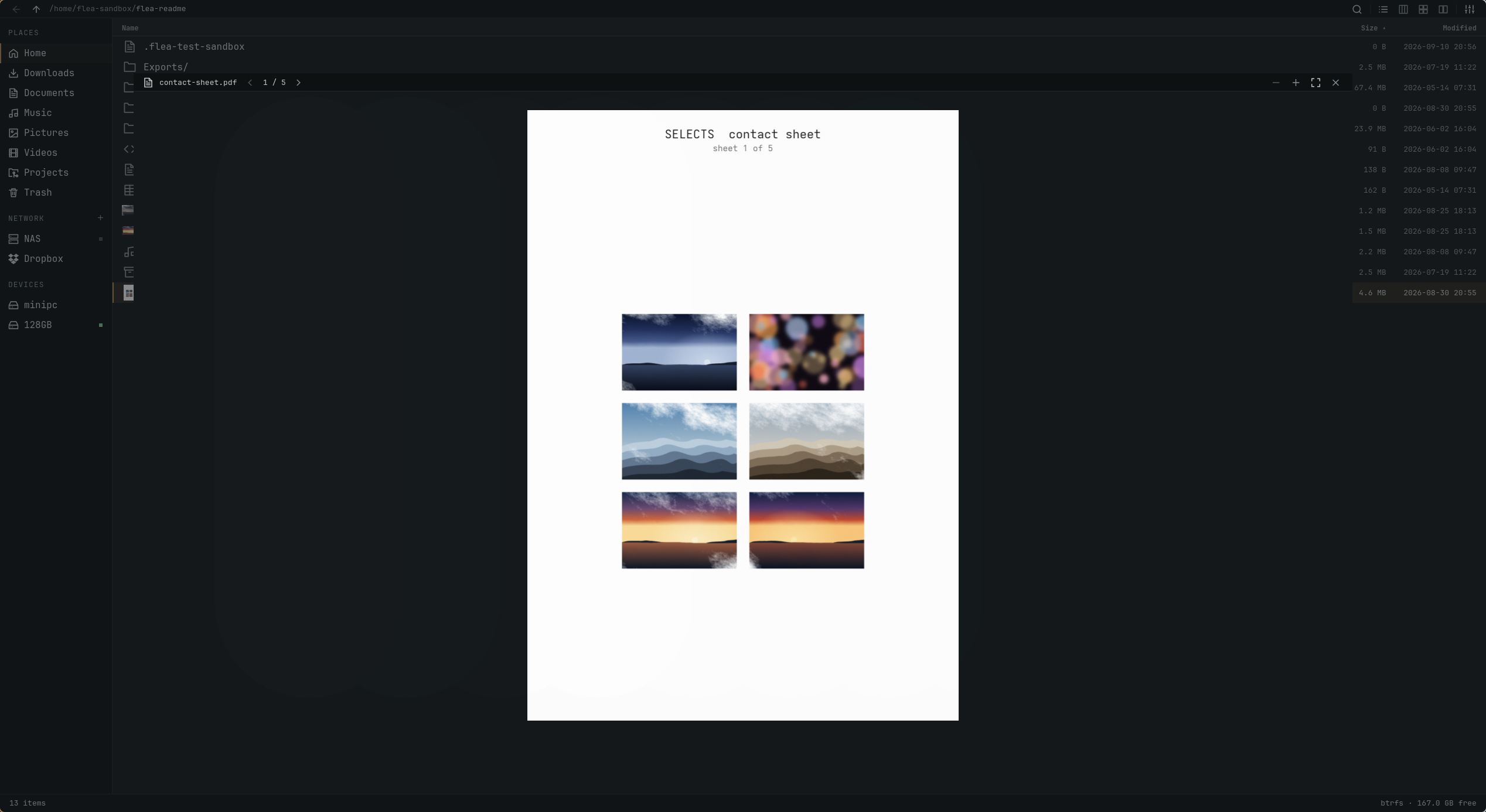
- Quick Look. Press Space for images, PDFs, text, media and archive contents.
- File operations. Copy, move, rename, trash, compress and extract, with an undo journal.
- Network and sharing. SMB, SFTP, FTPS, WebDAV, NFS, Dropbox and Taildrop.
- Desktop integration. Default file manager, “Show in folder” and Open/Save dialogs.
- Your settings. Omarchy text sizes, configurable menus and Default, Vim, Mac or Windows keys.
Install
omarchy pkg add flea
Make Flea your default file manager, file chooser and the app opened by Super+Shift+F:
flea --default
systemctl --user restart xdg-desktop-portal
Update through Omarchy:
omarchy update
0.1.6 is on GitHub. OPR updates are waiting on
omarchy-pkgs#340.
File chooser only, development package and removal
Use Flea for portal Open/Save dialogs without changing your default file manager:
flea --picker
systemctl --user restart xdg-desktop-portal
For the rolling development build:
omarchy pkg aur add flea-git
Before removing Flea, undo its desktop integration:
flea --default off
omarchy pkg drop flea
If you previously pinned another directory handler, restore that handler explicitly.
Installation details cover dependencies, desktop integration and removal.
Views
List for file details. Grid for photos and clips. Columns for browsing folders with a preview beside them.
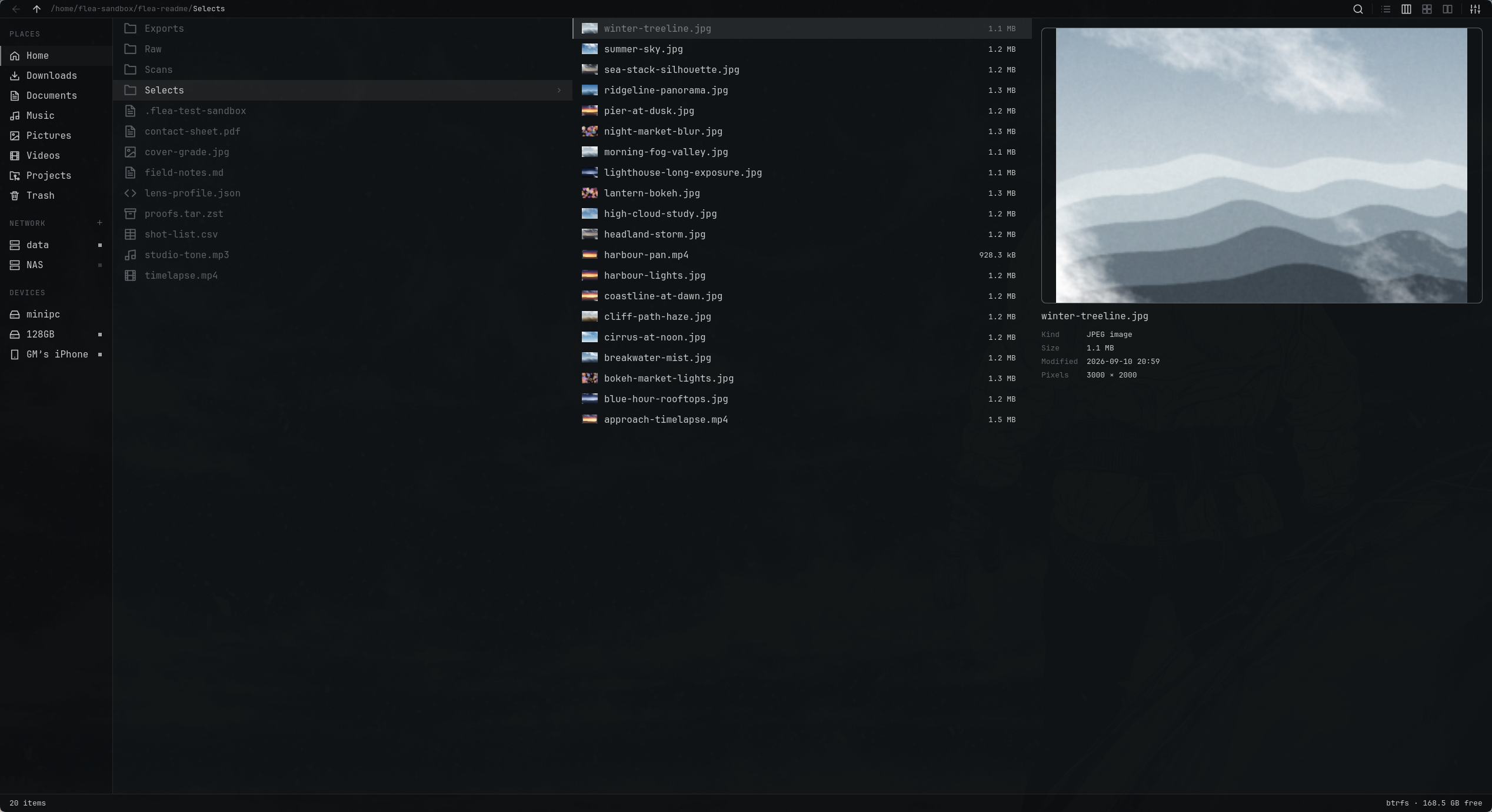
Space opens Quick Look from any view. Page through a PDF, play media or inspect an archive.
Measured on 8 September 2026, using the source tree released as 0.1.6.
Cold caches, three runs per app, medians below. Seven GUI apps on the same Omarchy machine.
100,000 files
Flea led this run in settled time, window memory and process-tree CPU.
PCManFM mapped its window sooner.
| File manager |
First window |
Settled |
Window PSS |
CPU |
| Flea |
749 ms |
1.21 s |
88.0 MiB |
0.89 s |
| Strata |
632 ms |
1.67 s |
93.9 MiB |
1.39 s |
| Dolphin |
699 ms |
5.43 s |
211.2 MiB |
8.97 s |
| Nemo |
780 ms |
22.23 s |
459.6 MiB |
25.34 s |
| Thunar |
534 ms |
22.72 s |
346.0 MiB |
22.33 s |
| PCManFM |
415 ms |
35.76 s |
109.9 MiB |
24.77 s |
| Nautilus |
798 ms |
79.83 s |
335.1 MiB |
18.61 s |
2,000 mixed files
The apps produced different amounts of thumbnail work, so settled time and CPU are
not ranked. These are observations, not an equal-work speed comparison.
| File manager |
First window |
Settled |
Window PSS |
CPU |
Thumbnails |
| Flea |
794 ms |
2.49 s |
102.9 MiB |
1.23 s |
36 |
| Dolphin |
682 ms |
14.28 s |
98.8 MiB |
68.18 s |
552 |
| Nautilus |
857 ms |
16.95 s |
172.4 MiB |
12.54 s |
541 |
| Nemo |
788 ms |
3.36 s |
53.7 MiB |
5.25 s |
60 |
| PCManFM |
389 ms |
Timed out |
38.9 MiB |
90.19 s |
604 |
| Strata |
610 ms |
7.83 s |
87.2 MiB |
2.31 s |
205 |
| Thunar |
534 ms |
12.88 s |
41.1 MiB |
7.22 s |
221 |
“First window” records compositor registration. “Settled” means 500 ms without process-tree
CPU activity; neither measures input readiness.
PSS covers the window process, excluding helpers and GPU memory. Flea's separate backend used a median 5.3 MiB on the large
listing and 2.1 MiB on media. CPU includes the process tree; shared libraries affect PSS.
PCManFM did not settle in any media run. Results describe this machine and workload.
Method · Run details and TUI results ·
Scale CSV · Media CSV
Keyboard
Press ? for the full keymap, or , to change settings.
| Action |
Keys |
| Move / parent / enter |
j k / h / l |
| Open with the default app |
Enter |
| Quick Look |
Space |
| Select / extend selection |
v / Shift + arrows |
| Copy / cut / paste |
y x p, or Ctrl+C Ctrl+X Ctrl+V |
| Rename / trash / undo |
r or F2 / dd or Delete / z |
| New folder |
Ctrl+Shift+N |
| Search / filter the list |
f / / |
| Enter a path |
: or Ctrl+L |
| List / columns / grid |
Ctrl+1 / Ctrl+2 / Ctrl+3 |
| New tab / close tab / switch tab |
t / w / 1–9 |
| Open terminal / context menu |
Ctrl+T / m |
| Show hidden files |
. |
The Windows preset uses Ctrl+Shift+1/2/3 for views. Menu visibility does not disable shortcuts.
See the full key table for preset bindings and pointer actions.
Build
Requires Omarchy, Quickshell 0.3.1 or newer, and Rust. See
installation details for runtime and optional dependencies.
cargo build --release
FLEA_UI="$PWD/ui" ./target/release/flea --gui
Pass a directory to open it, or --select <path> to reveal a file. The terminal interface
is not implemented yet.
./tests/run-all.sh
The headless runner builds both profiles and reports suites that need a display, credentials
or a package. The test suites cover file operations, previews, persistence and input;
the protocol guide documents the backend.
Support
If this saved you an afternoon, you can
buy me a coffee.
Licence
MIT.

 Flea 是一款专为 Omarchy 打造的快速、键盘优先的 GUI 文件管理器,采用 Rust 后端搭配 Quickshell(QML)界面,并跟随你的 Omarchy 主题。