

What is this?
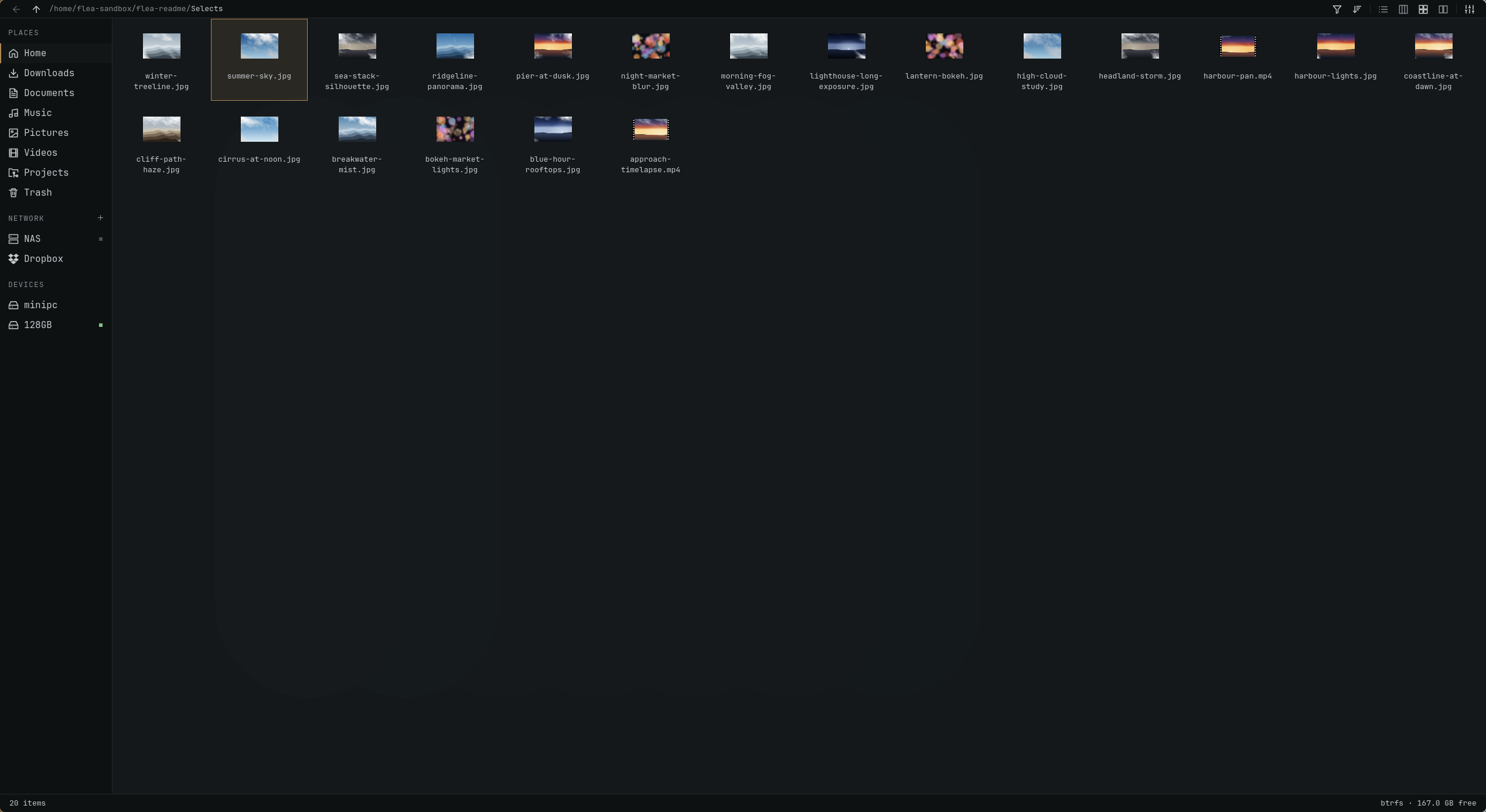
 Flea is a fast, keyboard-first GUI file manager built specifically for Omarchy, pairing a Rust backend with a Quickshell (QML) interface that follows your Omarchy theme.
Flea is a fast, keyboard-first GUI file manager built specifically for Omarchy, pairing a Rust backend with a Quickshell (QML) interface that follows your Omarchy theme.Is this a standalone app or some kind of plugin?It's a standalone desktop application meant to replace your system file manager and file-picker dialogs, not a plugin for another app.
It's a standalone desktop application meant to replace your system file manager and file-picker dialogs, not a plugin for another app.How do I install it and make it my default file manager?Update/install it through Omarchy (version 0.1.6 is on GitHub, with an OPR package pending); once installed you can set it as the default file manager, the file chooser for Open/Save dialogs, and bind it to Super+Shift+F.
Update/install it through Omarchy (version 0.1.6 is on GitHub, with an OPR package pending); once installed you can set it as the default file manager, the file chooser for Open/Save dialogs, and bind it to Super+Shift+F.What do I need installed before building it?You need the Omarchy environment itself, Quickshell version 0.3.1 or newer, and Rust to build the backend.
You need the Omarchy environment itself, Quickshell version 0.3.1 or newer, and Rust to build the backend.Any features that are still missing?There's no terminal/TUI mode yet, and it's tied to the Omarchy/Hyprland/Wayland stack rather than being a general cross-desktop Linux file manager.
There's no terminal/TUI mode yet, and it's tied to the Omarchy/Hyprland/Wayland stack rather than being a general cross-desktop Linux file manager.Does this run on any Linux desktop or just Omarchy?It's built specifically for Omarchy (a Hyprland-based Wayland setup) and depends on Quickshell, so it isn't a generic cross-desktop Linux file manager.
It's built specifically for Omarchy (a Hyprland-based Wayland setup) and depends on Quickshell, so it isn't a generic cross-desktop Linux file manager.How fast is Flea compared to other Linux file managers?In the README's own benchmark on 100,000 files, Flea settled in 1.21s using 88 MiB, well ahead of Nautilus (79.83s) and Nemo (22.23s); results are from the author's own machine and workload, not an independent test.
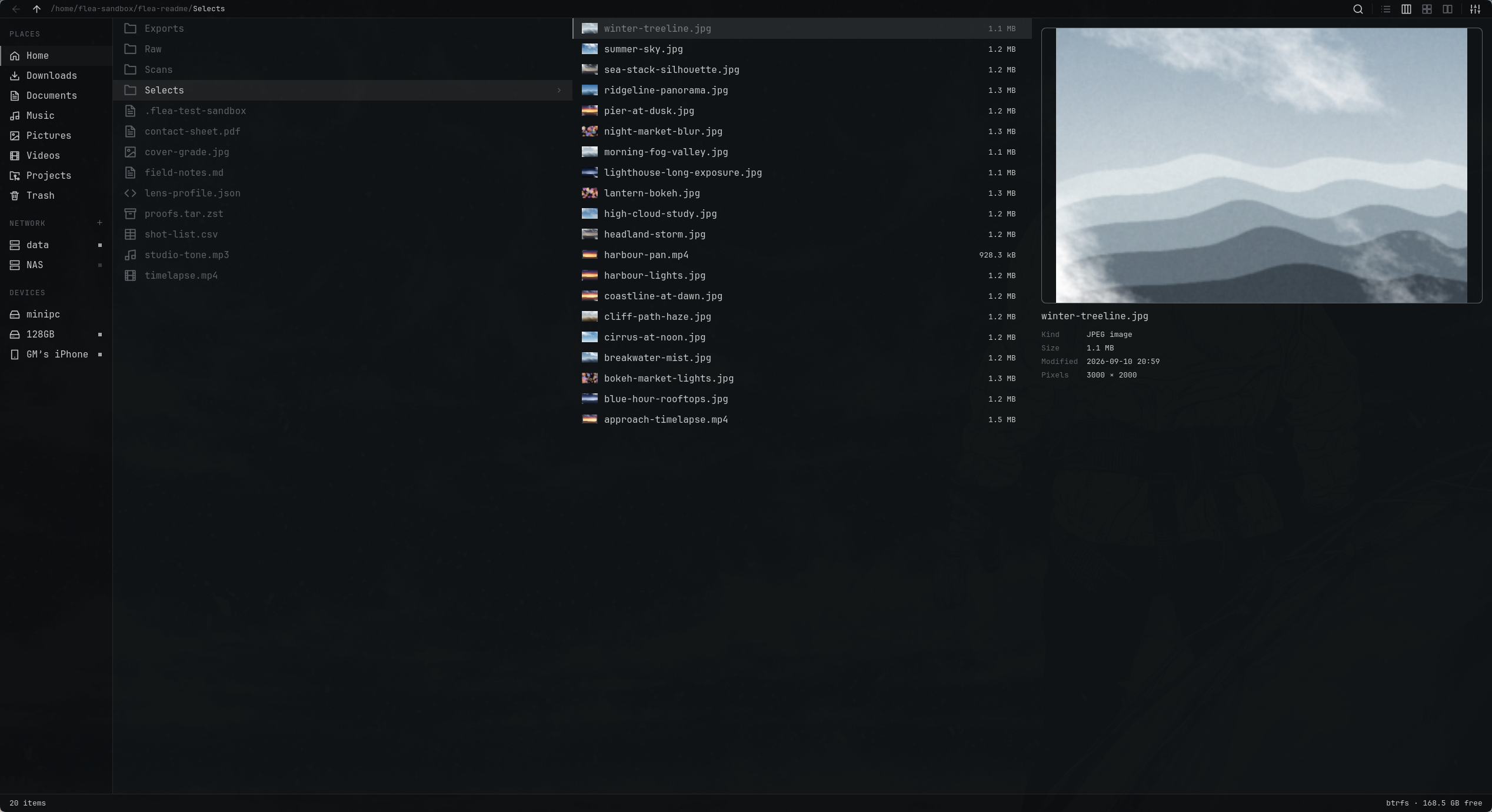
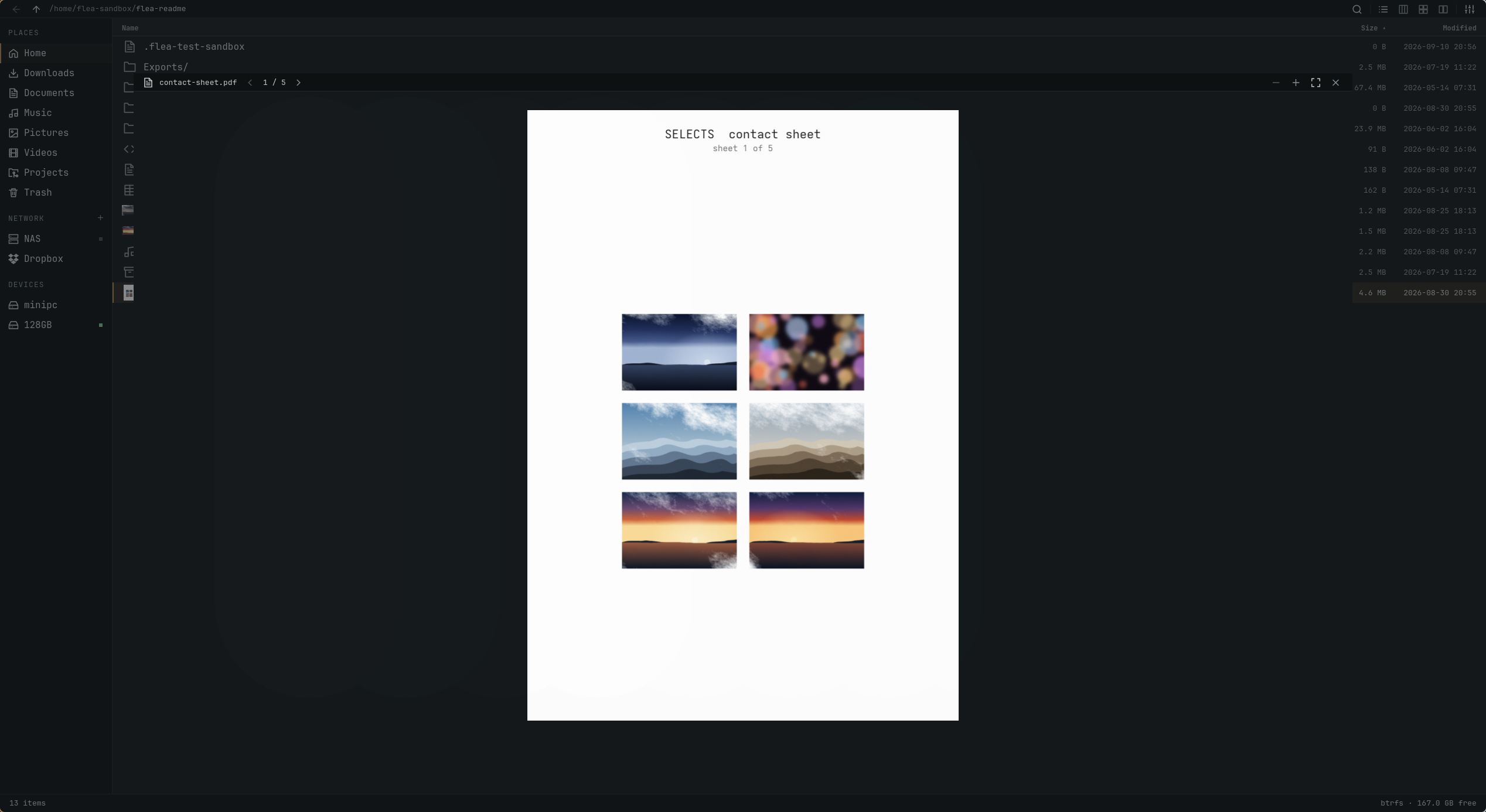
In the README's own benchmark on 100,000 files, Flea settled in 1.21s using 88 MiB, well ahead of Nautilus (79.83s) and Nemo (22.23s); results are from the author's own machine and workload, not an independent test.What does Quick Look do?Pressing Space opens a preview pane for images, PDFs, text, media and archive contents, viewable from any of the three main views.
Pressing Space opens a preview pane for images, PDFs, text, media and archive contents, viewable from any of the three main views.Which network and cloud protocols can it browse?Flea supports SMB, SFTP, FTPS, WebDAV, NFS, Dropbox and Taildrop for remote and shared file access.
Flea supports SMB, SFTP, FTPS, WebDAV, NFS, Dropbox and Taildrop for remote and shared file access.Can I customize the keybindings?Yes - press ? to see the full keymap, and you can switch between Default, Vim, Mac or Windows key presets (the Windows preset changes view-switching shortcuts to Ctrl+Shift+1/2/3).
Yes - press ? to see the full keymap, and you can switch between Default, Vim, Mac or Windows key presets (the Windows preset changes view-switching shortcuts to Ctrl+Shift+1/2/3).What are similar projects?omastorm, shell, omarchy-workspace-layout, strata, omarchy-lock-explorer, omamail, serpantinum, AgentOS
omastorm, shell, omarchy-workspace-layout, strata, omarchy-lock-explorer, omamail, serpantinum, AgentOSWhich topics is it in?quickshell, file-management, qml, omarchy, hyprland, linux-desktop, webdav, wayland, linux-app, file-manager, file-sharing, keyboard
quickshell, file-management, qml, omarchy, hyprland, linux-desktop, webdav, wayland, linux-app, file-manager, file-sharing, keyboard