
Kikumap
English · 简体中文
A mind map for your Claude and ChatGPT chats.
See which chats are running and which are waiting for you, from the menu bar or your desktop.
Sort them into a map. Take them with you.






Website ·
Features ·
Install ·
Privacy ·
FAQ ·
Support ❤️
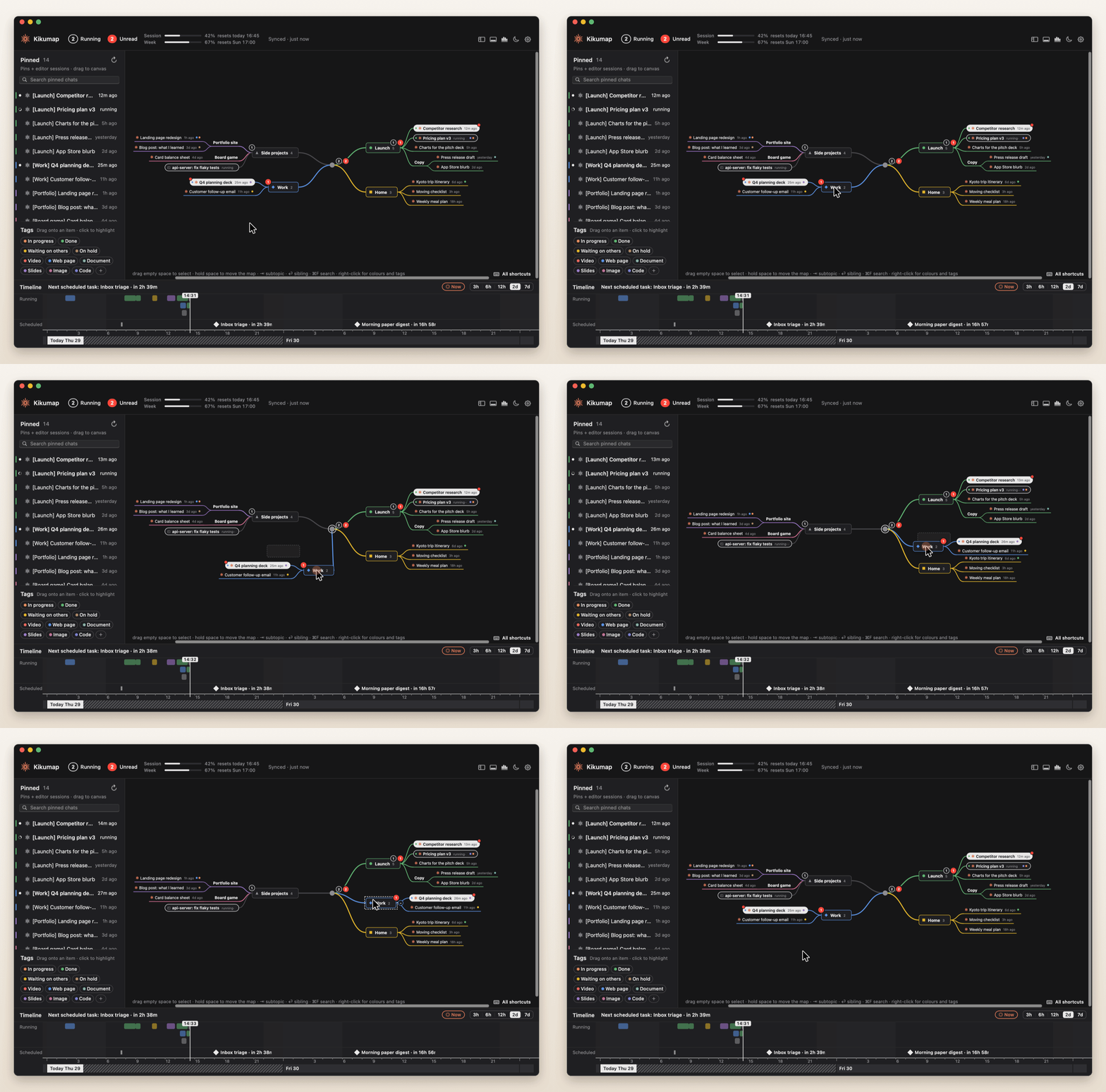
You pinned a dozen chats in Claude, and a few Codex chats in ChatGPT. One is planning your trip, one is fixing a test, one finished ten minutes ago and you haven't looked. Kikumap sits in your menu bar and keeps track of both: what's running, what's done, what needs your OK. Open it and your pinned chats are laid out as a mind map that you arrange, MindNode-style. A desktop widget shows the same at a glance, with your Claude and ChatGPT usage.
Native and featherlight. Swift and AppKit only: no Electron, no web view, no helper processes, no third-party code (its line icons are from Lucide, ISC). A small download that mostly waits for changes (with a light check every half minute), and stops drawing entirely when its window is hidden.
https://github.com/user-attachments/assets/abd1dc24-4bc4-433a-8bf0-ad95262d4902
[!NOTE]
Good to know. The Claude app has no public API, so Kikumap reads its window through macOS Accessibility; ChatGPT's threads come from the files its desktop app keeps on your Mac. When either app changes, parts of Kikumap may stop working until it's updated. Kikumap is an independent project, not made by or affiliated with Anthropic or OpenAI.
Features
 |
Know what Claude and ChatGPT are doing
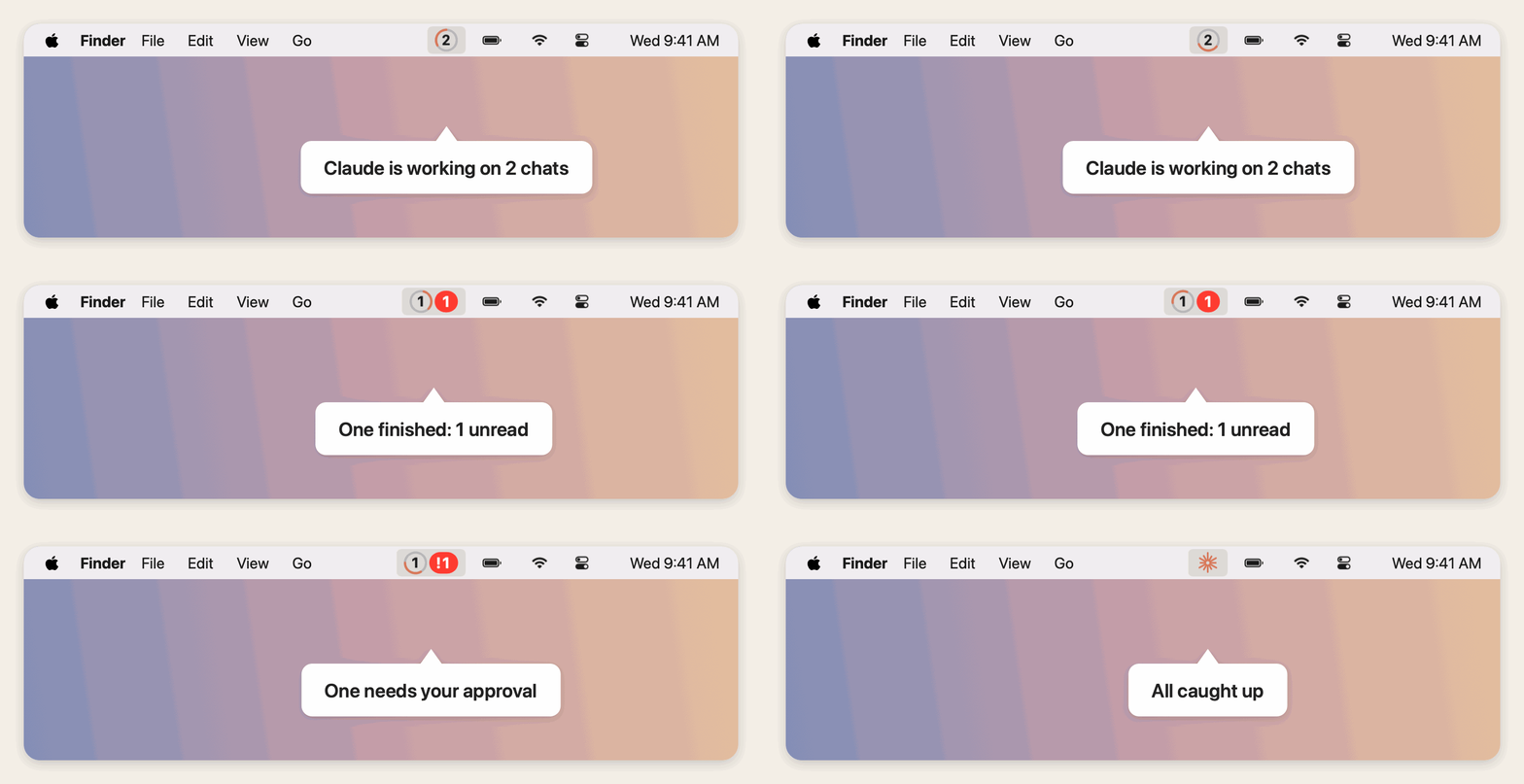
One icon in the menu bar. While pinned chats run, it shows how many, in a ring with an orange arc going round. A red badge counts chats that finished and you haven't read, with ! when one needs your approval. With nothing running or unread, it's a little orange flower.
Hear it instead of checking. A sound plays when a chat finishes or needs you, and Kikumap can then say which one ("Pricing plan is done") in the voice, speed and words you choose. Or use your own sound file.
Works with the Claude desktop app, Claude Code (Terminal, VS Code, the app's Code mode) and the ChatGPT desktop app. From ChatGPT, Kikumap shows the chats that run on your Mac: the Codex chats you pin in the ChatGPT app (pinned threads and the threads in pinned projects) show next to Claude's, marked GPT, in ChatGPT's order, and running and unread follow ChatGPT's own dots. Codex sessions in VS Code or the terminal show like Claude Code sessions: while they run, while unread, and for 12 hours after. Ordinary ChatGPT chats are kept online, not on your Mac, so they can't show, pinned or not. Nothing to set up: Kikumap reads what ChatGPT keeps on your Mac.
|
Your chats, as a map
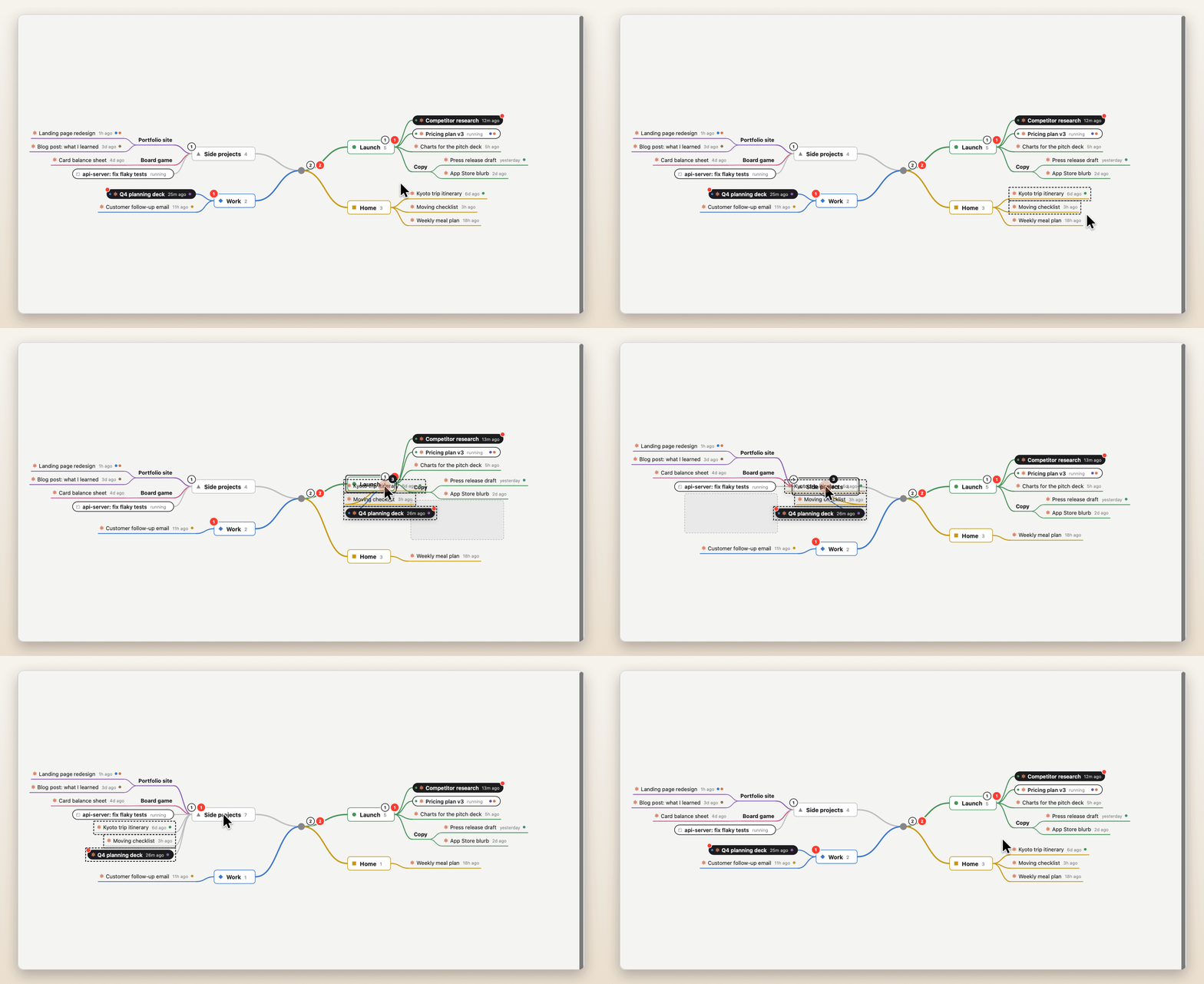
The left column mirrors the chats you pinned in Claude and the Codex chats you pinned in ChatGPT, in each app's order, and your Claude Code sessions. The map starts empty: nothing goes on it until you put it there. Drag them onto your own topics. While you drag, the item rides a live branch and the rest of the map slides aside to show where it will land. The map never rearranges itself on its own.
Several at once: drag a box on empty space (or ⌘/⇧-click), or ⌘/⇧-click in the left column, then drag any one of them. They all come along, in order. Hold space and move the mouse, or swipe with two fingers, to move around the map. The left column and the timeline can be hidden (⌃⌘S, ⌃⌘T) or resized by dragging their edge, and ⌘+ / ⌘- make everything in the window bigger or smaller.
Real conversations carry a small orange mark, so they stand apart from plain topics. Hover one for two buttons: open it in Claude or ChatGPT, or mark it unread again (⇧⌘U) so it waits for you until you've opened it.
|
 |
 |
Make it yours
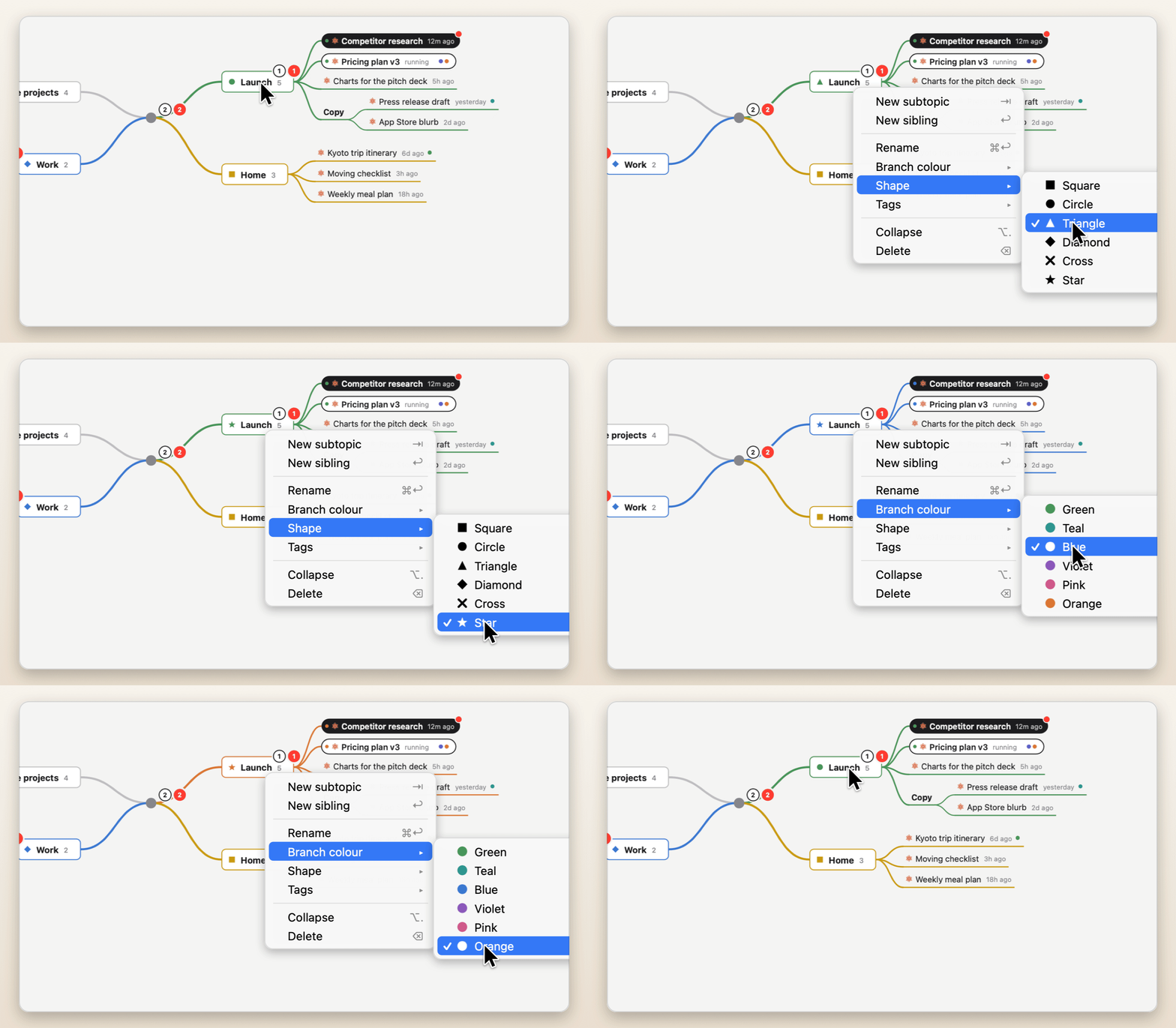
Right-click any topic for a branch colour and a shape: square, circle, triangle, diamond, cross or star. Colours flow down the branch, into the timeline and the menu.
|
Tag anything
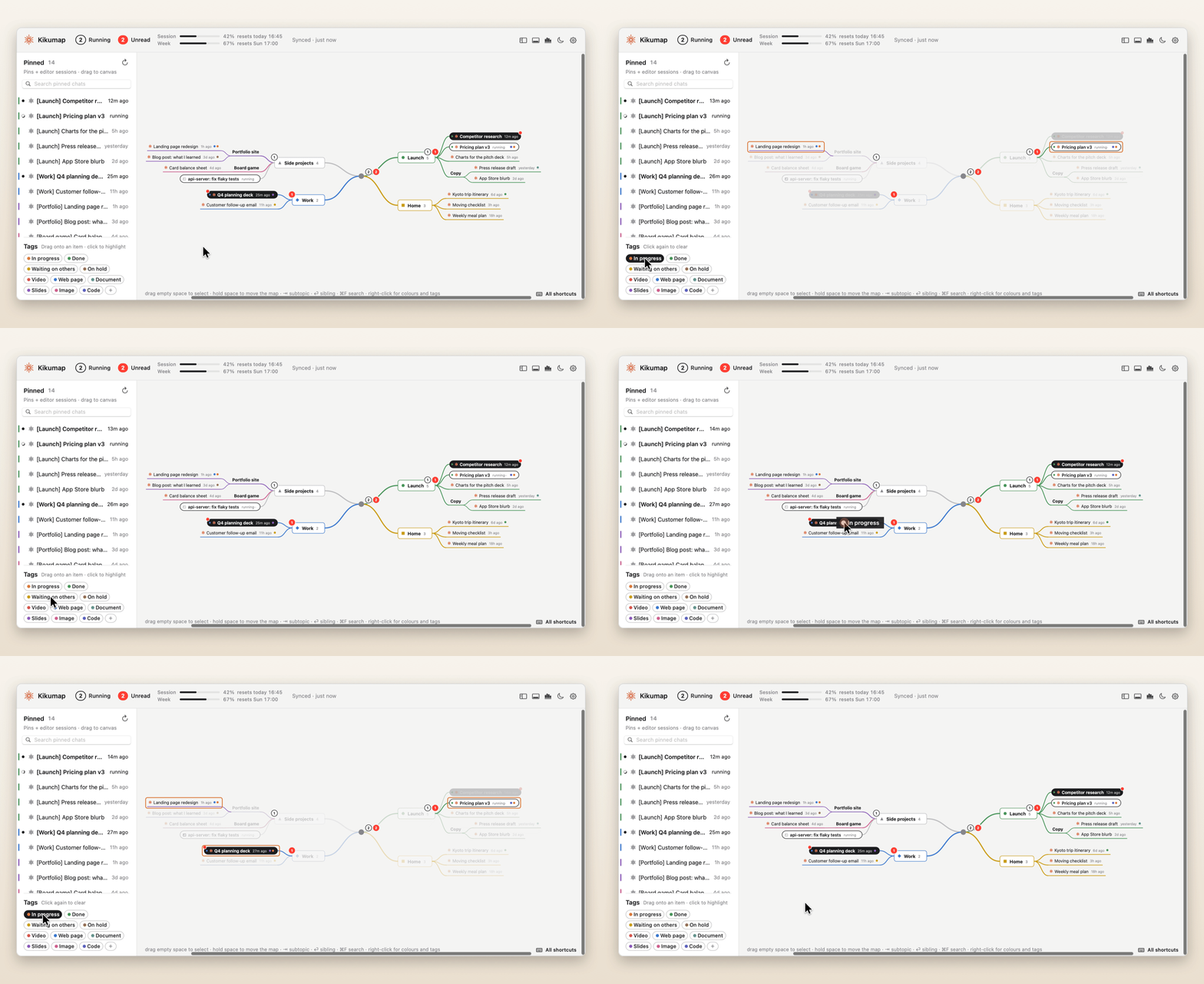
Tags like In progress, Waiting on others or Slides. Pick them from the right-click menu, or drag one from the shelf straight onto a chat.
Click a tag to highlight everything that has it; the rest of the map fades back. Click again to clear.
|
 |
 |
Keyboard-first
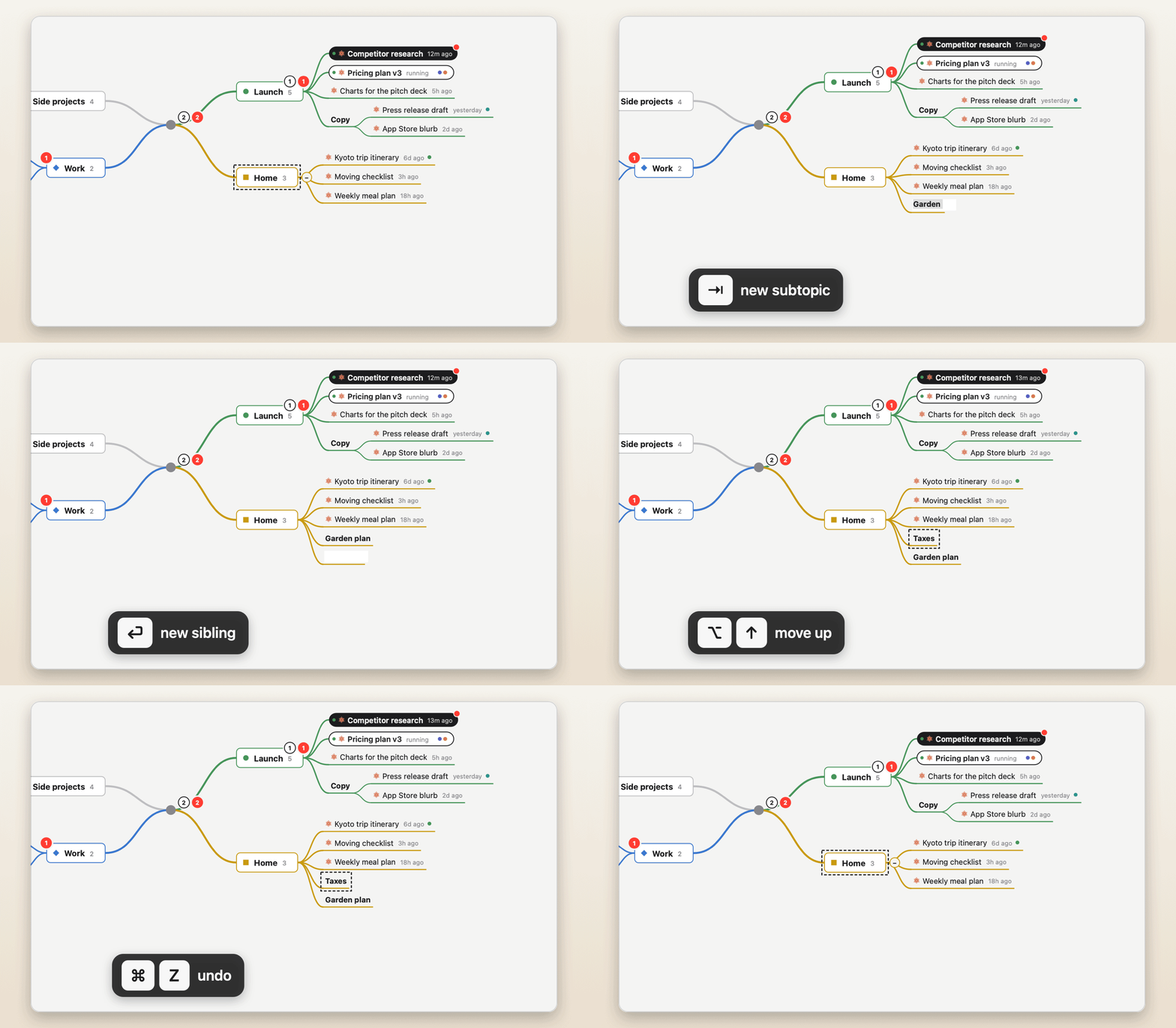
Like a real mind-map app: ⇥ new subtopic, ⏎ sibling, ⌥↑↓ reorder, ⌘Z undo. Also ⌫ delete, ⌥. fold, ⌘F search, and ⌘↓ (or a tap on space) to open a chat in its app, as in Finder.
|
What ran, and what's next
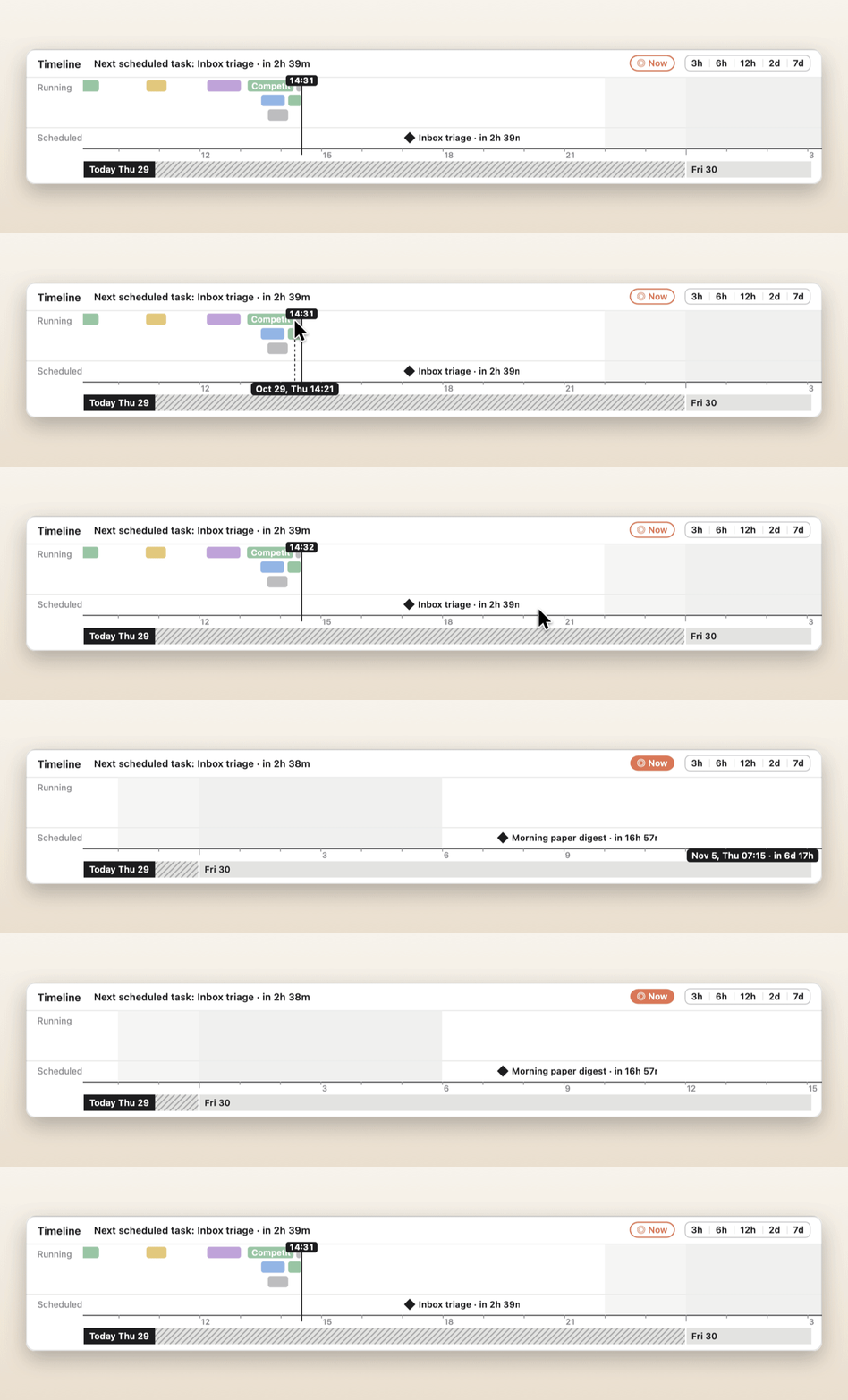
The timeline shows when Claude and ChatGPT worked on each chat, in your branch colours; chats running at the same time get rows of their own. Drag ahead to see your scheduled tasks (with usage turned on), each with a live countdown. Click anything to open it.
|
 |
 |
Take everything with you
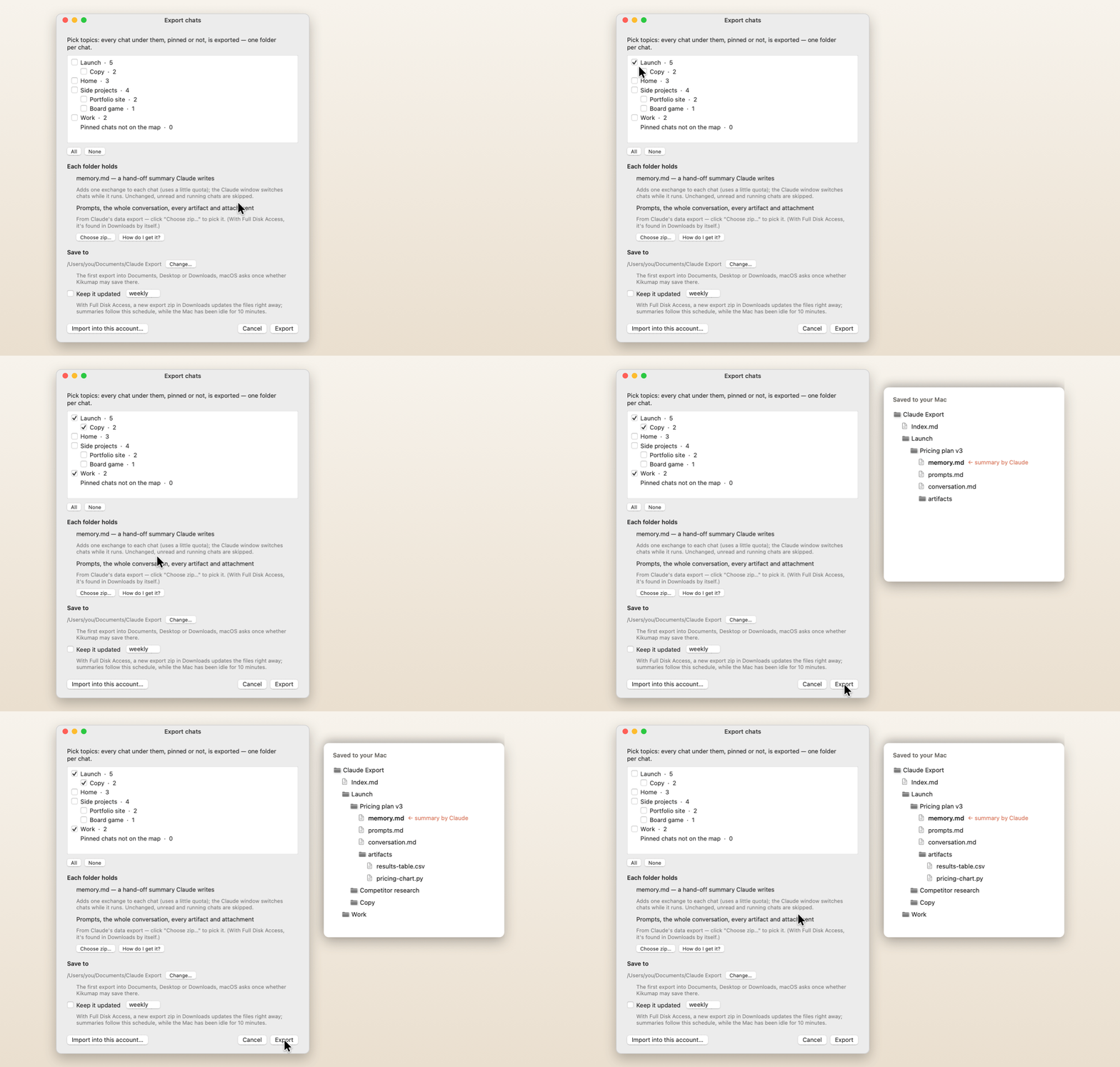
Tick topics and export every chat under them, pinned or not, one folder per chat:
memory.md: a hand-off summary Claude writes inside the chatprompts.md and conversation.mdartifacts/ and attachments/
The export can keep itself up to date. Import starts a new pinned chat per folder (in a new Claude account, say), with the summary and the artifacts attached, so you pick up where you left off.
|
On your desktop new
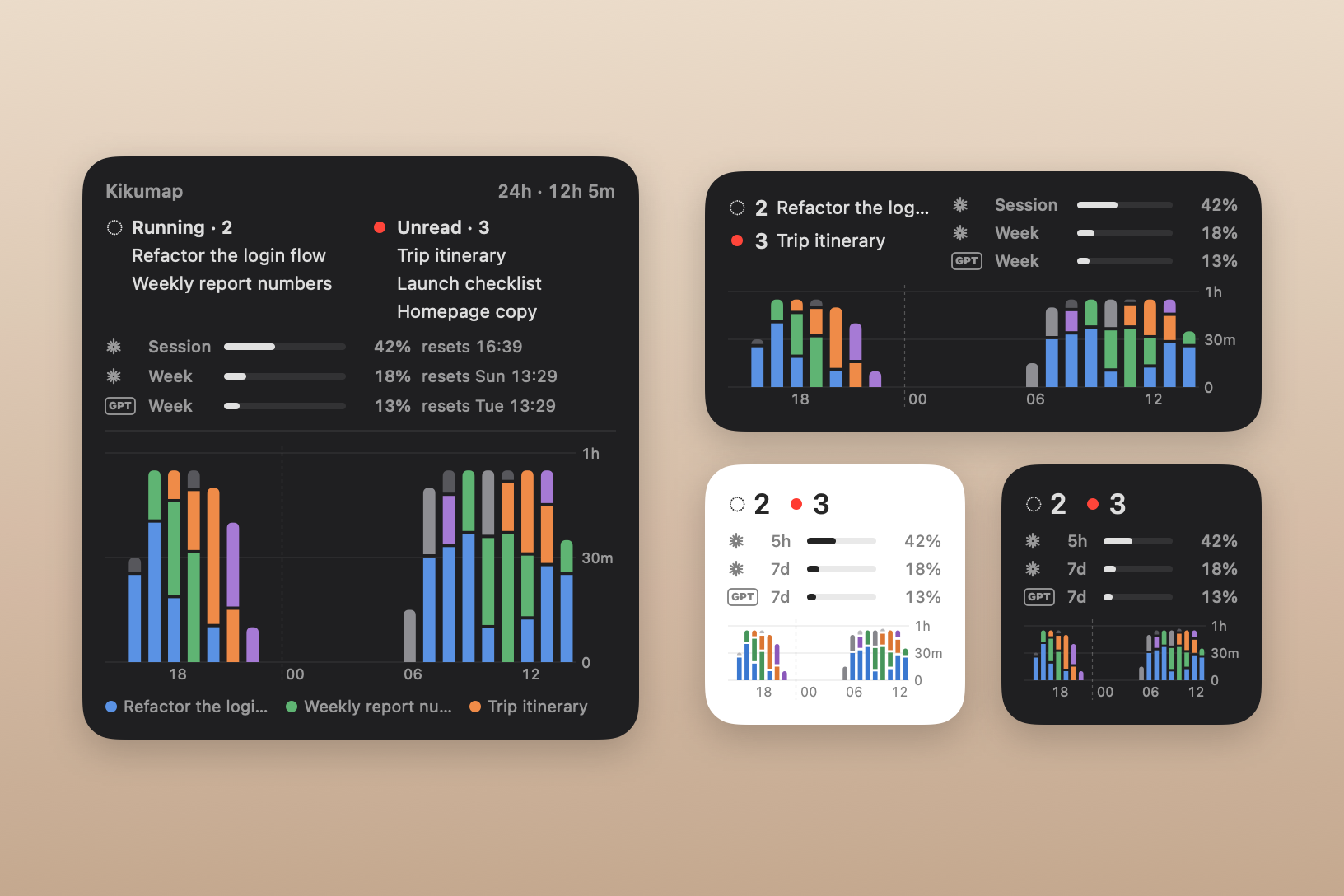
A widget for the desktop or Notification Center, in three sizes. Running and unread chats on top; then your usage, Claude's (the 5-hour session and the week), ChatGPT's, or both, each row marked with whose it is; and below, the last 24 hours as bars, a colour per chat. Click a chat to open it.
Right-click the desktop → Edit Widgets and search for Kikumap. macOS 14 or later.
|
 |
 |
How much got done new
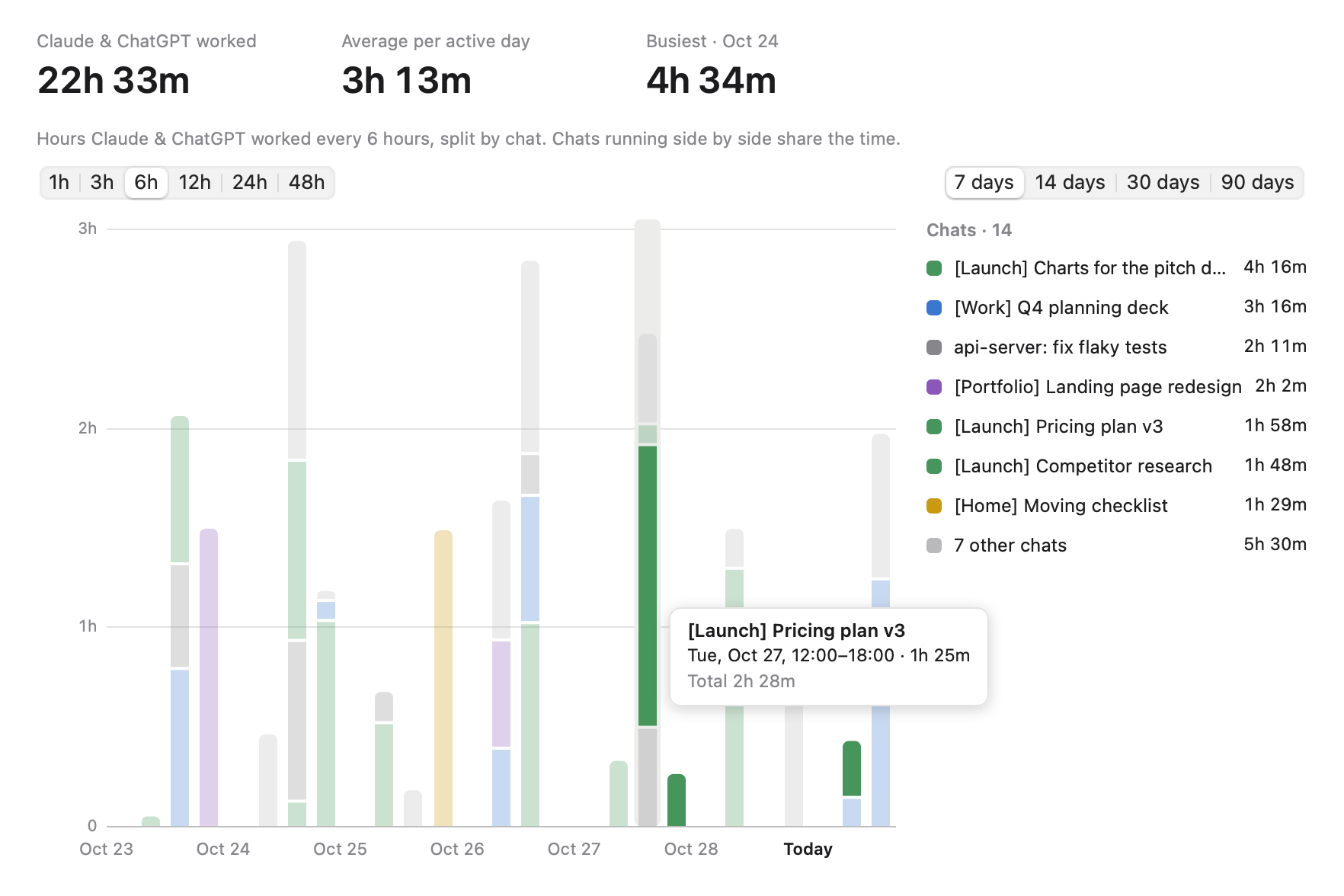
How long Claude and ChatGPT worked, split by chat, in bars of 1, 3, 6, 12, 24 or 48 hours over the last 7, 14, 30 or 90 days. Hover for the details, click a segment to open the chat. View → Statistics (⌘Y), or the chart button at the top of the window.
|
And a lot more
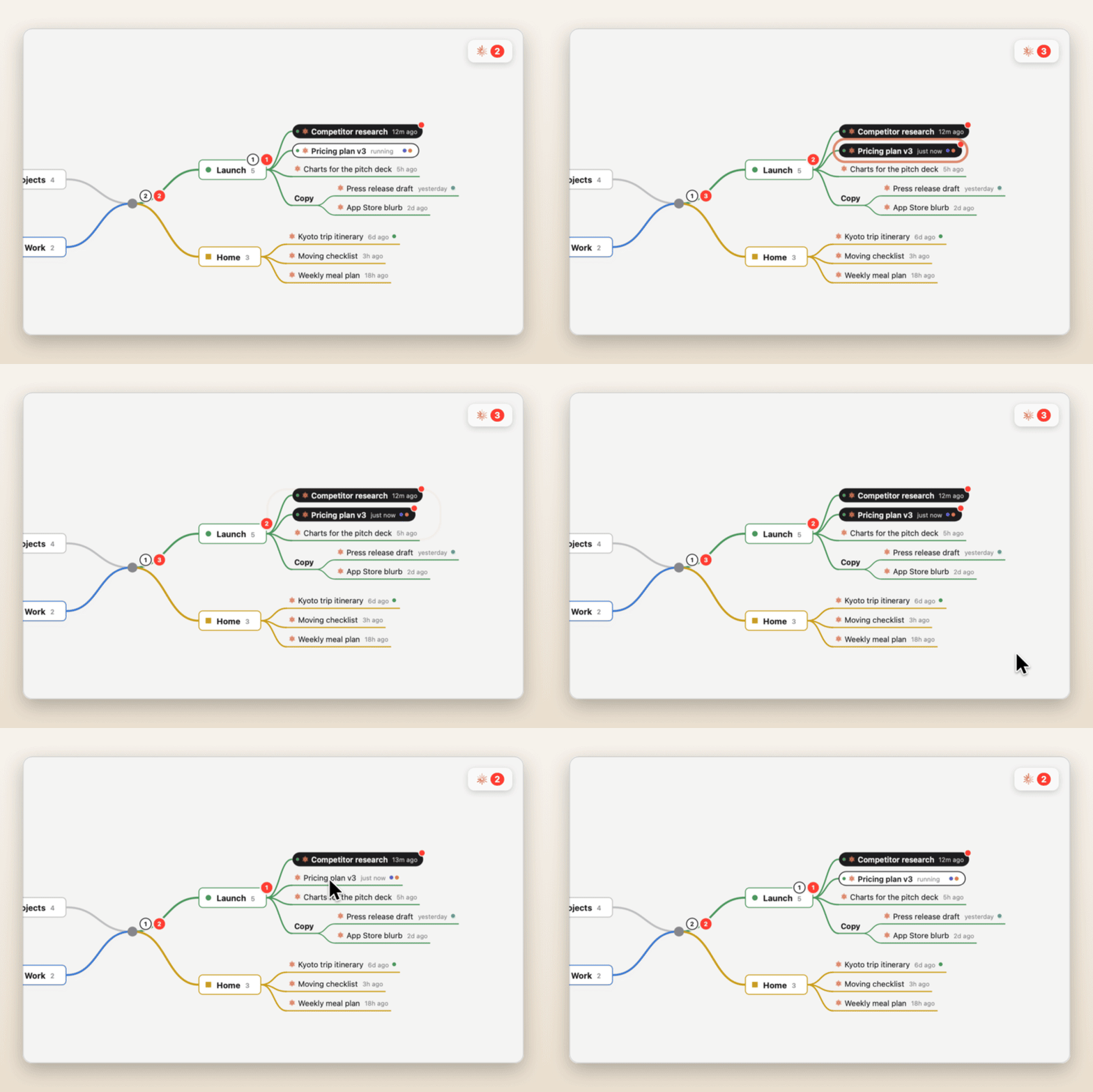
Finished chats light up
A chat that's done but unread turns solid on the map, with a red dot. |
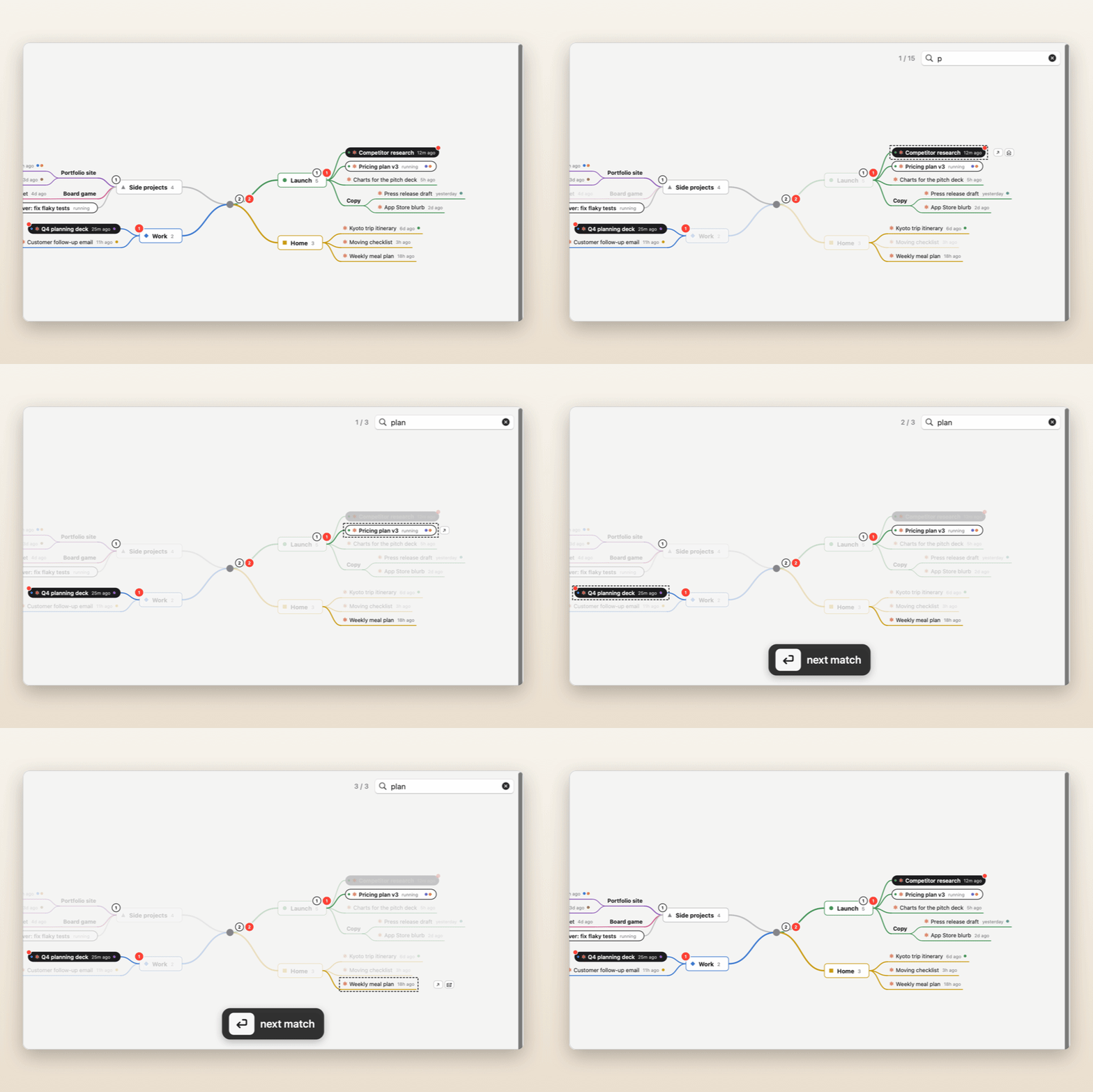
Find anything
⌘F searches topics, chats and tags; ⏎ jumps to the next match. |
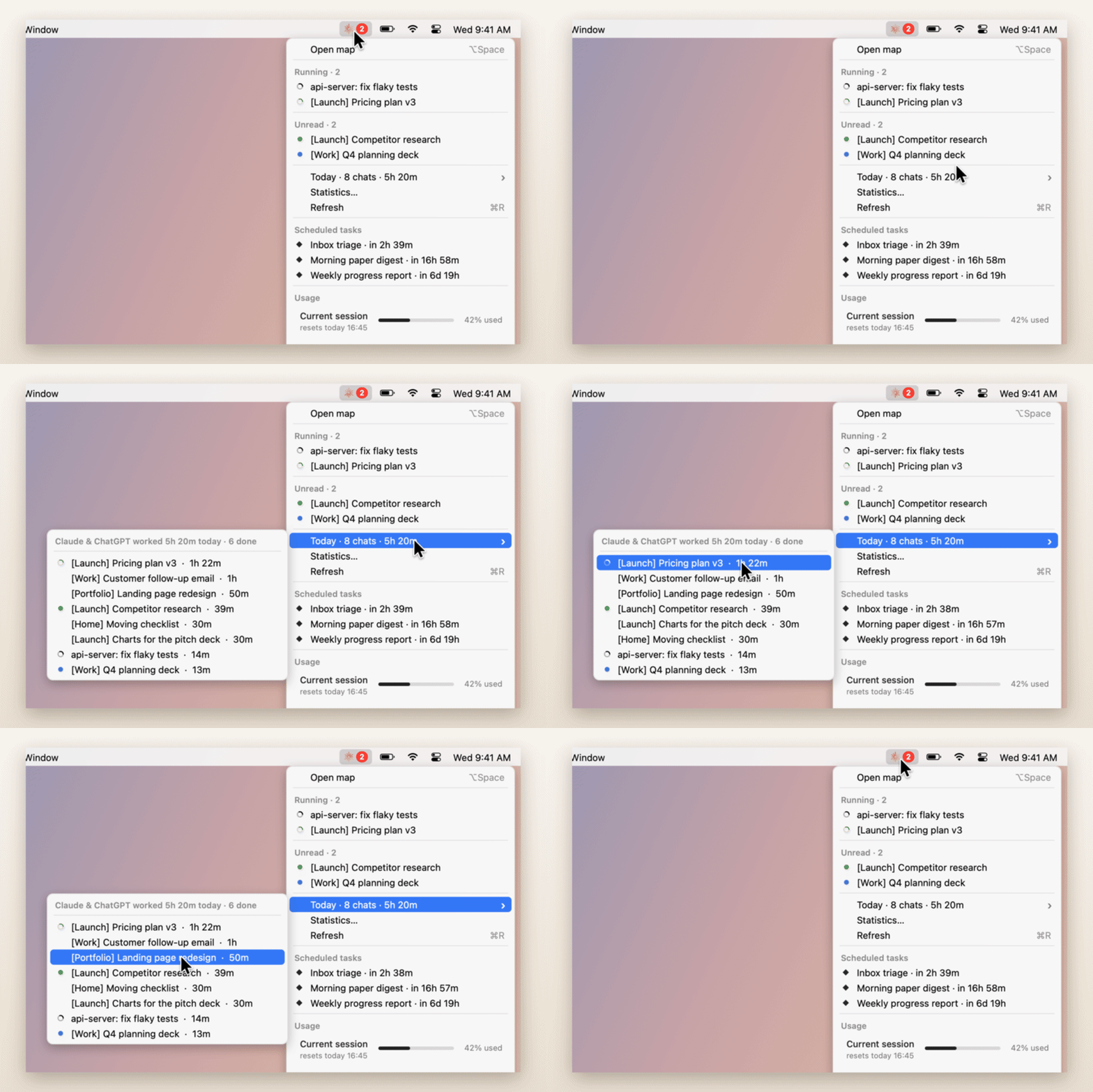
Your day at a glance
Which chats Claude and ChatGPT worked on today, and for how long, in the menu. |
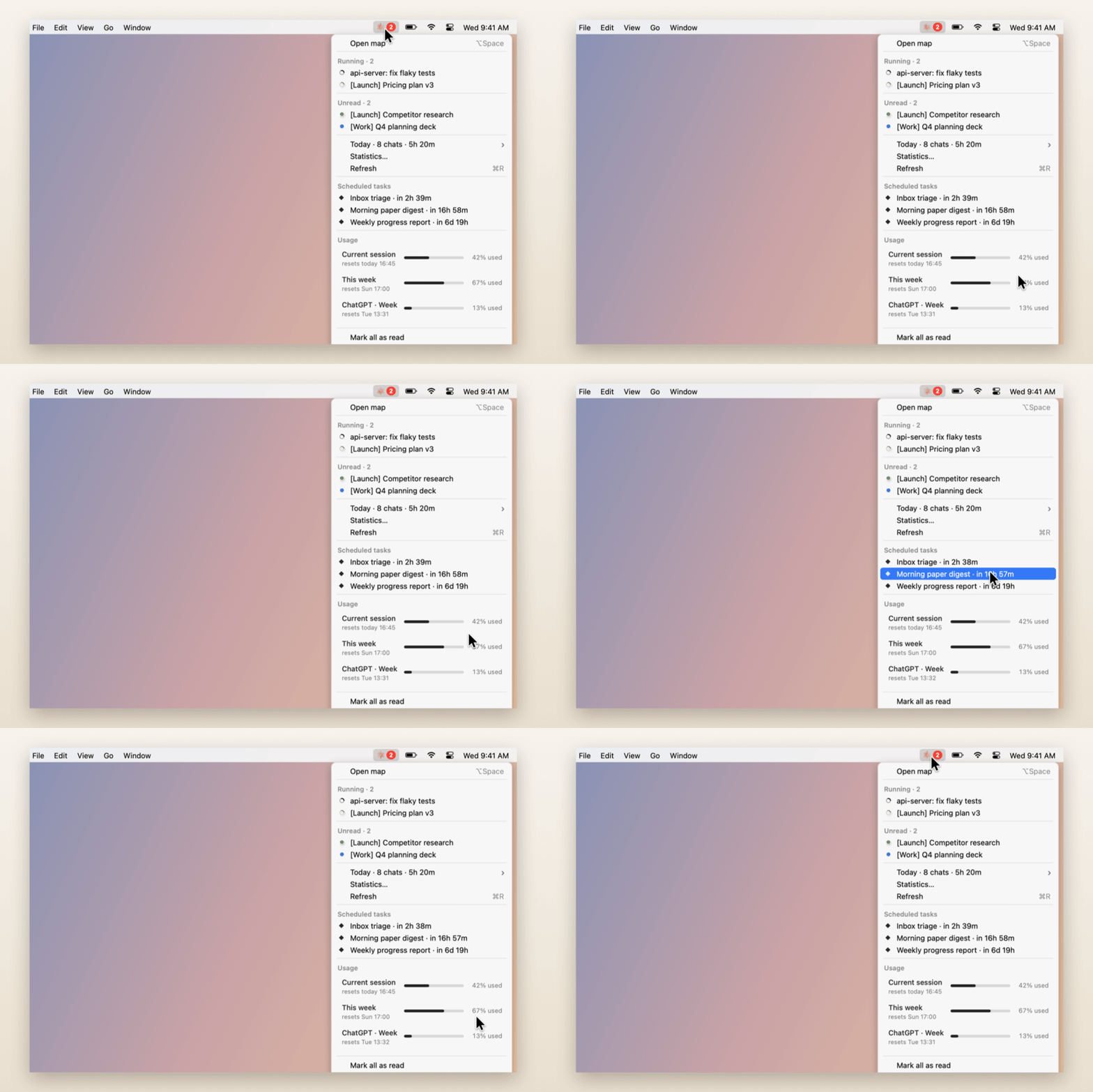
Usage in the menu
This session and this week, like claude.ai, plus what's scheduled next. |
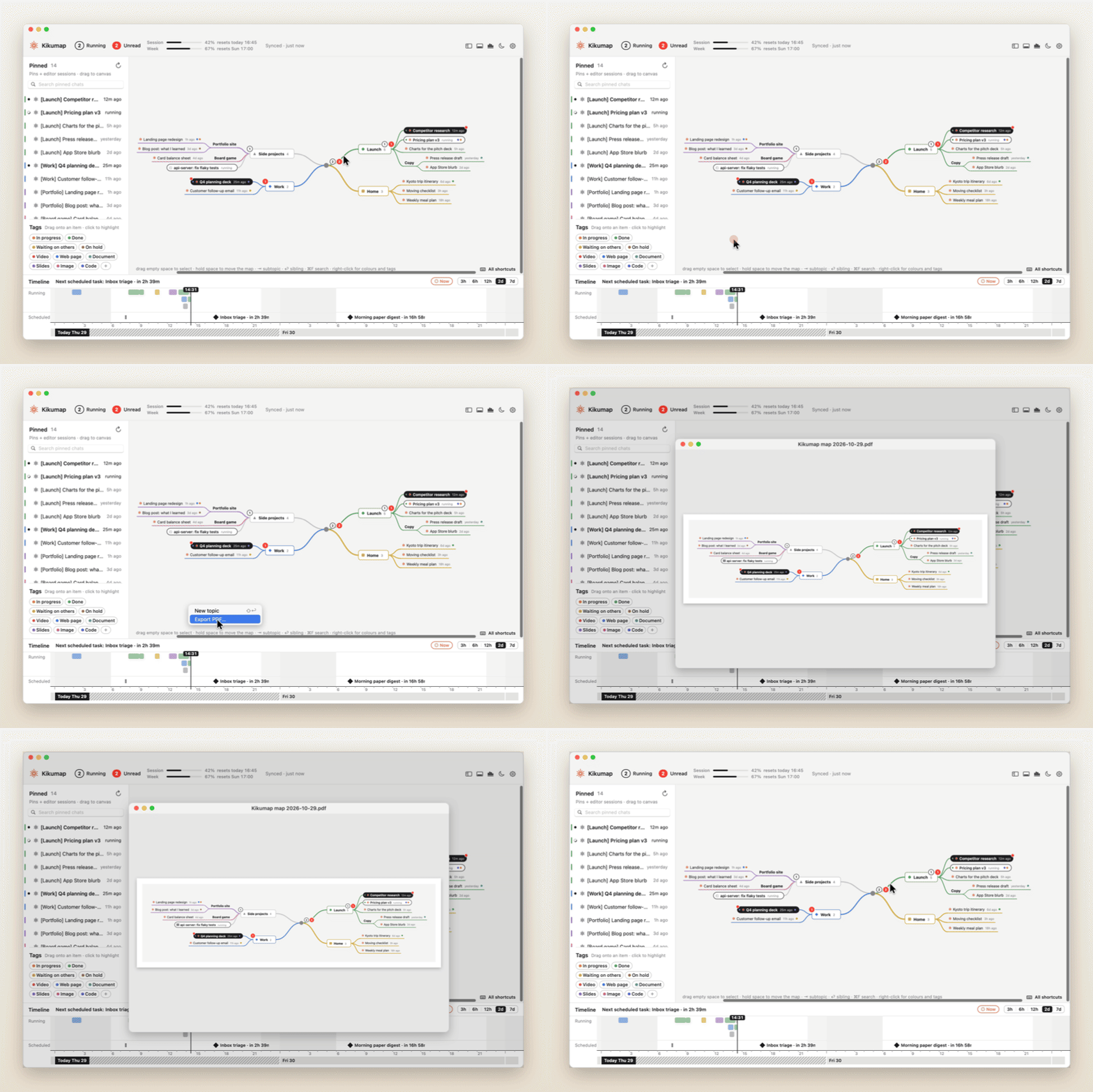
The map as a PDF
The whole map on one light page, ready to print or share. |
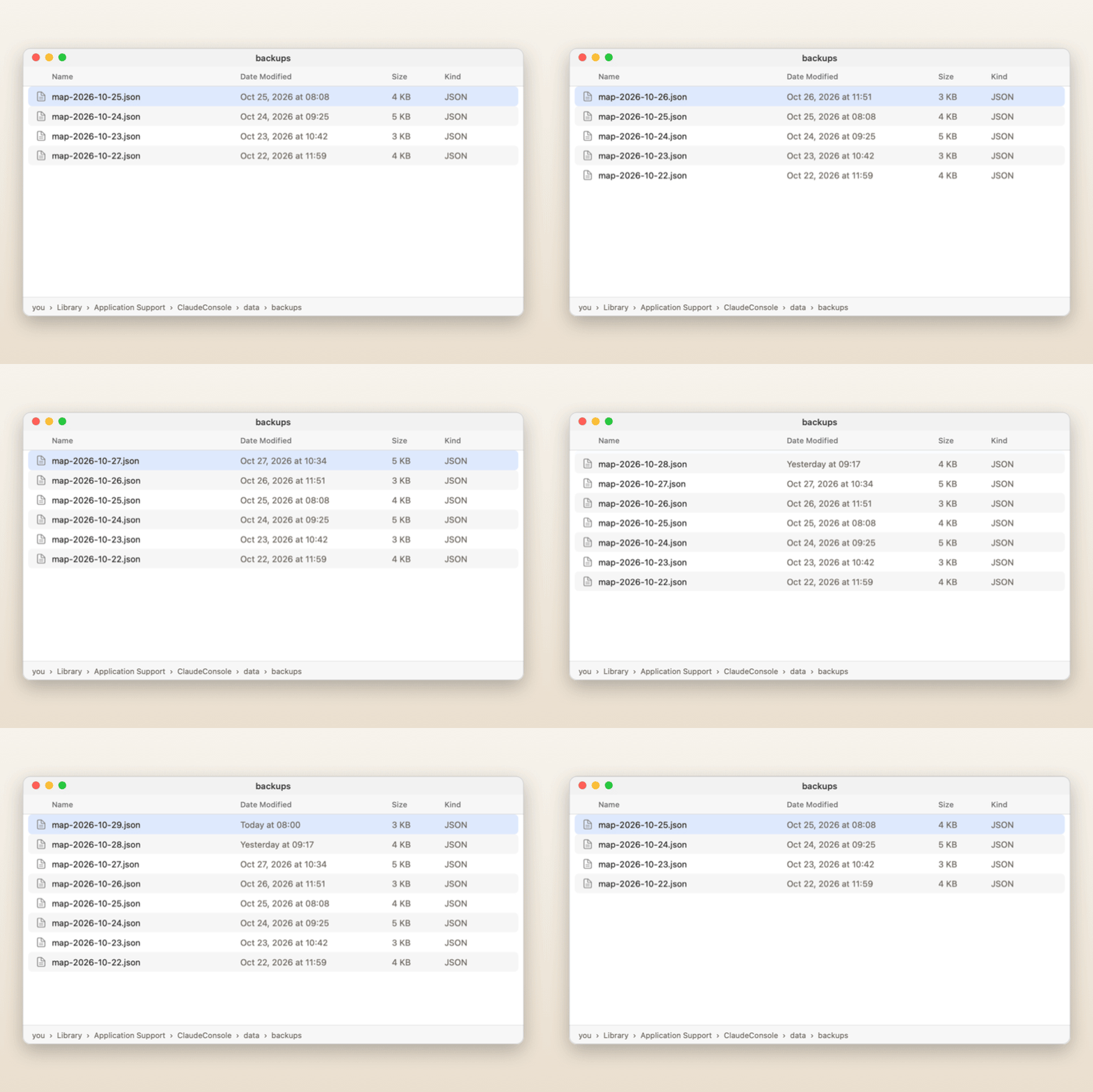
Daily backups
A copy of your map every day, before your first change. |
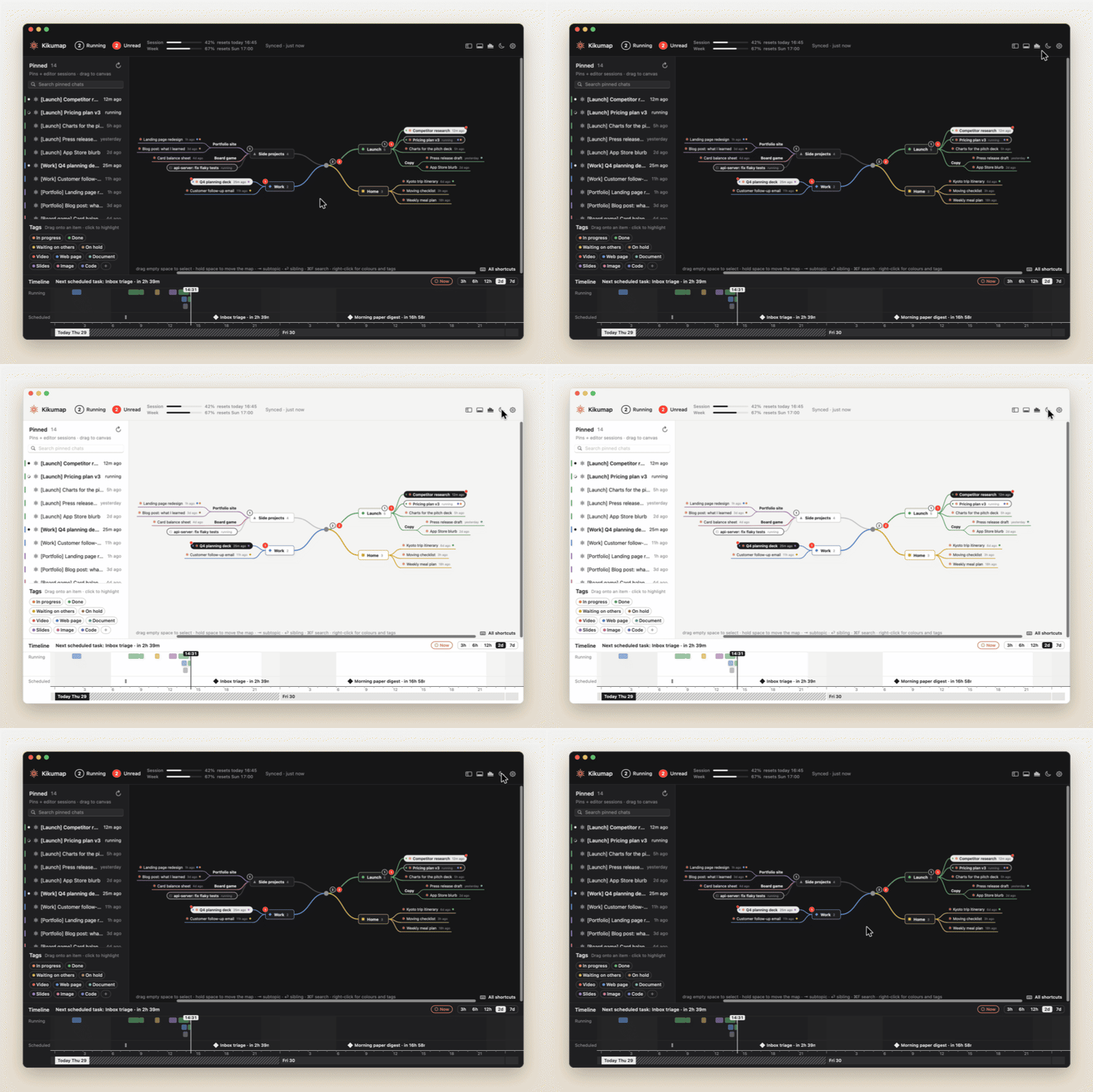
Light or dark
Follows your Mac, or flip it with the moon. |
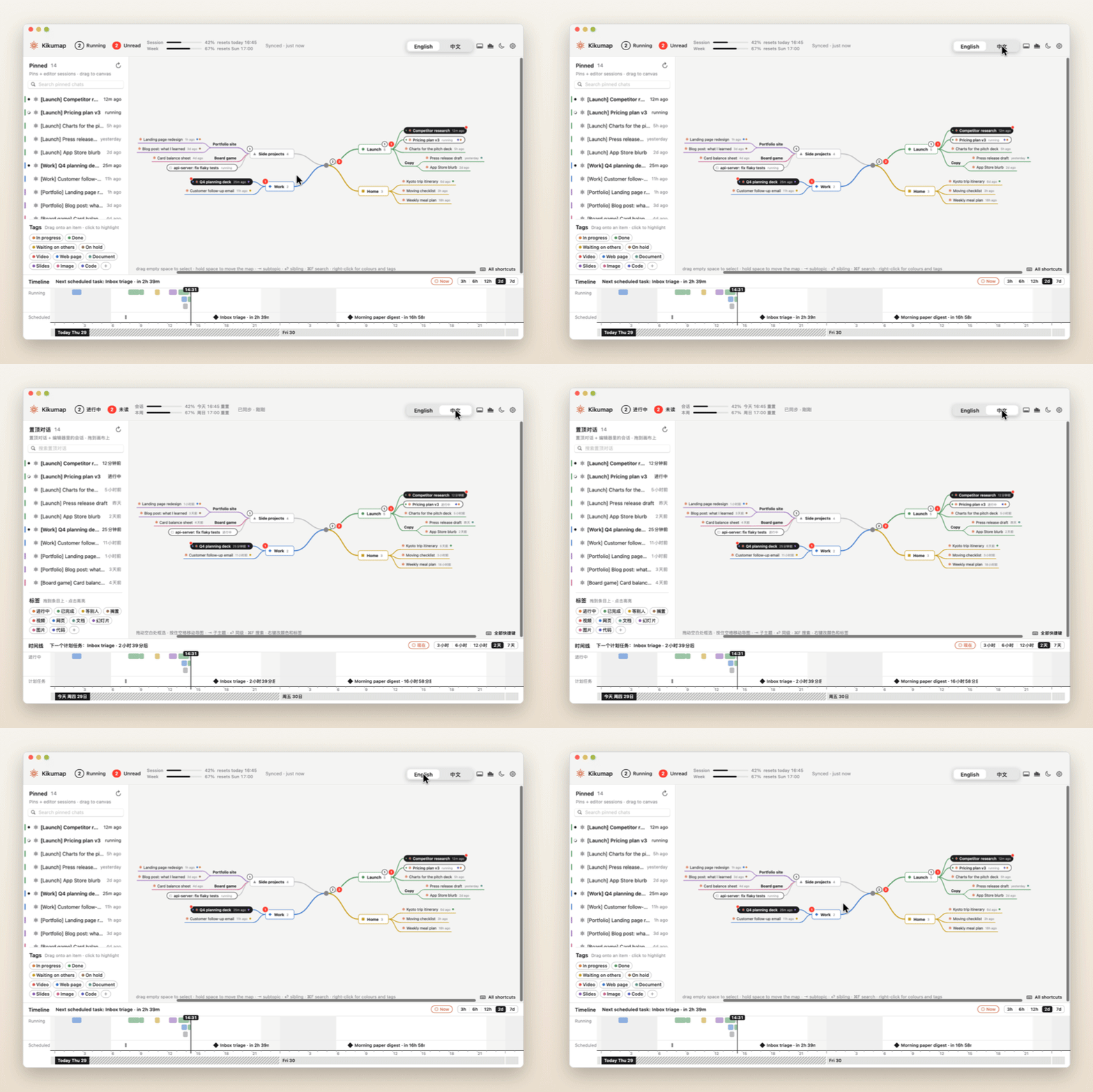
English · 中文
Every label, menu and tag in either language. |
What it can and can't see
Kikumap reads what the apps keep on this Mac. It never signs in to your accounts; with usage on, it asks Anthropic only for your usage and your scheduled tasks' times, using the sign-in Claude Code keeps here.
| Shows |
Doesn't show |
| Chats you pin in Claude, wherever you started them (pins sync from your phone and the web), while the Claude desktop app runs on this Mac |
Chats you haven't pinned; Claude used only in a browser or on another device, with no Claude app running here |
| Claude Code sessions run on this Mac: Terminal, VS Code, Cursor, the Claude app's Code mode (once its hooks are connected) |
Claude Code running on another computer or a server: over SSH, in VS Code Remote or a dev container, or in the cloud (its hooks run there, not here) |
| Codex chats you pin in the ChatGPT desktop app, and Codex sessions in VS Code or the terminal on this Mac |
Ordinary ChatGPT chats (kept online), Codex on another computer or a server, Codex cloud tasks |
| Claude's scheduled tasks, by name and run times, on the timeline (with usage on) |
What a scheduled or cloud task does while it runs |
| Claude's usage, through the sign-in Claude Code keeps on this Mac (a Claude subscription); ChatGPT's, from its own files |
Usage of an API key billed per use, or of an account not signed in on this Mac |
Running and finished come from this Mac too: Claude's sidebar while its window is open on the desktop you're using, Claude Code's hooks, and ChatGPT's files. With Full Disk Access, and Claude's notifications allowed in macOS, Claude's notifications add when it needs your approval or an answer, and when a Cowork task in the Claude app finishes; Claude sends none when an ordinary chat's reply finishes. (Code sessions in the app come through the Claude Code connection.) The intro shows this as a picture.
Install
Download Kikumap.dmg (Apple silicon and Intel, macOS 13 or later), open it and drag Kikumap to Applications.
The first time you open it, macOS says it can't check the app, because it isn't signed with a paid Apple Developer ID:
- In that message, click Done (not Move to Trash), then open System Settings → Privacy & Security.
- Scroll down and click Open Anyway next to Kikumap. (On macOS 13–14 you can also right-click the app → Open.)
- A short intro asks for one permission, Accessibility, so Kikumap can look at the Claude app's chat list. Everything else is optional. On its last page you can have Kikumap open when you log in (change it any time in Settings → General).
- Pin the chats you want to follow. Kikumap follows pinned chats (and Claude Code and Codex sessions): pin a chat in Claude, or a Codex chat in ChatGPT, and it shows in the menu, the left column and the widget.
Keep the Claude app's sidebar open, on Chat, with its Pinned section unfolded. ChatGPT needs nothing: Kikumap reads what its desktop app keeps on your Mac. To remove Kikumap later: first turn off Settings → General → Start at login and, if you connected it, click Settings → Access → Disconnect Claude Code; then drag the app to the Trash.
Build from source
Needs the Xcode Command Line Tools (macOS offers to install them).
git clone https://github.com/tang1693/KIKUmap.git
cd KIKUmap
open Install.command        # or double-click it in Finder
Install.command builds with swiftc (Swift 5.10 or later), installs to ~/Applications and asks whether to start at login. It signs the app with a certificate it creates once in your login keychain, so the permissions you grant survive later rebuilds. scripts/build-release.sh builds the universal disk image.
Privacy
Everything stays on your Mac, in ~/Library/Application Support/ClaudeConsole/. The only network requests are usage checks to api.anthropic.com, and only if you turn usage on. ChatGPT's usage is read from its own files, with no request.
No surprise prompts: every macOS permission dialog comes after Kikumap has told you what it's for and you've clicked to go ahead.
| What it shows |
Where it comes from |
Permission |
| Needs your approval or an answer, Cowork tasks finished, also with Claude's window closed (optional) |
The Claude app's notifications in Notification Center (read-only; they must be allowed for Claude in macOS) |
Full Disk Access |
| Running, unread, pinned chats |
The Claude app's sidebar, through Accessibility |
Accessibility |
| Claude Code sessions |
Claude Code hooks, added to ~/.claude/settings.json when you click Connect (the old file is backed up) |
none |
| ChatGPT's Codex chats |
What the ChatGPT desktop app keeps in ~/.codex: its thread list and pins, which ones are unread, and the plan usage of its last answer (read-only; nothing is changed). Turn it off in Settings → Access |
none |
| Desktop widget |
One file Kikumap writes for it (widget.json); the widget is sandboxed and can read only that file |
none |
| Usage, scheduled tasks (optional, off by default; paid Claude plans) |
Anthropic's usage API, with the sign-in Claude Code already keeps in your Keychain: read-only, never saved |
Keychain, asked only after you turn it on |
Logs: logs/ in that folder holds short notes for when something goes wrong, each log capped at about 2 MB. The notification log says when a Claude notification came and for which chat, never what it said; logs from before 1.0, which did, are deleted on the first start.
Exporting: summaries are written by Claude inside each chat, so each adds one exchange and the Claude window switches chats while it runs. Prompts, conversations and artifacts come from Claude's own data export (Claude → Settings → Privacy → Export data); pick the zip in the export window (with Full Disk Access, a zip left in Downloads is found by itself). Import works the Claude window the same way; images and other binary files can't be carried over.
Keys in the map
|
|
| ⇥ / ⌥⇥ |
new child / new parent topic |
| ⏎ / ⌥⏎ / ⇧⏎ |
new sibling below / above / new main topic |
| ⌘⏎, double-click |
rename (chat names are local) |
| ⌫ |
delete; pinned chats go back to the left column |
| ⌥. |
fold / unfold |
| ↑ ↓ ← → |
select the nearest item that way, at any level |
| ⌥↑ ⌥↓ |
move it past the item above or below, into other topics too |
| ⌥← ⌥→ |
move it a level: away from the centre into the topic above it, toward the centre out of its topic |
| ⌘↓ / ⌘↑ |
open the chat in its app / up to the topic it's in (as in Finder) |
| drag on empty space, ⇧/⌘-click |
select several; drag any one to move them all |
| hold space, two-finger swipe |
move around the map (a quick tap on space opens the chat) |
| ⌃⌘S / ⌃⌘T |
show or hide the left column / the timeline |
| ⌘Y |
statistics |
| ⌘R, ⟳ |
refresh: read Claude, ChatGPT and usage again now |
| ⌘A, ⌫ |
select everything; delete what's selected |
| ⌘Z / ⇧⌘Z |
undo / redo |
| ⌘F |
search |
| ⌘E / ⇧⌘E |
export the map as PDF / export chats |
| ⌘↓, tap space, hover a chat → ↗ |
open it in Claude or ChatGPT |
| ⇧⌘U, hover a chat → ✉ |
mark a chat unread / read |
| ⌘+ / ⌘- |
everything in the window bigger / smaller (80–160 %) |
| pinch, ⌘0 |
zoom the map, fit it to the window |
| ⌃⌥C (changeable) |
show / hide the map from anywhere |
FAQ
What if I close Claude's window with ⌘W?
That only hides the window: Claude keeps running, but Kikumap reads Claude's chats from its sidebar, so it can't see them until the window is back (click Claude in the Dock). The same goes for a window on another desktop, full screen included. Behind other windows or minimized, it keeps reading. Meanwhile chats that were running show "running?", and the time Kikumap can't see is estimated and marked ≈ (your typical run's length, never past when the chat is seen finished). With Full Disk Access on (optional), Claude's notifications still say when it needs your approval or an answer, and when a Cowork task finishes (its time then counts up to that moment). An ordinary chat's finish shows when the window is back: Claude sends no notification for it. Claude Code in Terminal or VS Code and ChatGPT's Codex aren't affected at all.
Is this made by Anthropic or OpenAI?
No. Kikumap is an independent, open-source project. Claude is a trademark of Anthropic; ChatGPT is a trademark of OpenAI.
Why does it need Accessibility?
The Claude app has no API for "which chats are running", so Kikumap looks at its chat list, the way you would; macOS calls that Accessibility. It's the one permission Kikumap needs. Full Disk Access is optional: it lets Kikumap read Claude's notifications, so it knows when Claude asks for your approval or an answer, and when a Cowork task finishes, even with Claude's window closed. Kikumap only reads with them, except when you ask it to act in Claude (opening a chat, export and import, which type into Claude's window). Nothing leaves your Mac.
Why "Open Anyway"?
Apple charges $99 a year to sign and notarize apps. Kikumap is free, so it isn't notarized. If you'd rather not trust a downloaded build, build it from source: it's plain Swift with no dependencies.
Something isn't showing
- ▸ To-do in the top bar lists what's left to do (a permission, opening Claude, signing in for usage…), what each one affects until it's done, and a button that does it. Ignore any you don't need; they stay out of the way until you ask for them back. The empty left column also says what it's reading, when it last did and when it reads next.
- Something doesn't work: Settings → Access → Diagnostic report writes
kikumap-check.txt: what Kikumap can see on this Mac and how it reads Claude's sidebar. It has no chat titles, messages or passwords, so you can attach it to an issue.
- Nothing shows as running: Kikumap follows pinned chats only, so pin the chat in Claude first. Then keep Claude's sidebar open (on Chat, Pinned unfolded); if it still doesn't show, write the diagnostic report.
- Kikumap isn't running after a restart: turn on Settings → General → Start at login in the copy in Applications (▸ To-do offers it too). If it's on and Kikumap still doesn't start, check that Kikumap is allowed in System Settings → General → Login Items.
- Access shows as off but it's on in System Settings: quit and reopen Kikumap first (Full Disk Access only applies after a reopen); if it's still off, remove Kikumap from the list there (−) and add it again. Releases from 0.9.1 on are signed with the same certificate, so updates keep your permissions.
- Claude Code sessions don't show: Settings → Access → Claude Code → Connect, then start a new session. If it says the hooks are off, your Claude Code settings (or your organization's) turn hooks off (
disableAllHooks, or managed settings). A Claude Code started with CLAUDE_CONFIG_DIR uses another settings file, which Kikumap doesn't connect.
- ChatGPT chats don't show: Kikumap reads the current ChatGPT desktop app (the one built on Codex), and only the Codex chats it keeps on your Mac: ordinary ChatGPT chats are kept online and can't show. Check Settings → Access → ChatGPT. Like Claude's chats, a Codex chat shows once you pin it in ChatGPT (or file it in a pinned project).
- The widget isn't in the widget gallery: it needs macOS 14 or later and Kikumap in Applications. Open Kikumap once, then right-click the desktop → Edit Widgets and search for Kikumap. Still missing? Run
pluginkit -m -v -i ninja.tang.claudeconsole.widget in Terminal and open an issue with what it prints.
- No usage: it's off until you turn it on: Settings → Access → Usage → Connect. It's read through Claude Code's sign-in, so it needs Claude Code on this Mac, signed in with a paid Claude plan (Pro, Max, Team or Enterprise): install Claude Code, run
claude in Terminal, type /login and choose your Claude account. The Free plan and API keys have no usage to show. Numbers marked "as of" are from the last read; they update once Claude Code's sign-in works again.
Why the name?
Kiku (菊) is Japanese for chrysanthemum: the little orange flower on Kikumap's icon and in your menu bar. Kikumap is the map that grows out of it.
Contributing
Issues and pull requests are welcome, especially when a Claude or ChatGPT update breaks something: open an issue with what you see.
The code is plain Swift and AppKit, no Xcode project and no dependencies.
| File |
What |
App.swift |
wiring, global shortcut, opening chats |
Watchers.swift |
Notification Center and Claude-sidebar readers |
ClaudeCode.swift |
Claude Code hooks and session names |
ChatGPT.swift |
ChatGPT desktop app threads (read from ~/.codex) |
Stats.swift |
the statistics window |
WidgetFeed.swift, Widget/ |
the desktop widget and the file it reads |
Store.swift |
chats, read state, running intervals |
MapModel.swift / MapView.swift |
the mind map, dragging, tags, colours, shapes |
Timeline.swift |
the time strip |
StatusBar.swift |
menu-bar icon and drop-down |
Archive.swift / ClaudeExport.swift / ExportWindow.swift |
export and import |
Usage.swift |
usage and scheduled tasks |
Settings.swift / Onboarding.swift |
settings, permissions, first-launch intro |
Theme.swift / Logo.swift |
colours, language, the mark and app icon |
Support
Kikumap is free, and it always will be. If it saves you a little tab-hunting every day, a coffee keeps it going ❤️
A ⭐ on GitHub or a bug report helps just as much.
License
MIT. Claude is a trademark of Anthropic and ChatGPT a trademark of OpenAI; this project is independent and not endorsed by either.

 A macOS menu-bar app that shows which of your pinned Claude and ChatGPT chats are running or waiting for you, and lays them out as a mind map you can arrange.