

Showcase your skills on your GitHub or resumé with ease!
Powered by Cloudflare Workers ⚡
NOTE: To keep icons consistent and to ensure browser support, we don't accept pull requests for icon submissions. If you would like an icon added, please open an issue.
Docs
Example
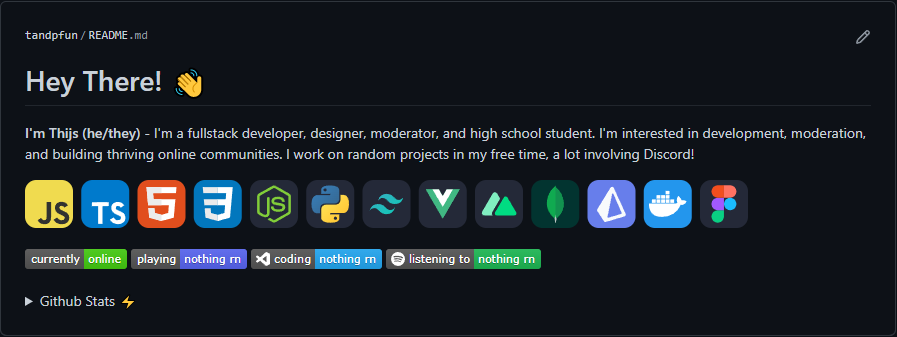
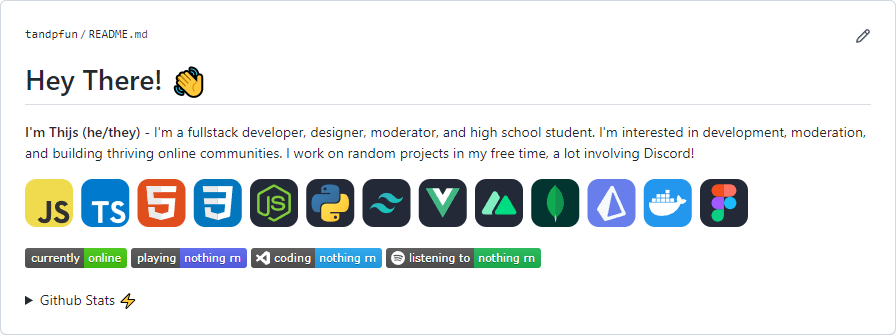
Specifying Icons
Copy and paste the code block below into your readme to add the skills icon element!
Change the ?i=js,html,css to a list of your skills separated by ","s! You can find a full list of icons here.
[](https://skillicons.dev)

Themed Icons
Some icons have a dark and light themed background. You can specify which theme you want as a url parameter.
This is optional. The default theme is dark.
Change the &theme=light to either dark or light. The theme is the background color, so light theme has a white icon background, and dark has a black-ish.
Light Theme Example:
[](https://skillicons.dev)

Icons Per Line
You can specify how many icons you would like per line! It's an optional argument, and the default is 15.
Change the &perline=3 to any number between 1 and 50.
[](https://skillicons.dev)

Centering Icons
Want to center the icons in your readme? The SVGs are automatically resized, so you can do it the same way you'd normally center an image.
<p align="center">
  <a href="https://skillicons.dev">
    <img src="https://skillicons.dev/icons?i=git,kubernetes,docker,c,vim" />
  </a>
</p>

Icons List
Here's a list of all the icons currently supported. Feel free to open an issue to suggest icons to add!
| Icon ID |
Icon |
ableton |
 |
activitypub |
 |
actix |
 |
adonis |
 |
ae |
 |
aiscript |
 |
alpinejs |
 |
anaconda |
 |
androidstudio |
 |
angular |
 |
ansible |
 |
apollo |
 |
apple |
 |
appwrite |
 |
arch |
 |
arduino |
 |
astro |
 |
atom |
 |
au |
 |
autocad |
 |
aws |
 |
azul |
 |
azure |
 |
babel |
 |
bash |
 |
bevy |
 |
bitbucket |
 |
blender |
 |
bootstrap |
 |
bsd |
 |
bun |
 |
c |
 |
cs |
 |
cpp |
 |
crystal |
 |
cassandra |
 |
clion |
 |
clojure |
 |
cloudflare |
 |
cmake |
 |
codepen |
 |
coffeescript |
 |
css |
 |
cypress |
 |
d3 |
 |
dart |
 |
debian |
 |
deno |
 |
devto |
 |
discord |
 |
bots |
 |
discordjs |
 |
django |
 |
docker |
 |
dotnet |
 |
dynamodb |
 |
eclipse |
 |
elasticsearch |
 |
electron |
 |
elixir |
 |
elysia |
 |
emacs |
 |
ember |
 |
emotion |
 |
express |
 |
fastapi |
 |
fediverse |
 |
figma |
 |
firebase |
 |
flask |
 |
flutter |
 |
forth |
 |
fortran |
 |
gamemakerstudio |
 |
gatsby |
 |
gcp |
 |
git |
 |
github |
 |
githubactions |
 |
gitlab |
 |
gmail |
 |
gherkin |
 |
go |
 |
gradle |
 |
godot |
 |
grafana |
 |
graphql |
 |
gtk |
 |
gulp |
 |
haskell |
 |
haxe |
 |
haxeflixel |
 |
heroku |
 |
hibernate |
 |
html |
 |
htmx |
 |
idea |
 |
ai |
 |
instagram |
 |
ipfs |
 |
java |
 |
js |
 |
jenkins |
 |
jest |
 |
jquery |
 |
kafka |
 |
kali |
 |
kotlin |
 |
ktor |
 |
kubernetes |
 |
laravel |
 |
latex |
 |
less |
 |
linkedin |
 |
linux |
 |
lit |
 |
lua |
 |
md |
 |
mastodon |
 |
materialui |
 |
matlab |
 |
maven |
 |
mint |
 |
misskey |
 |
mongodb |
 |
mysql |
 |
neovim |
 |
nestjs |
 |
netlify |
 |
nextjs |
 |
nginx |
 |
nim |
 |
nix |
 |
nodejs |
 |
notion |
 |
npm |
 |
nuxtjs |
 |
obsidian |
 |
ocaml |
 |
octave |
 |
opencv |
 |
openshift |
 |
openstack |
 |
p5js |
 |
perl |
 |
ps |
 |
php |
 |
phpstorm |
 |
pinia |
 |
pkl |
 |
plan9 |
 |
planetscale |
 |
pnpm |
 |
postgres |
 |
postman |
 |
powershell |
 |
pr |
 |
prisma |
 |
processing |
 |
prometheus |
 |
pug |
 |
pycharm |
 |
py |
 |
pytorch |
 |
qt |
 |
r |
 |
rabbitmq |
 |
rails |
 |
raspberrypi |
 |
react |
 |
reactivex |
 |
redhat |
 |
redis |
 |
redux |
 |
regex |
 |
remix |
 |
replit |
 |
rider |
 |
robloxstudio |
 |
rocket |
 |
rollupjs |
 |
ros |
 |
ruby |
 |
rust |
 |
sass |
 |
spring |
 |
sqlite |
 |
stackoverflow |
 |
styledcomponents |
 |
sublime |
 |
supabase |
 |
scala |
 |
sklearn |
 |
selenium |
 |
sentry |
 |
sequelize |
 |
sketchup |
 |
solidity |
 |
solidjs |
 |
svelte |
 |
svg |
 |
swift |
 |
symfony |
 |
tailwind |
 |
tauri |
 |
tensorflow |
 |
terraform |
 |
threejs |
 |
twitter |
 |
ts |
 |
ubuntu |
 |
unity |
 |
unreal |
 |
v |
 |
vala |
 |
vercel |
 |
vim |
 |
visualstudio |
 |
vite |
 |
vitest |
 |
vscode |
 |
vscodium |
 |
vue |
 |
vuetify |
 |
wasm |
 |
webflow |
 |
webpack |
 |
webstorm |
 |
windicss |
 |
windows |
 |
wordpress |
 |
workers |
 |
xd |
 |
yarn |
 |
yew |
 |
zig |
 |
💖 Support the Project
Thank you so much already for using my projects! If you want to go a step further and support my open source work, buy me a coffee:

To support the project directly, feel free to open issues for icon suggestions, or contribute with a pull request!

 skill-icons 是一项免费的托管服务,可以为你使用的编程语言、框架和工具生成一排 SVG 图标,方便你嵌入到 GitHub README 或简历中。