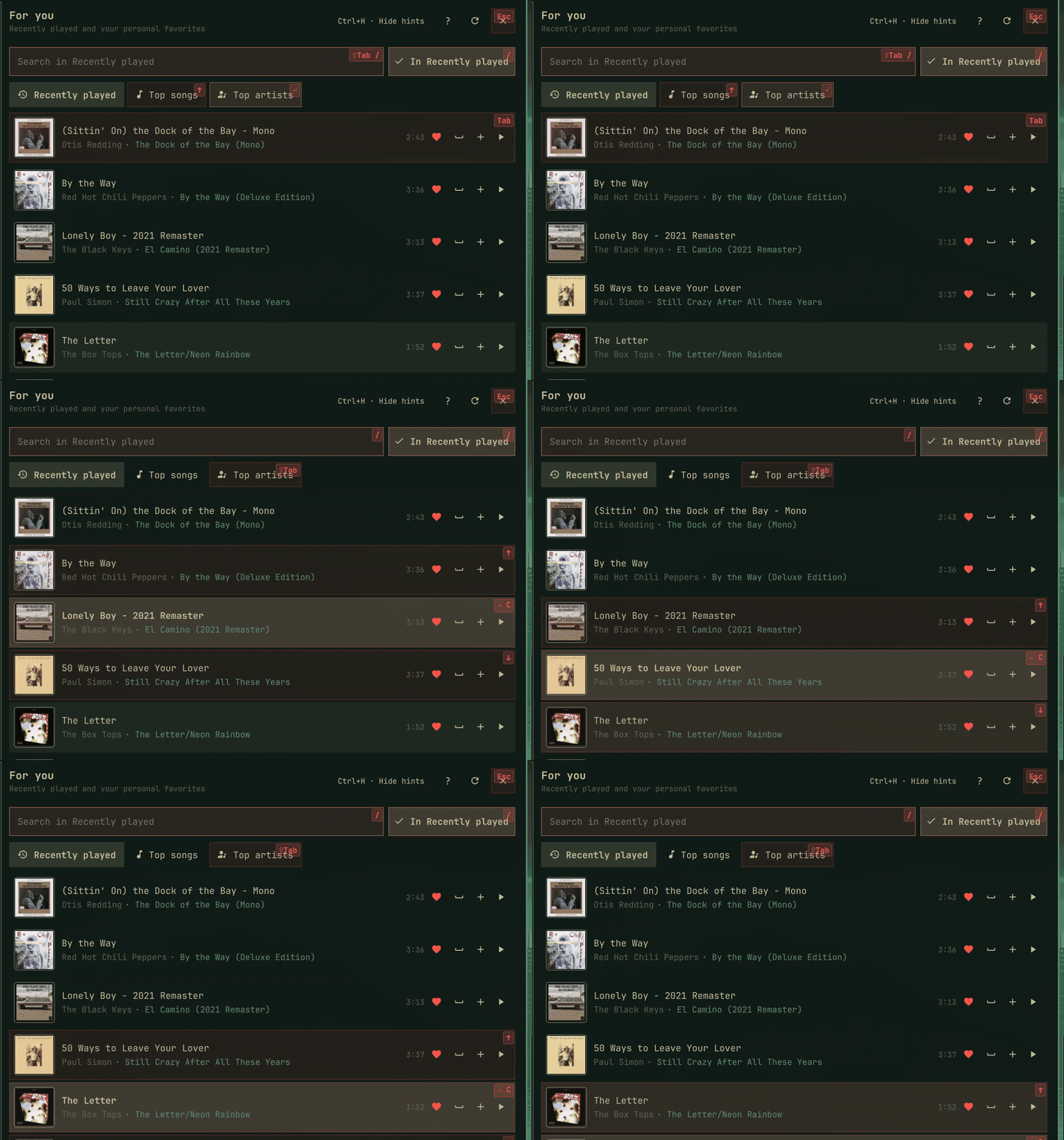
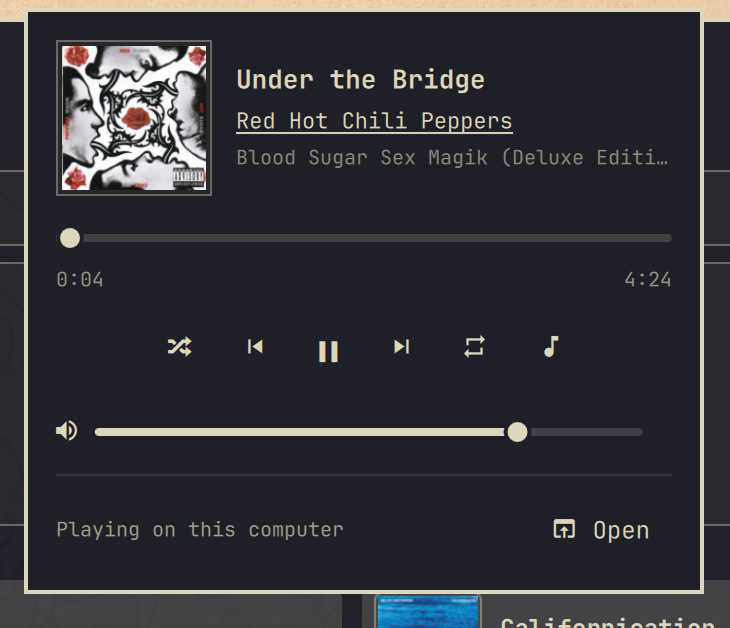
Что это?
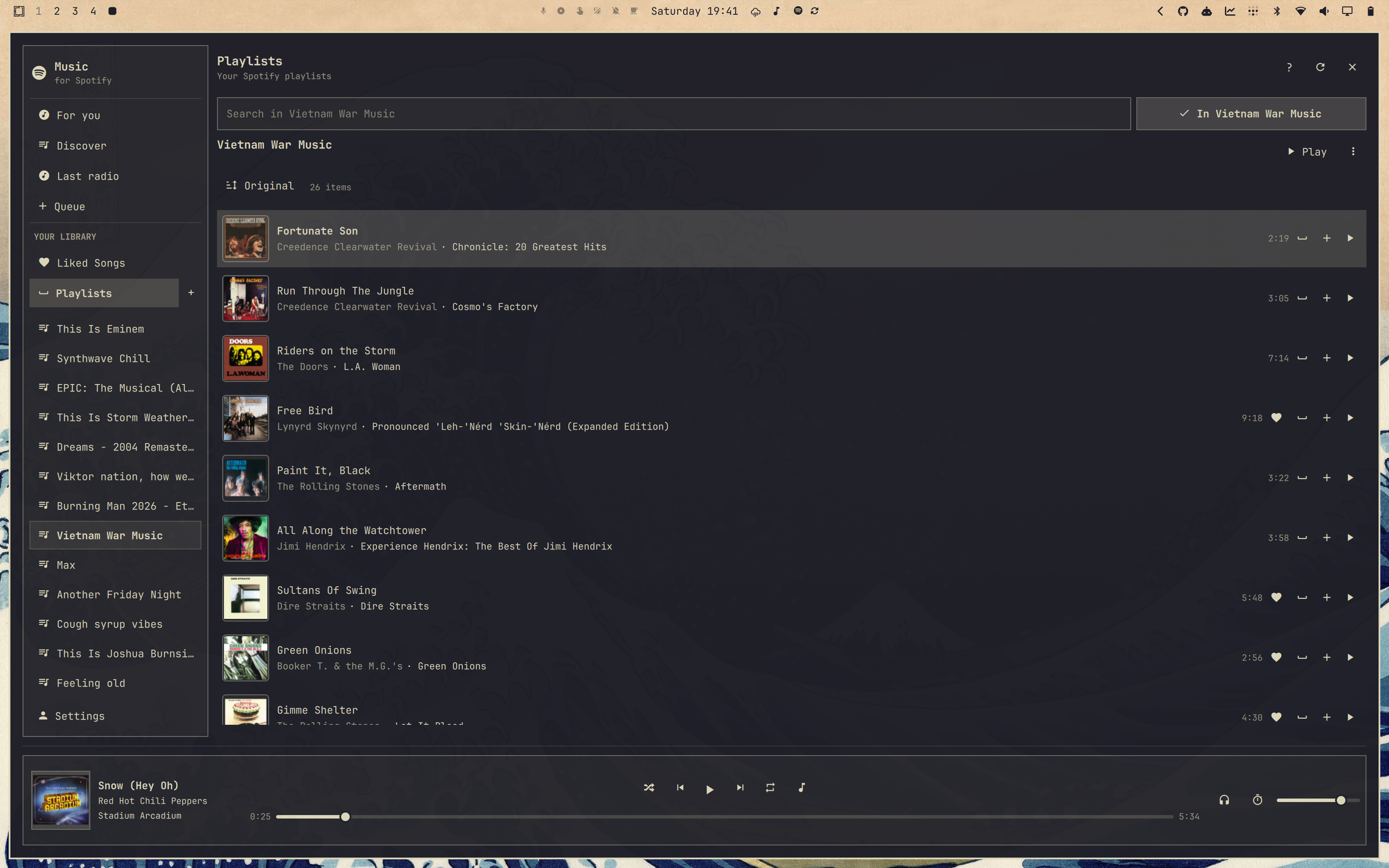
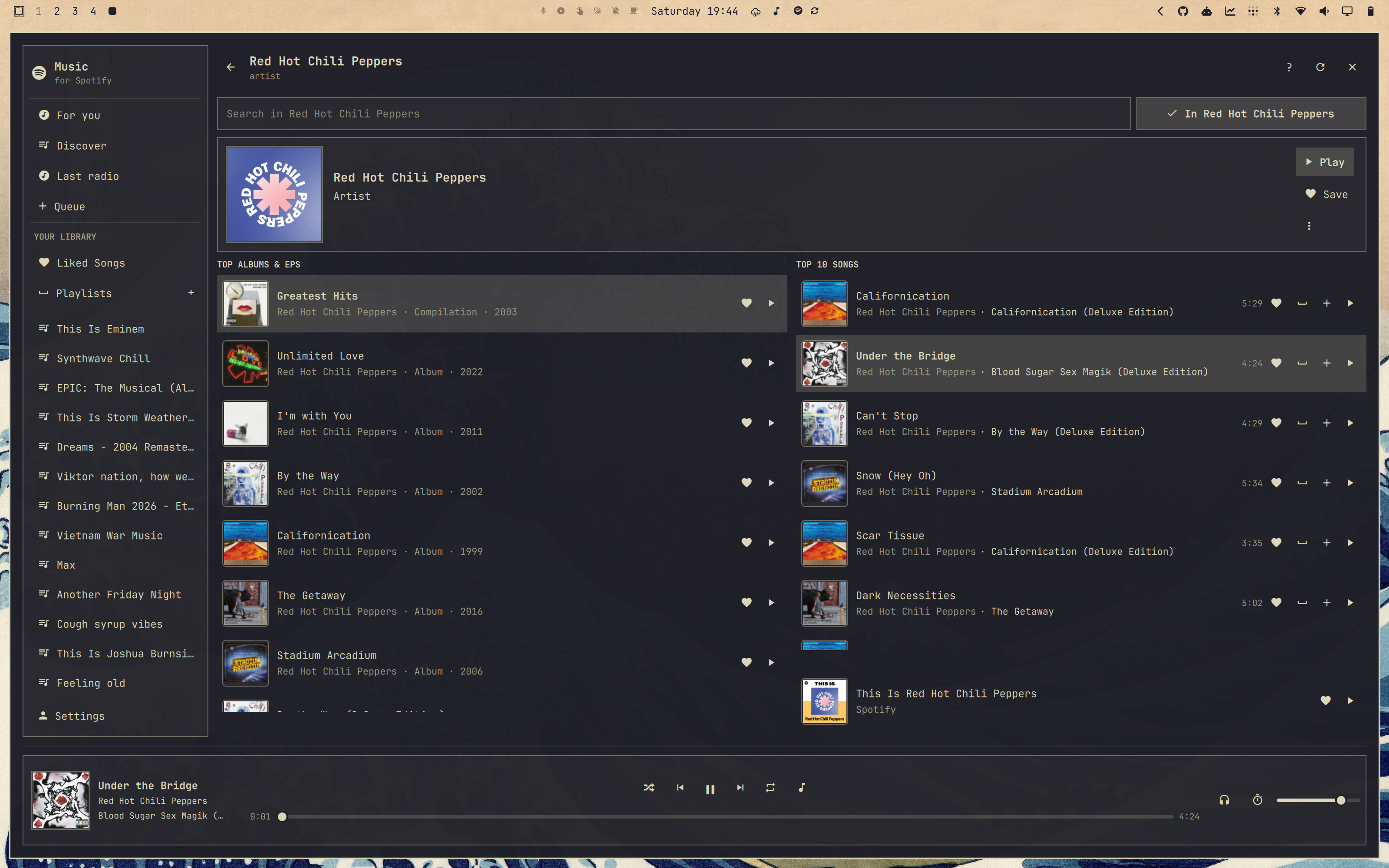
 Omarchy Spotify — лёгкий клиент Spotify, созданный специально для рабочего стола Omarchy Linux: он работает внутри Quickshell, а не в обёртке на Chromium, поэтому потребляет намного меньше памяти, чем официальное десктопное приложение.
Omarchy Spotify — лёгкий клиент Spotify, созданный специально для рабочего стола Omarchy Linux: он работает внутри Quickshell, а не в обёртке на Chromium, поэтому потребляет намного меньше памяти, чем официальное десктопное приложение.Это отдельное приложение или что-то встраиваемое?Это плагин Omarchy на QML для Quickshell, а не отдельное браузерное приложение — он живёт в панели Omarchy, следует вашей теме Omarchy и включает встроенный мини-плеер.
Это плагин Omarchy на QML для Quickshell, а не отдельное браузерное приложение — он живёт в панели Omarchy, следует вашей теме Omarchy и включает встроенный мини-плеер.Как его настроить?Нажмите на значок Spotify слева на своей панели Omarchy; мини-плеер предложит «Set up and continue», после чего вход в Spotify завершится в вашем браузере.
Нажмите на значок Spotify слева на своей панели Omarchy; мини-плеер предложит «Set up and continue», после чего вход в Spotify завершится в вашем браузере.Что нужно перед установкой?Нужны Omarchy 4 и личный аккаунт Spotify Premium; для локального воспроизведения дополнительно нужен бэкенд, собранный на Rust (или запасной spotifyd из пакета), который установка проверяет или собирает автоматически.
Нужны Omarchy 4 и личный аккаунт Spotify Premium; для локального воспроизведения дополнительно нужен бэкенд, собранный на Rust (или запасной spotifyd из пакета), который установка проверяет или собирает автоматически.Почему иногда появляется «Spotify is busy» или медленный поиск?Плагин поставляется с одним общим client ID для Spotify Web API, который используют все установки по всему миру, а Spotify ограничивает частоту запросов по приложению, а не по пользователю, поэтому глобальный спрос может замедлять всех; вы можете зарегистрировать собственное приложение Spotify Developer и получить отдельную, но всё равно ограниченную квоту.
Плагин поставляется с одним общим client ID для Spotify Web API, который используют все установки по всему миру, а Spotify ограничивает частоту запросов по приложению, а не по пользователю, поэтому глобальный спрос может замедлять всех; вы можете зарегистрировать собственное приложение Spotify Developer и получить отдельную, но всё равно ограниченную квоту.Видит ли он мой пароль от Spotify?Нет — пароль вводится только на собственной странице входа Spotify; плагин хранит полученную сессию в GNOME Keyring и стирает её при выходе из аккаунта.
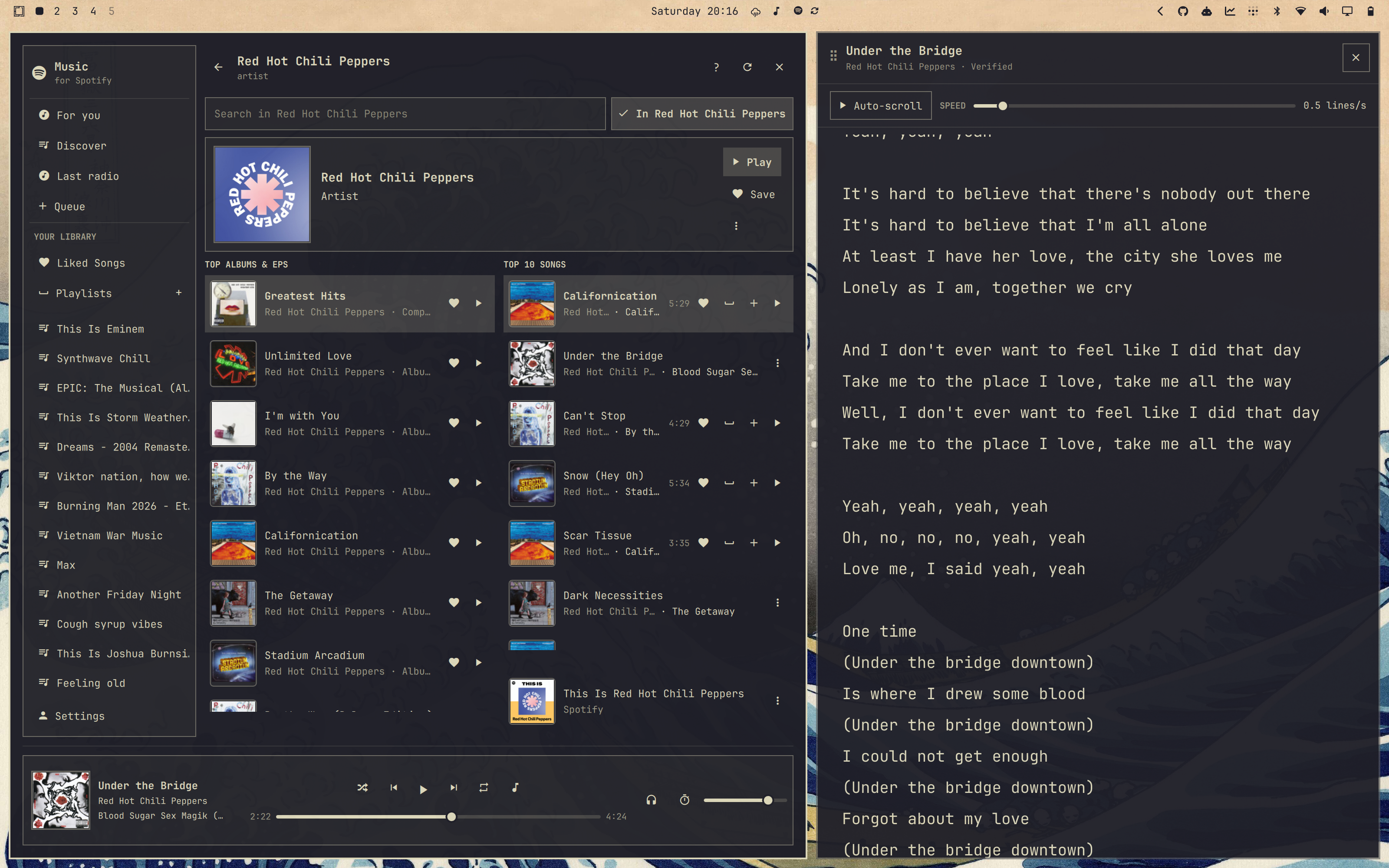
Нет — пароль вводится только на собственной странице входа Spotify; плагин хранит полученную сессию в GNOME Keyring и стирает её при выходе из аккаунта.Что такое Omasing и при чём он тут?Omasing — сопутствующее приложение Omarchy, которое автоматически подтягивает и выстраивает текст песни для играющего в Omarchy Spotify трека, готовый к автопрокрутке вслед за позицией воспроизведения.
Omasing — сопутствующее приложение Omarchy, которое автоматически подтягивает и выстраивает текст песни для играющего в Omarchy Spotify трека, готовый к автопрокрутке вслед за позицией воспроизведения.Можно ли управлять воспроизведением, не открывая плеер?Да — отдельные сочетания клавиш повышают или понижают собственную громкость Spotify шагами по 5% и переключают мини-плеер или полный плеер, и почти у каждого действия (воспроизведение/пауза, пропуск, перемотка, без звука, перемешивание) есть своё сочетание клавиш.
Да — отдельные сочетания клавиш повышают или понижают собственную громкость Spotify шагами по 5% и переключают мини-плеер или полный плеер, и почти у каждого действия (воспроизведение/пауза, пропуск, перемотка, без звука, перемешивание) есть своё сочетание клавиш.Какое качество звука доступно для локального воспроизведения?Локальное воспроизведение можно настроить до 320 kbps.
Локальное воспроизведение можно настроить до 320 kbps.Как полностью его удалить?Запустите встроенный деинсталлятор вне каталога плагина — он отключает плагин, останавливает его сервисы и удаляет все конфиги, кэш, бинарники и записи в keyring, принадлежащие плагину, не трогая Omasing и запасной пакет spotifyd.
Запустите встроенный деинсталлятор вне каталога плагина — он отключает плагин, останавливает его сервисы и удаляет все конфиги, кэш, бинарники и записи в keyring, принадлежащие плагину, не трогая Omasing и запасной пакет spotifyd.What are similar projects?omarchy-lock-explorer, omastorm, serpantinum, shell, omarchy-pods, omarchy-workspace-layout, dots-hyprland, omamail
omarchy-lock-explorer, omastorm, serpantinum, shell, omarchy-pods, omarchy-workspace-layout, dots-hyprland, omamailWhich topics is it in?quickshell, qml, arch-linux, hyprland, spotify, window-manager, music-player, keyboard, qt, lua, lightweight, music
quickshell, qml, arch-linux, hyprland, spotify, window-manager, music-player, keyboard, qt, lua, lightweight, music