





这是做什么用的?
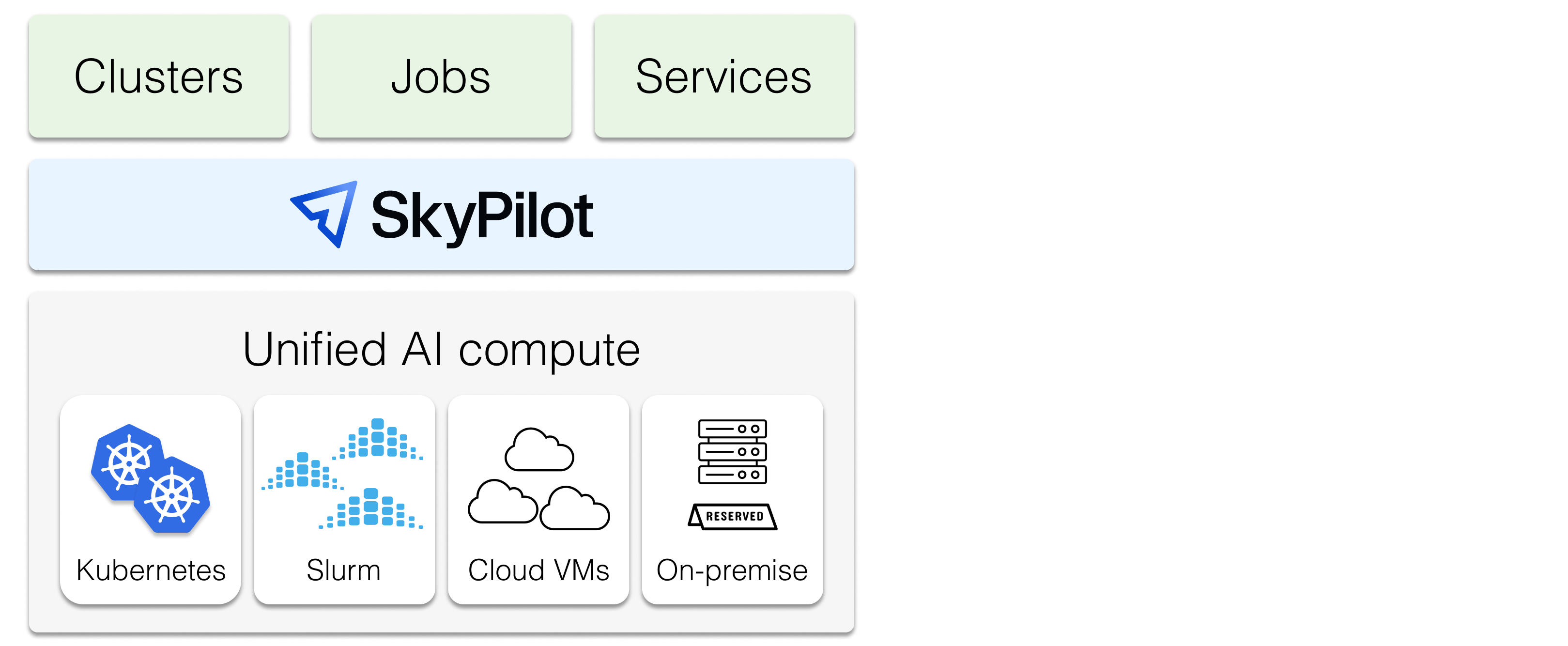
 SkyPilot 是一个开源系统,用于在任何基础设施上运行、管理和扩展 AI 工作负载——包括训练、推理服务和批量推理:可以是自己的 Kubernetes 或 Slurm 集群、包下来的 GPU,也可以是 20 多家云服务商。
SkyPilot 是一个开源系统,用于在任何基础设施上运行、管理和扩展 AI 工作负载——包括训练、推理服务和批量推理:可以是自己的 Kubernetes 或 Slurm 集群、包下来的 GPU,也可以是 20 多家云服务商。那它是一个我要 import 到训练代码里的库,还是一个直接运行的工具?是一个工具,不是库:用 pip 或 uv 安装后,用 YAML 或 Python API 描述任务,然后在终端里提交。现有的 GPU、TPU 和 CPU 工作负载无需改代码就能直接运行。
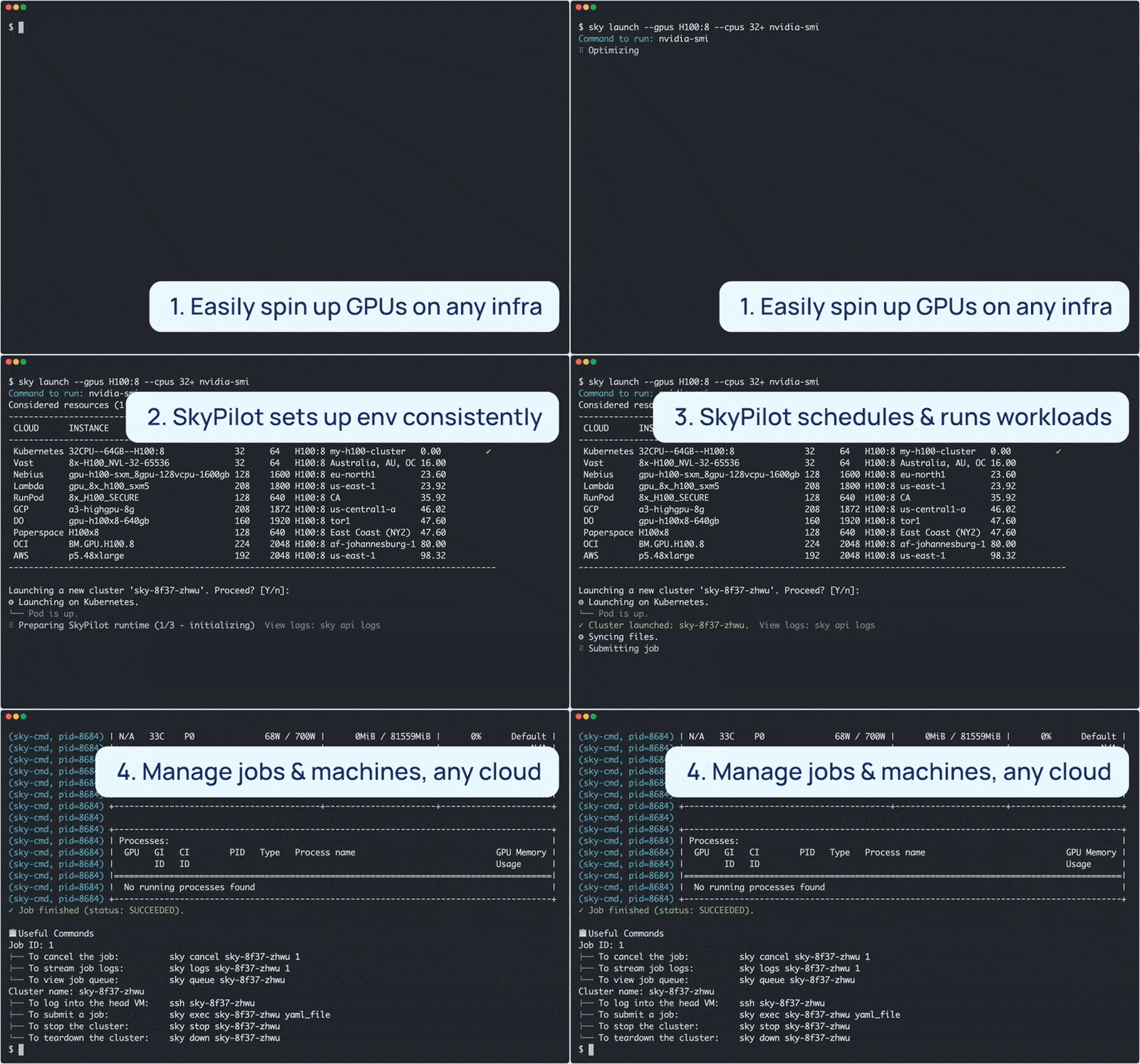
是一个工具,不是库:用 pip 或 uv 安装后,用 YAML 或 Python API 描述任务,然后在终端里提交。现有的 GPU、TPU 和 CPU 工作负载无需改代码就能直接运行。我怎么提交第一个任务?先用 uv 或 pip 安装,写一个任务 YAML(写明资源需求、setup 命令和 run 命令),然后运行 'sky launch'。它会自动找到便宜且可用的基础设施,完成资源开通,同步你的工作目录,安装依赖,并实时输出日志。
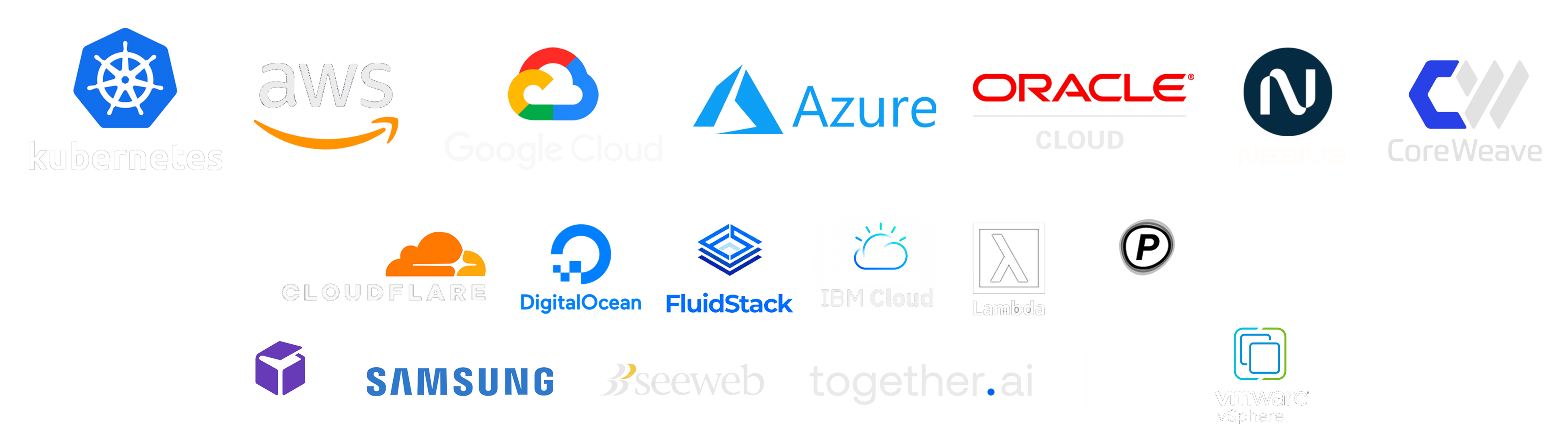
先用 uv 或 pip 安装,写一个任务 YAML(写明资源需求、setup 命令和 run 命令),然后运行 'sky launch'。它会自动找到便宜且可用的基础设施,完成资源开通,同步你的工作目录,安装依赖,并实时输出日志。它实际能用哪些云和集群?支持 Kubernetes、Slurm、AWS、GCP、Azure、OCI 以及 20 多家其他服务商,包括 CoreWeave、Nebius、Lambda Cloud、RunPod、Digital Ocean、Paperspace、IBM 和 VMware vSphere——全部通过同一个接口使用。
支持 Kubernetes、Slurm、AWS、GCP、Azure、OCI 以及 20 多家其他服务商,包括 CoreWeave、Nebius、Lambda Cloud、RunPod、Digital Ocean、Paperspace、IBM 和 VMware vSphere——全部通过同一个接口使用。如果我常用的云上没 GPU 了怎么办?它可以灵活地在 GPU、TPU 和 CPU 之间开通资源,并带有智能故障转移:如果某家云报了资源不足的错误,任务会自动转到其他可用的基础设施上,而不是直接失败。
它可以灵活地在 GPU、TPU 和 CPU 之间开通资源,并带有智能故障转移:如果某家云报了资源不足的错误,任务会自动转到其他可用的基础设施上,而不是直接失败。它是给谁用的——跑实验的研究人员,还是平台团队?两者都是:AI 团队可以通过简单的接口在任何基础设施上跑任务;基础设施团队则能获得统一的控制平面,对所有算力进行高级调度、扩展和编排。
两者都是:AI 团队可以通过简单的接口在任何基础设施上跑任务;基础设施团队则能获得统一的控制平面,对所有算力进行高级调度、扩展和编排。有 SkyPilot 自己的云吗,还是跑在我自己的账号里?没有 SkyPilot 云:它采用 BYOC 模式,一切都在你自己的云账号、VPC 和集群里启动。工具本身免费开源(Apache-2.0),云费用直接付给服务商。
没有 SkyPilot 云:它采用 BYOC 模式,一切都在你自己的云账号、VPC 和集群里启动。工具本身免费开源(Apache-2.0),云费用直接付给服务商。我的 GPU 有一半时间是闲置的——它能解决这个问题吗?能:Autostop 会自动清理闲置资源,工作负载会在共享集群上做装箱调度,智能调度器还会把任务安排到最空闲的基础设施上,最大化整体资源利用率。
能:Autostop 会自动清理闲置资源,工作负载会在共享集群上做装箱调度,智能调度器还会把任务安排到最空闲的基础设施上,最大化整体资源利用率。开箱就能跑哪些东西?现成的示例涵盖训练(Verl、TorchTitan、DeepSpeed、Unsloth、OpenRLHF、TPU 上的 Jax)、推理服务(vLLM、SGLang、Ollama)、热门模型(DeepSeek-R1、Llama 4、Qwen、Kimi-K2)、RAG 和向量数据库这类 AI 应用,还有 Airflow 和 Jupyter 等框架。
现成的示例涵盖训练(Verl、TorchTitan、DeepSpeed、Unsloth、OpenRLHF、TPU 上的 Jax)、推理服务(vLLM、SGLang、Ollama)、热门模型(DeepSeek-R1、Llama 4、Qwen、Kimi-K2)、RAG 和向量数据库这类 AI 应用,还有 Airflow 和 Jupyter 等框架。我已经在用 Kubernetes 了——SkyPilot 还能带来什么?一层面向 AI 的封装:不用再折腾各种 manifests 就能启动任务和部署,可以 SSH 进 pod、同步代码、连接你的 IDE,还提供 gang 调度、排队,以及在同一个控制平面下管理多集群和多云。
一层面向 AI 的封装:不用再折腾各种 manifests 就能启动任务和部署,可以 SSH 进 pod、同步代码、连接你的 IDE,还提供 gang 调度、排队,以及在同一个控制平面下管理多集群和多云。我可以让我的编程智能体来操作它吗?可以——有一个面向 Claude Code、Codex 等智能体的 SkyPilot Skill,你的智能体可以直接安装并驱动集群。
可以——有一个面向 Claude Code、Codex 等智能体的 SkyPilot Skill,你的智能体可以直接安装并驱动集群。SkyPilot Endpoints 和 Sandboxes 是什么?Endpoints(2026 年 6 月推出)在你拥有的每个集群上提供生产级推理服务。Sandboxes 则在你现有的 Kubernetes 集群上运行不可信的 LLM 生成代码,目前处于抢先体验阶段。
Endpoints(2026 年 6 月推出)在你拥有的每个集群上提供生产级推理服务。Sandboxes 则在你现有的 Kubernetes 集群上运行不可信的 LLM 生成代码,目前处于抢先体验阶段。What are similar projects?metaflow, serve, ml-engineering, OpenLLM, higgsfield, ray, pulumi, ai-infra-book
metaflow, serve, ml-engineering, OpenLLM, higgsfield, ray, pulumi, ai-infra-bookWhich topics is it in?failover, hyperparameter-tuning, job-queue, cloud-management, job-scheduler, tpu, ai-infrastructure, cloud-computing, cost-optimization, llm-training, llm-serving, gcp
failover, hyperparameter-tuning, job-queue, cloud-management, job-scheduler, tpu, ai-infrastructure, cloud-computing, cost-optimization, llm-training, llm-serving, gcp