





Что это?
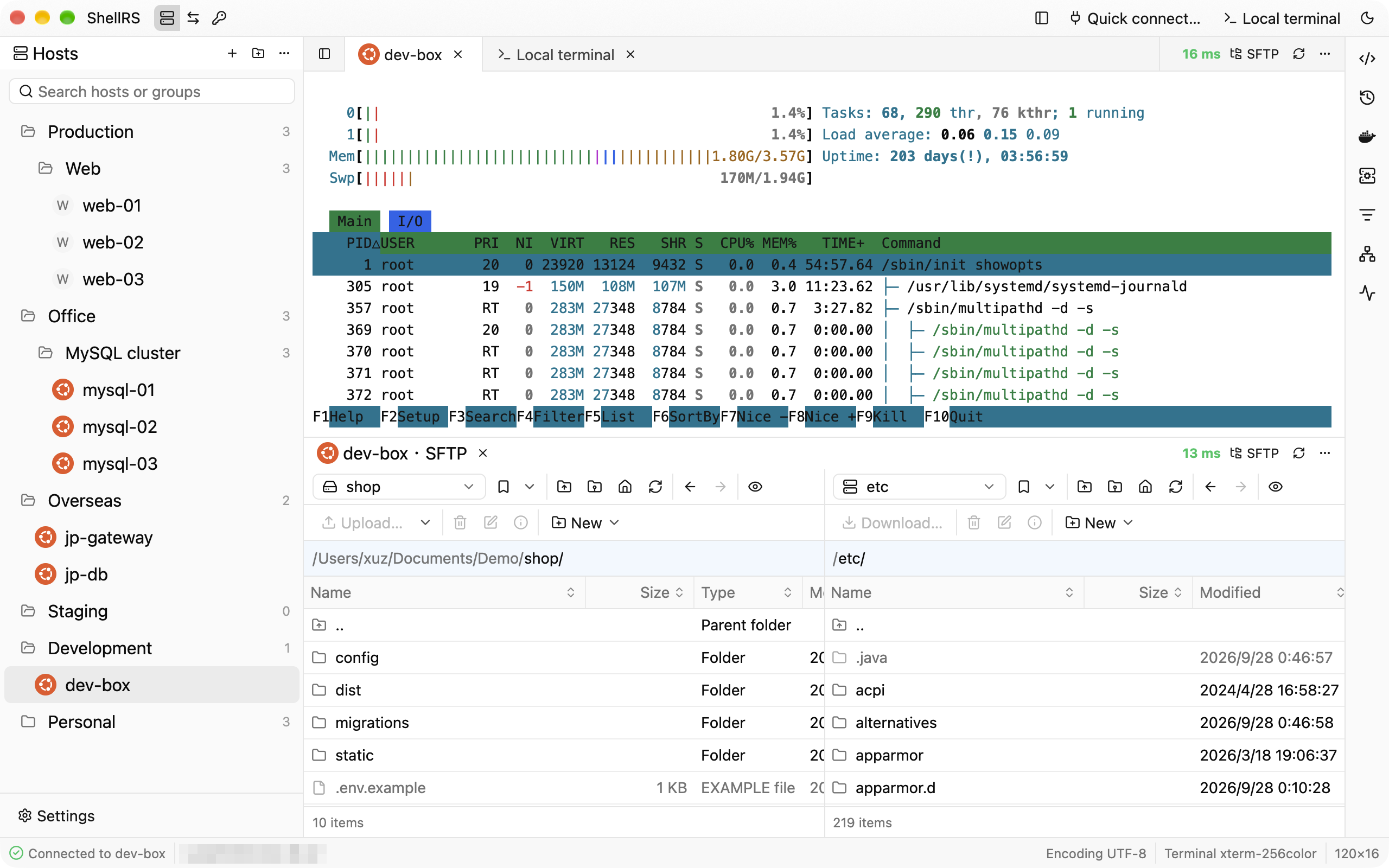
 ShellRS — нативный кроссплатформенный SSH-клиент, объединяющий в одном окне управление хостами в духе Xshell, терминалы с вкладками, двухпанельный SFTP-браузер в духе WinSCP и проброс портов SSH.
ShellRS — нативный кроссплатформенный SSH-клиент, объединяющий в одном окне управление хостами в духе Xshell, терминалы с вкладками, двухпанельный SFTP-браузер в духе WinSCP и проброс портов SSH.Он построен на Electron, как большинство кроссплатформенных десктопных приложений?Нет. Он написан на Rust с использованием GPUI — GPU-ускоренного UI-фреймворка из редактора Zed — вместо Electron или JVM.
Нет. Он написан на Rust с использованием GPUI — GPU-ускоренного UI-фреймворка из редактора Zed — вместо Electron или JVM.Как его запустить?Скачайте пакет для своей ОС с shellrs.com/download или из GitHub Releases (DMG для macOS, EXE-установщик для Windows, AppImage для Linux), затем нажмите «New host», чтобы добавить сервер, и дважды щёлкните по нему для подключения.
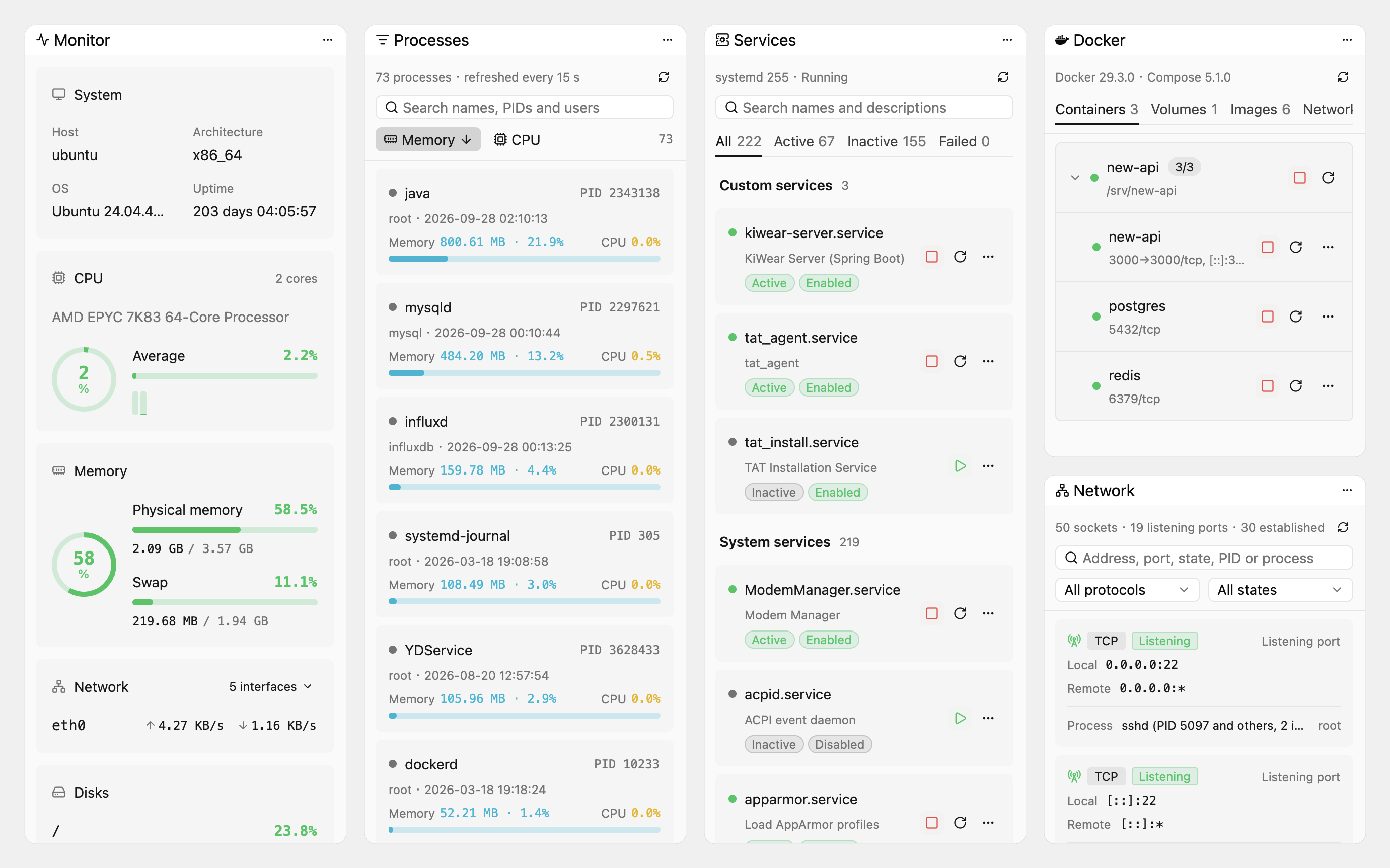
Скачайте пакет для своей ОС с shellrs.com/download или из GitHub Releases (DMG для macOS, EXE-установщик для Windows, AppImage для Linux), затем нажмите «New host», чтобы добавить сервер, и дважды щёлкните по нему для подключения.Какие шероховатости стоит ожидать прямо сейчас?Установщик Windows пока не подписан цифровой подписью, поэтому SmartScreen может потребовать «More info > Run anyway». Инструменты в боковой панели — монитор системы, процессы, службы и Docker — работают только с Linux-хостами, а синхронизация и поиск по каталогам в SFTP всё ещё в планах.
Установщик Windows пока не подписан цифровой подписью, поэтому SmartScreen может потребовать «More info > Run anyway». Инструменты в боковой панели — монитор системы, процессы, службы и Docker — работают только с Linux-хостами, а синхронизация и поиск по каталогам в SFTP всё ещё в планах.Нужен ли Apple Silicon, или он работает и на Intel Mac, и на Linux?Обе архитектуры Mac покрыты отдельными подписанными DMG, прошедшими нотаризацию, плюс есть установщик Windows x64 и AppImage для Linux x64.
Обе архитектуры Mac покрыты отдельными подписанными DMG, прошедшими нотаризацию, плюс есть установщик Windows x64 и AppImage для Linux x64.Куда на самом деле попадают мои сохранённые пароли и данные подключений?Пароли и парольные фразы ключей хранятся только в системном хранилище ОС (macOS Keychain, Windows Credential Manager, Linux Secret Service) и никогда в локальной базе SQLite. Анонимная статистика использования (версия, ОС, архитектура CPU, используемые функции) уходит в Aptabase, и её можно отключить.
Пароли и парольные фразы ключей хранятся только в системном хранилище ОС (macOS Keychain, Windows Credential Manager, Linux Secret Service) и никогда в локальной базе SQLite. Анонимная статистика использования (версия, ОС, архитектура CPU, используемые функции) уходит в Aptabase, и её можно отключить.Что означает лицензия GPL-3.0, если я изменю ShellRS?Вы можете свободно использовать и распространять ShellRS, в том числе в коммерческих целях, но любая изменённая вами версия при распространении должна поставляться с полным исходным кодом тоже под GPL-3.0.
Вы можете свободно использовать и распространять ShellRS, в том числе в коммерческих целях, но любая изменённая вами версия при распространении должна поставляться с полным исходным кодом тоже под GPL-3.0.Что CLI shellrs позволяет делать ИИ-агентам вроде Claude Code?Он открывает команды hosts, credentials, exec, upload, download и sync; вход выполняет запущенное приложение ShellRS от лица агента, так что сама команда никогда не видит пароль или приватный ключ.
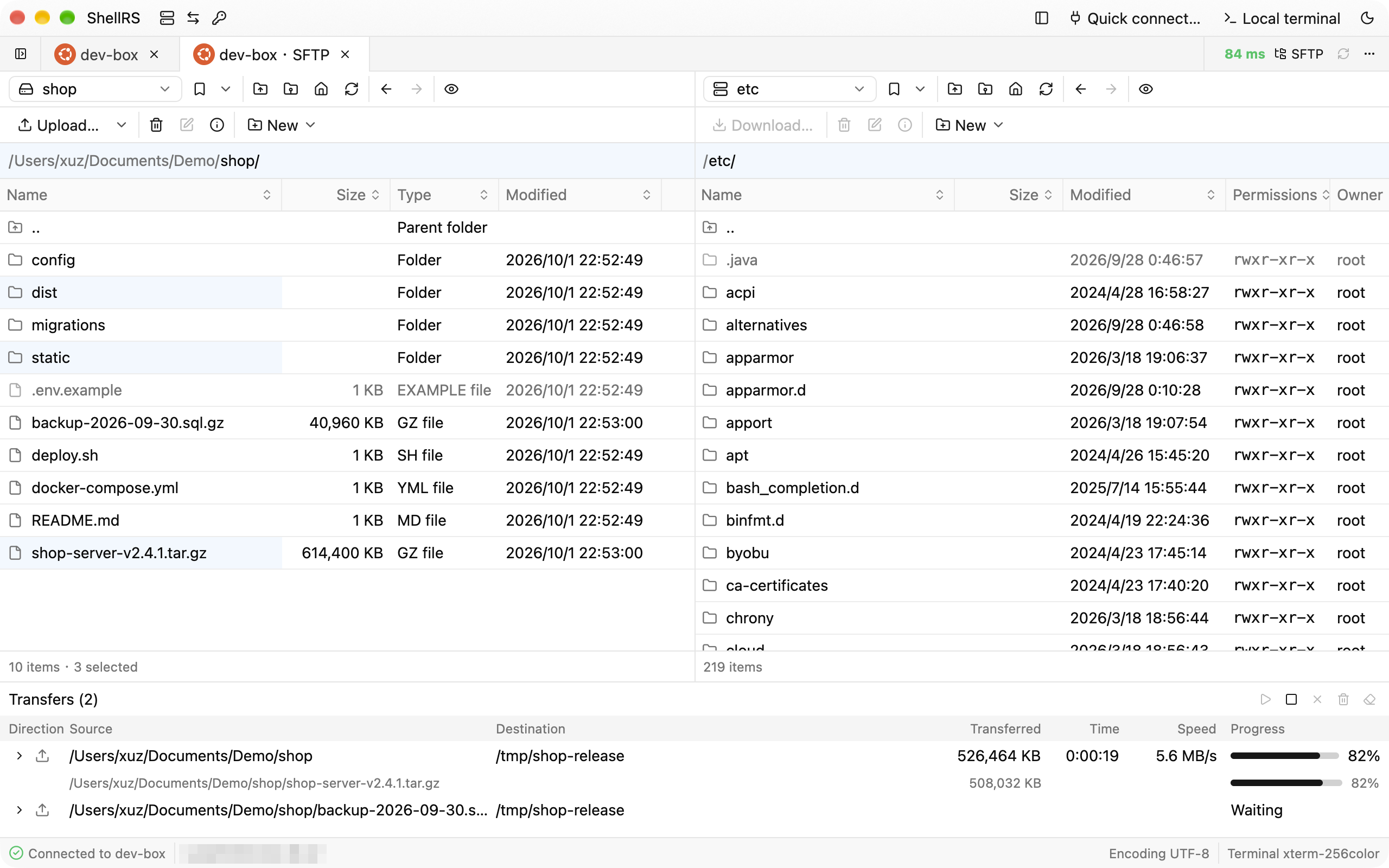
Он открывает команды hosts, credentials, exec, upload, download и sync; вход выполняет запущенное приложение ShellRS от лица агента, так что сама команда никогда не видит пароль или приватный ключ.SFTP-передачи переживают разрыв соединения?Да. Данные сначала пишутся в .filepart, при разрывах повтор выполняется через 1, 3 и 10 секунд, а после перезапуска ShellRS предлагает продолжить ту же передачу.
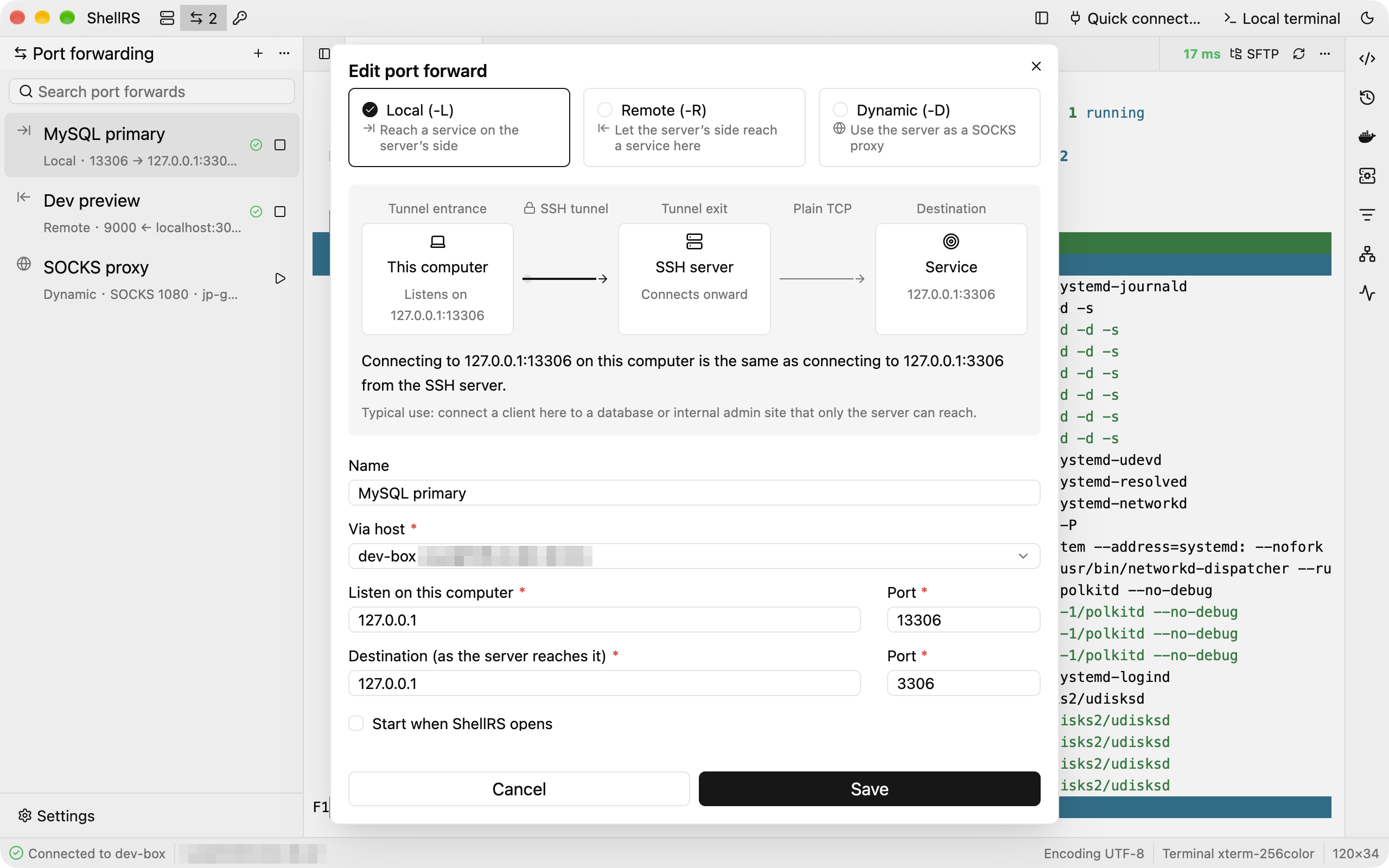
Да. Данные сначала пишутся в .filepart, при разрывах повтор выполняется через 1, 3 и 10 секунд, а после перезапуска ShellRS предлагает продолжить ту же передачу.Как здесь устроен проброс портов?Поддерживаются локальный (-L), удалённый (-R) и динамический SOCKS (-D) пробросы, каждый показан живой диаграммой и имеет собственное SSH-соединение, которое при разрыве автоматически переподключается до трёх раз.
Поддерживаются локальный (-L), удалённый (-R) и динамический SOCKS (-D) пробросы, каждый показан живой диаграммой и имеет собственное SSH-соединение, которое при разрыве автоматически переподключается до трёх раз.Можно ли запускать ShellRS с bastion-хоста, как Xshell или WinSCP?Да, он понимает флаги Xshell -url/-newtab и параметр WinSCP /sessionname=, поэтому bastion вроде JumpServer может открыть ShellRS напрямую, используя несохранённое соединение, которое не попадает в список хостов.
Да, он понимает флаги Xshell -url/-newtab и параметр WinSCP /sessionname=, поэтому bastion вроде JumpServer может открыть ShellRS напрямую, используя несохранённое соединение, которое не попадает в список хостов.Which topics is it in?port-forwarding, gpui, ssh-client, terminal-emulator, terminal-emulators, sftp, ssh, high-performance, gpu-acceleration, sysadmin, proxy, monitoring
port-forwarding, gpui, ssh-client, terminal-emulator, terminal-emulators, sftp, ssh, high-performance, gpu-acceleration, sysadmin, proxy, monitoring