





What is this?
 PandasAI is a Python library that lets you ask questions about your data (SQL, CSV, parquet, dataframes) in plain natural language, powered by LLMs.
PandasAI is a Python library that lets you ask questions about your data (SQL, CSV, parquet, dataframes) in plain natural language, powered by LLMs.Is this a standalone app or a library I import into my code?It's a Python library you install with pip or poetry and import into your own scripts or notebooks.
It's a Python library you install with pip or poetry and import into your own scripts or notebooks.How do I get started with it?Install via pip or poetry, then load your data and ask questions directly through the library's API; full docs and example notebooks are provided.
Install via pip or poetry, then load your data and ask questions directly through the library's API; full docs and example notebooks are provided.What Python version do I need?You need Python 3.8 up to 3.11.
You need Python 3.8 up to 3.11.Is running generated code against my data safe?PandasAI can execute LLM-generated code, so they offer a Docker sandbox option to isolate execution and reduce the risk of malicious code running against your real environment.
PandasAI can execute LLM-generated code, so they offer a Docker sandbox option to isolate execution and reduce the risk of malicious code running against your real environment.What's the licensing situation?The core library is MIT licensed, but the pandasai/ee (enterprise) directory has a separate license, and there's a paid managed Cloud/self-hosted Enterprise offering.
The core library is MIT licensed, but the pandasai/ee (enterprise) directory has a separate license, and there's a paid managed Cloud/self-hosted Enterprise offering.Can I query more than one dataframe at once?Yes, you can pass multiple dataframes to PandasAI and ask questions that relate them to each other.
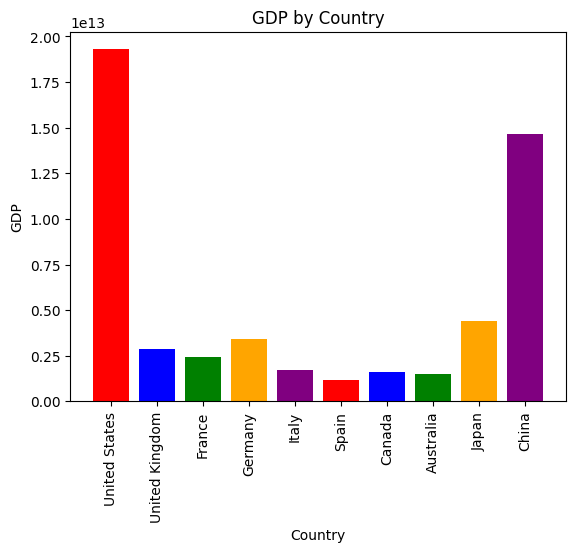
Yes, you can pass multiple dataframes to PandasAI and ask questions that relate them to each other.Can it generate charts, not just text answers?Yes, you can ask PandasAI to generate charts directly from your data.
Yes, you can ask PandasAI to generate charts directly from your data.Is there a paid/hosted version?Yes, there's a managed PandasAI Cloud and a self-hosted Enterprise offering available by contacting the team.
Yes, there's a managed PandasAI Cloud and a self-hosted Enterprise offering available by contacting the team.What are similar projects?DB-GPT, pandas, pygwalker, vanna, DeepAnalyze, data-formulator, fg-data-profiling, redash
DB-GPT, pandas, pygwalker, vanna, DeepAnalyze, data-formulator, fg-data-profiling, redashWhich topics is it in?dataframe, text-to-sql, gpt-4, data, csv, pandas, data-analysis, charts, sandbox, data-visualization, sql, data-science
dataframe, text-to-sql, gpt-4, data, csv, pandas, data-analysis, charts, sandbox, data-visualization, sql, data-science