







What is this?
 Datasette is an open-source multi-tool for exploring and publishing data: point it at a SQLite database and it turns the data into an interactive, browsable website with an accompanying JSON API.
Datasette is an open-source multi-tool for exploring and publishing data: point it at a SQLite database and it turns the data into an interactive, browsable website with an accompanying JSON API.Is this a command-line tool, a web app, or both?It's a CLI tool you run locally — `datasette serve path/to/database.db` — which then spins up a web server giving you both a browsable UI and a JSON API for that database.
It's a CLI tool you run locally — `datasette serve path/to/database.db` — which then spins up a web server giving you both a browsable UI and a JSON API for that database.How do I install it and get a database running?On a Mac you can `brew install datasette`, or use `pip install datasette`/pipx anywhere else, then run `datasette serve path/to/database.db` to browse it at the local web server.
On a Mac you can `brew install datasette`, or use `pip install datasette`/pipx anywhere else, then run `datasette serve path/to/database.db` to browse it at the local web server.Do I need Python installed first?Yes, Datasette requires Python 3.8 or higher if you install via pip/pipx (the Homebrew and Docker installs bundle this for you).
Yes, Datasette requires Python 3.8 or higher if you install via pip/pipx (the Homebrew and Docker installs bundle this for you).Does it work with any database, or only SQLite?Datasette is built specifically around SQLite databases — you point it at `.db` files rather than connecting to Postgres/MySQL servers.
Datasette is built specifically around SQLite databases — you point it at `.db` files rather than connecting to Postgres/MySQL servers.Who is this aimed at?It's aimed at data journalists, museum curators, archivists, local governments, scientists, researchers, and anyone else who has data they want to share publicly.
It's aimed at data journalists, museum curators, archivists, local governments, scientists, researchers, and anyone else who has data they want to share publicly.How do I publish my data to the internet instead of just running it locally?The `datasette publish` command deploys a Docker image containing Datasette plus your SQLite file straight to Heroku or Google Cloud Run with a single command, giving you a live URL and API.
The `datasette publish` command deploys a Docker image containing Datasette plus your SQLite file straight to Heroku or Google Cloud Run with a single command, giving you a live URL and API.What is Datasette Lite?It's Datasette compiled to WebAssembly so it runs entirely inside your browser, with no Python server required at all.
It's Datasette compiled to WebAssembly so it runs entirely inside your browser, with no Python server required at all.How do I add licensing and source credits to my published site?Create a metadata.json file with title, license, licenseurl, source and sourceurl fields and pass it with `-m metadata.json`; the info shows up on the site's footer and in the API output.
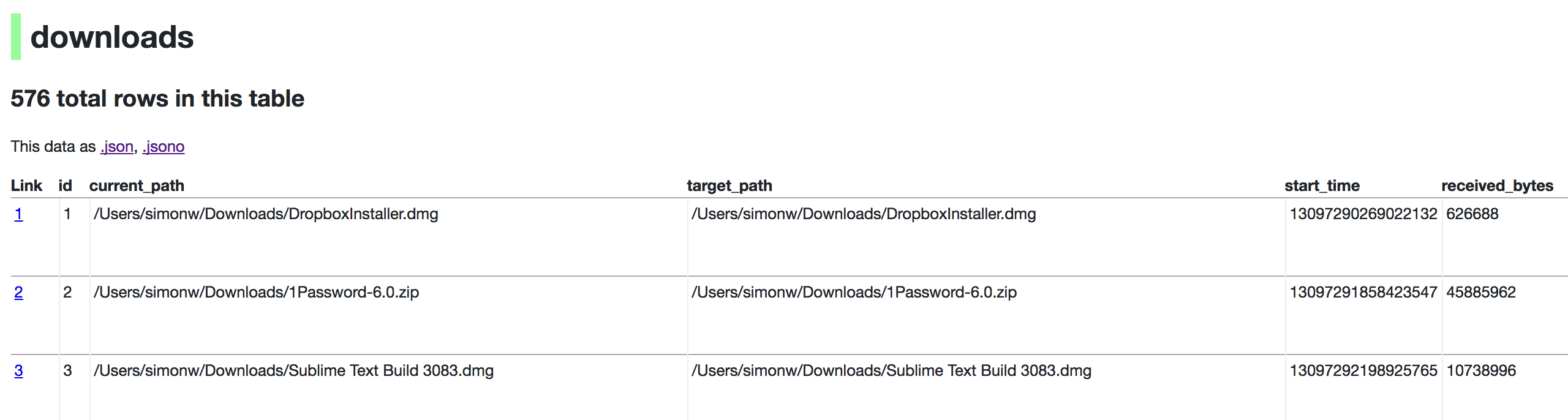
Create a metadata.json file with title, license, licenseurl, source and sourceurl fields and pass it with `-m metadata.json`; the info shows up on the site's footer and in the API output.Can I use it on data I already have, like my browser history?Yes — for example you can run `datasette ~/Library/Application Support/Google/Chrome/Default/History --nolock` to browse your own Chrome history as an example dataset.
Yes — for example you can run `datasette ~/Library/Application Support/Google/Chrome/Default/History --nolock` to browse your own Chrome history as an example dataset.What are similar projects?nocodb, postgrest, duckdb, prediction-market-analysis, q, visidata, redash, capcut-mate
nocodb, postgrest, duckdb, prediction-market-analysis, q, visidata, redash, capcut-mateWhich topics is it in?asgi, automatic-api, datasets, csv, wasm, sql, data-science, json, sqlite, rest-api, database, command-line-tool
asgi, automatic-api, datasets, csv, wasm, sql, data-science, json, sqlite, rest-api, database, command-line-tool