One place to run the Linux servers you already own.
ServerOS runs the Linux servers you already own from one place. Connect a VPS from any provider with one command, then deploy apps, sites and databases, watch them, back them up and fix them, without living in a terminal. Your servers stay with your provider, on your account.
This repo is the panel, the web app you and your team work in. Each server runs serverosd, a small daemon the panel talks to. serveros.com runs this same panel as a hosted service.
What's in it
Machines: connect a server with one command, see CPU, memory and disk, and install updates.
Services and projects: deploy from Git or a template, with domains and HTTPS, and copy a project to a test environment before it goes live.
Backups, monitors and logs: scheduled backups, uptime checks with alerts, status pages, and every service's logs in one place.
Workflows: run steps on a schedule, on a push or by hand, like deploy, check and promote.
Teams: members, roles, two-factor sign-in and an activity log.
AI and the API: an MCP server and an API, so your own tools and assistants can work with your servers.
Self-hosting
You need a Linux server with Docker, ports 80, 443 and 8443 open, and a domain like panel.example.com with two A records pointing at the server: one for panel.example.com and one for *.panel.example.com.
It installs Docker if it's missing, runs the official image (ghcr.io/serveroshq/panel) and prints a setup code. Open https://panel.example.com, enter it, and the installer walks you through email and your first account. serveros-panel setup-code shows the code again if you lose it.
Then connect your servers from Machines › Connect machine. Each one runs serverosd, the open source daemon, which connects out to your panel on port 8443.
docs/self-hosting.md covers the rest: building the community edition yourself, installing without Docker, upgrades, backups, connecting machines, and the anonymous daily ping (and how to turn it off).
Without a key, the official image works exactly like the community edition. A license turns on single sign-on, SCIM, custom roles, your own domains and the other paid features, with nothing to reinstall. LICENSING.md explains what that means for you. The daemon is AGPL-3.0 too.
Development
You need PHP 8.4, Composer, Node 22 and npm. SQLite works out of the box.
composer setup   # install, .env, key, migrate, build
composer dev     # the panel, queue worker, logs and Vite together
Workspaces live on subdomains, so set these in .env and open http://serveros.localhost:8000:
Found a security problem? Please don't open an issue; follow SECURITY.md.
Before you open a pull request, read CONTRIBUTING.md. Everyone who takes part follows the Code of Conduct, and first-time contributors sign the CLA with a comment on their pull request.






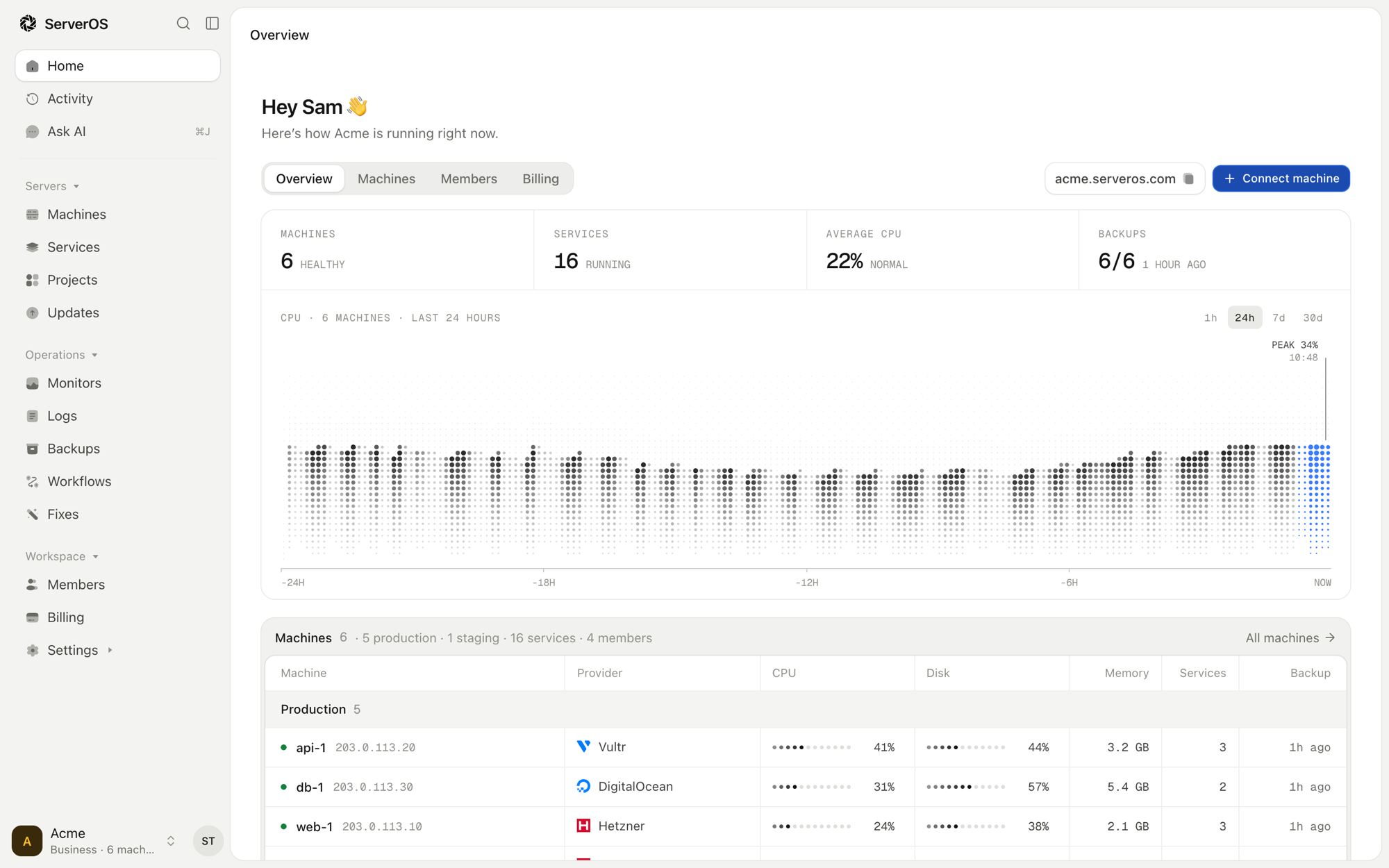

 这是一个网页控制面板,用来管理你已经拥有的 Linux 服务器。用一条命令连接服务器,然后就可以在浏览器里部署应用和网站、备份、监控和修复问题,无需待在终端里操作。