
All-in-one Browser Automation Framework:
Web Crawling / Testing / Scraping / Stealth







🚀 Start |
🏰 Features |
🎛️ Options |
📚 Examples |
💻 Scripts |
🗾 Locale
📗 API |
📘 Stealth API |
🔠 DesignPatterns |
🔴 Recorder |
📊 Dashboard
🎖️ GUI |
📰 TestPage |
👤 UC Mode |
🐙 CDP Mode |
📶 Charts |
🖥️ Farm
👁️ How |
🚝 Migration |
🎭 Stealthy Playwright |
🛂 MasterQA |
🚎 Tours
🤖 MCP |
🟨 JS Mgr |
🌏 Translator |
🎞️ Presenter |
🖼️ Visual |
🗂️ CPlans
pip install seleniumbase for the main framework. (Or use uv add)pip install playwright for the optional integration. (Or use uv add)
📝 Here's a Python example that uses Pure CDP Mode (sb_cdp):
(It navigates to Browserscan where it bypasses bot-detection.)
from seleniumbase import sb_cdp

sb = sb_cdp.Chrome()
sb.goto("https://browserscan.net/bot-detection")
sb.sleep(3)
sb.quit()
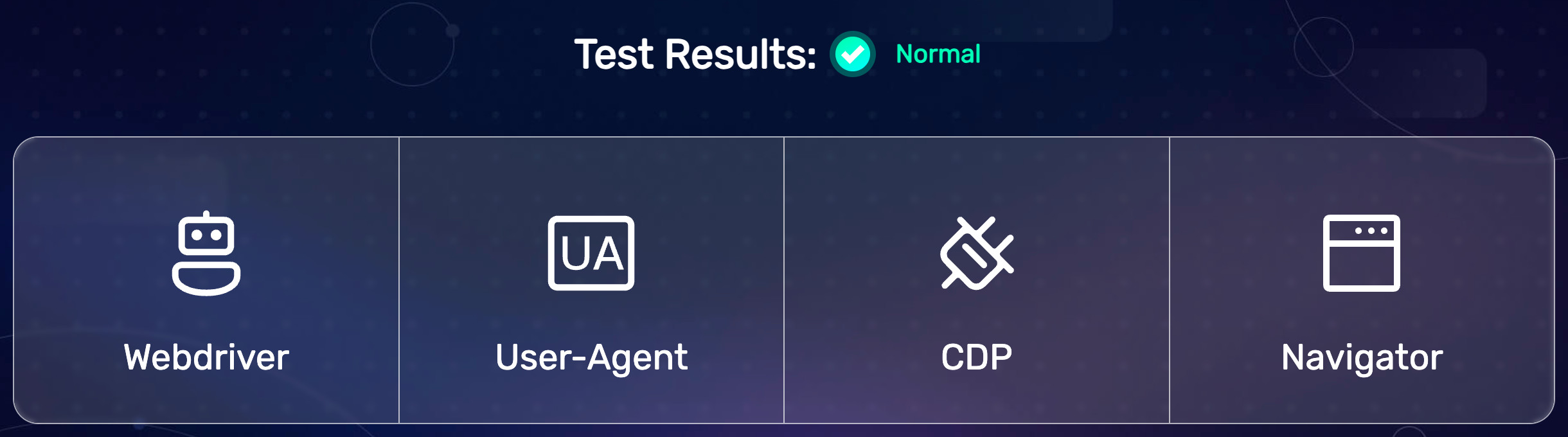
(All BrowserScan bot-detection tests passed successfully.)
🎭 Here's an example script that uses Stealthy Playwright Mode:
(Playwright connects to a stealthy SeleniumBase browser session.)
from playwright.sync_api import sync_playwright
from seleniumbase import sb_cdp

sb = sb_cdp.Chrome(guest=True)
endpoint_url = sb.get_endpoint_url()

with sync_playwright() as p:
    browser = p.chromium.connect_over_cdp(endpoint_url)
    page = browser.contexts[0].pages[0]
    page.goto("https://bot.sannysoft.com/")
    page.wait_for_timeout(500)
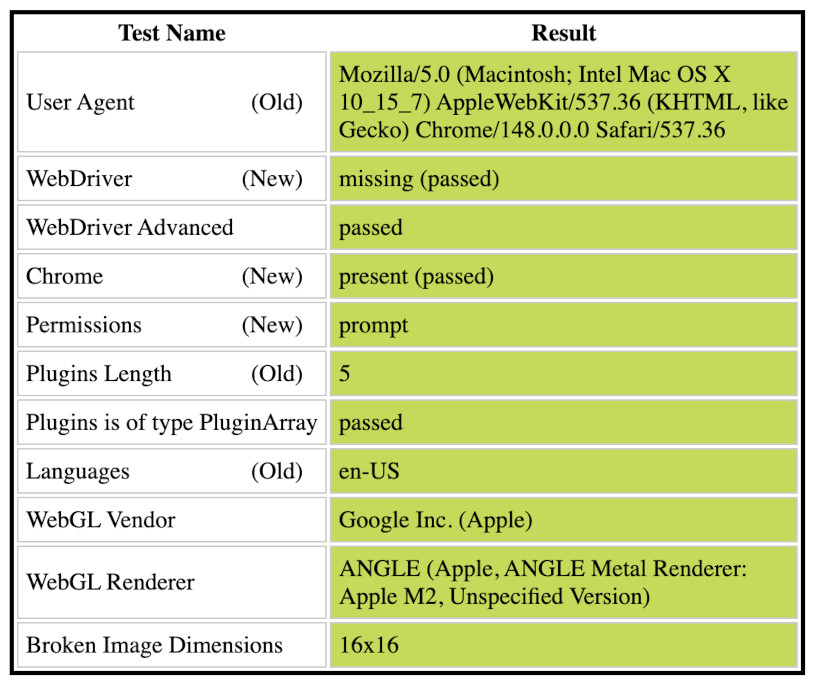
(All Sannysoft bot-detection tests passed successfully.)
📝 This example shows off multiple methods:
from seleniumbase import sb_cdp

sb = sb_cdp.Chrome()
sb.goto("https://seleniumbase.io/demo_page")
sb.type("input", "Quickly type text!")
sb.press_keys("textarea", "Slowly type text!")
sb.click("#myButton")
sb.set_value("input#mySlider", "100")
sb.click_visible_elements("input.checkBoxClassB")
sb.select_option_by_text("#mySelect", "Set to 75%")
sb.hover_and_click("#myDropdown", "#dropOption2")
sb.click("#checkBox1")
sb.drag_and_drop("img#logo", "div#drop2")
sb.nested_click("iframe#myFrame3", ".fBox")
sb.highlight("#myButton")
sb.quit()
📝 This example expands the Browserscan script into a test demo:
(Assertions added and elements highlighted with JavaScript.)
from seleniumbase import sb_cdp

sb = sb_cdp.Chrome(locale="en", ad_block=True)
sb.goto("https://browserscan.net/bot-detection")
sb.flash("Test Results", duration=1.5, pause=0.5)
sb.assert_element('strong:contains("Normal")')
print("Bot Not Detected")
sb.flash('strong:contains("Normal")', pause=1)
sb.quit()
📝 This example scrapes Hacker News listings:
from seleniumbase import sb_cdp

sb = sb_cdp.Chrome()
sb.goto("https://news.ycombinator.com/submitted?id=seleniumbase")
elements = sb.find_elements("span.titleline > a")
for element in elements:
    print("* " + element.text)
🐙 Stealthy CDP Mode examples are located in ./examples/cdp_mode/.
🎭 Stealthy Playwright examples are located in ./examples/cdp_mode/playwright/.
⚙️ Stealthy architecture flowchart:
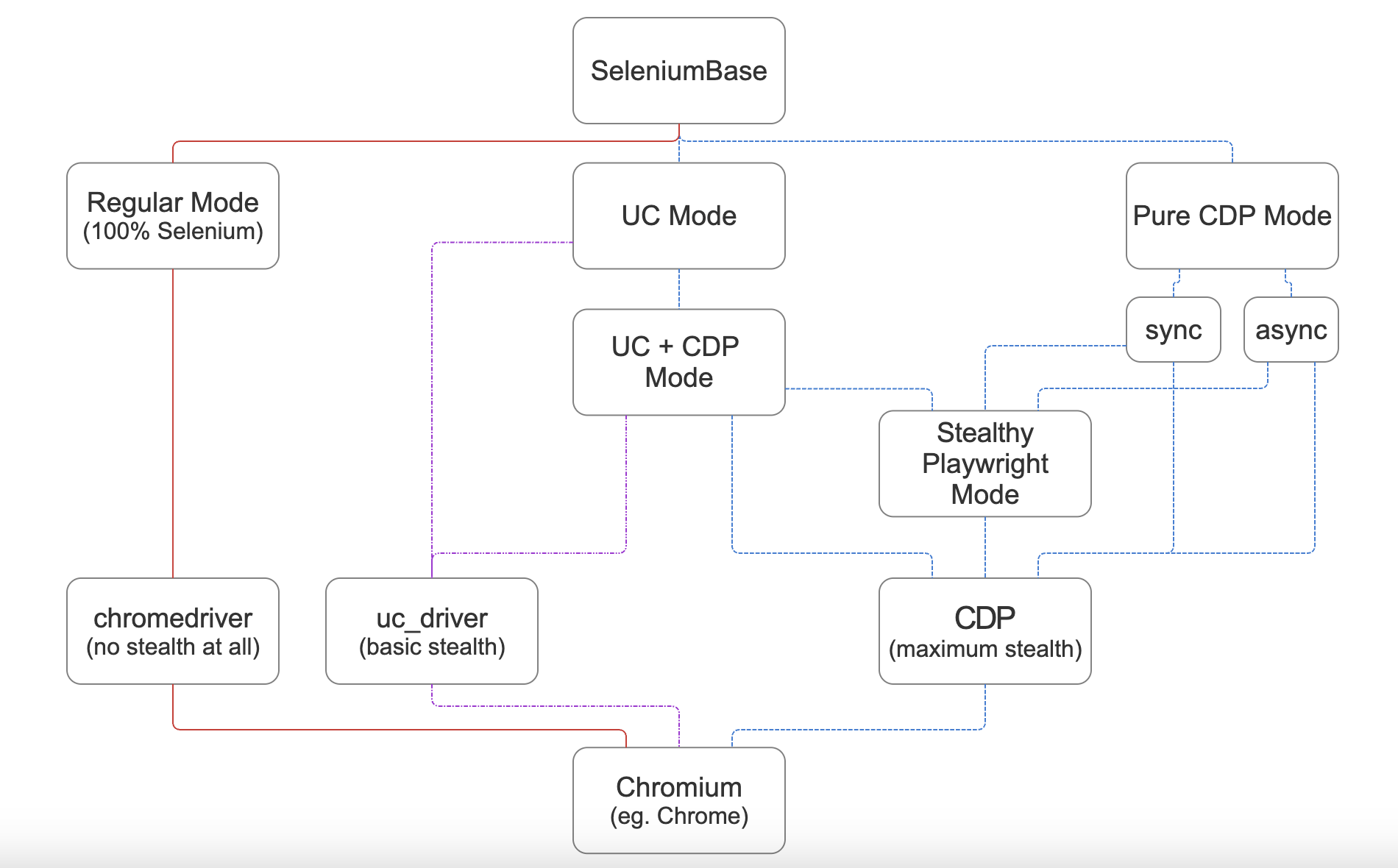
(For maximum stealth, use CDP Mode, which includes Stealthy Playwright Mode.)
🌐 CLI Options for Supported Chromium Browsers
💡 You can set the Chromium browser to use via command line parameters:
python SCRIPT.py --chromium  # Use the unbranded Chromium browser
python SCRIPT.py --cft  # Use Chrome-for-testing
python SCRIPT.py --edge  # Use Microsoft Edge
python SCRIPT.py --brave  # Use Brave browser
Google Chrome is the default browser. Only unbranded Chromium and Chrome-for-Testing get downloaded automatically if not already present on the system.
The Chromium browser can also be set via method args, eg: cft=True, use_chromium=True, browser="edge", browser="brave", etc. Eg:
sb = sb_cdp.Chrome(use_chromium=True)
📝 This example saves Google Search results with UC + CDP Mode:
(Results are saved as PDF, HTML, and PNG files to ./latest_logs/)
from seleniumbase import SB

with SB(uc=True, test=True) as sb:
    url = "https://google.com/ncr"
    sb.activate_cdp_mode(url)
    sb.click_if_visible('button:contains("Accept all")')
    sb.type('[name="q"]', "SeleniumBase GitHub page")
    sb.click('[value="Google Search"]')
    sb.sleep(4)  # The "AI Overview" sometimes loads
    print(sb.get_page_title())
    sb.save_as_pdf_to_logs()
    sb.save_page_source_to_logs()
    sb.save_screenshot_to_logs()
    print("Logs have been saved to: ./latest_logs/")
📝 This example bypasses Cloudflare's challenge page with UC + CDP Mode:
(If the Turnstile isn't bypassed automatically, sb.solve_captcha() handles it.)
from seleniumbase import SB

with SB(uc=True, test=True, locale="en") as sb:
    url = "https://gitlab.com/users/sign_in"
    sb.activate_cdp_mode(url)
    sb.sleep(2)
    sb.solve_captcha()
    # (The rest is for testing and demo purposes)
    sb.assert_text("Username", '[for="user_login"]', timeout=3)
    sb.assert_element('label[for="user_login"]')
    sb.highlight('button:contains("Sign in")')
    sb.highlight('h1:contains("GitLab")')
    sb.post_message("SeleniumBase wasn't detected", duration=4)
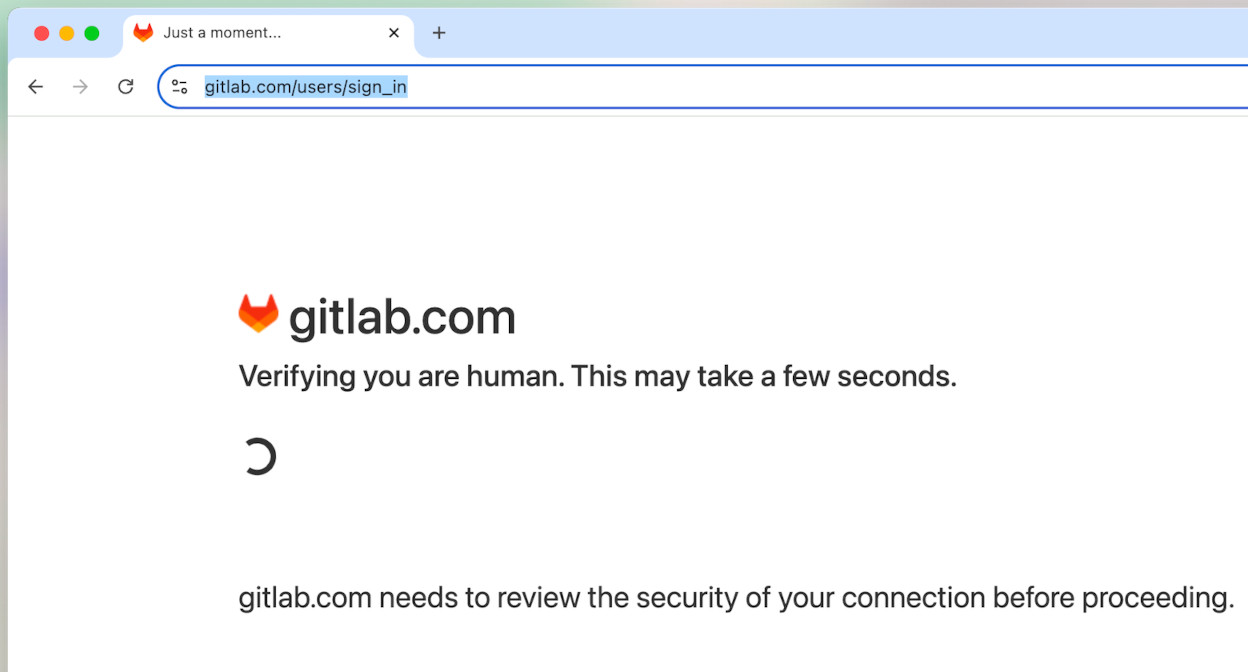
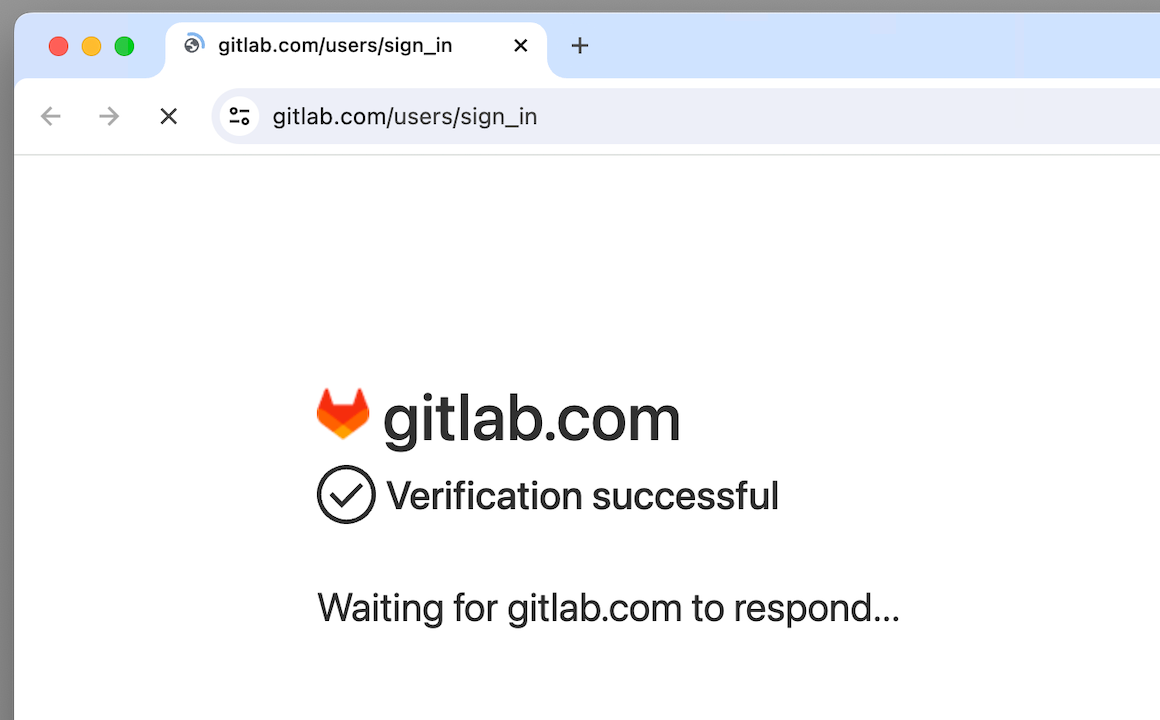
(Successfully bypassed bot-detection on a Cloudflare challenge page.)
💡 sb.solve_captcha() handles CAPTCHAs that aren't bypassed automatically.
(If no CAPTCHA is present on the current page, then nothing happens.)
📝 This example handles a CAPTCHA page with Pure CDP Mode:
from seleniumbase import sb_cdp

sb = sb_cdp.Chrome(incognito=True)
sb.goto("https://gitlab.com/users/sign_in")
sb.sleep(2)
sb.solve_captcha()
sb.highlight('h1:contains("GitLab")')
sb.highlight('button:contains("Sign in")')
sb.quit()
🧪 Comprehensive E2E Testing with pytest:
📚 The SeleniumBase/examples/ folder includes over 150 ready-to-run examples of E2E testing. Examples that start with test_ or end with _test.py/_tests.py run with pytest. Other examples run directly with raw python (those generally start with raw_ to avoid confusion).
📝 This example tests an e-commerce site with pytest:
from seleniumbase import BaseCase
BaseCase.main(__name__, __file__)  # Call pytest

class MyTestClass(BaseCase):
    def test_swag_labs(self):
        self.goto("https://www.saucedemo.com")
        self.type("#user-name", "standard_user")
        self.type("#password", "secret_sauce\n")
        self.assert_element("div.inventory_list")
        self.click('button[name*="backpack"]')
        self.click("#shopping_cart_container a")
        self.assert_text("Backpack", "div.cart_item")
        self.click("button#checkout")
        self.type("input#first-name", "SeleniumBase")
        self.type("input#last-name", "Automation")
        self.type("input#postal-code", "77123")
        self.click("input#continue")
        self.click("button#finish")
        self.assert_text("Thank you for your order!")
pytest test_get_swag.py
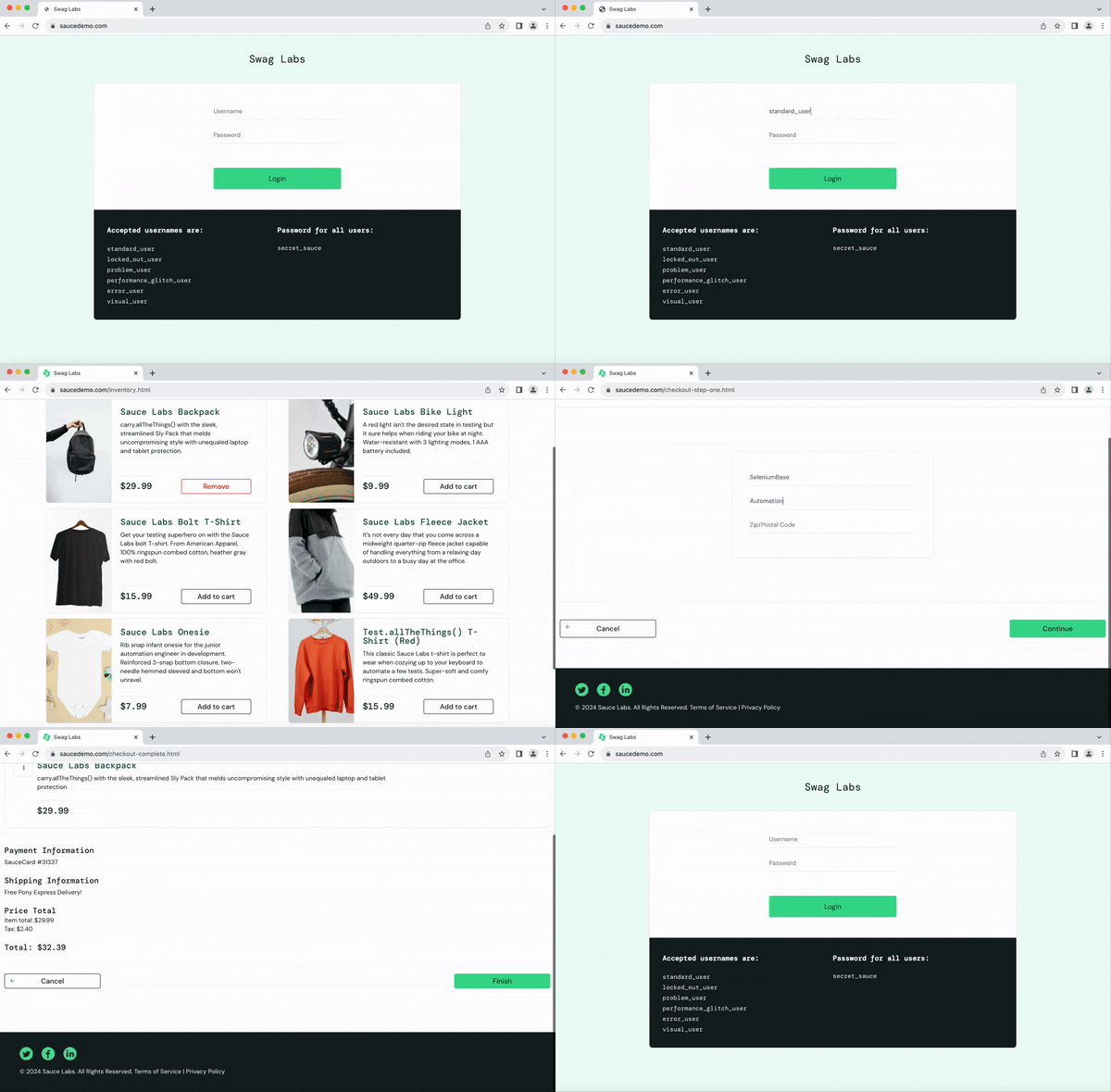
📝 This example tests another e-commerce site with pytest:
pytest test_coffee_cart.py --demo
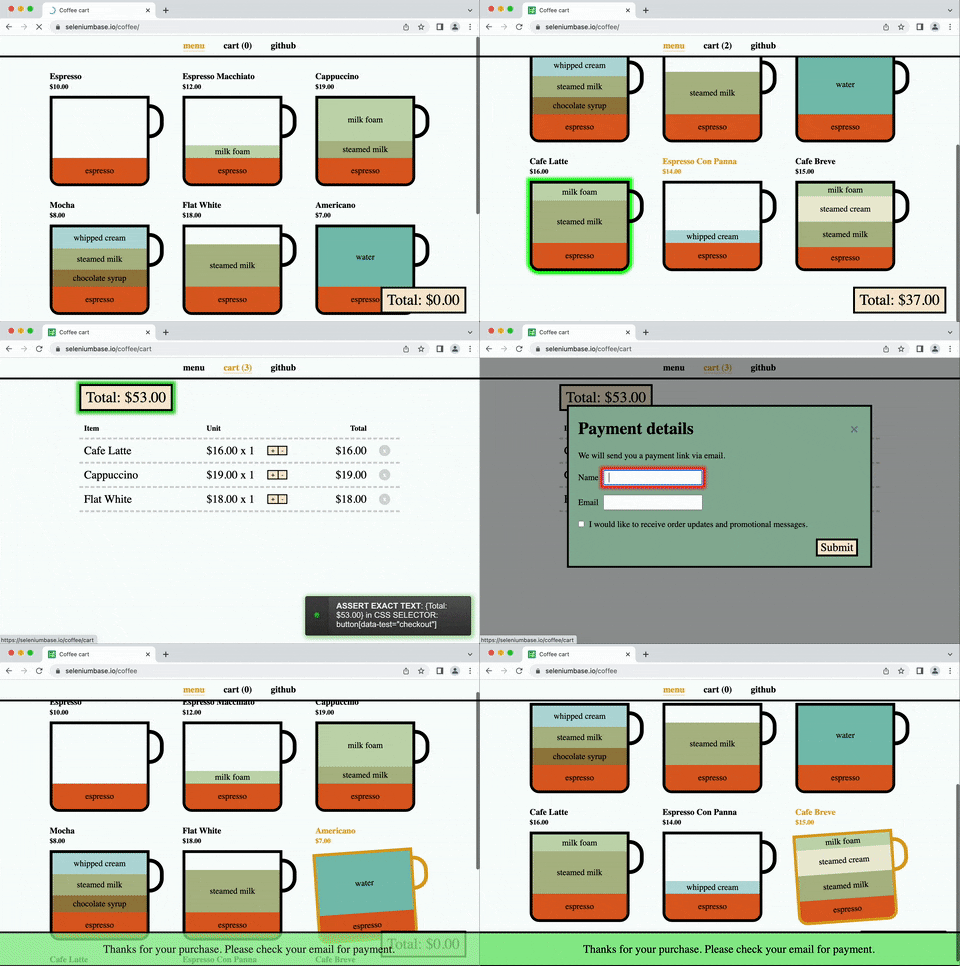
(--demo mode slows down tests and highlights actions)
📝 This example covers multiple actions with pytest:
pytest test_demo_site.py
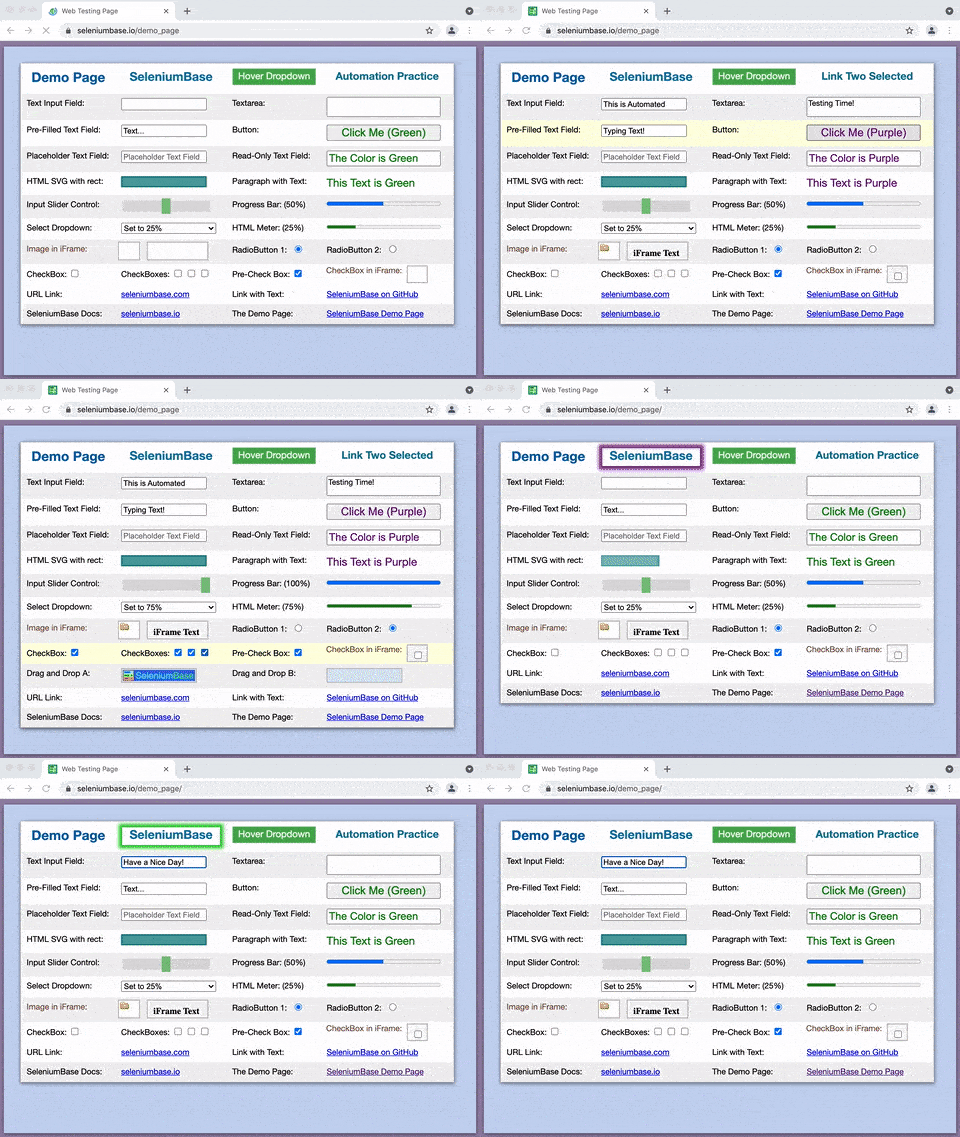
Easy to type, click, select, toggle, drag & drop, and more.
(For more examples, see the SeleniumBase/examples/ folder.)
Explore the README:
▶️ How is SeleniumBase different from raw Selenium? (click to expand)
💡 SeleniumBase is a Python framework for browser automation and testing. SeleniumBase uses Selenium/WebDriver APIs and incorporates test-runners such as pytest, pynose, and behave to provide organized structure, test discovery, test execution, test state (eg. passed, failed, or skipped), and command-line options for changing default settings (eg. browser selection). With raw Selenium, you would need to set up your own options-parser for configuring tests from the command-line.
💡 SeleniumBase's driver manager gives you more control over automatic driver downloads. (Use --driver-version=VER with your pytest run command to specify the version.) By default, SeleniumBase will download a driver version that matches your major browser version if not set.
💡 SeleniumBase automatically detects between CSS Selectors and XPath, which means you don't need to specify the type of selector in your commands (but optionally you could).
💡 SeleniumBase methods often perform multiple actions in a single method call. For example, self.type(selector, text) does the following:
1. Waits for the element to be visible.
2. Waits for the element to be interactive.
3. Clears the text field.
4. Types in the new text.
5. Presses Enter/Submit if the text ends in "\n".
With raw Selenium, those actions require multiple method calls.<

 SeleniumBase 是一个一体化的 Python 浏览器自动化框架,集网页抓取、自动化测试、数据采集和隐身绕过检测于一身。它的 CDP Mode 能绕过基于 Chromium 内核浏览器中的机器人检测,而 Stealthy Playwright Mode 则把这种能力扩展到了 Playwright。