Talorys
Your personal AI agent. Your own cloud.
Talorys is a free, open-source personal AI assistant that runs entirely inside
your own Cloudflare account. It chats with you, remembers what matters,
manages tasks, notes and projects, and runs reminders and routines on a
schedule — without any server, database or account operated by the Talorys
developers.
One person. One Cloudflare account. One command. One personal AI agent.
npx create-talorys@latest
1. What Talorys is
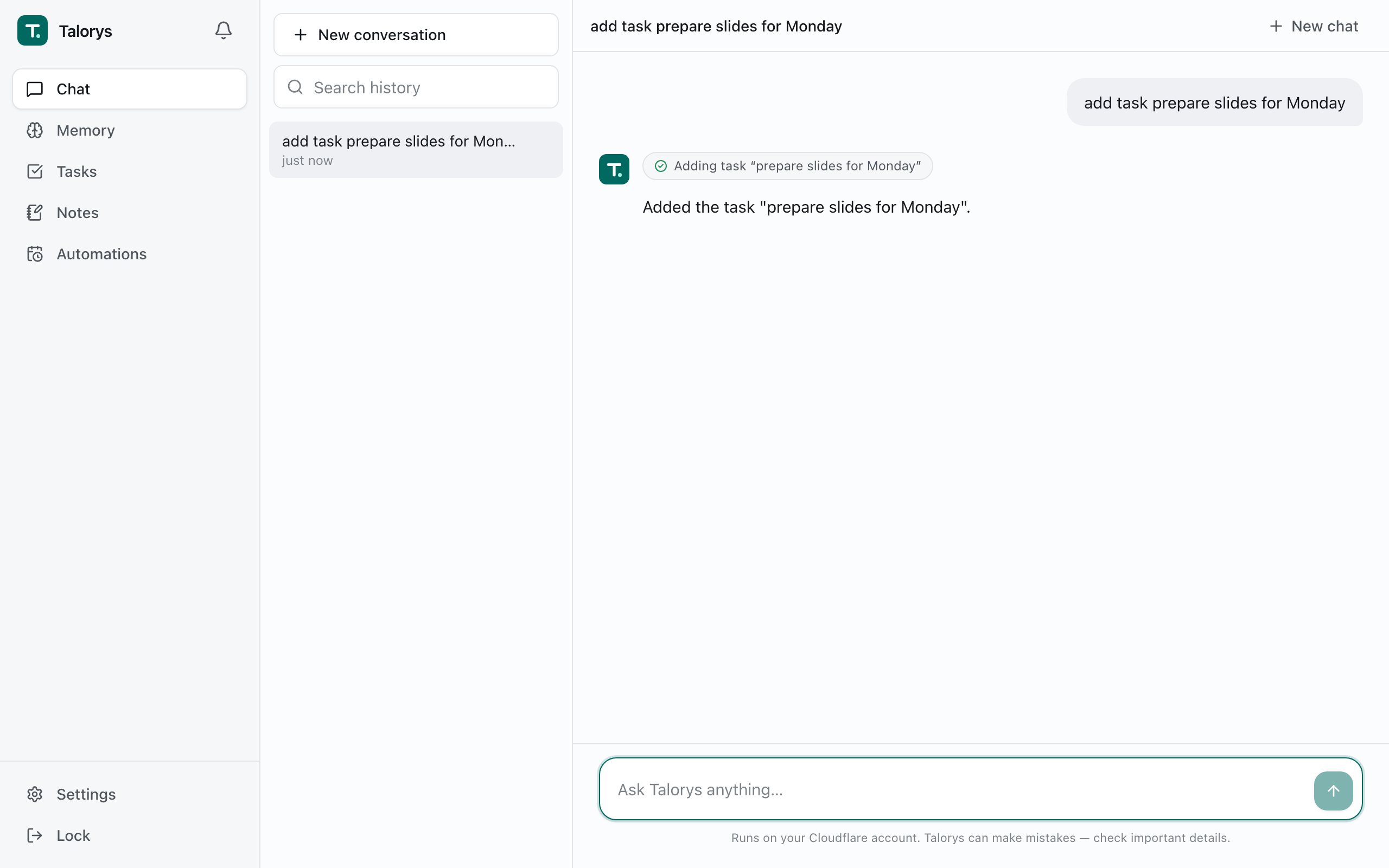
- A private assistant — chat with streaming responses, Markdown and tool activity indicators.
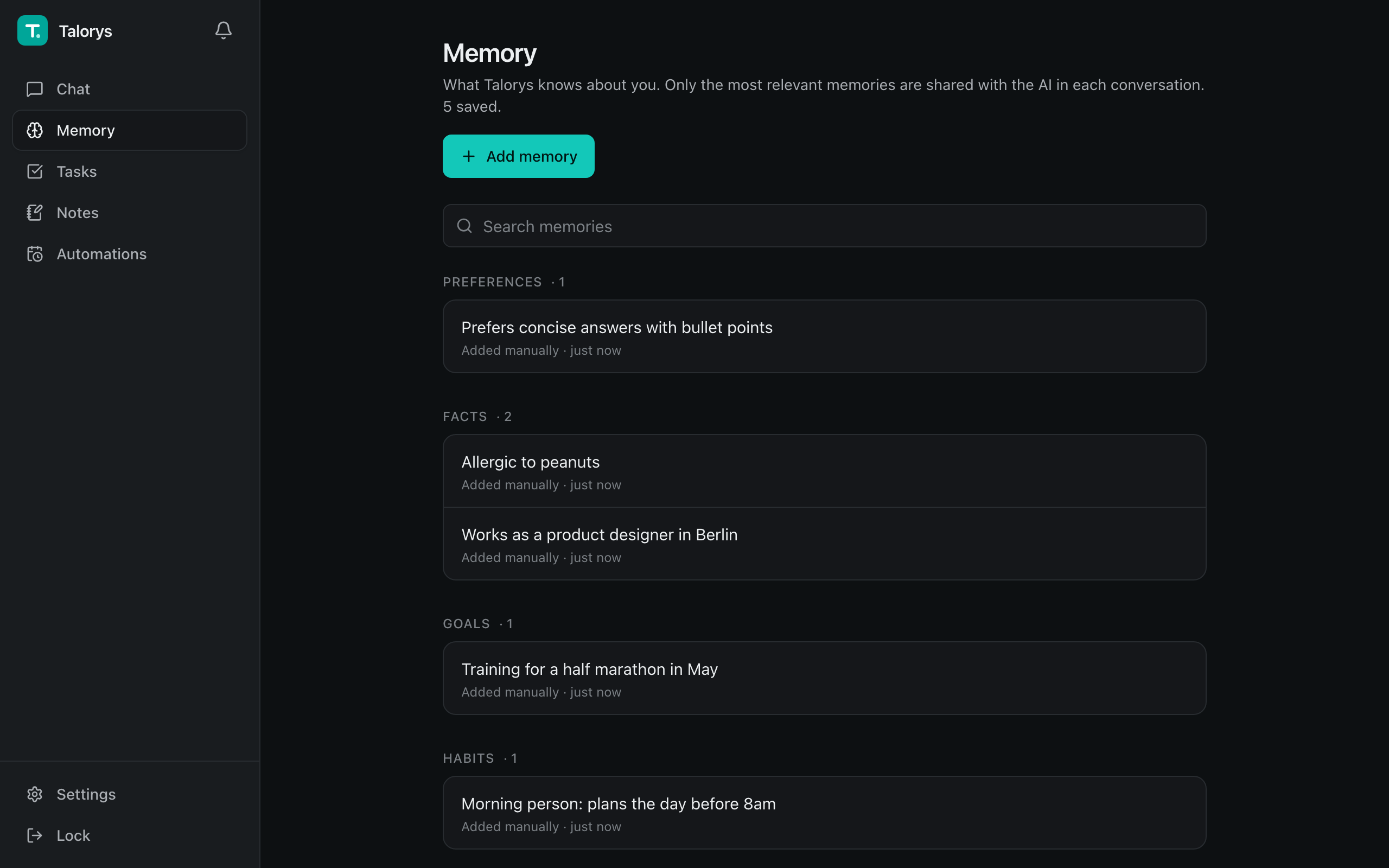
- Memory — durable personal facts and preferences you can view, edit and delete. Only the most relevant memories are sent to the model on each turn.
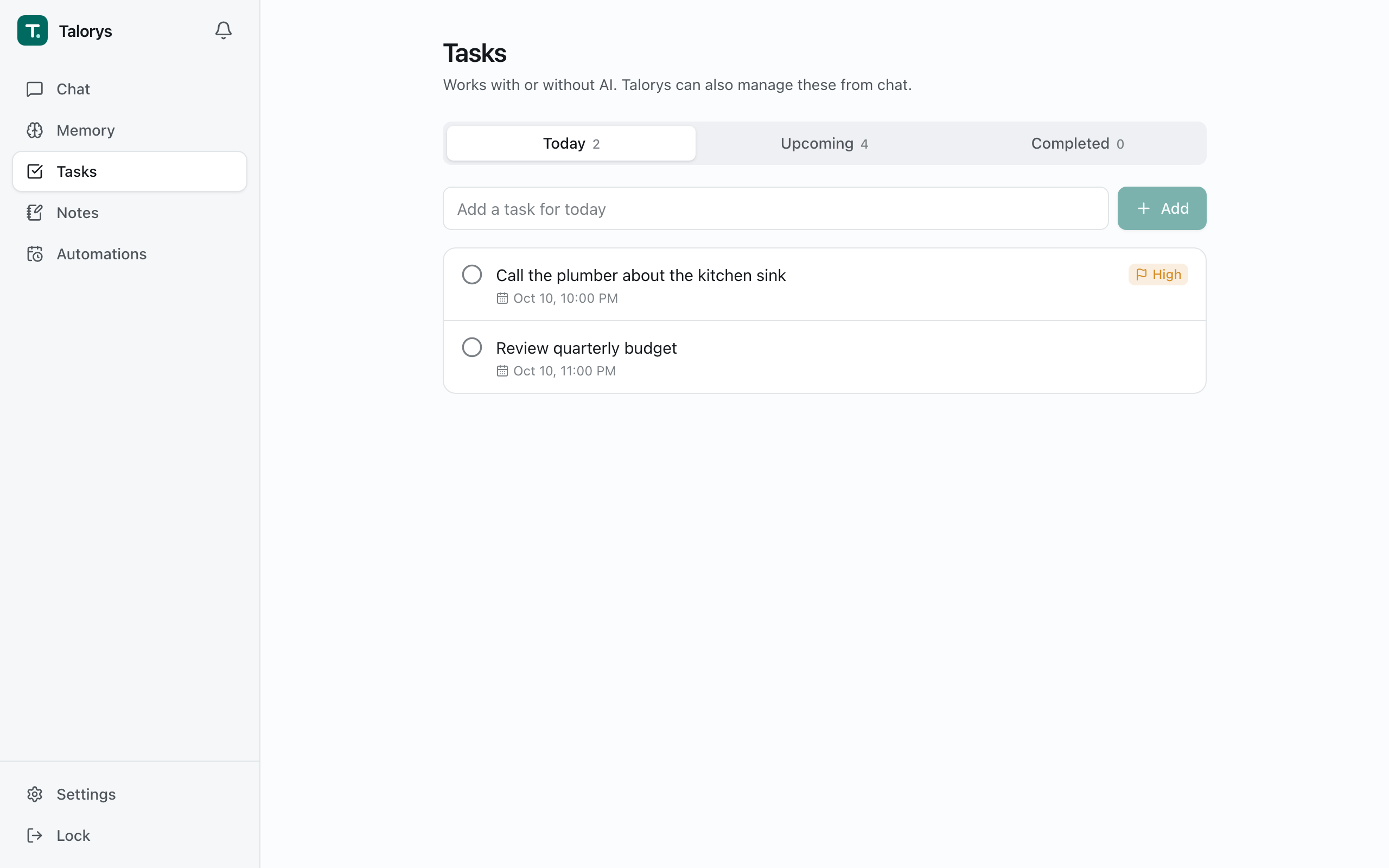
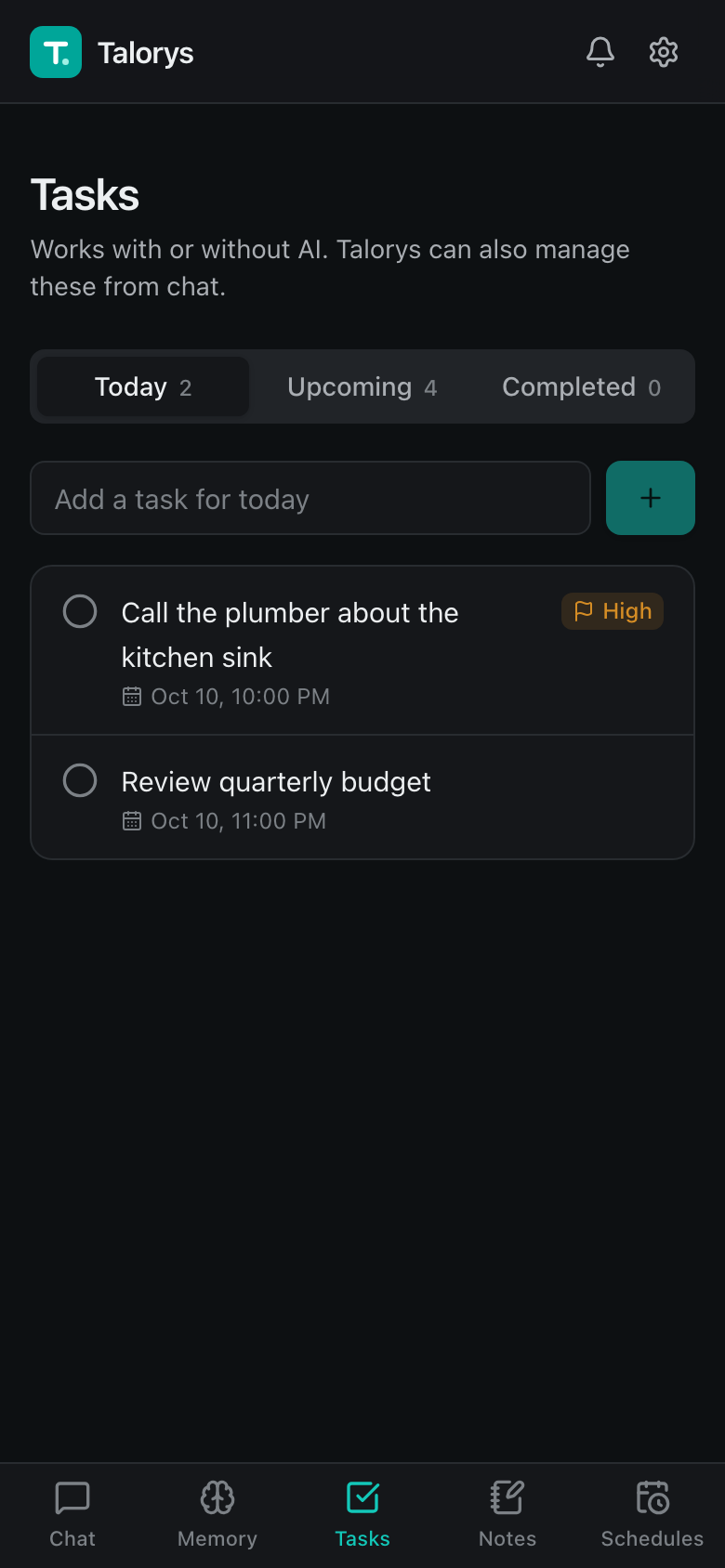
- Tasks, notes and projects — full CRUD in the UI, and from chat ("Add a task to review my project tomorrow").
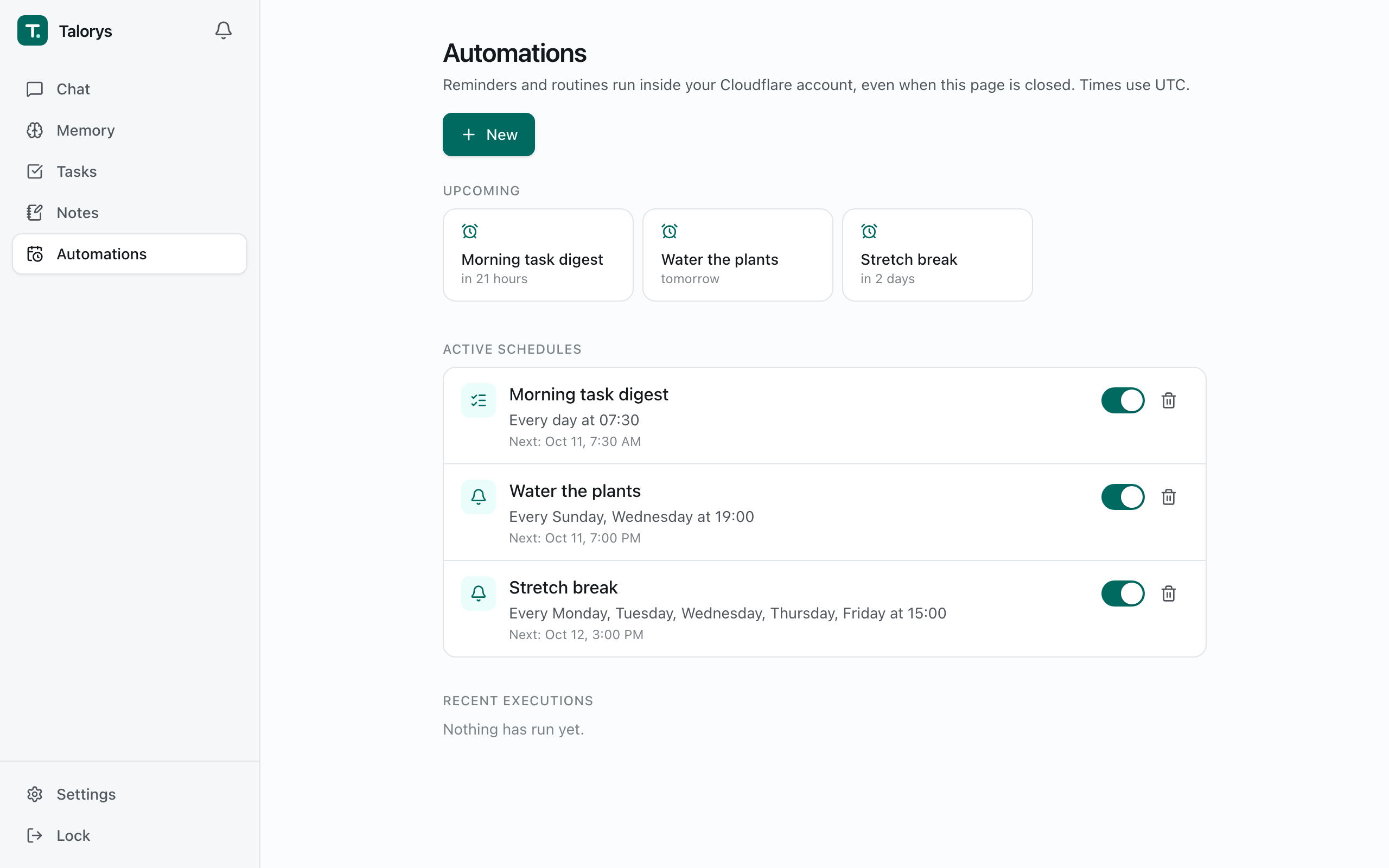
- Automations — one-time and recurring reminders, daily task digests and optional AI routines, delivered to an in-app notification center. They run on Durable Object alarms, so nothing has to stay online.
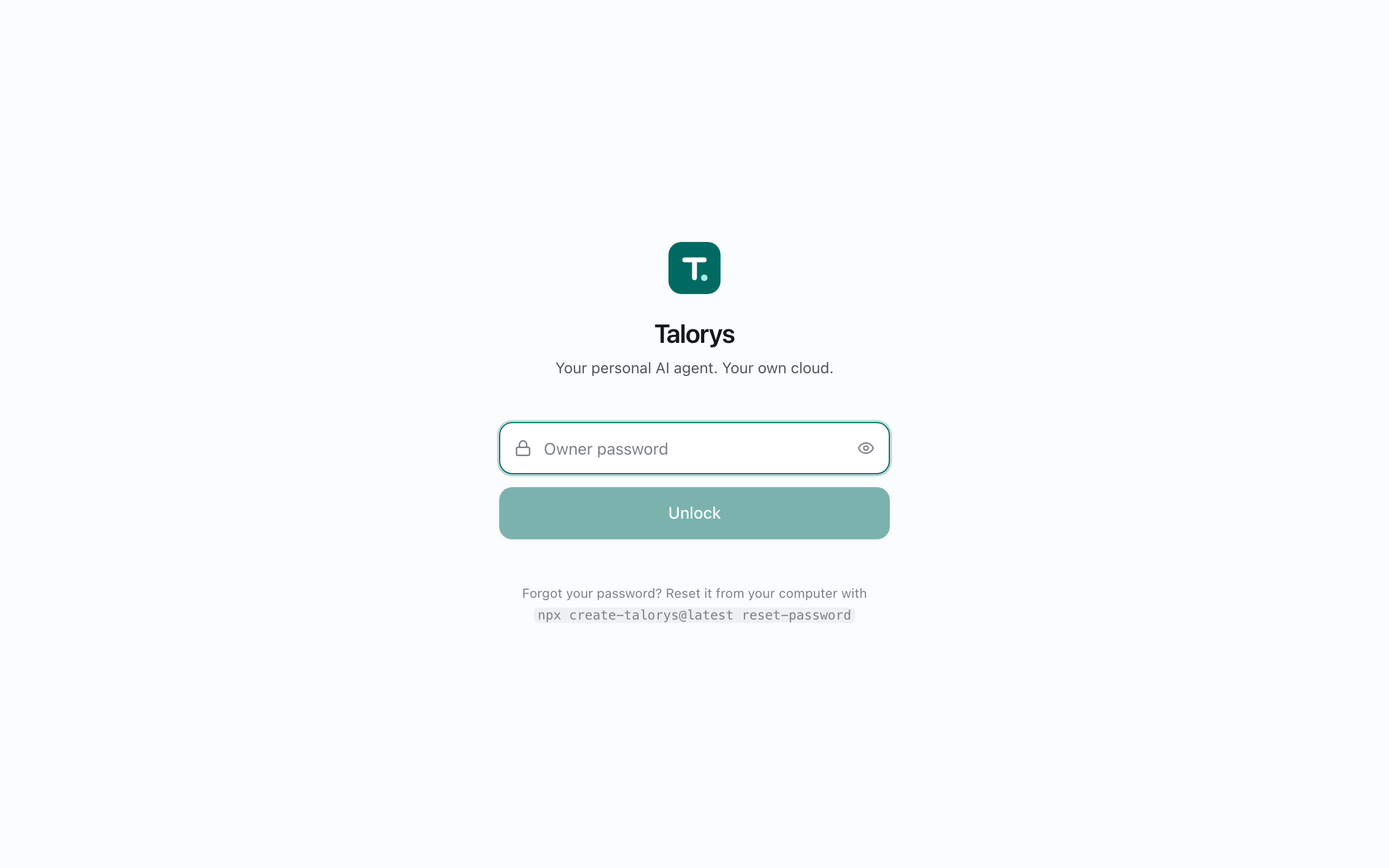
- Single-user by design — no signup, no accounts, no teams. The installer sets the owner password.
- Works without AI — tasks, notes, memories and reminders keep working if Workers AI is unavailable or your free quota is used up.
Screenshots
| Chat with tool activity |
Tasks |
 |
 |
| Memory (dark mode) |
Automations |
 |
 |
2. How it works
Browser ──HTTPS──▶ Cloudflare Pages (React app + /api Pages Function)
                         │  service binding (no public URL)
                         ▼
                   Private Worker (Hono router)
                         │  getAgentByName("personal-agent")
                         ▼
                   TalorysAgent — Cloudflare Agents SDK Durable Object
                     ├─ SQLite: conversations, memories, tasks, notes, projects,
                     │          automations, sessions, settings, usage
                     ├─ Workers AI: @cf/zai-org/glm-4.7-flash (streaming + tool calling)
                     └─ Alarms: reminders and recurring schedules
- The browser only ever talks to your
*.pages.dev site. /api/* requests run a
Pages Function that forwards them over a service binding to the agent Worker.
- The agent Worker is deployed with
workers_dev: false and preview_urls: false:
it has no public URL.
- Authentication and authorization happen in the Worker, not the frontend.
- Chat responses stream as Server-Sent Events end-to-end.
More detail: docs/architecture.md.
3. Cloudflare services used
| Service |
Used for |
Free plan |
| Cloudflare Pages |
Frontend + Pages Function |
Yes |
| Cloudflare Workers |
Private API Worker |
Yes |
| Durable Objects (SQLite) |
All data, scheduling alarms |
Yes |
| Workers AI |
Chat model (@cf/zai-org/glm-4.7-flash) |
Yes, daily allocation |
Talorys does not provision R2, D1, KV, Vectorize, AI Search, Workflows or any
paid service.
4. Deploy
npx create-talorys@latest
The installer:
- Checks Node.js (20.18+) and uses its bundled Wrangler CLI (any globally installed
wrangler/cf is detected but not required).
- Verifies your Cloudflare login, or opens Cloudflare's authorization page in your browser.
- Lets you choose an account (if you have several) and an agent name.
- Asks for an owner password (hidden input, strength-checked). It is hashed locally with PBKDF2-SHA256 and stored only as a Cloudflare secret.
- Generates a 256-bit session secret and unique resource names (
talorys-<id>-agent, talorys-<id>-web).
- Deploys the private Worker (creating its SQLite Durable Object), stores secrets, creates and deploys the Pages project with the service binding.
- Verifies the live deployment (frontend, auth endpoint, unauthenticated rejection, storage health) without running any AI inference.
- Prints the real
https://….pages.dev URL reported by Cloudflare.
It writes a talorys/ directory containing talorys.json (installation id,
account id, resource names, URL — no secrets) and the deployable artifacts.
Keep it for updates.
Interrupted? Run the same command again in the same place. It reconciles
what already exists: no duplicate resources, no password re-prompt if the
password is already configured, and no data is ever deleted.
Non-interactive installs: TALORYS_OWNER_PASSWORD=... npx create-talorys@latest --yes --account-id <id>
(with CLOUDFLARE_API_TOKEN set if you are not logged in).
Permissions
Browser login uses Wrangler's standard OAuth flow — no Global API Key. If you
use an API token instead, it needs:
- Account › Workers Scripts › Edit
- Account › Cloudflare Pages › Edit
- Account › Workers AI › Read
- Account › Account Settings › Read
- User › User Details › Read (optional; shows your email)
See docs/deployment.md.
5. Access
Open the URL the installer prints, enter your owner password, and start chatting.
Sign in from any number of devices — they are all the same owner. Manage
sessions under Settings → Security.
Forgot the password? From your talorys/ directory:
npx create-talorys@latest reset-password
This replaces the password secret and signs out every device.
6. Where your data lives
All data is stored in a single SQLite-backed Durable Object (personal-agent)
in your Cloudflare account. Talorys has no telemetry, analytics, tracking or
advertising code and sends nothing to its developers.
Cloudflare processes your data to provide its services — including running
Workers AI inference on your chat messages and the relevant memories included
in each prompt. Review Cloudflare's privacy policy and Workers AI terms.
Security model and threat mitigations: docs/security.md.
7. What is free and what may cost money
Talorys is designed to fit the Cloudflare Workers Free plan and never enables
paid features on its own. It is not "unlimited free", though:
- Free plans have account-level quotas (requests, Durable Object usage, a daily
Workers AI Neuron allocation). Quotas are set by Cloudflare and can change.
- When the AI allocation is exhausted, chat shows a clear message and resumes
after the daily reset. Everything else keeps working, and your data is untouched.
- If your account is on a paid plan, usage beyond included amounts is billed by
Cloudflare under your plan.
Built-in guardrails (adjustable in Settings → AI): max output tokens, max
context tokens (older history is summarized), max tool calls and reasoning
steps per request, max AI requests per day, and max scheduled AI runs per day.
Simple reminders and task digests never use AI. The Usage panel shows local
estimates and links to the Cloudflare dashboard for exact Neuron usage.
8. Local development
Requirements: Node.js 20.18+.
git clone https://github.com/rociiu/talorys.git
cd talorys
npm install
npm run dev
npm run dev starts the agent Worker (wrangler dev, port 8787), the Pages
Function proxy with its service binding (wrangler pages dev, port 8788) and
the Vite UI (http://localhost:5173) in one terminal. It creates
apps/agent/.dev.vars with a local password (talorys-dev-password, override
with TALORYS_DEV_PASSWORD) and uses the deterministic mock AI provider, so no
Cloudflare login is needed. State persists in .wrangler/state.
Other scripts: npm run build, npm test, npm run test:e2e, npm run test:pack,
npm run typecheck, npm run lint. See docs/development.md.
9. Back up your data
Settings → Privacy → Download backup produces talorys-backup.json with
conversations, memories, tasks, notes, projects, settings and automations
(never sessions or credentials). Import validates the file and merges it in
one transaction; importing the same backup twice is harmless.
10. Update
From your talorys/ directory:
npx create-talorys@latest update
This redeploys the latest Worker and frontend to the same resources. The
Durable Object namespace is never recreated (migrations are append-only), the
owner password and sessions are kept, and schema migrations run automatically
and transactionally on first request. Also available: status and doctor.
11. Troubleshooting
| Problem |
Fix |
| Installer stopped midway |
Re-run the same command; it resumes. |
| "did not pass its health checks yet" |
New pages.dev sites can take a few minutes. Re-run. |
| Permission errors |
Use an account where you can edit Workers and Pages, or a token with the permissions above. |
| Chat says the AI allocation is used up |
Wait for the daily reset; or enable Demo mode in Settings → AI. |
| Locked out after failed logins |
Wait 15 minutes, or reset the password with the CLI. |
npx create-talorys@latest doctor checks everything automatically. More in
docs/troubleshooting.md.
Repository layout
apps/agent              Private Worker: Hono API, TalorysAgent, tools, SQLite repositories
apps/web                React + Vite app, Pages Function (functions/api/[[path]].ts)
packages/shared         Zod schemas, types, recurrence/DST logic, password hashing
packages/create-talorys The one-command installer (npm package)
tests/e2e               Playwright UI tests
tests/smoke             Optional real-account deployment test
docs/                   Architecture, deployment, development, security, troubleshooting
License
MIT

 Talorys 是一个免费开源的个人 AI 助手,完全部署到你自己的 Cloudflare 账号中,处理聊天、记忆、任务、笔记、项目和定时提醒,开发者不运营任何服务器或数据库。